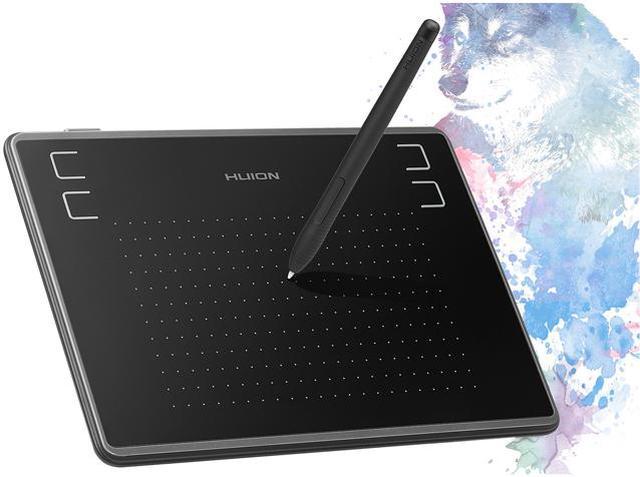
- The perfect replacement for a traditional mouse!
- Designed for OSU! gameplay, drawing, painting, sketching, E-signatures etc.
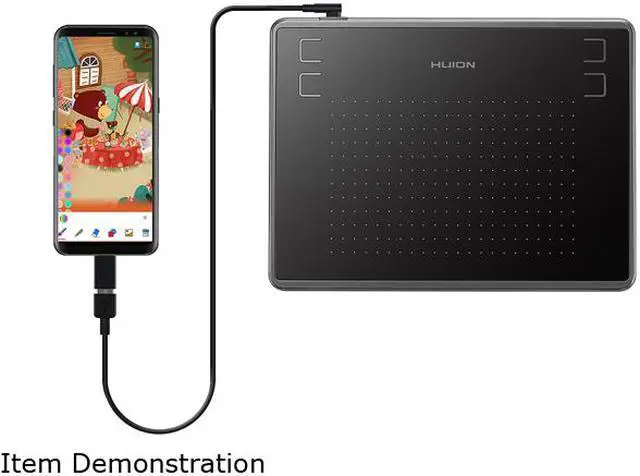
- H430P is not only support macOS 10.11 or later and Windows 7 or later, but also Android 6.0 or later now.
- Designed for playing OSU! Game, digital drawing, painting, signature in Microsoft Excel, Word, One Note. Nice for kids, students and amateur in digital art.
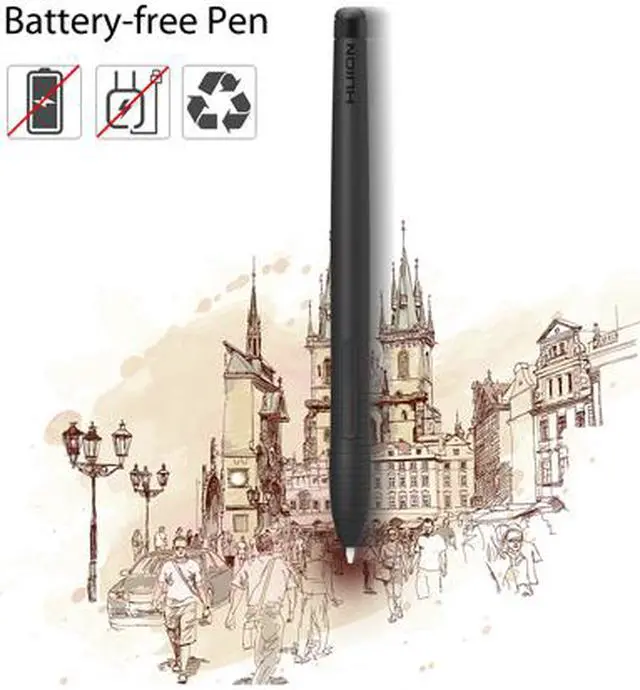
- Battery-free Pen: No need to charge or battery, allowing continuous use in game play and drawing. 2 buttons on the pen can be customizable.
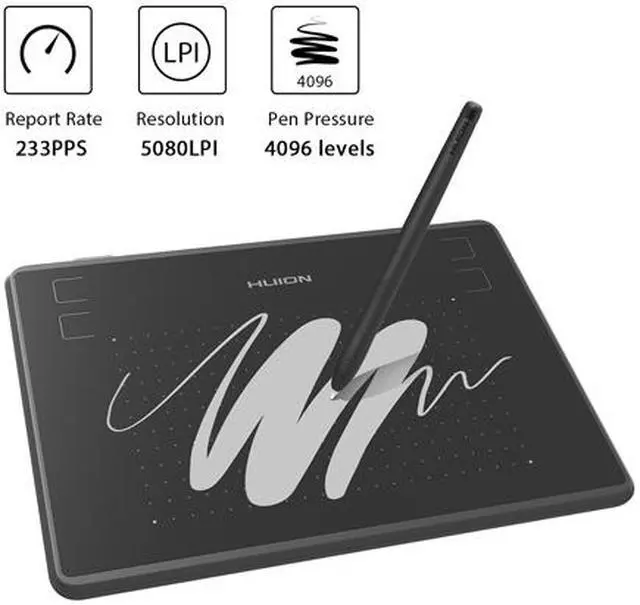
- 4096 Levels Pen Pressure: 2 times increased in pen pressure offer more accurate and responsive performance. Send a free size glove as a gift.
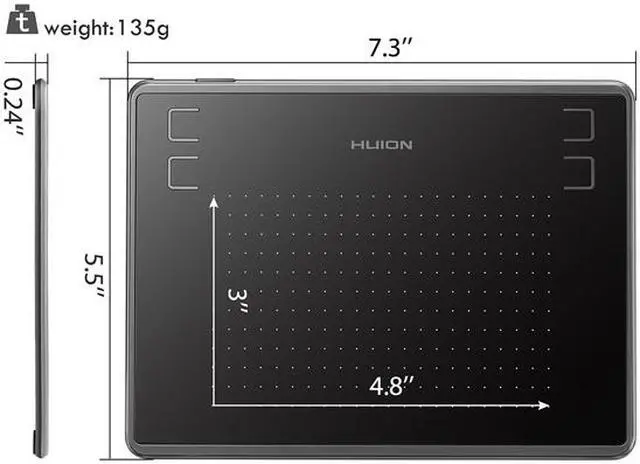
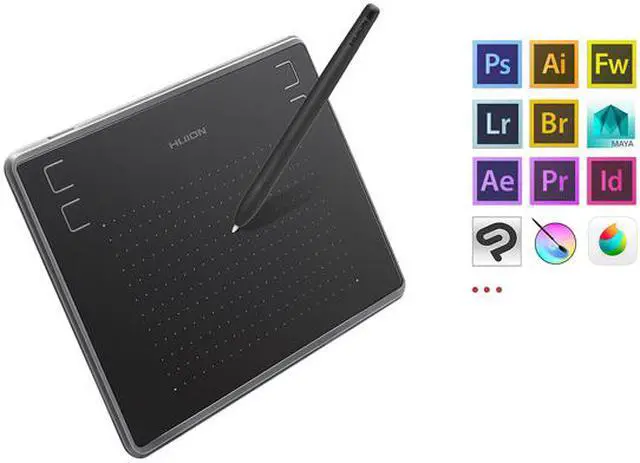
- Compact Design: 4 express keys can be customized per your request to improve work flow. 4.8 x 3 inches in working area, 135g in weight and 6.3mm in height. Program Support: Corel Painter, CorelDraw, Adobe Photoshop, Adobe Illustrator, SAI etc.
You can easily connect your phone to the tablet with the OTG connector after firmware UPDATED. You can find the firware on Huion official web.(Purchase OTG connector separately); ONLY mobile phone and tablet powered by Android 6.0 or above are supported, while iPhone and iPad are NOT at the moment.
Huion H430P featuring game mode, compact active area and instant respond. It's the perfect choice for OSU!
It is not only compatible with Linux(Ubuntu), Windows 7 or later, macOS 10.11 or later but also compatible with Android 6.0 or above. And it also works with many mainstream digital art software like Corel Painter, CorelDraw, Adobe Photoshop, Adobe Illustrator, Adobe Fireworks, Macromedia Flash and so on. The tablet comes with 4 user-defined express keys.
The digital art pad with 5080LPI screen resolution and 4096 level pressure sensitivity, the configuration of the drawing tablet is in a high level which gives you more enjoyable user experience.
The graphics art tablet comes with 121.9 x 76.2mm working area. Mobile phone work space:76.2*47.6mm.the compact size of the tablet will greatly reduce the range of wrist movement. As it is only 6.3mm in thickness and 135g in weight, the drawing tablet is easy for carrying. The non-slip mats on the bottom keep your tablet from gliding.
The Micro USB detachable cable of H430P overcomes the setbacks of traditional non-detachable USB cable. Therefore, the drawing pad is easy to use as well as easy to carry around.
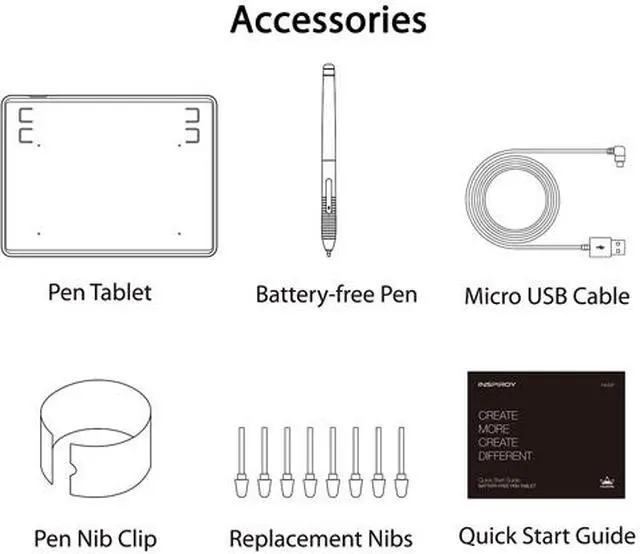
Huion H430P Tablet
Battery-free Pen PW201
Micro USB Cable
Pen Nibs x 8
OTG Adapter
Quick Start Guide
Designed for playing Osu! Game, digital drawing, painting, signature
Battery-free Pen Recognize 4096 Levels Pen Pressure 2 times increased in pen pressure
Compact Design: 4.8 x 3 inches in working area, 135g in weight lighter than a mobile phone.
4 express keys can be customized per your request to improve work flow.
Compatible with Windows 7 or above /Mac OS 10.12 or above/ Android 6.0 or above( NOT suitable for IPhone/IPad).
NOTE: The cursor does not show up in SAMSUNG device at present (except SAMSUNG Note Series), such
as:
Google Nexus
SAMSUNG Galaxy S6/S7/S7 edge/S8
SAMSUNG Galaxy Tab S2
If you are not sure whether the product is compatible with your Phone or if you have any problems, please message us.
Portable tablet with 4 express keys
Small and handy tablet with working area 4.8 x 3, 135g in weight and 6.3 mm in height. It is lighter than a mobile phone. 4
Shortcut keys: can be customized to undo, choose brush, paste etc. It is designed to improve work efficiency.
Tablet for Osu! game play, digital draiwng, painting, drawing
Huion H430P must connected to a PC/Mac to work. It can be widely used in Osu! Game play, digital drawing, sketching, painting in PS, SAI, and many other drawing programs. I
t even can be use for handwriting, signature in Microsoft office, Excel, Word ect.
OS Support Drawing Program Support
OS support: Windows 7 or later, macOS 10.11 or later D
rawing Software Support: Corel Painter, CorelDraw, Adobe Photoshop, Adobe Illustrator, Adobe Fireworks, Macromedia Flash, Comic Studio, SAI, Paint tool sai, Infinite Stratos, 3D MAX, Autodesk MAYA, Pixologic ZBrush
Huion provide lifetime technical support on all Huion drawing pen tablets/monitors.
If you have any questions on using the Huion drawing monitor tablet, please check the Quick Guide on package, email us by cs_us@huion. cn or search Huion online to find us for more assistance, we are always here to help you!
Here to download Driver or User Manual:
https: //www. huion. com/download/
Here to Find all the product FAQ:
https: //support. huion. com/support/home
Painting/Sketching
For the professional artist, new designer and amateur hobbyist, Huion drawing tablets Compatible with Windows 7 or above /Mac OS 10.12 or above/ Android 6.0 or above, as well support most of the drawing software such as PS, SAI, CorelPainter, Illustrator, SketchBook Pro, Manga Studio, Krita and more. The advanced pen technology offer better and precise control of drawing lines in digital drawing and photo-editing.
E-leaning /Teaching
For the teacher and students, its really perfect replacement for traditional mouse and paper! Teachers may want to broadcast your courses in real-time to your streaming platforms such as YouTube, Facebook, Bloc, Twitch, Udemy, Khan Academy, Codecademy, and more. And Students can take fast note-taking, tutoring, writing and calculating when learning courses online.
Online Meeting/Remote Work
If you want to work from new location like home or outside, you can use Huion tablets to capture ideas, create mind-maps, draw diagrams & share them with colleagues and friends when web-conferencing, as it compatible with Microsoft Office programs like Word, PowerPoint, OneNote PDF and more. Visually present your handwritten notes and signatures precisely.
Video Edit/More Fun
Whats more, you can play OSU! Game, or even edit/personalize your photos & videos to help you stand out on your social media channels. Huion drawing tablets is ideal choice for gameplay, drawing, painting, sketching, E-signatures etc. Waiting for you to discover more fun!