

  • $99.39
  • Free 15-day Returns
Ships from China.
Sold by fadaoe

Shipped by fadaoe

Price alert
Shop it at NeweggBusiness.

Meet Your Seller

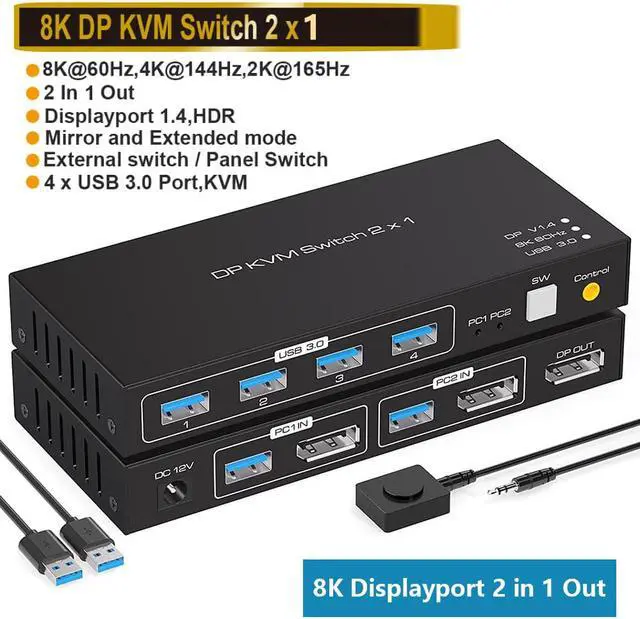
2 Port Displayport KVM Switch 2 in 1 Out, Support 4K @120HZ 8K @60HZ DP 1.4 USB 3.0 KVM Switcher for 2 Computers Share Keyboard Mouse Printer with 4x USB 3.0 Includes Desktop Control and 2 USB Cables

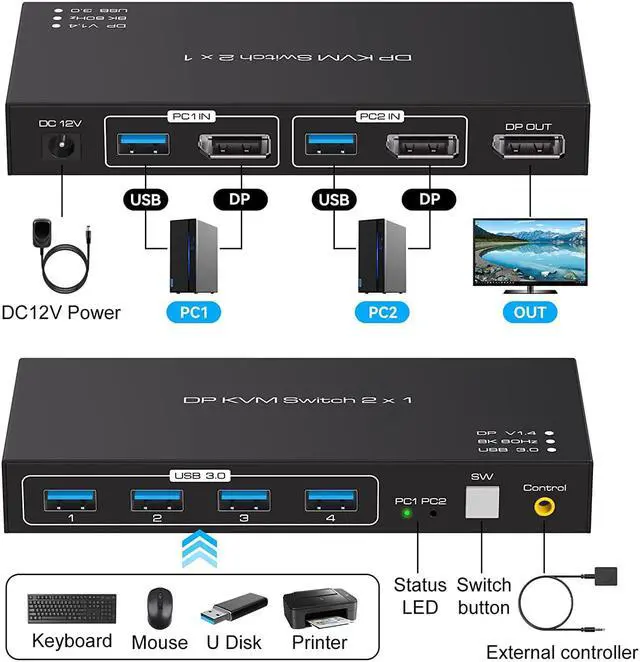
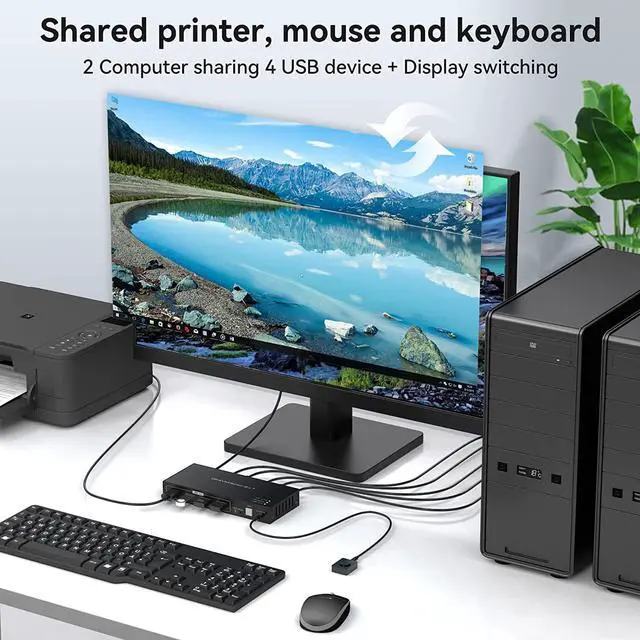
  • [KVM Switch DisplayPort 2 in 1 Out] The KVM Switch 2 port allows free switching between 2 sets of sources, controlling 2 computers and sharing 1 monitor with just 1 set of keyboard and mouse. There are 4 USB 3.0 ports for connecting USB devices to the KVM.
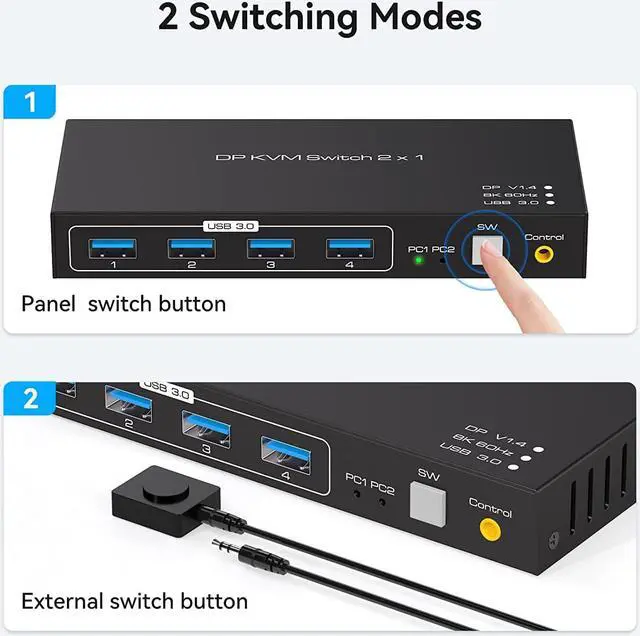
  • [2 Switching modes] The KVM Switch supports front panel push-button and external cable control switching, allowing you to switch between two sources at the touch of a button. The cable control can also be hidden to make the desk surface neater and faster.
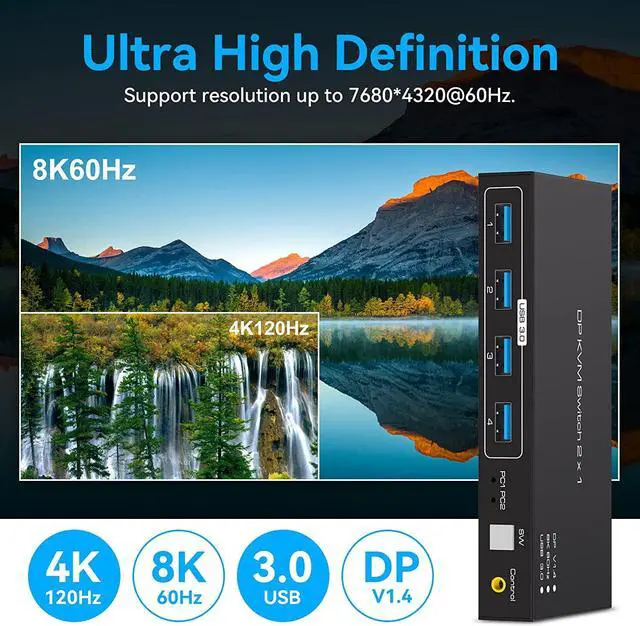
  • [Ultra HD 8K60Hz Visual Enjoyment] Supports 8K60Hz 4K120HZ, DP1.4 backwards compatible with DP1.2,DP1.1. The HD resolution makes for a more detailed and layered picture.
  • [Fast USB 3.0 Data Transfer] has 4 USB 3.0 for sharing a set of keyboard and mouse devices. Supports video bandwidth up to 48Gbps, USB 3.0 data transfer rates up to 5Gbps and backward compatible with USB 2.0/USB 1.1.
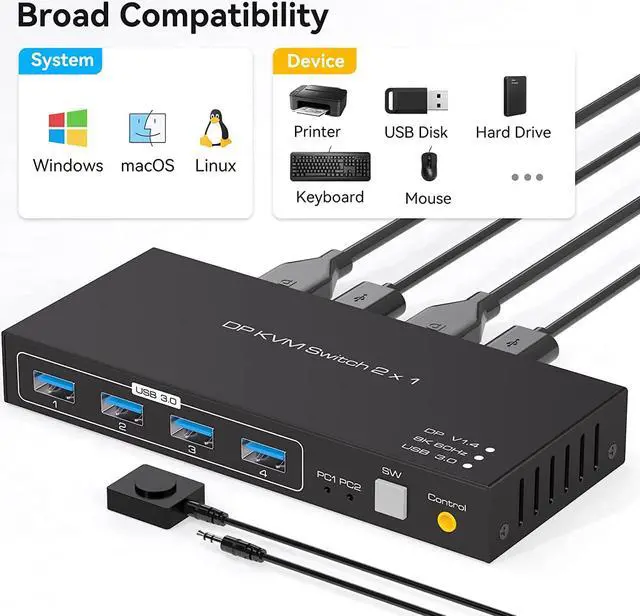
  • [Wide Compatibility] supports various operating systems such as Windows and Mac OS, Linux and Unix.
+
+
Overview
Specs
Reviews
image for this item
8K DP KVM Switch 2 in 1 Out


Ideal KVM Switch for 2 Computers Share 4 USB Devices

The AUTYUE 4-Port USB 3.0 KVM Switch is a great option for sharing 4 USB 3.0 or USB 2.0 devices between 2 computers, making your work easier and more efficient! It's ideal for sharing a printer or scanner in an office environment!

image for this item
Features :


  • Using only 1 set of keyboard, mouse and monitor to control 2 computer devices
  • Available to use keyboard and mouse without any delay after switch input sources.
  • With 4 USB 3.0 hub port, it is possible to connect bar code scanner, USB hard drive or other USB devices to KVM
  • Support resolution up to 7680*4320@60Hz 4:4:4
  • Support front panel buttons and External switch button to control KVM to switch inputs.
image for this item
KVM Switch displayport 2 computer 1 monitor Supports one-click switching

The USB 3.0 KVM Switch supports one-touch switching. You can easily and quickly switch between computers by simply pressing a button on the control panel.

image for this item
Support external control switches

With the kvm switch 2 port, you can easily and quickly switch between 2 computers on one monitor with a single external controller, avoiding frequent plugging and unplugging.

image for this item
Displayport KVM 2 in 1 out Indicator light Design

This kvm switcher displayport 1.4 not only supports push-button switching and external line switching, but also has an LED light design, which shows active devices so you can clearly see which device is in use.

image for this item
Wide Compatibility and Plug and Play


The KVM displayport Switch USB 3.0 interface supports various operating systems such as Windows/Vista/XP and Mac OS, Linux and Unix. plug and play, thus reducing damage to the device. Before use, please make sure that all connections are completed according to our instructions.


Fast USB 3.0 Data Transfer

This KVM Switch displayport 2 computer 1 monitor has 4 USB 3.0 for sharing a set of keyboard and mouse devices. Supports video bandwidth up to 48Gbps, USB 3.0 data transfer rates up to 5Gbps and backward compatible with USB 2.0 and USB 1.1 devices.

image for this item
Package included:
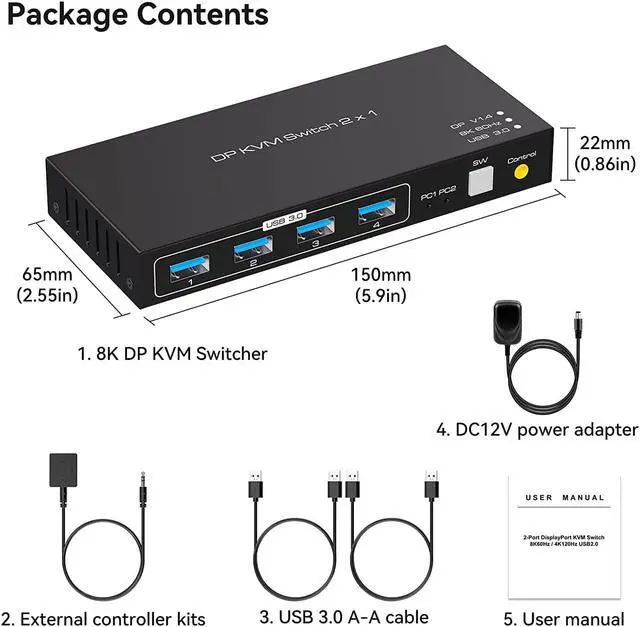
  • 1 x 8K DP KVM Switch,
  • 1 x External controller kits,
  • 2 x USB 3.0 Cable,
  • 1 x Power Adapter,
  • 1 x User Manual
Features:

Using only 1 set of keyboard, mouse and monitor to control 2 computer devices

Available to use keyboard and mouse without any delay after switch input sources.

With 4 USB 3.0 hub port, it is possible to connect bar code scanner, USB hard drive or other USB devices to KVM

Support resolution up to 7680*4320@60Hz 4:4: 4

Support front panel buttons and External switch button to control KVM to switch inputs.

Warranty & Returns

Warranty, Returns, And Additional Information

Warranty

  • Please contact the Seller directly for warranty information. Warranty information may also be found on the Manufacturer's website.
  • CONTACT

Return Policies

  • Return for refund within: 15 days
  • Return for replacement within: 30 days
  • This item is covered by fadaoe Return Policy

Manufacturer Contact Info

LOADING...