


- Free 30-day Returns
$129.98
Ships from Hong Kong.

Meet Your Seller


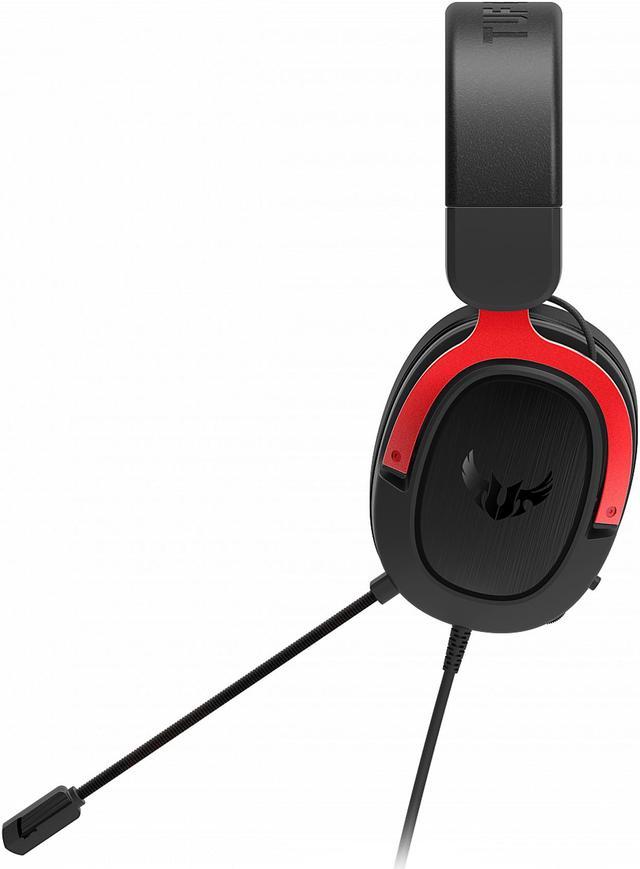
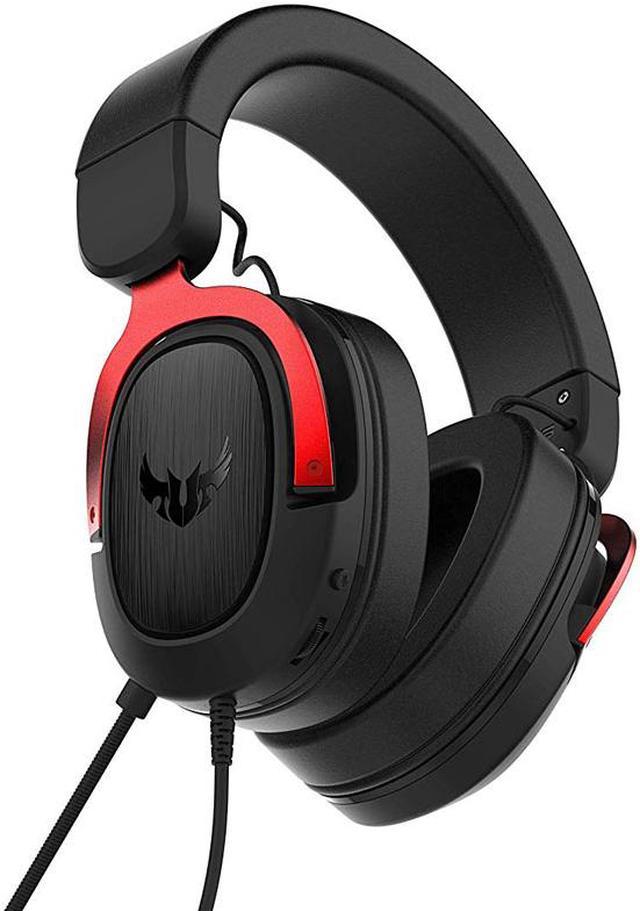
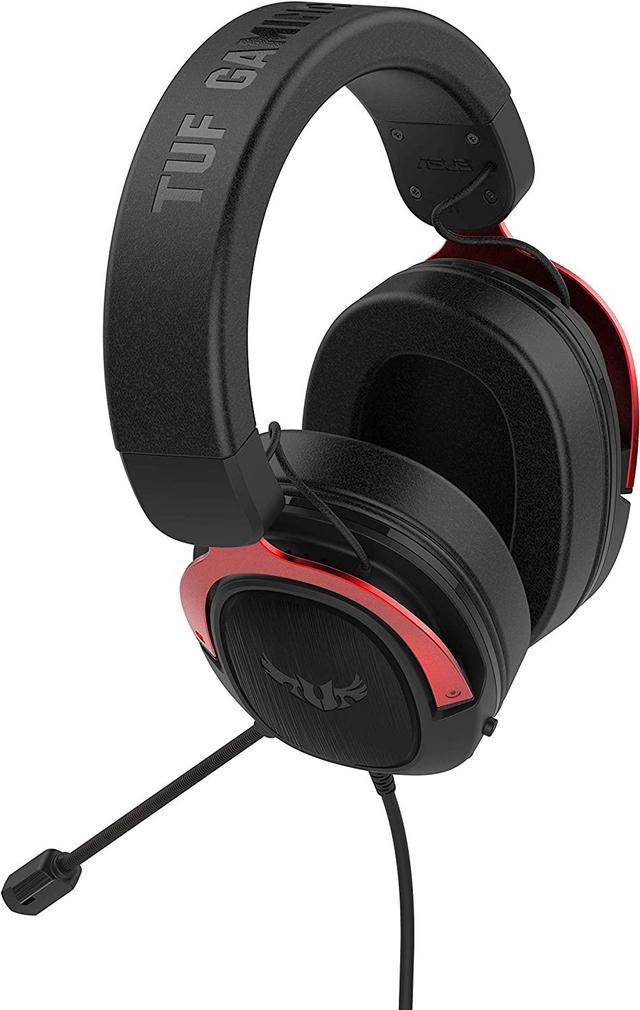
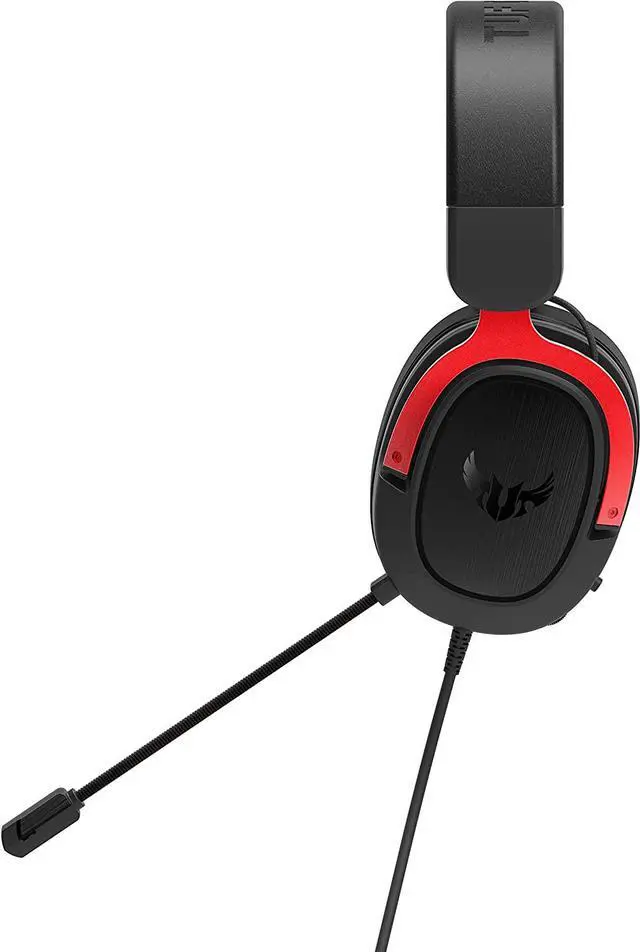
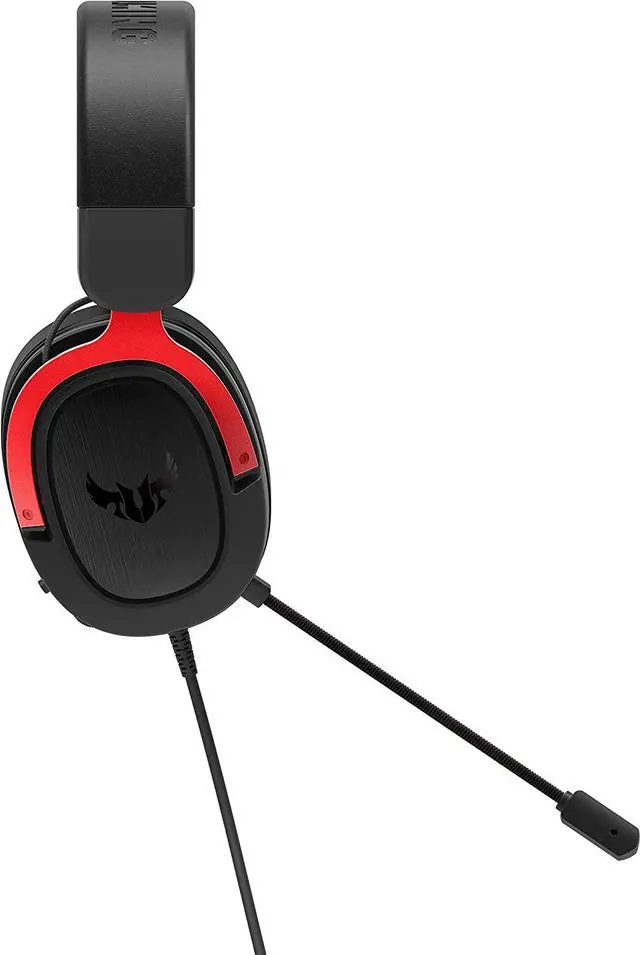
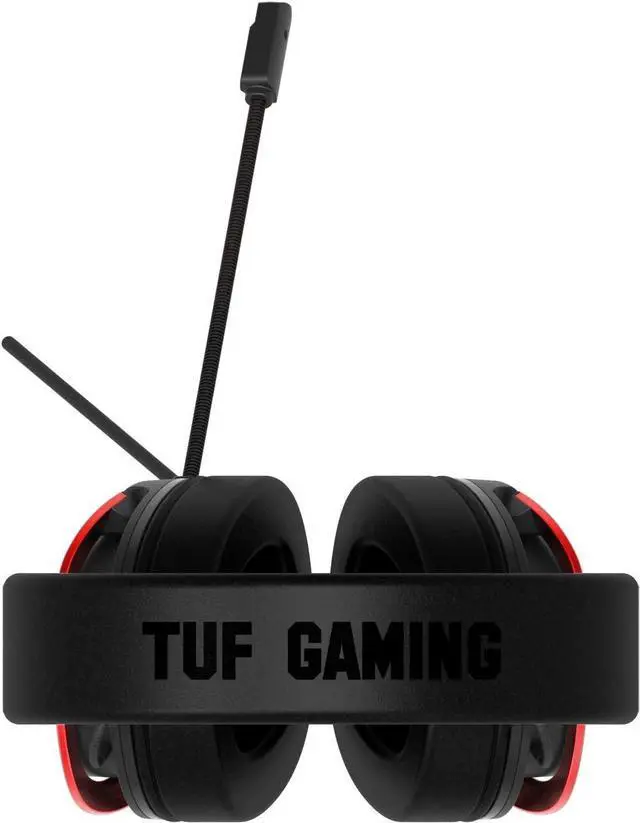


ASUS TUF Gaming H3 Wired Headset - Discord Certified Mic, 7.1 Surround Sound, 50mm Drivers, Lightweight, 3.5mm, for PC, Mac, PS4, Xbox One, Switch and Mobile Devices - Red
- VIRTUAL 7.1 SURROUND SOUND - Virtual 7.1 surround sound* technology provides an upgraded level of audio precision that will give you a competitive edge.
- DEEP BASS & CLEAR AUDIO - Featuring exclusive airtight chamber and ASUS Essence drivers, TUF Gaming H3 headset features the exclusive airtight chamber and ASUS Essence drivers, which provide clearer audio with strong bass to immerse you in a natural-sounding gaming experience.
- CERTIFIED CLEAR COMMUNICATION - TUF Gaming H3 headset includes a unidirectional boom microphone, tuned especially for clear voice communication and certified by leading communication apps. Intuitive control buttons on the ear cup let you instantly control volume or mute the microphone.
- LIGHTWEIGHT COMFORT - Weighing just 294 grams, the lightweight construction of TUF Gaming H3 headset is designed to keep you comfortable during extended sessions.
- ASUS FAST COOLING EAR CUSHIONS - TUF Gaming H3 headset employs ASUS fast-cooling ear cushions that consist of 100%
+
+
Overview
Specs
Reviews (4)
Warranty & Returns
Warranty, Returns, And Additional Information
Warranty
- Please contact the Seller directly for warranty information. Warranty information may also be found on the Manufacturer's website.
- Read full details
- CONTACT
Return Policies
- Return for refund within: 30 days
- Return for replacement within: 30 days
- This item is covered by LINKNET NETWORK LIMITED Return Policy
Manufacturer Contact Info
- For a directory of all our manufacturers, please click below.
- Manufacturers Directory
LOADING...
LOADING...
The ASUS TUF Gaming H3 is a wired over-ear gaming headset with 50mm drivers, a Discord-certified boom mic, and 3.5mm cross-platform support, making it a strong fit for gamers who want simple plug-in compatibility across PC, Mac, PlayStation, Xbox, Switch, and mobile devices.
Recommended For
- PC and console gamers who want one wired headset they can move between platforms without installing software. The H3 is positioned as a simple 3.5mm headset for PC, PlayStation, Xbox, Switch, Mac, and mobile, and reviews repeatedly highlight that it works consistently without app setup.
- Budget-focused gamers who care more about comfort and usable game audio than extra features. Professional reviews describe the H3 as especially comfortable for the price, with solid out-of-box sound that works well in games without EQ tweaking.
- Players who spend long sessions in voice chat and need a basic boom mic for Discord, party chat, or in-game comms. Reviews say the mic is clear enough for VoIP and does a decent job isolating the speaker's voice when positioned correctly.
- Gamers who prefer straightforward stereo sound and optional Windows Sonic rather than proprietary headset software. Multiple reviews note that the H3's '7.1' relies on Windows Sonic, while the headset's main appeal is simple plug-in use across devices.
Real-World Use Scenarios
- PC or console gaming with Discord chat: users can plug the headset straight into a 3.5mm jack, hear game audio clearly, and communicate well enough for party chat without needing extra software. The main caveat is that mic volume can vary depending on the device or audio input used.
- Long single-player or casual gaming sessions: the lightweight fit makes it practical for extended use, so most users can play for hours with less fatigue than with heavier gaming headsets. This is one of the more consistently reinforced real-world benefits in reviews.
- Budget gaming setup across multiple devices: this headset fits users who switch between PC, PlayStation, Switch, and phone and want one wired headset that works broadly with a standard 3.5mm connection. In practice, it is best suited to straightforward plug-in use rather than feature-heavy customization.
- Story-driven games, shooters, and general entertainment: users can expect full, game-focused sound with solid bass and clear enough directional cues for typical play, but not a major step up for buyers expecting true hardware surround or audiophile-grade detail.
- Users who want a simple wired headset instead of managing battery life: the H3 works well for people gaming a few hours per week or keeping a permanent desk setup, since it avoids charging and stays ready to use. Community discussion also suggests some owners keep it for years as a basic wired option.
- Entry-level streaming, voice chat, or online classes: the boom mic is usable for spoken communication, but some community reports point to low mic output or background pickup on certain setups, so users may need system-level mic adjustments or an external sound card for cleaner results.
Spec Summary
| Attribute | Value |
|---|---|
| Best For | Wired, cross-platform gaming and in-game voice communication on PC, Mac, PlayStation, Xbox, Nintendo Switch and mobile devices; intended for adult gamers who need a durable, comfortable headset for extended sessions |
| Audio Drivers & Sound | 50mm ASUS Essence dynamic drivers with an exclusive airtight chamber for stronger bass and clearer audio; virtual 7.1 surround sound supported by Windows Sonic; headphone frequency response 20Hz–20kHz and nominal impedance 32 ohm |
| Microphone | Unidirectional analog boom microphone tuned for clear voice communication, microphone frequency response 50Hz–10kHz and sensitivity −40dB; certified by leading communication apps |
| Design & Comfort | Over-ear (circumaural) form factor with ASUS fast‑cooling protein‑leather ear cushions and memory foam, stainless‑steel headband and lightweight construction (0.65 lb) for extended wear |
| Connectivity & Cable | Wired 3.5mm connection (3.5 mm jack / 3 5mm Jack) with headset cable and separate 3.5mm audio/mic splitter (4.27 ft + 4.27 ft); hardware interface is 3.5mm; external feed lists retractable cable as an attribute |
| Controls & Additional Features | Volume control (external attributes list touch control and volume control), passive noise cancellation (passive noise isolation), wired operation with no batteries required or included; external feed also lists 'Fast Charging' among additional features |
| Compatibility & System Requirements | Explicit cross‑platform compatibility with PC, Mac, PlayStation 4, Xbox One/360, Nintendo Switch and mobile devices; hardware platform listed as PC and compatible devices include cellphones; marketed for gaming use |
| Physical & Packaging | Item dimensions 15.1 L x 10.1 W x 18.2 H cm; package dimensions 11.811 L x 20.5994 W x 24.9936 H cm; package weight 0.608 kg; package quantity 1; package contents include quick start guide and 3.5mm audio/mic splitter |
| Materials & Build | Tough stainless‑steel headband and yoke with durable enclosure materials; carrying case material listed as durable fabric (e.g., nylon or ballistic nylon) in external attributes |
| Model Identifiers | ASUS TUF Gaming H3 (model identifiers listed as TUF GAMING H3 RED / TUF GAMING H3 RED), color Red, adjustable size/fit |
Reference Q&A
Q: Should I buy the ASUS TUF Gaming H3 or the HyperX Cloud Stinger if I want a simple wired gaming headset?
A: Choose the ASUS TUF Gaming H3 if you want a sturdier-feeling wired headset with a stainless-steel headband, cross-platform 3.5mm support, and Windows Sonic virtual surround support from the ASUS positioning. Choose the HyperX Cloud Stinger if lower price and a very basic plug-and-play setup matter more. Review coverage places both in the entry-level wired category, but the H3 is typically the better fit when durability and a more structured gaming feature set matter more than minimizing cost.
Q: ASUS TUF Gaming H3 vs Logitech G432: which is better for PC gaming features?
A: The Logitech G432 is the better choice if you specifically want PC-side software features such as USB-based surround processing and EQ control through Logitech G HUB. The ASUS TUF Gaming H3 is the better choice if you want a lighter analog headset that stays simple across PC and consoles without relying on USB software. This makes the G432 the more feature-led PC option, while the H3 is the more straightforward cross-platform wired option.
Q: Is the ASUS TUF Gaming H3 a better buy than the Razer BlackShark V2 X for competitive gaming?
A: Choose the Razer BlackShark V2 X if your priority is competitive-game positioning and you are shopping specifically around entry-level esports-style wired headsets. Choose the ASUS TUF Gaming H3 if you want a lighter-spec, analog headset with broad device compatibility and a more general-use gaming focus. Community comparison threads often group these two together, and the usual trade-off is BlackShark V2 X for positional focus versus H3 for straightforward everyday wired use.
Q: Should I upgrade from a lower-cost headset like the HyperX Cloud Stinger Core to the ASUS TUF Gaming H3?
A: Yes, the ASUS TUF Gaming H3 makes more sense if you want to move from a very basic budget headset to something positioned with a stronger build, larger 50 mm drivers, and broader long-session comfort emphasis. The Cloud Stinger Core is commonly recommended as a low-cost essentials headset, so the H3 is the more appropriate step-up when you want a more substantial wired headset without moving into premium pricing.
Q: Should I spend more on a headset like the HyperX Cloud III instead of buying the ASUS TUF Gaming H3?
A: Spend more on the HyperX Cloud III if comfort refinement, extra connectivity options, and PC software-based surround features matter to you. Buy the ASUS TUF Gaming H3 if you want a lower-cost analog headset focused on core gaming use across multiple devices. The Cloud III is positioned as a more premium wired model, while the H3 is the simpler value choice for users who do not need the added USB path and software layer.
Q: Will this headset work on PC, Switch, PlayStation, and Xbox without extra setup?
A: Yes for basic wired audio on devices with a 3.5mm headset jack. The ASUS TUF Gaming H3 is an analog 3.5mm headset, so it fits the same cross-platform use pattern seen across comparable retail headsets. On PCs with a single combo headset jack, audio and mic should work directly. On PCs with separate headphone and mic jacks, you typically need the included splitter cable. On Xbox, wired 3.5mm gaming headsets usually connect through the controller rather than directly to the console.
Q: Does the microphone work on PC, or do I need an adapter?
A: It depends on your PC's audio port layout. If your computer has one 3.5mm combo headset jack, the mic should work directly. If your desktop or older laptop has separate headphone and microphone jacks, you will need a splitter. For this ASUS model, a 3.5mm audio/mic splitter cable is included, which makes it better suited to mixed PC setups than headsets that ship without one.
Q: Is the 7.1 surround feature available on every platform?
A: No. The surround claim should be treated as PC-focused, not universal across every supported device. The ASUS listing specifically says virtual 7.1 is supported by Windows Sonic, which points to Windows/Xbox-style spatial processing rather than a built-in surround engine that works the same everywhere. Comparable retail Q&A pages repeatedly show that wired 3.5mm gaming headsets often provide surround or spatial features only on certain platforms, while consoles and Switch usually fall back to standard stereo or platform-native spatial audio support.
Q: Is this a good headset for work calls, classes, and general office use?
A: It can work for calls and voice chat, but it is still a gaming headset first. The wired 3.5mm connection and analog boom mic make it practical for Zoom, Discord, and casual meetings on a compatible PC or laptop. Its lighter weight also helps for longer sessions. The trade-off is that it lacks work-oriented features such as Bluetooth, active noise canceling, and a more discreet removable mic, so it is better for home desk use than travel or office commuting.
Q: Who should buy this instead of a more expensive wired gaming headset like HyperX Cloud II or SteelSeries Arctis 3?
A: This ASUS model makes the most sense for buyers who want a simple, lightweight 3.5mm wired headset for multi-platform gaming and chat, without paying for premium extras. Compared with pricier alternatives, the likely trade-off is fewer convenience features or platform-specific audio add-ons. More expensive models commonly add things like detachable or retractable mics, USB sound controls, bundled surround adapters, or more premium padding. If your priority is basic compatibility, light weight, and straightforward voice chat, this type of headset is a reasonable fit. If you want richer accessory bundles or more advanced audio processing, step-up models are usually better.
Q: Is the ASUS TUF Gaming H3 a good fit for cross-platform gaming and simple wired use?
A: Yes, if you want a straightforward wired headset that works over a 3.5mm connection across PC, Mac, console, Switch, and mobile. It is better suited to buyers who value plug-and-play compatibility and do not want to manage charging, wireless pairing, or proprietary software. The main trade-off is that it stays a basic analog headset, so features depend partly on the device you plug it into.
Q: Is the ASUS TUF Gaming H3 suitable for long gaming or work sessions?
A: It can be a practical option for long sessions if low weight matters to you. At about 294 g, it is relatively light for a full-size gaming headset, which makes it more suitable for extended gaming, calls, or desk work than heavier models. The trade-off is comfort is not universal: some users discuss long-session comfort positively, while others mention sweat or fit pressure, so it is safer for buyers who usually tolerate over-ear gaming headsets well.
Q: Is the microphone good enough for Discord, voice chat, or casual work calls?
A: Usually yes for basic voice chat, but it is not the strongest reason to buy this headset. The mic is positioned and marketed for game communication, and community discussion shows it is generally usable for Discord-style chat. The trade-off is that repeated user reports mention low mic volume, sound pickup, or the need for settings adjustment, so it is better for casual chat than for buyers who need consistently strong plug-and-play mic performance for meetings or streaming.
Q: Who is the ASUS TUF Gaming H3 best suited for?
A: It is best suited for budget-minded buyers who want a wired over-ear gaming headset for everyday play, chat, and general media use without needing premium audio features. Its 50 mm drivers, analog connection, and broad device support make it a reasonable pick for entry-level or replacement use. It is less suitable for buyers specifically chasing top-tier music fidelity, advanced software tuning, or a standout standalone microphone.
Q: What are the main trade-offs to know before buying the ASUS TUF Gaming H3?
A: The main trade-offs are that the headset favors simple wired compatibility over higher-end refinement. You get broad 3.5mm support, light weight, and a gaming-focused design, but community discussion points to possible mic tuning issues, comfort variation by user, and normal wear items such as ear pads over time. It makes more sense as a practical budget headset than as a long-term premium upgrade.