1. Tips for Windows User to install Huion driver:
- Please uninstall other brands driver on your computer first.
- Close all drawing program and protaction software before installation.
- Unplug the cable on Huion drawing monitor.
- Download driver from Huion website and install it as an Administrator.
- Reboot the computer and wait until it finishes rebooting.
- Plug the tablet back in.
2. Suggestions For Mac Users:
- If computer system is Mac os 10.14 mojave, please uninstall and reinstall the driver and then tick the Huion driver in the new system by manually going to Security and Privacy.
- Since Mac Mojave 10.14 upgraded in security section and need put software you newly downloaded into whitelist first to normally use it.
Large Screen Size & Vibrant Colors Choose
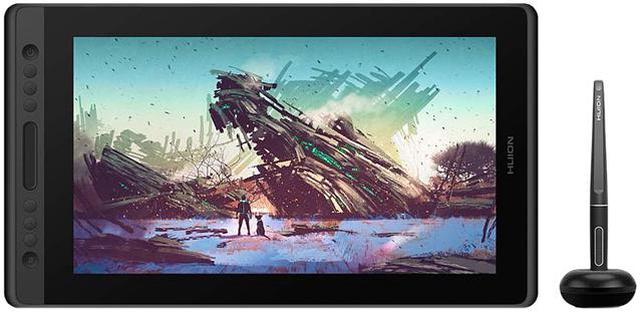
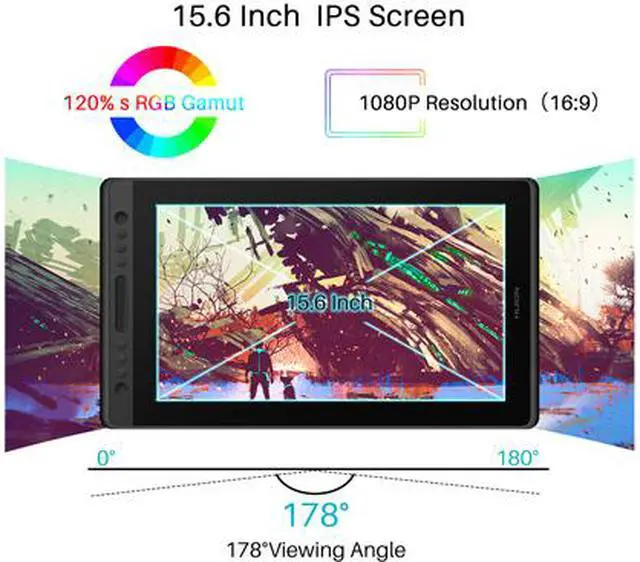
- The dimension of the Pro 16 pen display is 438 x 261 x 11.5mm, with 1920 x 1080 resolution IPS 15.6 inch large monitor, provide you a wider field of view.
- 120% s RGB color gamut deliver vibrant colors, offer a clearly world to illustrate vivid pixels and realistic colors for amazing visual experience.
Brightness and exquisite details.
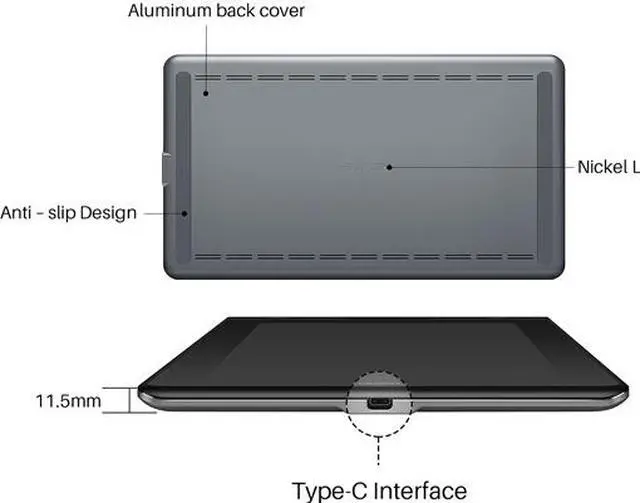
- Featuring 15.6 inch screen , the weight of Kamvas Pro 16 is within 1.35KG and the thickness is 11.5mm.
- Anti-Slip Design on the aluminum back cover will make it sturdy, prevents shaking and sliding, providing a comfortable drawing experience.
Easy Plug and Play with 3-in-1(Type-C) Cable
- Come with unique design 3-in-1 cable, which will offers easy operation, reduces wire bundles and be easier to be sort out.
- Huion Kamvas Pro 16 Support interface: Type-C.
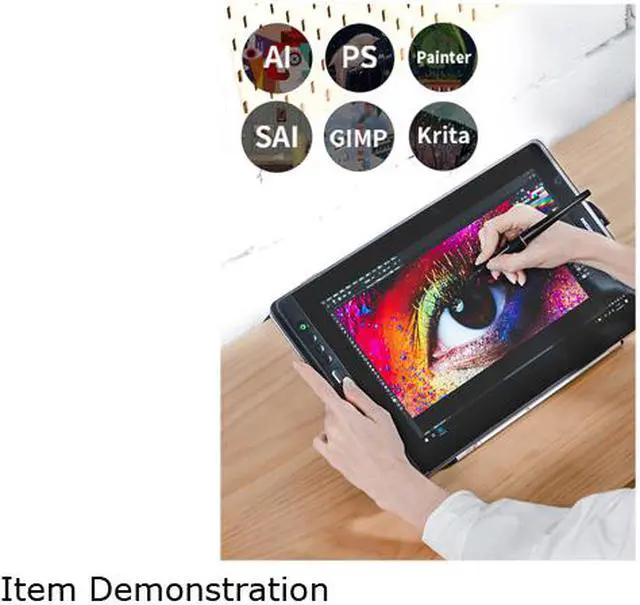
- Pro 16 with Windows 7/8/8.1/10 and MAC OS 10.12 or later. It is also compatible with mainstream software like Adobe Photoshop, Clip Studio, Paint Tool Sai and more.
8192 Levels Pen Pressure
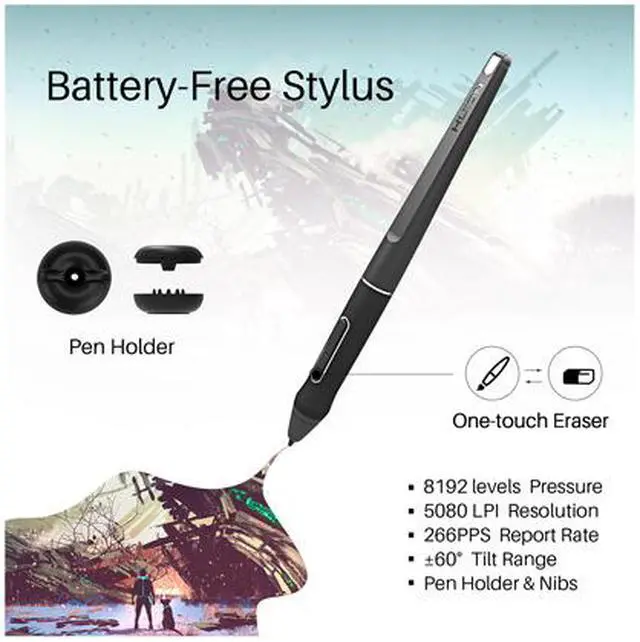
- This pen also combines 8192 levels of pen pressure and 266PPS report rate, helps to sense the pen movement agilely, with almost no delay lines. 5080 LPI high pen resolution makes the pen stroke more delicate and natural, which can easily achieve pixel-level painting display.
- The latest pen design support ±60° tilt function, you will no longer to worry about charging problems. You can enjoy more accurate and natural strokes, bringing you a more real paper-like drawing experience.
Large screen with high resolution.
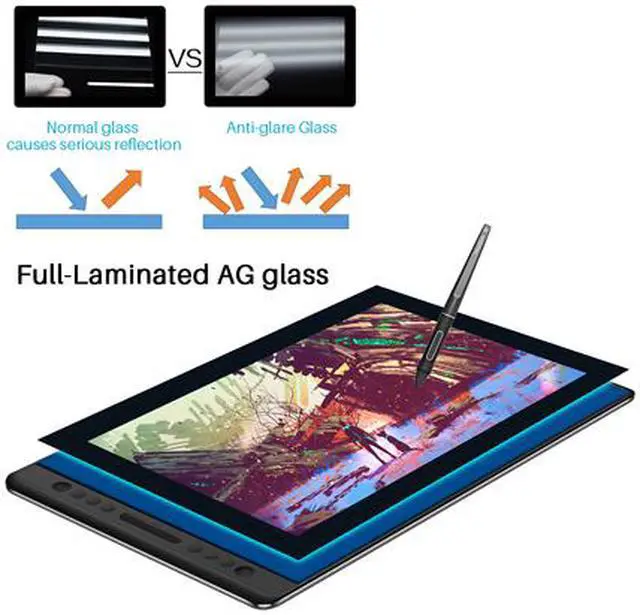
- The Anti-glare glass offers a paper-like feel when you draw on the screen. 178°wide viewing angle enables you to enjoy the artworks clearly in all viewing position.
- The 15.6 inch screen not only satisfies your expectation for sufficient working area but also offers you great convenience as it is easy to be carried around.
Package Contents
- KAMVAS Pro 16
- PW507 Quick Start Guide
- Cleaning Cloth Pen Holder(pen nibs*10+Nib Clip*1)
- Power adapter
- 3-In-1 Cable
1.
Vibrant Colors Choose:
The dimension of the Pro 16 pen display is 438 x 261 x 11.5 mm, with 1920 x 1080 resolution IPS 15.6 inch large monitor, provide you a wider field of view.
120% s RGB color gamut deliver vibrant colors, offer a clearly world to illustrate vivid pixels and realistic colors for amazing visual experience.
2.
Large screen with high resolution:
The Anti-glare glass offers a paper-like feel when you draw on the screen. 178°wide viewing angle enables you to enjoy the artworks clearly in all viewing position.
The 15.6 inch screen not only satisfies your expectation for sufficient working area but also offers you great convenience as it is easy to be carried around.
3. 8192
Levels Pen Pressure:
This pen also combines 8192 levels of pen pressure and 266PPS report rate, helps to sense the pen movement agilely, with almost no delay lines. 5080 LPI high pen resolution makes the pen stroke more delicate and natural, which can easily achieve pixel-level painting display.
The latest pen design support ±60° tilt function, you will no longer to worry about charging problems. You can enjoy more accurate and natural strokes, bringing you a more real paper-like drawing experience.
4.
Brightness and exquisite details:
Featuring 15.6 inch screen, the weight of Kamvas Pro 16 is within 1.35KG and the thickness is 11.5 mm.
Anti-Slip Design on the aluminum back cover will make it sturdy, prevents shaking and sliding, providing a comfortable drawing experience.
5. Easy Plug and Play with 3-in-1(Type-C)
Cable:
Come with unique design 3-in-1 cable, which will offers easy operation, reduces wire bundles and be easier to be sort out.
Huion Kamvas Pro 16 Support interface: Type-C.
Pro 16 with Windows 7/8/ 8.1 /10 and MAC OS 10.12 or later. It is also compatible with mainstream software like Adobe Photoshop, Clip Studio, Paint Tool Sai and more.
6.
What You Get: Drawing Monitor X 1; 3-in-1(Type-c) Cable X 1; Power Adapter X 1; Battery-free Pen X 1; Pen Nibs x 10; Pen Holder X 1; Cleaning Cloth X 1; Quick Start Guide X 1; Free lifetime technical support.
7. Huion provide lifetime technical support on all Huion drawing pen tablets/monitors.
If you have any questions on using the Huion drawing monitor tablet, please check the Quick Guide on package, email us by cs_us@huion. cn or search Huion online to find us for more assistance, we are always here to help you!
Here to download Driver or User Manual:
https: //www. huion. com/download/
Here to Find all the product FAQ:
https: //support. huion. com/support/home
Painting/Sketching
For the professional artist, new designer and amateur hobbyist, Huion drawing tablets Compatible with Windows 7 or above /Mac OS 10.12 or above/ Android 6.0 or above, as well support most of the drawing software such as PS, SAI, CorelPainter, Illustrator, SketchBook Pro, Manga Studio, Krita and more. The advanced pen technology offer better and precise control of drawing lines in digital drawing and photo-editing.
E-leaning /Teaching
For the teacher and students, its really perfect replacement for traditional mouse and paper! Teachers may want to broadcast your courses in real-time to your streaming platforms such as YouTube, Facebook, Bloc, Twitch, Udemy, Khan Academy, Codecademy, and more. And Students can take fast note-taking, tutoring, writing and calculating when learning courses online.
Online Meeting/Remote Work
If you want to work from new location like home or outside, you can use Huion tablets to capture ideas, create mind-maps, draw diagrams & share them with colleagues and friends when web-conferencing, as it compatible with Microsoft Office programs like Word, PowerPoint, OneNote PDF and more. Visually present your handwritten notes and signatures precisely.
Video Edit/More Fun
Whats more, you can play OSU! Game, or even edit/personalize your photos & videos to help you stand out on your social media channels. Huion drawing tablets is ideal choice for gameplay, drawing, painting, sketching, E-signatures etc. Waiting for you to discover more fun!