
Your Browsing History



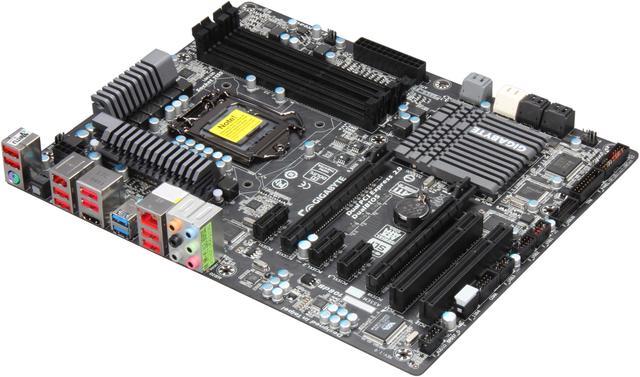
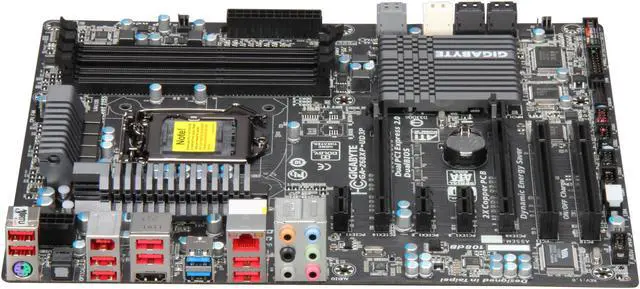
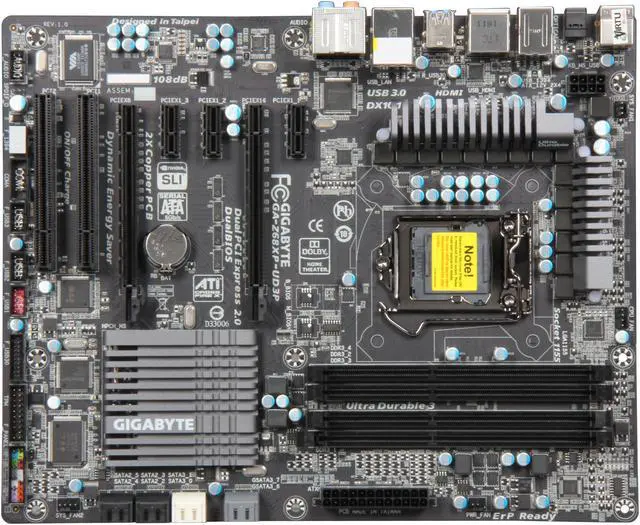
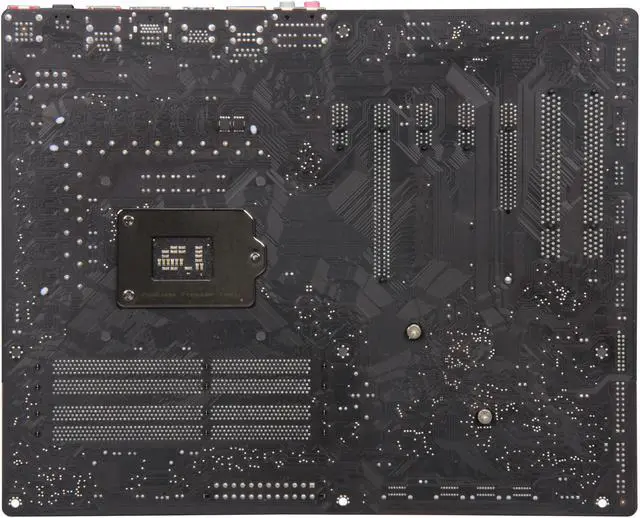
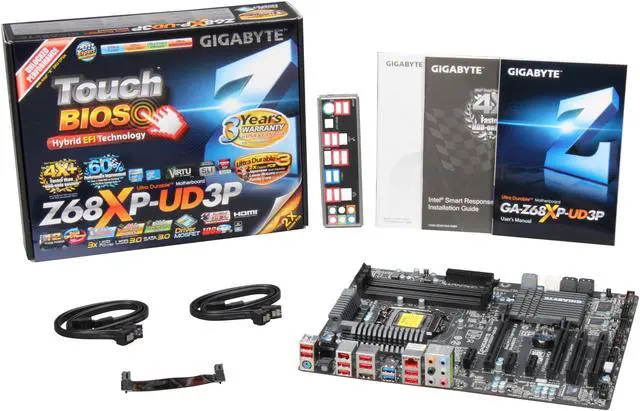


GIGABYTE GA-Z68XP-UD3P LGA 1155 Intel Z68 HDMI USB 3.0 ATX Intel Motherboard
- Intel Z68
- Celeron / Core i3 / Core i5 / Core i7 / Intel Core 2nd gen (LGA 1155) / Intel Core 3rd Gen (LGA 1155) / Xeon (LGA1155)
- DDR3 2133/1866/1600/1333/1066
Overview
Specs
Reviews (235)
 Intel Smart Response TechnologyGigabyte Z68 series motherboards are equipped with the much anticipated Intel Smart Response technology allowing you to experience performance similar to SSD-only systems. Intel Smart Response technology works by using intelligent block-based caching of frequently used applications to improve system performance and responsiveness. In fact, Gigabyte Z68 motherboards with Intel Smart Response technology are able to outperform hybrid system by more than 2x (PC Mark Vantage HDD Test) and HDD-only system by as much as 4x (PC Mark Vantage HDD Test) and deliver 60% performance improvement over HDD-only system in PC Mark Vantage Suite.
 GIGABYTE EZ Smart ResponseThe GIGABYTE EZ Smart Response utility is a convenient application that allows users to quickly and easily configure their system for Intel Smart Response technology. In the past, enabling Intel Smart Response technology meant users needed to enter BIOS in order to configure their system for RAID mode, which then required a complete reinstall of the operating system. Once that processes was completed, users then needed to install the Intel Rapid Storage Utility as well as configure Intel's Smart Response Technology. GIGABYTE EZ Smart Response does all of this automatically, without users having to perform a complicated install process. This allows them to quickly and effortless enjoy a significant boost in system performance.
 GIGABYTE Touch BIOSNavigating through the BIOS to change system settings can a daunting task for users not familiar with control "F" functions and mouse-less navigation. While some EFI BIOS try to address this with a mouse friendly environment, many implementations still lack a certain ease-of-use necessary for most people. With GIGABYTE Touch BIOS, GIGABYTE engineers have completely re-imagined how users interact with their BIOS, allowing for a more intuitive user experience. In fact, with a touch screen monitor, GIGABYTE Touch BIOS is as easy to use as most apps on you iPhone.
 Maximum Power DeliveryLike the pistons and cylinders of a car engine, the design of the motherboard Voltage Regulator Module (VRM), component quality and number of power phases greatly affects motherboard performance. GIGABYTE engineers were first to realize not only the importance of using the best quality components for this critical area, but also that with more power phases, there can be more power available to your CPU. GIGABYTE 6 series motherboards with their new redesigned VRM, promise to deliver first class system performance and power stability. With only the best quality components and unique design, incorporating Dual CPU Power and Power Phase Boost with Multi-gear Switching, your CPU can enjoy better power than what was available from previous motherboards.
 Ultra Durable 3The GIGABYTE Ultra Durable 3 design features twice the copper for both the power and ground layers of the PCB, dramatically lowering system temperature by efficiently spreading heat from critical areas of the motherboard (such as CPU power zone) throughput the entire PCB. The GIGABYTE's Ultra Durable 3 also lowers the PCB impedance by 50%, which helps to reduce electrical waste and further lowers component temperatures, A 2x Copper layer design also provides improved signal quality and lower EMI (Electromagnetic Interference), providing better system stability and allowing for greater margins for overclocking.
 Multi-GPU support with CrossFireX and SLIFlexible graphics capabilities supported for either CrossFireX or SLI action, delivering the ultimate in graphics performance for gaming enthusiasts who demand the highest frame rates without compromising on resolution.
 Intel Smart Response TechnologyGigabyte Z68 series motherboards are equipped with the much anticipated Intel Smart Response technology allowing you to experience performance similar to SSD-only systems. Intel Smart Response technology works by using intelligent block-based caching of frequently used applications to improve system performance and responsiveness. In fact, Gigabyte Z68 motherboards with Intel Smart Response technology are able to outperform hybrid system by more than 2x (PC Mark Vantage HDD Test) and HDD-only system by as much as 4x (PC Mark Vantage HDD Test) and deliver 60% performance improvement over HDD-only system in PC Mark Vantage Suite.
 GIGABYTE EZ Smart ResponseThe GIGABYTE EZ Smart Response utility is a convenient application that allows users to quickly and easily configure their system for Intel Smart Response technology. In the past, enabling Intel Smart Response technology meant users needed to enter BIOS in order to configure their system for RAID mode, which then required a complete reinstall of the operating system. Once that processes was completed, users then needed to install the Intel Rapid Storage Utility as well as configure Intel's Smart Response Technology. GIGABYTE EZ Smart Response does all of this automatically, without users having to perform a complicated install process. This allows them to quickly and effortless enjoy a significant boost in system performance.
 GIGABYTE Touch BIOSNavigating through the BIOS to change system settings can a daunting task for users not familiar with control "F" functions and mouse-less navigation. While some EFI BIOS try to address this with a mouse friendly environment, many implementations still lack a certain ease-of-use necessary for most people. With GIGABYTE Touch BIOS, GIGABYTE engineers have completely re-imagined how users interact with their BIOS, allowing for a more intuitive user experience. In fact, with a touch screen monitor, GIGABYTE Touch BIOS is as easy to use as most apps on you iPhone.
 Maximum Power DeliveryLike the pistons and cylinders of a car engine, the design of the motherboard Voltage Regulator Module (VRM), component quality and number of power phases greatly affects motherboard performance. GIGABYTE engineers were first to realize not only the importance of using the best quality components for this critical area, but also that with more power phases, there can be more power available to your CPU. GIGABYTE 6 series motherboards with their new redesigned VRM, promise to deliver first class system performance and power stability. With only the best quality components and unique design, incorporating Dual CPU Power and Power Phase Boost with Multi-gear Switching, your CPU can enjoy better power than what was available from previous motherboards.
 Ultra Durable 3The GIGABYTE Ultra Durable 3 design features twice the copper for both the power and ground layers of the PCB, dramatically lowering system temperature by efficiently spreading heat from critical areas of the motherboard (such as CPU power zone) throughput the entire PCB. The GIGABYTE's Ultra Durable 3 also lowers the PCB impedance by 50%, which helps to reduce electrical waste and further lowers component temperatures, A 2x Copper layer design also provides improved signal quality and lower EMI (Electromagnetic Interference), providing better system stability and allowing for greater margins for overclocking.
 Multi-GPU support with CrossFireX and SLIFlexible graphics capabilities supported for either CrossFireX or SLI action, delivering the ultimate in graphics performance for gaming enthusiasts who demand the highest frame rates without compromising on resolution.
Warranty & Returns
Warranty, Returns, And Additional Information
Warranty
- Limited Warranty period (parts): 3 years
- Limited Warranty period (labor): 3 years
- Read full details
Return Policies
- Return for refund within: Non-refundable
- Return for replacement within: 30 days
- This item is covered by Newegg.ca's Replacement Only Return Policy.
- Read full return policy for details.
Manufacturer Contact Info
- Manufacturer Product Page
- Manufacturer Website
- Support Phone: 1-626-854-9338
- Support Website
- View other products from GIGABYTE
LOADING...
LOADING...