


- Free 30-day Returns
$349.99
Add to PC build list
Ships from United States.
Sold by Newegg
Shipped by Newegg
Add to Wish List(Found on 7 wish lists)



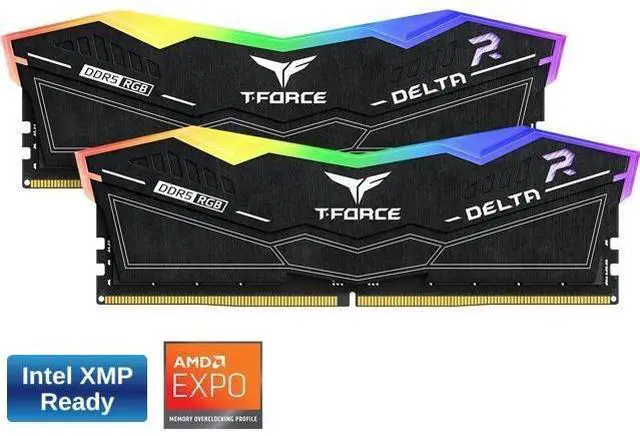
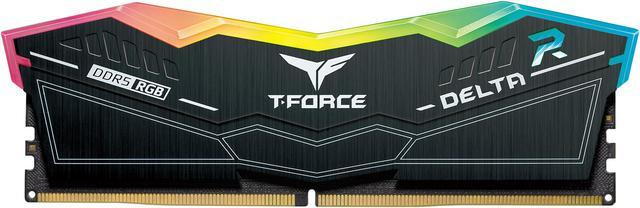
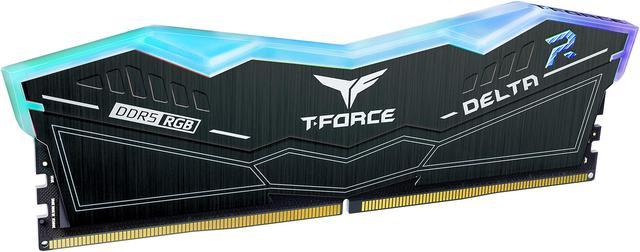
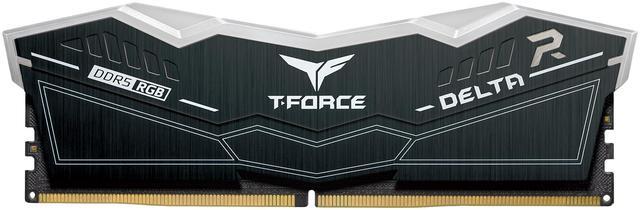
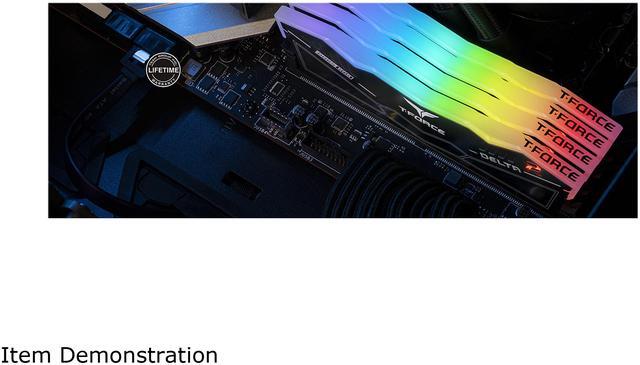


Team Group 16GB (2 x 8GB) 288-Pin PC RAM DDR5 6000 (PC5 48000) Memory Model FF7D516G6000HC38ADC01
An Alternative Item Is Available:
- DDR5 6000 (PC5 48000)
- Timing 38-38-38-78
- CAS Latency CL38
- Voltage 1.25V
- Not compatible with Intel 13th Gen and up MB
+
+
Specs
Reviews (14)
Learn more about the Team Group FF7D516G6000HC38ADC01
| Brand | Team Group |
|---|---|
| Model | FF7D516G6000HC38ADC01 |
| Capacity | 16GB (2 x 8GB) |
|---|---|
| Type | 288-Pin PC RAM |
| Speed | DDR5 6000 (PC5 48000) |
| CAS Latency | CL38 |
| Timing | 38-38-38-78 |
| Voltage | 1.25V |
| Multi-channel Kit | Dual Channel Kit |
| BIOS/Performance Profile | AMD EXPO / Intel XMP 3.0 / Intel XMP 3.0 and AMD EXPO |
| Color | Black |
| Recommend Use | Intel 11th & 12th Chipset |
| LED Color | RGB |
| First Listed on Newegg | February 11, 2025 |
|---|
Warranty & Returns
Warranty, Returns, And Additional Information
Warranty
- Limited Warranty period (parts): Lifetime
- Limited Warranty period (labor): Lifetime
- Read full details
Return Policies
- Return for refund within: 30 days
- Return for replacement within: 30 days
- This item is covered by Newegg.ca's Standard Return Policy.
- Read full return policy for details.
Manufacturer Contact Info
- Manufacturer Product Page
- Manufacturer Website
- Support Phone: 1-833-574-4629
- Support Website
- View other products from Team Group
LOADING...
Team Group FF7D516G6000HC38ADC01 is a 16GB (2 x 8GB) dual-channel DDR5-6000 desktop memory kit with RGB lighting, suited to compatible DDR5 PC builders who want a compact-capacity kit with AMD EXPO and Intel XMP 3.0 profiles. Newegg notes it is not compatible with Intel 13th Gen and newer motherboards.
Recommended For
- Budget-conscious AMD DDR5 desktop builders who want a matched 2×8GB kit for a 16GB setup; Gigabyte lists this exact kit on a B650 motherboard’s memory support list.
- PC gamers playing titles that fit within a 16GB system-memory budget, especially when they keep background apps limited; testing has found many games playable on 16GB, though results vary by title and setup.
- Builders who want RGB memory as part of a coordinated desktop look; the official product listing identifies this kit as T-FORCE DELTA RGB.
Real-World Use Scenarios
- Building a budget gaming PC for mainstream games? This 16GB kit can handle many titles at moderate settings, but results vary by game and system configuration.
- Playing memory-heavy games at high settings? The 16GB capacity may limit smoothness in some titles; lowering settings or closing other apps can help, but will not suit every workload.
- Gaming while keeping Discord, a browser, or streaming software open? With only 16GB total, those background apps can compete with the game for memory, so expect less headroom than with a larger kit.
- Putting together a black, RGB-lit desktop build? The two-module kit adds illuminated memory to the build; check motherboard and processor compatibility before buying, especially for the rated memory profile.
- Using a desktop mainly for everyday tasks such as browsing, documents, and video playback? The kit provides a basic 16GB starting point, though demanding apps or many open programs can use up that headroom.
Spec Summary
| Attribute | Value |
|---|---|
| Best For | Desktop memory upgrades using a 16GB dual-channel DDR5-6000 kit; listed for Intel 11th- and 12th-chipset use |
| Capacity And Kit | 16GB total as a dual-channel kit of two 8GB modules |
| Memory Type And Speed | 288-pin DDR5 PC RAM rated at 6000 MHz (PC5-48000), with a 48,000 MB/s data transfer rate |
| Timings And Voltage | CL38 latency, 38-38-38-78 timing, and 1.25V operating voltage |
| Performance Profiles | Supports AMD EXPO and Intel XMP 3.0 profiles |
| Compatibility | Designed for desktop systems |
| Design And Features | Black modules with RGB lighting and ECC listed as an additional feature |
| Model Identifiers | Team Group model FF7D516G6000HC38ADC01 |
Reference Q&A
Q: Should I get this 16GB kit or a 32GB (2×16GB) DDR5-6000 kit?
A: Choose this 16GB kit for a budget-conscious build focused on lighter gaming and everyday use; choose 32GB if you multitask while gaming, run memory-heavy titles, or want more capacity headroom. In a recent game test, TechSpot found that 16GB performed adequately in many titles, while some workloads benefited from 24–32GB. TEAMGROUP lists a 32GB (2×16GB) DDR5-6000 CL38 version in the same product family.
Q: Is this 6000 CL38 kit worth choosing over a 6000 CL30 kit?
A: Choose this kit if its price, RGB design, or 1.25V rating suits your build; choose a 6000 CL30 kit if you want tighter primary timings at the same rated data rate. Benchmarks show that memory-timing differences can produce small, workload-dependent performance changes, so capacity and price may matter more for many users. TEAMGROUP lists a separate 2×8GB DDR5-6000 CL30 option in the DELTAα RGB family, but it has a different model number.
Q: Should I buy this instead of a 16GB DDR5-5600 kit?
A: Choose this kit if your motherboard and processor support its DDR5-6000 profile and the price difference is small; choose a 5600 kit if it costs less or better matches your system’s supported settings. In TechSpot’s testing, DDR5-5600 CL38 and some 6000-speed configurations delivered similar results in the tested games, so the higher rated speed does not guarantee a noticeable improvement in every workload.
Q: Is this the right kit for an Intel 13th-gen-or-newer PC?
A: Do not assume compatibility: the Newegg listing for this exact kit flags it as incompatible with Intel 13th Gen and newer motherboards. TEAMGROUP identifies this DELTAα RGB product family as AMD-focused and specifies AMD EXPO support. For an Intel build, check the exact motherboard’s memory support list and choose a kit qualified for that board if compatibility is uncertain.
Q: Will this RAM work with my motherboard and processor?
A: It is a desktop DDR5 kit with two 8GB modules. The product listing says it is not compatible with Intel 13th-generation-and-newer motherboards, so do not choose it for those systems. Check your motherboard’s memory support list for this exact model before buying; the listing’s chipset guidance should be verified against your specific board.
Q: Does it run at 6000, or do I need to change a BIOS setting?
A: The kit is rated for DDR5-6000, with CL38 timings and 1.25V. Reaching the rated speed may require selecting the supported XMP or EXPO profile in BIOS; actual support depends on the motherboard and processor. Check the board’s memory support list and instructions before enabling a profile.
Q: Is 16GB enough, and how many memory slots does the kit use?
A: The kit provides 16GB total as two 8GB modules, so it uses two memory slots. It suits a build or upgrade where 16GB is sufficient for the intended workload; whether that capacity is enough depends on the applications and multitasking needs. Check your motherboard’s available slots and supported capacity before purchasing.
Q: Is this 16GB kit enough, or should I choose 32GB?
A: This kit provides 16GB across two modules. Reddit build discussions treat 16GB as a possible budget choice, while recommending 32GB for heavier workloads or more headroom. Choose 16GB if keeping the build cost down is the priority; consider 32GB if your workload needs more memory.
Q: Will this kit work with an Intel 13th-gen-or-newer motherboard?
A: The supplied product information says it is not compatible with Intel 13th-gen-and-newer motherboards. Check the motherboard’s memory compatibility information before buying.
Q: Is DDR5-6000 CL38 worth choosing over a slower kit?
A: A Reddit comparison of 16GB DDR5-6000 CL38 with 32GB DDR5-5600 suggests the small speed difference may matter less than having more capacity. If the workloads you use benefit from extra memory, compare capacity as well as speed when choosing.
Q: Can I add this kit to RAM I already have?
A: Mixing this 2×8GB kit with a different kit may require lower memory settings and can cause stability issues. A Reddit discussion about this exact model raises those concerns; for a predictable configuration, use a matched kit rather than mixing kits.