


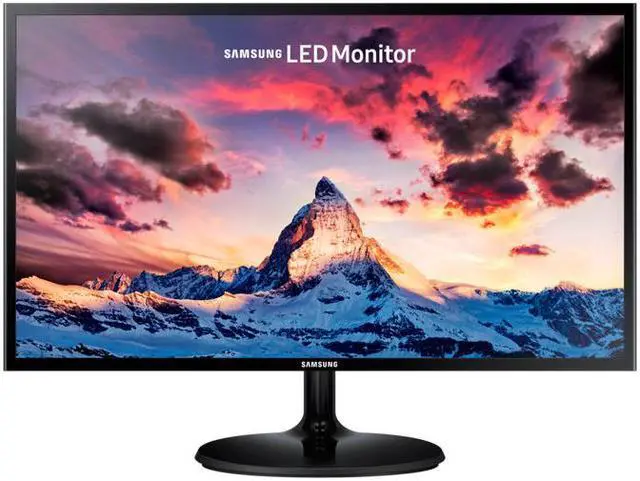


Stunning visuals for work and play
The Samsung S27F350 monitor complements any desk with its super slim profile and elegant design. Ultra-wide 178° viewing angle ensures consistent color and vivid detail from any position. And no matter how long your see the display, fatigue won’t get in the way thanks to Eye Saver Mode and Flicker Free technology. This monitor is also ideal for gameplay, featuring AMD FreeSync technology for smooth visuals and Game Mode with optimal screen settings for gameplay.

Incredibly slim profile and stylish, contemporary design
- Super slim panel: At an incredibly slim 10mm—as slender as a ballpoint pen—the one-piece panel is more than twice as thin as standard Samsung monitors
- Simple circular stand: A simple circular stand elegantly complements the super slim display
- Patterned rear panel: Horizontal patterning on the rear panel provides a stylish, contemporary finish

Flawlessly smooth gameplay with AMD FreeSync
- AMD FreeSync: By dynamically syncing screen refresh rate with image frame rate, AMD FreeSync minimizes stutter and ensures flawlessly smooth gameplay
- Game Mode: Instantly optimizing screen colors and contrast for gaming, Game Mode ensures you get to see every game scene at its best

Optimized for viewing comfort
- Eye Saver Mode: By reducing blue light emissions—which stimulate the retina more than other color wavelengths—Eye Saver Mode reduces eye fatigue and provides a more comfortable viewing experience
- Flicker Free: Samsung’s Flicker Free technology minimizes distracting screen flicker to let you work and play for longer in greater comfort

Extra-wide viewing angle
- Extra-wide 178-degree viewing angle: An expanded 178-degree vertical and horizontal viewing angle ensures a clear picture from wherever you are watching
- Whether sitting back to relax or gathered around with friends, the wider viewing angle means everyone enjoys the perfect view from any position

Samsung eco-saving technology
- On Auto setting, Samsung’s eco-saving technology fluidly adjusts display brightness based on the luminescence of screen blacks to reduce energy consumption by up to 10%*
- Screen brightness can also be set manually to 25% or 50% of maximum
* Based on internal testing