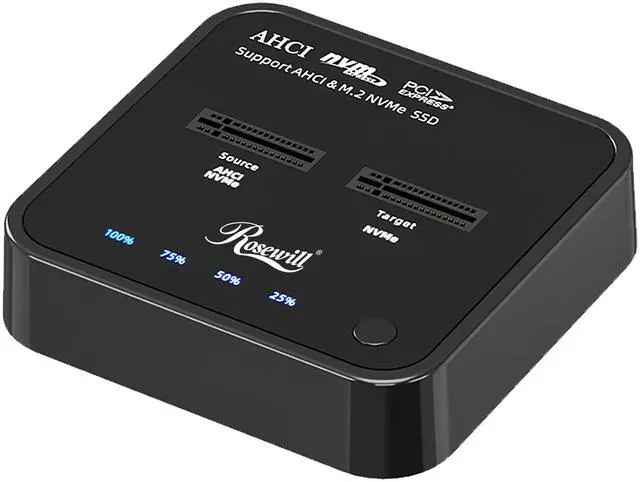
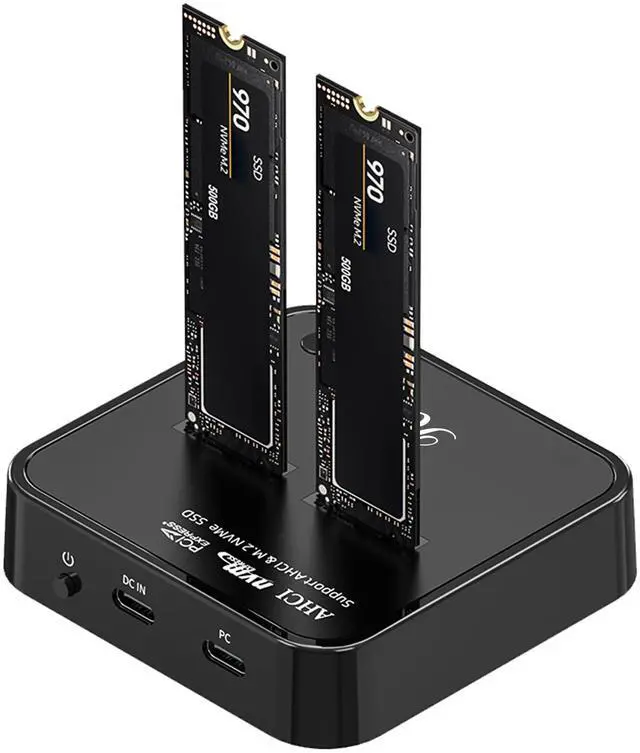
The Rosewill RS-N2-CL is a dual-bay M.2 SSD dock and offline cloner for people migrating, backing up, or accessing M.2 drives; it can clone one drive to another without a host computer and supports drives up to 4TB per bay.
Recommended For
- PC repair technicians and DIY upgraders who want to copy an M.2 drive to a replacement without connecting the cloner to a computer; the target drive must be at least as large as the source.
- IT staff and system builders who regularly prepare duplicate NVMe boot drives for multiple PCs or lab systems; offline cloning can avoid repeating software installation steps.
- PC builders and storage troubleshooters who need to connect two M.2 drives at a desk for drive-to-drive transfers, setup, or checking existing SSDs.
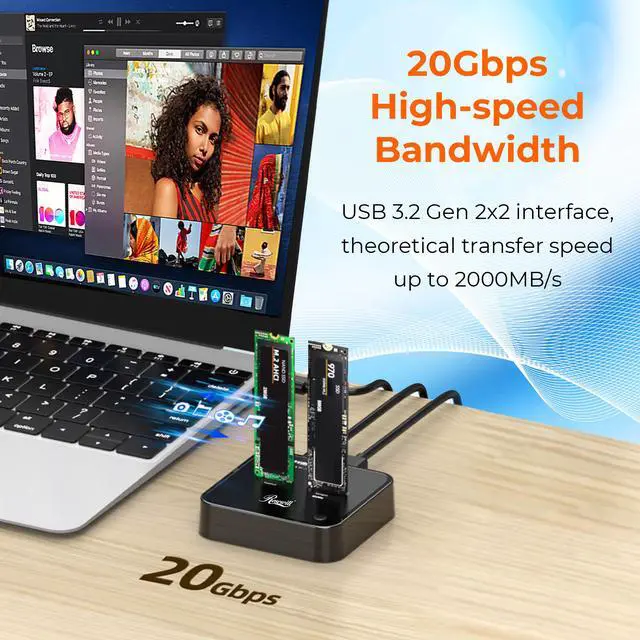
- Users with a USB 3.2 Gen 2x2 (20Gbps) computer port who want to access an NVMe SSD over USB and make use of the dock’s higher-bandwidth connection.
Real-World Use Scenarios
- When a laptop’s internal NVMe drive is too small, place the old and larger replacement drives in the dock and use offline cloning to transfer the existing system and files; the replacement can then be installed in the laptop.
- When a computer has only one M.2 slot, use the two bays to hold both the current and replacement SSDs for a direct offline clone, without connecting the dock to a host computer during cloning.
- When replacing a working SSD, make a drive-to-drive clone before changing hardware or reinstalling the operating system; this gives the user a copied drive to install or keep as a spare.
- When files are on a spare or removed NVMe SSD, connect the dock to a computer and use the drive as external storage to browse or copy files, rather than reinstalling it internally.
- When moving files between two M.2 NVMe drives, use the dock as a USB-connected dual-drive reader so both drives can be accessed from a computer without repeatedly swapping them.
Spec Summary
| Attribute | Value |
|---|
| Best For | Reading, writing, and duplicating two M.2 NVMe SSDs, including offline drive cloning |
|---|
| Bay Capacity And Drive Support | Two M.2 NVMe bays, supporting up to 4TB per bay |
|---|
| Drive Interface And Compatibility | M.2 NVMe M-Key interface; supports Windows, Mac OS, Linux, Android, and iOS |
|---|
| USB Connectivity And Transfer Rate | USB 3.2 Gen 2 Type-C connectivity with transfer rates up to 20Gbps |
|---|
| Cloning And Installation | Supports offline cloning without a host computer and tool-free SSD installation and removal |
|---|
| Power | AC adapter included; rated 5V/3A |
|---|
| Construction And Portability | ABS enclosure measuring 78.8 × 76.4 × 18 mm and weighing 153 g |
|---|
| Color | Black |
|---|
| Model Identifiers | Rosewill RS-N2-CL |
|---|



/17-182-462/RS-N2-CL-01.jpg)
/17-182-462/RS-N2-CL-02.jpg)
/17-182-462/RS-N2-CL-03.jpg)
/17-182-462/RS-N2-CL-04.jpg)
/17-182-462/RS-N2-CL-05.jpg)
/17-182-462/RS-N2-CL-06.jpg)
/17-182-462/RS-N2-CL-07.jpg)
/17-182-462/RS-N2-CL-08.jpg)
/17-182-462/RS-N2-CL-09.jpg)
/17-182-462/RS-N2-CL-10.jpg)
/17-182-462/RS-N2-CL-11.jpg)
/17-182-462/RS-N2-CL-12.jpg)
/17-182-462/RS-N2-CL-13.jpg)
/17-182-462/RS-N2-CL-14.jpg)