





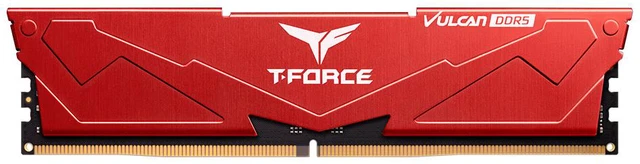
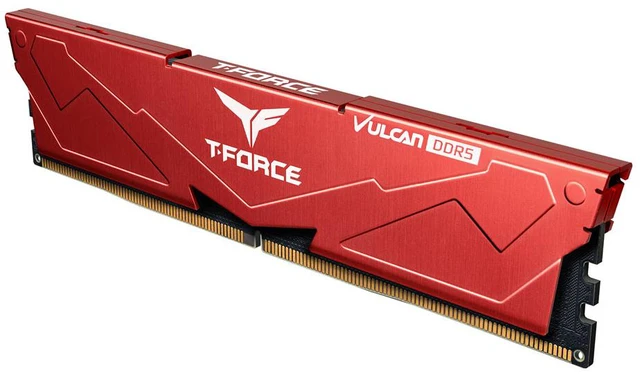
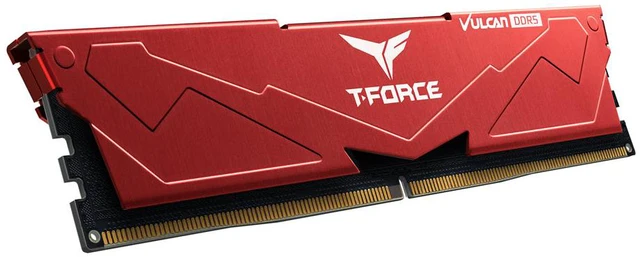
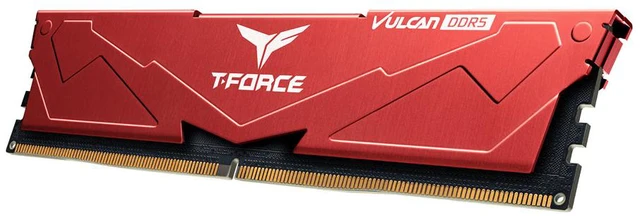


Team T-Force Vulcan (1x16GB) 16GB 288-Pin PC RAM DDR5 6000 (PC5 48000) Desktop Memory Model FLRD516G6000HC38A01 Red CL38
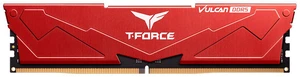
Team T-Force Vulcan (1x16GB) 16GB 288-Pin PC RAM DDR5 6000 (PC5 48000) Desktop Memory Model FLRD516G6000HC38A01 Red CL38
$329.99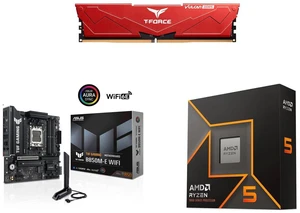
Team T-Force Vulcan (1x16GB) 16GB 288-Pin PC RAM DDR5 6000 (PC5 48000) Desktop Memory Model FLRD516G6000HC38A01 Red CL38
ASUS TUF GAMING B850M-E WIFI AM5
AMD Ryzen 5 9600X 6-Core 3.9 GHz Processor
$714.97Combo Savings $115.00
- DDR5 6000 (PC5 48000)
- Timing 38-38-38-78
- CAS Latency CL38
- Voltage 1.25V
- Supports Intel 700 series; AMD 800/600 series
- Red heatsink, 32.7mm low profile
+
+
Reviews
Warranty & Returns
Warranty, Returns, And Additional Information
Warranty
- Limited Warranty period (parts): Lifetime
- Limited Warranty period (labor): Lifetime
- Read full details
Return Policies
- Return for refund within: 30 days
- Return for replacement within: 30 days
- This item is covered by Newegg.ca's Standard Return Policy.
- Read full return policy for details.
Manufacturer Contact Info
- Manufacturer Product Page
- Manufacturer Website
- Support Phone: 1-833-574-4629
- Support Website
- View other products from Team Group
LOADING...
The Team T-Force Vulcan is a 16GB DDR5-6000 desktop memory module with CL38 timing, suited to compatible Intel 700-series or AMD 600/800-series builds seeking a single-module memory upgrade.
Recommended For
- Owners of a compatible DDR5 desktop who need a like-for-like replacement for a 16GB T-Force Vulcan module, or who have verified this exact module is suitable for adding memory to their existing setup.
- DIY builders intentionally buying one 16GB module now and planning to add a second compatible module later, while accepting that a single-DIMM setup may perform differently from a two-module configuration in some games and workloads.
- Desktop builders using a large air cooler or a case with limited DIMM clearance who want a low-profile memory module; the listed heat-spreader height is 32.7mm.
- Owners of a supported DDR5 desktop platform who want a 16GB module rated for DDR5-6000 and are comfortable checking motherboard compatibility and BIOS settings to confirm the memory’s operating speed.
Real-World Use Scenarios
- For a budget desktop build that needs to get running now, one 16GB module provides a starting point; adding a second compatible module later can increase capacity and enable a two-module configuration. TEAMGROUP advises checking compatibility and warns that mixing memory modules can cause instability.
- For gaming on a desktop with a dedicated graphics card, this single module can run games, but frame rates and smoothness may be lower than with two memory modules; the size of the difference varies by game and system. Consider it a budget or interim setup rather than the preferred configuration for maximizing gaming performance.
- For everyday desktop use—such as web browsing, office documents, video streaming, and light multitasking—16GB gives a basic system memory capacity. If many demanding apps or browser tabs are open at once, the total capacity may become a constraint.
- For a desktop build using a large air CPU cooler, the module’s 32.7mm low-profile height can help with memory clearance; confirm the cooler and motherboard dimensions before assembly.
Spec Summary
| Attribute | Value |
|---|---|
| Best For | Desktop PC builds requiring a single memory module |
Reference Q&A
Q: Should I buy this 1x16GB stick or a 2x16GB DDR5-6000 kit?
A: Choose this stick if you need a single 16GB module or are adding memory to a compatible system. For a new build, a matched 2x16GB kit provides 32GB and populates two memory channels on typical desktop platforms; confirm motherboard compatibility and avoid assuming a separately purchased stick will match a kit exactly.
Q: Should I get this DDR5-6000 CL38 stick or DDR5-6000 CL30?
A: Both are rated for the same 6000 data rate, while CL30 has a lower CAS latency than this module’s CL38. Choose this stick if its price, red heatsink, or single-module format suits your build; consider CL30 if you prefer lower rated CAS latency and the price difference is worthwhile. Real-world gains depend on the system and workload.
Q: Is this worth choosing over a DDR5-5600 stick?
A: This module is rated for DDR5-6000, compared with 5600 for the alternative, so choose it when you want the higher rated data rate and your CPU and motherboard support the memory profile. A 5600 stick may be a better fit if it costs less or aligns with your system’s supported settings; the rating alone does not guarantee a noticeable performance difference.
Q: Will this RAM work with my motherboard and processor?
A: It is a desktop DDR5 UDIMM rated for 6000 MT/s. The product information lists support for Intel 700-series and AMD 600- and 800-series platforms, but compatibility and achievable speed depend on the specific motherboard and processor. Check their specifications before buying; it will not fit a DDR4 motherboard.
Q: Can I add another 16GB stick later?
A: Yes, if your motherboard has an available DDR5 slot and supports the resulting memory capacity. This listing is for one 16GB module. A matching module may help create a dual-channel configuration, but check your motherboard manual for supported configurations and installation slots.
Q: Is one 16GB stick enough, or should I get more memory?
A: This product provides 16GB in a single module. It suits a build that needs one 16GB DDR5 stick or plans to expand later; choose more capacity if you need 32GB or more immediately. Confirm that your motherboard supports your intended number and arrangement of modules.
Q: Will it run at 6000 MT/s in my PC?
A: DDR5-6000 is the module’s rated speed, but the system may run memory at a different speed depending on the motherboard, processor, and supported memory settings. Check those specifications to confirm whether your configuration supports 6000 MT/s.
Q: Can I add a second stick to make a 32GB setup?
A: This product is one 16GB module. A Reddit user with a similar 1×16GB T-Force Vulcan found an identical module and reported that the pair worked in dual-channel mode. For the best chance of matching, look for the same model and verify your motherboard and CPU support the configuration.
Q: Can I mix this with a different RAM stick I already own?
A: It may work, but matching capacity, speed, timings, and preferably the exact model is the safer choice. In a Reddit discussion about mixed DDR5 modules, the user reported that adding a different kit reduced the memory speed and made higher speeds unstable.
Q: Is the red version equivalent to the black T-Force Vulcan model?
A: A Reddit discussion identifies the red and black versions as the same specification and model family, with the color as the difference. Confirm the exact part number before buying, since the product here is the red 16GB DDR5-6000 CL38 module.