





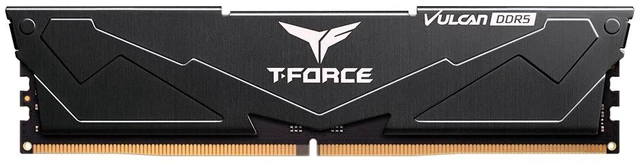
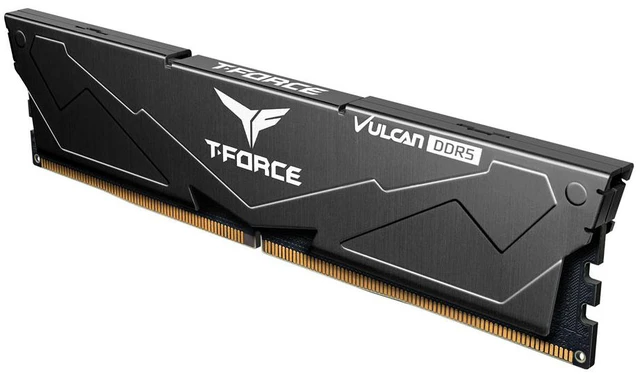
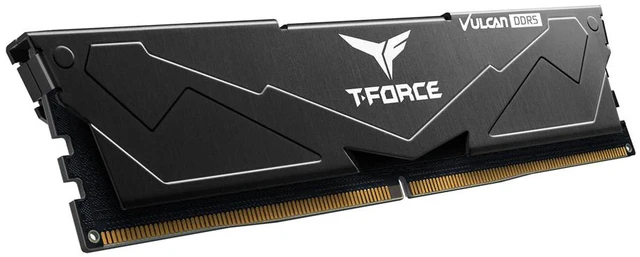
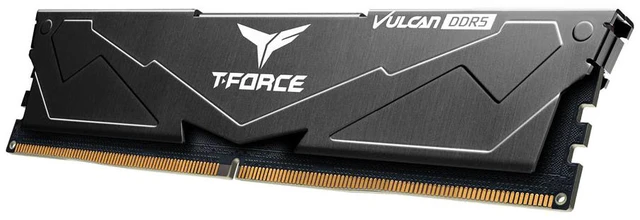


Team T-Force Vulcan (1x16GB) 16GB 288-Pin PC RAM DDR5 6000 (PC5 48000) Desktop Memory Model FLBD516G6000HC3001 Black CL30
- DDR5 6000 (PC5 48000)
- Timing 30-36-36-76
- CAS Latency CL30
- Voltage 1.35V
- Intel XMP 3.0 / AMD EXPO
- Black heatsink, 32.7mm low profile

Combo Up Savings Up To $2060+
The more you add, the more you'll save!+
+
Reviews
Warranty & Returns
Warranty, Returns, And Additional Information
Warranty
- Limited Warranty period (parts): Lifetime
- Limited Warranty period (labor): Lifetime
- Read full details
Return Policies
- Return for refund within: 30 days
- Return for replacement within: 30 days
- This item is covered by Newegg.ca's Standard Return Policy.
- Read full return policy for details.
Manufacturer Contact Info
- Manufacturer Product Page
- Manufacturer Website
- Support Phone: 1-833-574-4629
- Support Website
- View other products from Team Group
LOADING...
The Team T-Force Vulcan FLBD516G6000HC3001 is a single 16GB DDR5-6000 desktop memory module with CL30 timing, suited to desktop builders seeking fast memory with Intel XMP 3.0 or AMD EXPO profile support.
Recommended For
- Budget PC builders who need one DDR5 module now and plan to add memory later; 16GB can cover a modest initial setup, while the single-module configuration is a temporary trade-off in memory bandwidth.
- PC users with light workloads—such as web browsing, office documents, and streaming—who want 16GB of DDR5 and do not depend on high memory bandwidth for their main tasks.
- Builders of compatible Intel or AMD desktop systems who want a DDR5-6000 CL30 module and are comfortable enabling the appropriate XMP or EXPO profile to target its rated speed.
- Compact desktop builders who need a relatively low-profile memory module; the listed 32.7mm height may suit some cooler-clearance constraints, subject to checking the specific cooler and motherboard.
Real-World Use Scenarios
- For everyday work such as web browsing, email, documents, and video calls, this 16GB module can provide a workable memory baseline for a DDR5 desktop; running many demanding apps at once may make 16GB feel limiting.
- When assembling a budget-conscious DDR5 PC, one stick gets the system started with 16GB and leaves a slot available for a later memory addition; until then, gaming and other memory-sensitive tasks may perform better with a matched two-stick configuration.
- For casual gaming on a compatible desktop, the module can run games, but its single-stick 16GB setup is a compromise: memory-sensitive games or gaming alongside other apps may benefit from adding a second compatible module.
- When building a compact desktop or using a large air cooler, the low-profile heat spreader can make physical clearance easier to manage than taller memory modules; users should still check their cooler and motherboard layout.
- When installing it in a compatible Intel or AMD DDR5 system, enabling the supported XMP or EXPO profile in BIOS can let the memory use its rated settings; without the profile, the system may run it at a lower default speed.
Spec Summary
| Attribute | Value |
|---|---|
| Best For | Adding 16GB of DDR5 memory to a compatible desktop system |
Reference Q&A
Q: Should I buy this 1x16GB stick or a 2x16GB DDR5-6000 CL30 kit?
A: Choose the 2x16GB kit if you want 32GB and two memory modules running together from the start. This stick provides 16GB in one module, so it is a reasonable lower-cost starting point if you plan to add memory later. In TechSpot’s Ryzen 7 9700X gaming test, one DDR5-6000 CL30 module averaged 12% lower frame rates and 16% lower 1% lows than two modules across 13 games at 1080p; results varied by game, so treat those figures as test-specific, not a universal difference.
Q: Is this 1x16GB stick a good way to start a build and add RAM later?
A: It can work as a staged upgrade if buying one module now fits your budget, and the 6000 MT/s CL30 specification is clearly identified for a later match. For the simplest route to 32GB, a matched 2x16GB kit is the more predictable purchase; adding a second separately bought module can work, but matching specifications do not guarantee identical behavior. Check motherboard compatibility and memory stability after adding a module.
Q: For 16GB total, should I choose this stick or a 2x8GB kit?
A: Choose a 2x8GB kit if you want both memory channels populated immediately and your system has two suitable DIMM slots. Choose this 1x16GB stick if you prefer a single module and want to leave room to add another module later. The Vulcan lineup includes 2x8GB options, but compare each kit’s speed and timings: the 2x8GB models listed by TEAMGROUP are not the same 6000 MT/s CL30 configuration.
Q: Will this RAM work with my desktop?
A: It is a 288-pin DDR5 desktop memory module. Your motherboard and processor must support DDR5 desktop DIMMs; check your system’s specifications before buying. The listed 6000 speed may also depend on system support and memory settings.
Q: Is this one 16GB stick or a two-stick kit?
A: It is one 16GB module, not a two-stick kit. Confirm that your desktop has an available memory slot if you plan to add it to existing RAM.
Q: Does it support Intel XMP and AMD EXPO?
A: Yes. The product supports Intel XMP 3.0 and AMD EXPO. To use its rated DDR5-6000 speed, check that your motherboard and processor support the memory profile and configure the memory settings as needed.
Q: Can I add another stick later to make 32GB?
A: Potentially, if your desktop has a free slot and supports the module. This product is a single 16GB stick; adding memory later is not guaranteed to work at the rated speed, so check your motherboard’s memory guidance and aim for a compatible module.
Q: Should I buy this as a single-stick upgrade or as the start of a larger upgrade?
A: This is one 16GB module, so it provides 16GB total on its own. It may suit an incremental upgrade, but if you are choosing memory for a new build, decide whether 16GB is enough for your use and whether you plan to add a compatible module. A Reddit discussion about a single-stick T-Force Vulcan upgrade shows that buyers do look for matching modules later; it concerns a similar CL38 model, not this exact CL30 SKU.
Q: Can I enable XMP or EXPO to run this RAM at 6000?
A: The provided product specifications list both Intel XMP 3.0 and AMD EXPO profiles. Whether the 6000 setting works depends on the CPU and motherboard, so check their memory support and configuration guidance. A Reddit discussion of a related 2×16GB T-Force Vulcan CL30 kit describes using EXPO successfully, but that is not a test of this single-module SKU.
Q: Can I add a second stick later, or should I avoid mixing RAM?
A: Adding memory later is possible, but the Reddit discussions report that mixing modules or kits can make the advertised speed harder to achieve. For the best chance of matching performance, look for the exact same model and verify compatibility with your motherboard; even matching specifications do not guarantee identical behavior. The cited post concerns a similar CL38 Vulcan module, not this exact CL30 model.
Q: Does the RAM have to appear on my motherboard’s QVL to work?
A: Not necessarily: a QVL records memory configurations the motherboard maker has tested, and omission alone does not establish incompatibility. Check your motherboard’s support information and the system’s stability after installation. A Reddit thread about a related T-Force Vulcan 2×16GB CL30 kit discusses this distinction; it does not confirm compatibility for this specific 1×16GB SKU.