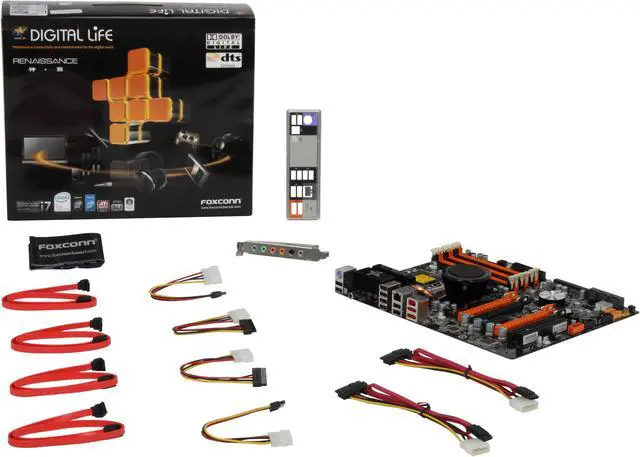
Make informed decisions with expert advice. Learn More
| Brand | Foxconn |
|---|---|
| Model | Renaissance |
| CPU Socket Type | LGA 1366 |
|---|---|
| CPU Type | Core i7 (LGA1366) |
| FSB | QPI 6.4GT/S |
| Chipset | Intel X58 |
|---|---|
| South Bridge | Intel ICH10R |
| Onboard Video Chipset | None |
|---|
| Number of Memory Slots | 6x240pin |
|---|---|
| Memory Standard | DDR3 1600(O.C)/1333 |
| Maximum Memory Supported | 24GB |
| Channel Supported | Triple Channel |
| PCI Express 2.0 x16 | 4 x PCI Express 2.0 x16 |
|---|---|
| PCI Express x4 | 1 x PCI Express x4 |
| PCI Slots | 1 x PCI Slot |
| PATA | 1 x ATA100 2 Dev. Max |
|---|---|
| SATA 3Gb/s | 6 x SATA 3Gb/s |
| SATA RAID | 0/1/5/10 |
| Additional RAID Controller | Supports 2 SAS connectors |
| Audio Channels | 8 Channels |
|---|
| LAN Chipset | Broadcom 5786 |
|---|---|
| Max LAN Speed | 10/100/1000Mbps |
| PS/2 | 1 |
|---|---|
| USB 1.1/2.0 | 8 x USB 2.0 |
| IEEE 1394 | 1 x IEEE 1394a |
| eSATA | 2 x eSATA 3Gb/s |
| S/PDIF Out | 1 x Optical, 1 x Coaxial |
| Audio Ports | 1 x Harp audio card with 6 audio jacks,CD-in and Front audio integrated |
| Onboard USB | 2 x USB 2.0 connectors support additional 4 ports |
|---|---|
| Onboard 1394 | 1 x 1394a |
| Form Factor | ATX |
|---|---|
| Dimensions (W x L) | 12.0" x 9.6" |
| Power Pin | 24 Pin |
| Features | Supports ATI CrossfireX & NVIDA 3-way SLI technology FoxOne Premium technology Supports DTS CONNECT and Dolby Digital Live certification |
|---|
| Windows Vista | Certified for Windows Vista |
|---|
| Date First Available | November 19, 2008 |
|---|
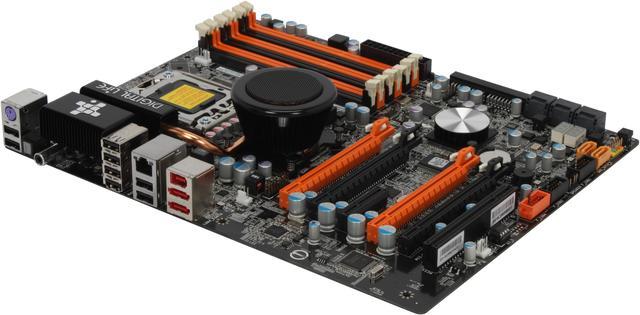
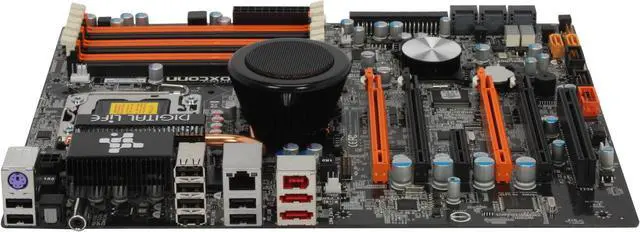
Pros: I contemplated over this board and the others capable of SLI for weeks, this is the best layout of them all (see comments) Dropped in a 920, 3gb of 1333, and 2/GTX260s, booted right up. Bios check said everything was seen as it should. Had Vista/P64 installed in ~20min including drivers. **drivers.. take it from an old man who's seen too many builds, install drivers manually if possible.. just drivers, unless you feel you need the addons.. and install your chipset drivers FIRST.** Went in bios for a simple OC to 965 speeds (lol, had to make sure I could get that $700 savings) and it was effortless.. Couple cycles of Prime95 and back to stock.. (custom bracket being milled for the Enzotech Extreme won't come in for another week) Performance.. this setup screams!.. Every game is silky smooth with everything maxed! (COD4,Fallout3,Farcry2,Crysis,L4D,EQ2,DeadSpace,Grid,AssassinsCreed,HL2,Oblivion) nothing slows it down.. ~at least at 1680x1050 anyway, new monitor is on the horizon..
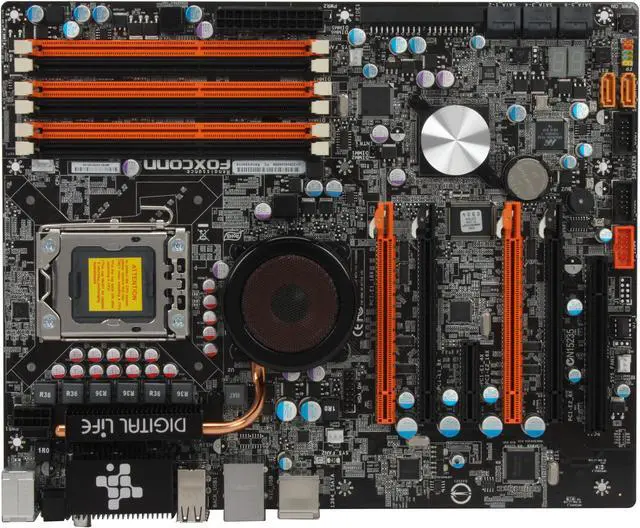
Cons: No cons at all.. Well maybe that the clear cmos button is located under the second gpu. (Foxconn hinted that due to full 16 tracing to all slots, it is possible to do 16/16 in either pair (orange/orange OR black/black) though I haven't taken the time to test it yet.. This will not provide the ability to do 16/16/16/16 of course, but if you can in fact do 16/16 using the black pairs, then nothing on the board would be blocked and I wouldn't have any cons at all..)
Overall Review: The Foxconn Renaissance and ASUS P6T Deluxe are the best layout for progressive upgrading.. The problem is cooling.. Most high end cards are dual slot coolers with gpu-side intake fans.. this means that two cards positioned in the x16 slots offered by the other manufacturers choke the first card. Single slot coolers on many low end cards will fix that, but you could'nt consider that a high end gaming rig.. The Asus Deluxe provides 2/5/6 spacing which is good for the first two cards, but limits you in the long run with the same three card max as others do.. Liquid cooling is the high end solution on all the boards to take full advantage of their platform.. and that is where Foxconn came through to provide the best expansion layout of the group. When the time comes for more than 16/16, you acquire your liquid cooling hardware and then you get to do 16/8/8 and 8/8/8/8 all without having to change your MB and still have some slots available.. Bravo is all I can say to that, Bravo!.