Newegg.ca - A great place to buy computers, computer parts, electronics, software, accessories, and DVDs online. With great prices, fast shipping, and top-rated customer service - Newegg shopping upgraded ™
If you are reading this message, Please click this link to reload this page.(Do not use your browser's "Refresh" button). Please email us if you're running the latest version of your browser and you still see this message.
Newegg.ca - Computer Parts, Laptops, Electronics, HDTVs, Digital Cameras and More!
Fees for brokerage and duty included in price.
Sold and Shipped by Newegg
Pros: None
Cons: This is the second board of the same model that has arrived DOA. Intel support cannot even begin to diagnose it because there are no beeps and only two pointless LEDs. Same CPU, RAM and power work elsewhere.
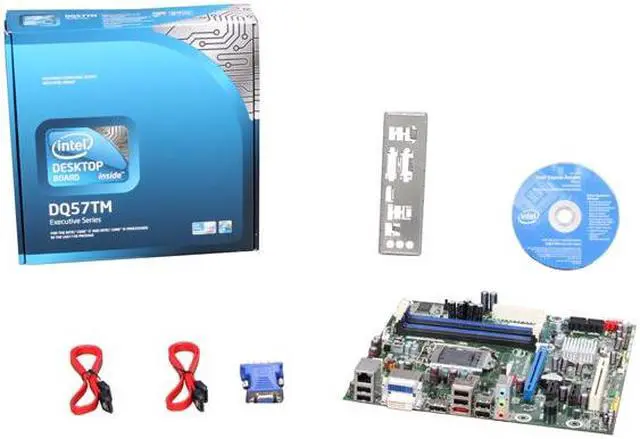
Pros: VPro-great fast desktop board. Use the proper processor line with the graphics chip. Use the recommended Kingston memory and at least a decent hard drive and it will make for a great office desktop for a long time.
Cons: None, if you understand what this board is for.
Overall Review: Don't expect to build your gaming machine with this board. If you don't use the right processor line (like the i5-650) the onboard video outputs won't work. This is Intel's business board (note the Q in the model name) with longer support period than other boards.
Pros: Good for workstation vPro application provided BIOS is reset for purpose as explained.
Cons: Not an enthusiast class mobo. Best use is office workstation deployment due to vPro support. Otherwise, a very basic and otherwise, unremarkable motherboard. Designed for Core I5 dual core procs. A very specific and limiting application.
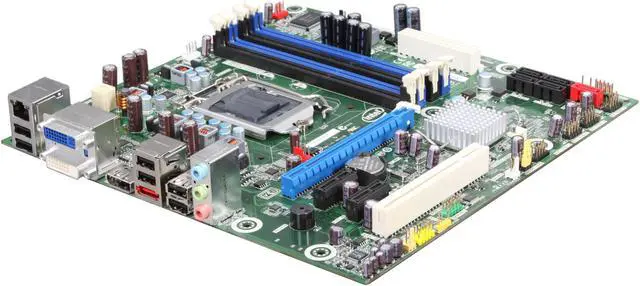
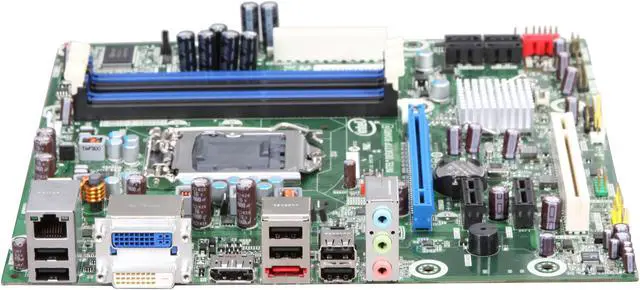
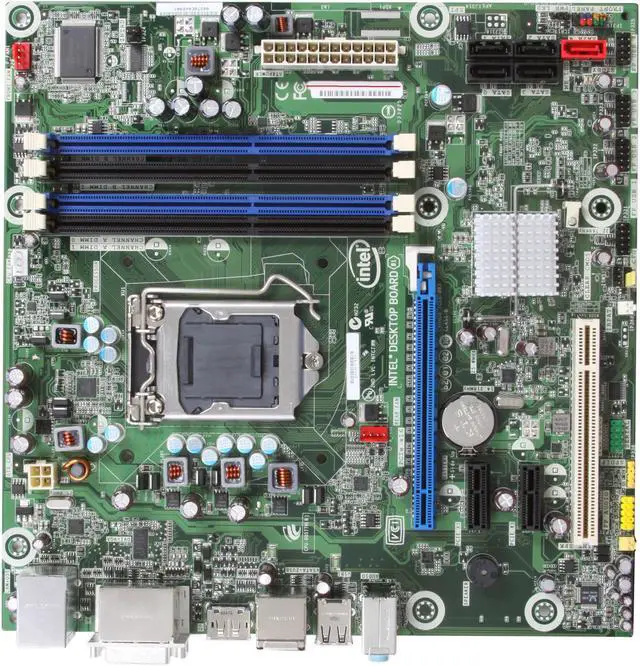
Overall Review: Purpose of this post is to address graphics adapter usage. Intel designed these series of Boards to function with the embedded CPU graphics controller, ergo no graphics chip on the board. Currently, only 2 of the 3 ports can function simultaneously via the CPU. If you desire more than two concurrent monitors, you will have to add an additional graphics adapter via the PCI Express slot. Add the necessary drivers, adjust the BIOS and you should be fine. Not the choice board for multiple monitor support.
Pros:
vPro works perfectly after you provision the AMT from BIOS.
I am using VNC Plus trial on the PC where I work and the VNC server on the computer with this MotherBoard (the vPro) Just make sure you provision the system with a static IP address !!!!
Has AMT 6.0 !!!! :) - that means KVM and S0L/IDE-R (Serial over Lan / IDE redirection) which are fantastic for the Help Desk technicians !
It is fast and reliable.
Works great with this memory
Kingston 2GB (2 x 1GB) 240-Pin DDR3 SDRAM DDR3 13 Dual Channel Kit Desktop Memory Model KVR1333D3K2/2GR
http://www.newegg.com/Product/Product.aspx?Item=N82E16820134788
The motherboard does NOT have a graphic chipset so you must use a Clarkdale CPU that has the video on the CPU as the Intel Core i5-650 Clarkdale or an external video card.
ATTENTION: If you use an external video card you can't use the KVM capabilities of the vPro technology !!! (a lot of people are making this mistake)
Cons:
For KVM to work you MUST have one of these CPUs from Intel i5 : 650, 660, 670, 680 - a little expensive but if you want to remotely control the PC from anywhere in the world without having an OS (Operating system) then you need these CPUs.
I can see the BIOS over remote !!! and change the settings !!! :)
KVM = Keyboard, Video, Mouse
Overall Review:
Doesn't have a HDMI dedicated port but with a dongle (that is not included with the MB) from Disply port to HDMI the issue is resolved. This display port supports audio and video as well so using the dongle worked for me :)
http://www.newegg.com/Product/Product.aspx?Item=N82E16812200368
MB comes with ESET security software for 1 YEAR ! :)
All the drivers are on the CD but I recommend to update all the drivers ASAP as Intel released new drivers already in April and May 2010 for all the components.
Also update your BIOS to version 033 as it's addressing a lot of bugs.
Overall, the system is uber stabil and extremely silent (because there is no video card fan + the Intel stock fan + ccooler are almost dead silent + I use an SSD)
Pros:
Ignore the rating, I have not purchased this board, but to answer another person's question:
"If using a processor with integrated graphics, the board will support only two of the three integrated graphics interfaces simultaneously: DisplayPort, DVI-I, DVI-D. Also, during the Power-On Self-Test (POST), the board will not output to the DisplayPort if DVI-I or DVI-D is used concurrently with DisplayPort."
It also says it supports DisplayPort digital audio and adds, "DisplayPort output can be converted to High-Definition Multimedia Interface (HDMI) output using a DisplayPort-HDMI converter... DisplayPort 1.1 adds support for High Bandwidth Digital Content Protection (HDCP) version 1.3 which enables viewing of protected content from Blu-ray Disc and HD-DVD optical media over DisplayPort 1.1 connections."
This is from Intel's Product Guide, link below.
Cons: Only 5.1, no 7.1 audio support?
Overall Review: http://www.intel.com/support/motherboards/desktop/DQ57TM/sb/CS-030950.htm
Pros: Intel
Cons: Not a hobbyist board.
Overall Review:
Trying to sort this out for use with multi-monitor setup. I've always built with Intel boards. Intel site wasn't' helpful either.
Three outputs, are they independent?
Loading...
Comments: I had a little trouble with the first bootup, but that was due to a badly connected power cable.