


Best Sellers
- $263.03
- + FREE SHIPPING
 Hot Seller
- $237.44
- + $35.67 Shipping


Get Educated
Make informed decisions with expert advice. Learn More

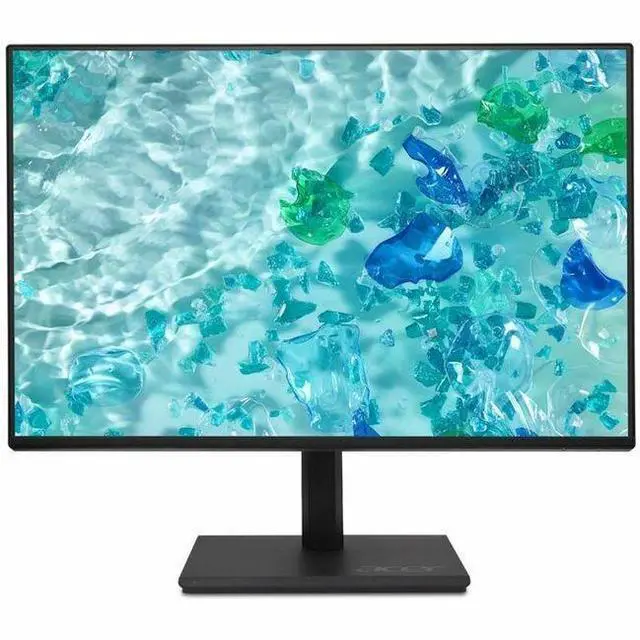
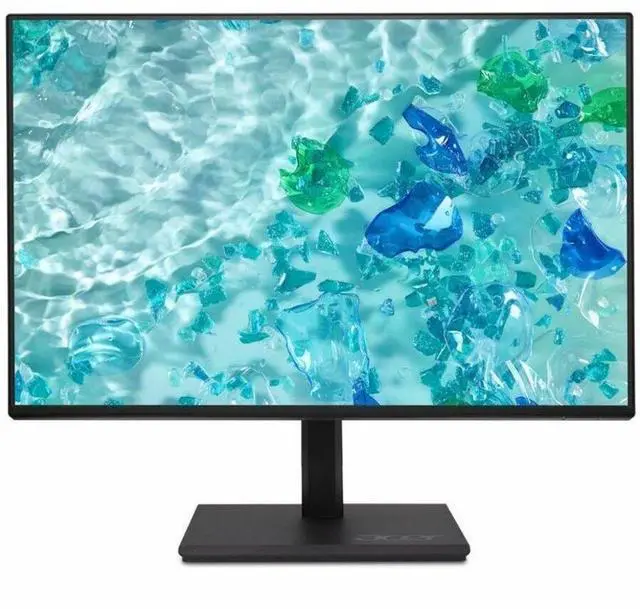


Acer Vero B7 23.8" FHD LCD Monitor, IPS panel, 48 Hz to 75 Hz, UM.QB7AA.G01
- 16:9
- Black
- 23.8" Viewable
- In-plane Switching (IPS) Technology
- LED Backlight
- 1920 x 1080
- 16.7 Million Colors
- Adaptive Sync (DisplayPort VRR)
- 250 Nit
- 4 ms
- Speakers
- HDMI
- VGA
- DisplayPort
+
+
Overview
Specs
Reviews (1)
B7 24" AG IPS Monitor
Warranty & Returns
Warranty, Returns, And Additional Information
Warranty
- Limited Warranty period (parts): 3 years
- Limited Warranty period (labor): 3 years
- Read full details
Return Policies
- Return for refund until: January 31, 2027
- Return for replacement until: January 31, 2027
- This item is covered by Newegg.ca's Extended Holiday Return Policy.
- Read full return policy for details.
We want to ensure your holiday shopping this year is hassle-free. That’s why we’re automatically extending our return policies on almost every product! For purchases placed between November 1st, 2026 and December 31, 2026 you will have until January 31, 2027 to return your product.
Manufacturer Contact Info
- Manufacturer Website
- Support Phone: 1-800-816-2237
- Support Website
- View other products from Acer America
LOADING...
LOADING...
The Acer Vero B7 B247Y Gbmiprzx is a 23.8-inch Full HD IPS monitor suited to everyday office and home productivity, with an anti-glare screen, built-in speakers, and an adjustable stand for a more comfortable desk setup.
Recommended For
- Office and home-office users working mainly in documents, email, spreadsheets, messaging, and web browsing who want a 24-inch Full HD screen with an adjustable stand.
- People who split time between office work and casual PC gaming: reviewers found the 120 Hz refresh rate and Adaptive-Sync useful for smoother motion, though this is not a high-refresh esports display.
- Desk users who want flexible positioning or a multi-monitor setup; the height-, tilt-, swivel-, and pivot-adjustable stand and 100 × 100 mm VESA mount support different desk arrangements.
- Budget-conscious buyers looking for a secondary or replacement monitor for a basic PC setup, especially when Full HD is sufficient and supplied HDMI or DisplayPort cables are useful.
Real-World Use Scenarios
- For everyday home-office work—reading email, editing documents, and keeping a browser open—the 23.8-inch Full HD display provides a straightforward desktop workspace; its stand can be adjusted to help fit a desk setup.
- For casual PC gaming after work, games that run smoothly on a Full HD display can feel more fluid than on a basic 60–75 Hz office monitor; reviewers found its motion performance competent, though it is not aimed at high-end competitive gaming.
- For long document-reading sessions or coding, rotating the screen to portrait can make tall pages and code files easier to view with less scrolling.
- For video calls or listening to a podcast at a desk, the built-in speakers can handle basic audio without extra equipment; reviewers note that a headset or external speakers are better when sound quality matters.
- In an office that still uses a VGA-connected desktop alongside newer HDMI- or DisplayPort-equipped computers, the monitor offers connection options for both; users should expect to reconnect or change inputs rather than use it as a USB docking station.
Spec Summary
| Attribute | Value |
|---|---|
| Best For | Desktop use with a 23.8-inch FHD IPS display and built-in speakers |
| Panel And Resolution | 23.8-inch flat IPS LED display with 1920 × 1080 resolution, 16:9 aspect ratio, anti-glare finish, 16.7 million colors, 250 cd/m² brightness, 178° horizontal and vertical viewing angles, and 0.275 mm pixel pitch |
| Refresh Rate And Response | 100 Hz refresh rate with 4 ms response time and FreeSync adaptive sync |
| Ports And Connectivity | HDMI 1.4, DisplayPort 1.2, D-Sub (VGA), headphone output, and USB Type-B upstream port |
| Stand And Ergonomics | Height adjusts up to 4.72 inches; swivel range is −45° to 45° and tilt range is −5° to 25°. Supports 100 × 100 mm VESA mounting |
| Audio | Built-in speakers |
| Power | 17 W operating, 30 W maximum, 500 mW standby, and 300 mW off-mode power consumption |
| Dimensions And Weight | With stand: 19.67 × 21.27 × 7.61 inches and 12.06 lb; without stand: 12.7 × 21.3 × 2.6 inches and 7.76 lb |
| Model Identifiers | Acer Vero B7, model B247Y Gbmiprzx, part number UM.QB7AA.G01 |
Reference Q&A
Q: Acer Vero B7 23.8-inch vs Acer Nitro VG240Y M3: which is better for everyday work and gaming?
A: Choose the Vero B7 for a work-focused setup with an adjustable stand, built-in speakers, and VGA, HDMI, and DisplayPort connections. Choose the Nitro VG240Y M3 if gaming motion is the priority: Acer lists it at 180 Hz with AMD FreeSync Premium. Both are 23.8-inch Full HD IPS monitors, so the choice is mainly between the Vero’s office-oriented features and the Nitro’s higher refresh rate.
Q: Should I choose the 23.8-inch Acer Vero B7 or the 27-inch Acer Vero B277 G?
A: Choose the 23.8-inch Vero B7 for a more compact desktop footprint; choose the 27-inch Vero B277 G when a larger screen is the priority. Both are Full HD Vero B7 monitors with IPS panels, speakers, and height-adjustable stands, making screen size the main decision point.
Q: Acer Vero B7 or Nitro VG240Y M3 for a small home-office desk?
A: The Acer Vero B7 is a practical fit for a work-centered desk, with an adjustable stand, speakers, and legacy VGA alongside HDMI and DisplayPort. The Nitro VG240Y M3 keeps the same 23.8-inch Full HD IPS format but emphasizes gaming, with a 180 Hz refresh rate and AMD FreeSync Premium.
Q: Is this monitor suitable for everyday office work and meetings?
A: Yes. Its 23.8-inch Full HD IPS display, anti-glare screen, and adjustable stand suit everyday tasks such as documents, browsing, and video meetings. It has built-in speakers, but no webcam or microphone is listed, so you’ll need those separately for video calls.
Q: Can I connect this monitor to a laptop as a second screen?
A: Yes, if the laptop has a compatible video output or adapter. The monitor has HDMI, DisplayPort, and VGA inputs; its USB-B port is an upstream connection, not a listed USB-C video input. Check that your laptop supports the connection you plan to use.
Q: Can I adjust the stand or attach the monitor to a monitor arm?
A: Yes. The included stand supports up to 4.72 inches of height adjustment, swivel from -45° to 45°, and tilt from -5° to 25°. It also supports 100 × 100 mm VESA mounting for a compatible arm or mount.
Q: Does it have built-in speakers, and can I use headphones?
A: Yes. The monitor has built-in speakers and a headphone connection. The listed specifications do not state speaker output or audio quality, so use external speakers or headphones if you need more than basic monitor audio.
Q: Is the Acer B247Y a reasonable monitor for office work?
A: It appears suited to everyday office use: the supplied specifications list a 23.8-inch Full HD IPS screen, height adjustment, tilt and swivel, and HDMI, DisplayPort, and VGA inputs. Reddit users discussing other B247Y variants describe using them in work setups, but those experiences do not establish the reliability of this exact model revision.
Q: Is it worth considering for work and occasional gaming?
A: It may suit casual gaming alongside work, but check the refresh-rate listing before buying: the product title says 48–75 Hz, while the specifications say 100 Hz. The supplied information also lists Adaptive Sync over DisplayPort. A Reddit discussion about a different B247Y variant raised a similar work-and-regular-gaming use case, but it does not verify this SKU’s performance.
Q: Is there enough user feedback to judge this monitor’s panel quality and durability?
A: The available Reddit discussion about an older B247Y variant noted limited reviews and uncertainty about panel quality and durability. That is not evidence of a defect, but it means those comments do not establish how this specific UM.QB7AA.G01 revision performs. Consider checking reviews for the exact part number before relying on feedback about other B247Y variants.