


Best Sellers
 Hot Seller
- $1,158.11
- + $35.67 Shipping


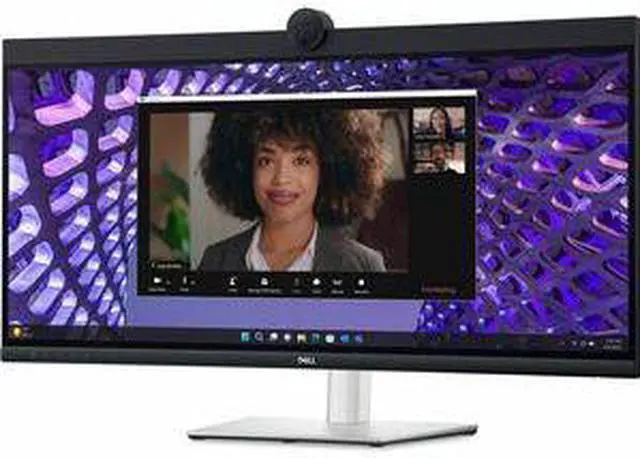
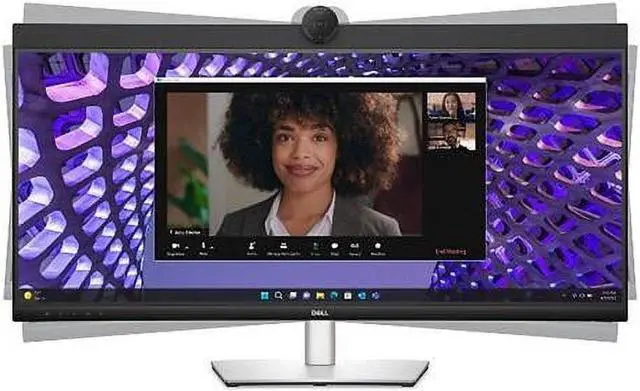
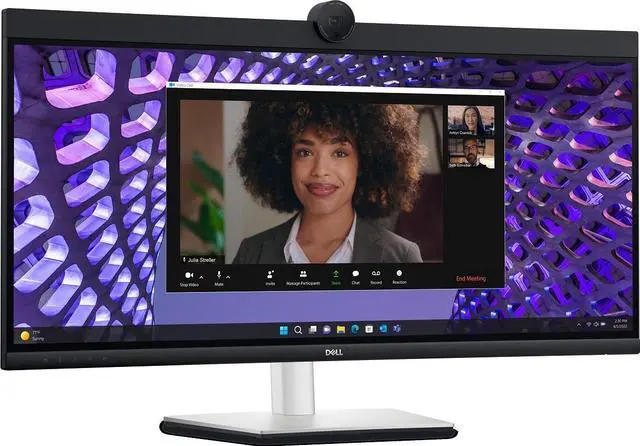


Dell P3424WEB UltraWide 34" 2K QHD (3440 x 1440) 60Hz Curved Screen LED Monitor
- Dell P3424WEB 34" Class Webcam UW-QHD Curved Screen LED Monitor - 21:9
+
+
Overview
Specs
Reviews
Dell P3424WEB 34" Class Webcam UW-QHD Curved Screen LED Monitor - 21:9
Warranty & Returns
Warranty, Returns, And Additional Information
Warranty
- Limited Warranty period (parts): 1 year
- Limited Warranty period (labor): 1 year
- Read full details
Return Policies
- Return for refund until: January 31, 2027
- Return for replacement until: January 31, 2027
- This item is covered by Newegg.ca's Extended Holiday Return Policy.
- Read full return policy for details.
We want to ensure your holiday shopping this year is hassle-free. That’s why we’re automatically extending our return policies on almost every product! For purchases placed between November 1st, 2026 and December 31, 2026 you will have until January 31, 2027 to return your product.
Manufacturer Contact Info
- Manufacturer Website
- Support Phone: 1-800-WWW-DELL
- Support Website
- View other products from DELL
LOADING...
LOADING...
The Dell P3424WEB is a 34-inch curved ultrawide monitor with 3440 × 1440 resolution, a 60Hz refresh rate, and a webcam, suited to remote workers who want a wide workspace and video calls on one display.
Recommended For
- Remote and hybrid workers who spend much of the day in video meetings and want the webcam, microphones, speakers, and meeting view integrated into a single desk setup.
- People who routinely work across several documents, spreadsheets, or browser windows and want a wide desktop for viewing them side by side rather than frequently switching windows.
- Laptop users who want a cleaner desk setup and often connect peripherals or switch between computers; the monitor includes USB-C power delivery, a USB hub, and KVM functionality.
- Home-office users replacing a dual-monitor arrangement with one wide screen, especially when their daily work combines video calls with side-by-side apps.
Real-World Use Scenarios
- For frequent video meetings from a home office, the built-in camera, microphones, and speakers let users join calls without setting up separate conferencing peripherals; the wide screen leaves room for meeting content alongside notes or other apps.
- When working across documents, spreadsheets, and email, users can arrange several windows side by side on the ultrawide display, reducing the need to switch between full-screen apps.
- For a compatible laptop-based desk setup, users can connect video, USB peripherals, and up to 90W of power over USB-C, reducing cable clutter and the need for a separate docking station.
- People who alternate between a work laptop and a desktop can connect both systems and use the monitor’s KVM function to share a keyboard and mouse, making it easier to switch between computers at one desk.
- For office work that benefits from a large, continuous desktop—such as reviewing long spreadsheets or comparing documents—the curved ultrawide layout provides broad horizontal workspace without placing a seam between two displays.
Spec Summary
| Attribute | Value |
|---|---|
| Best For | Wide desktop viewing and multitasking with a 34-inch, 21:9 QHD display |
| Panel And Resolution | 34-inch LED display with up to 3440 × 1440 QHD Wide resolution, a 21:9 aspect ratio and matte finish |
| Refresh Rate And Response | 60 Hz refresh rate with an 8 ms response time |
| Picture Quality And Viewing | 300 cd/m² brightness, 1000:1 contrast ratio and 170-degree viewing angle, with low blue light technology, Dell ComfortView Plus and a flicker-free panel |
| Ports And Connectivity | HDMI, DisplayPort, USB-C and RJ45 connectivity, including 1 HDMI port and 2 USB 3.0 ports |
| Controls | Touchscreen input |
| Physical Design And Mounting | Silver finish, horizontal orientation and wall-mounting support; listed weight is 26.8 lb, with listed dimensions of 32.11 in deep, 17.55 in wide and 9.55 in high |
| Model Identifiers | Dell P3424WEB; model number DELL-P3424WEB |
Reference Q&A
Q: Dell P3424WEB vs. P3424WE: which is better for video calls?
A: Choose the Dell P3424WEB if you want a 34-inch ultrawide monitor with an integrated webcam, microphones, and speakers for video calls. The P3424WE shares the 34-inch, 3440 × 1440 display format and USB-C hub positioning, making it a fit for setups centered on the display and connectivity.
Q: Dell P3424WEB or P3425WE for a 34-inch work monitor?
A: Choose the P3424WEB when integrated video-conferencing hardware is central to your desk setup: it combines a 34-inch WQHD curved display with a webcam, microphones, and speakers. Choose the P3425WE when a 100Hz refresh rate is the priority; it keeps the 34-inch, 3440 × 1440 curved format and USB-C hub features.
Q: Should I choose the Dell P3424WEB or the newer P3426WEV?
A: Choose the P3424WEB for its integrated webcam, microphones, and speakers alongside a 34-inch WQHD curved workspace. The P3426WEV is another Dell 34-inch WQHD webcam monitor, with a 100Hz refresh rate; it suits buyers who prioritize that higher refresh rate in a conferencing display.
Q: Is this monitor suitable for office work and having several windows open at once?
A: Yes. Its 34-inch curved 21:9 screen and 3440 × 1440 resolution provide a wide workspace for office tasks such as viewing documents side by side. It is a desktop monitor, not a portable travel-work device.
Q: Does it have a built-in webcam for video meetings?
A: Yes. The P3424WEB includes a built-in webcam, making it suitable for video meetings without a separate webcam. The camera shutter must be opened for the webcam to be detected.
Q: Can I connect a laptop to it with USB-C?
A: Yes. The P3424WEB supports a USB-C laptop connection. The laptop’s USB-C port must support video output; the monitor’s USB-C connection provides up to 90 W of power delivery, which may not be enough for laptops requiring more.
Q: Is it a good choice for high-refresh-rate gaming?
A: It can display games, but its 60 Hz refresh rate is a trade-off for fast-paced gaming where smoother motion or higher frame rates are priorities. Its wide QHD screen is better suited to general desktop use and casual gaming than to high-refresh competitive play.
Q: Is the P3424WEB a dependable choice for video calls on a Mac?
A: Reddit users have reported webcam freezes or disconnections with Apple-silicon Macs. These are individual reports, not proof that every Mac setup will have problems, but they make compatibility worth checking if you rely on the built-in camera for work calls.
Q: Does the P3424WEB’s built-in KVM work well for switching between two computers?
A: Reddit discussions describe using the monitor’s KVM with two computers, but users have also reported setup or switching problems. If seamless switching is essential, treat compatibility with your specific computers and peripherals as something to verify before relying on it.
Q: Is the P3424WEB a good fit for a home-office setup centered on video calls?
A: Its 34-inch curved 3440 × 1440 display and built-in webcam make it a candidate for a wide-screen work setup with fewer separate devices. Reddit discussions also show interest in it for integrated desk setups, alongside reports of webcam or microphone issues, so weigh convenience against the possibility of troubleshooting.