
Your Browsing History
- Free 30-day Returns
$53.99
Ships from China.

Meet Your Seller

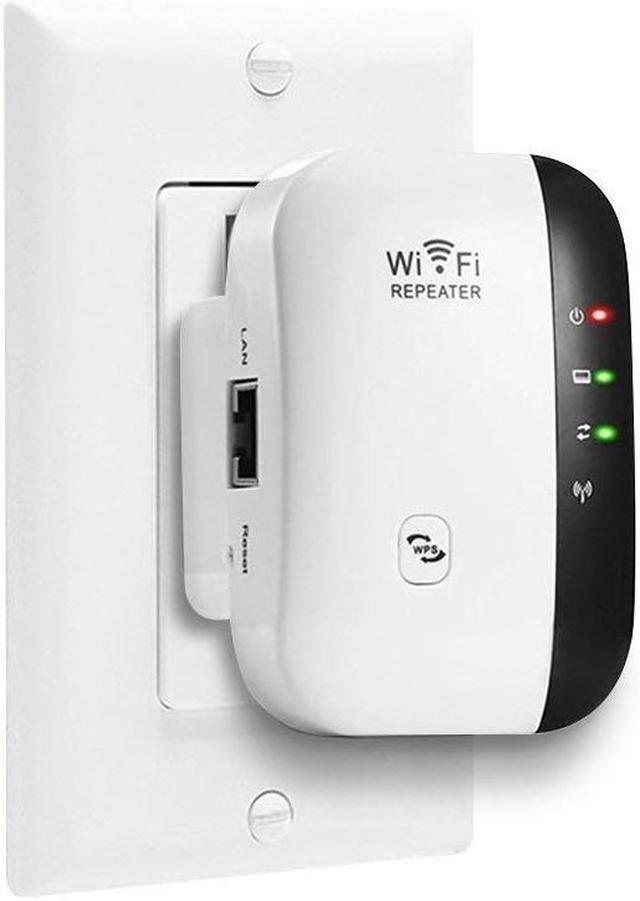
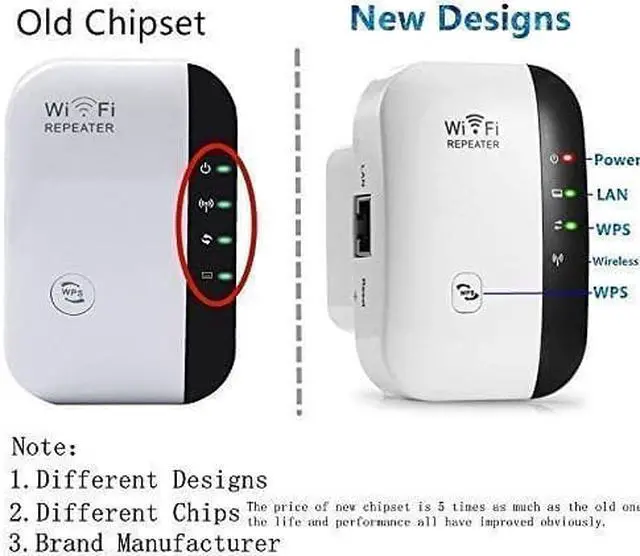


WiFi Range Extender/Wireless 300Mbps Access Point 2.4GHz High Speed Network Ap/Repeater Modes, with Ethernet Port WiFi Signal Internet Booster Compatible with Alexa, US Plug
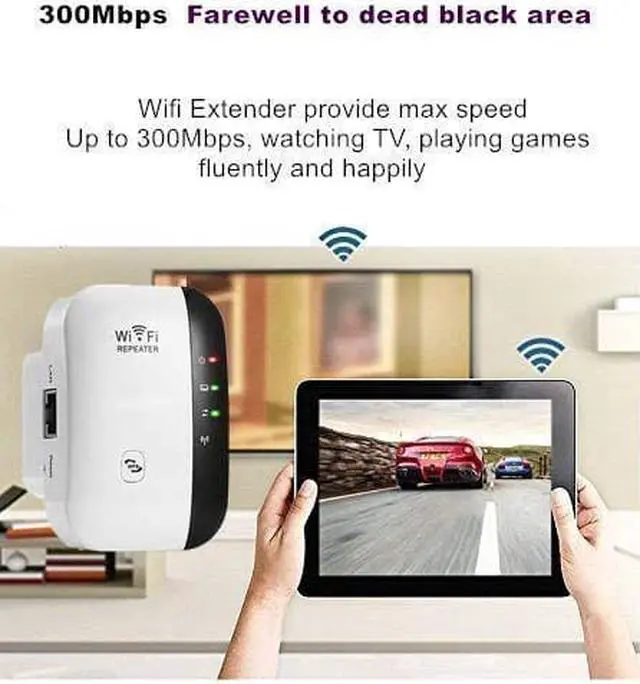
- High Speed: Extending exist wireless network to hard to reach area with speed up to 300Mbps, creating high speed, long range and stable network.
- Plug and Play: Easy to install and use. Designed with mobility and portability, little gadget with great value, ideal for home, company and travel in use.
- WPS Button:Can be simply setup on your phone/iphone/tablet/laptop/PC within 5 minutes. Simply pressing WPS button to get safe encryption. Support WEP, WPA, WPA2, WPA/WPA2 encryption methods to prevent from unauthorized access and monitoring.
- High Compatible:Ethernet port allows the Extender to function as a wireless adapter to connect wired devices, Compatible with 802.11n/g/b devices, work with any wireless network, router and Wi-Fi enabled devices including Smartphone, iPhone, iPad, Tablet, Laptop, Desktop, Smart TV, TV BOX, etc.
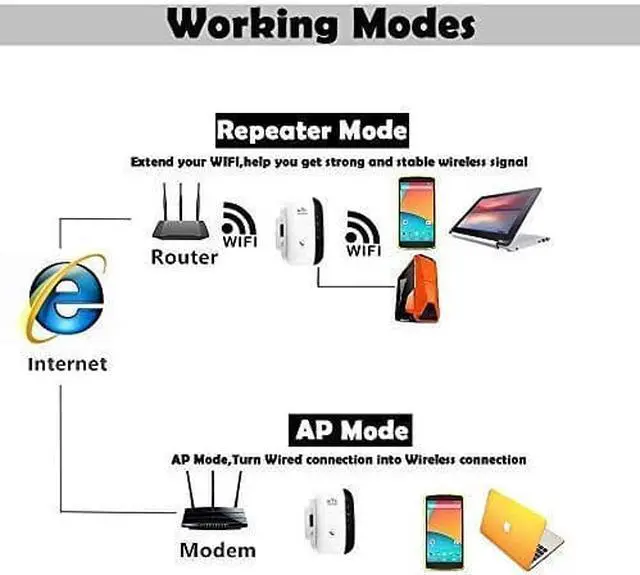
- Working Mode:Repeater mode for stronger wireless performance and coverage and AP mode which creates a new WiFi access point.
+
+
Overview
Specs
Reviews
NETVIP WiFi Range Extender provides you a great wifi coverage so you can enjoy your network without limitation.
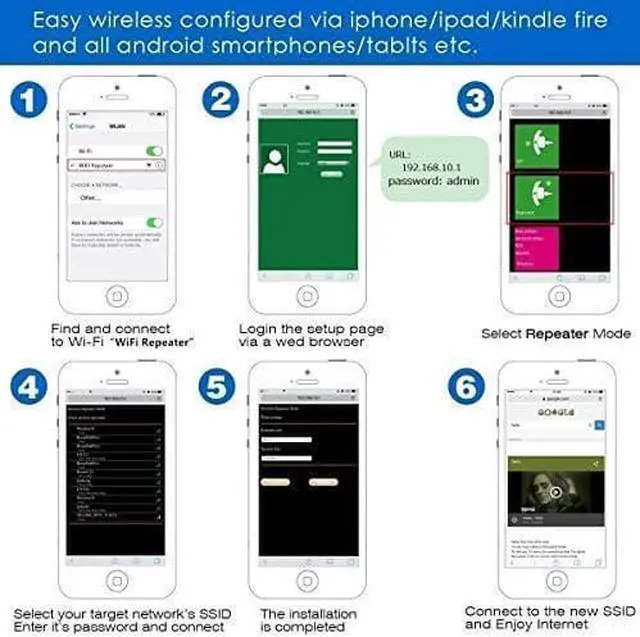
2 Working Modes: REPEATER MODE Extend your existing wifi coverage range AP MODE Cover a wired network to a wireless access point Setup
Video - https: //www. youtube. com/watch? v=g-tInb-L094&t=699s Questions and
Solutions: Q1.
Why can't login into 'http: // 192.168.
10.1 '?
Reason: You haven't connect your computer to 'Wifi Repeater' on your wireless list.
Solution: Reset this repeater and connect with 'Wifi Repeater'. Confirm the website address is right, enter
'http: // 192.168. 10.1 ' on the address bar instead of search bar. Change another browser, computer or cellphone to configure. Q2. Why can't gain the WiFi signal 'Wifi Repeater'?
Reason: The repeater is not in configuration state.
Solution: Reset this repeater. Q3. Why can't access the Internet after finishing the configuration.
Reason: The repeater need time to update the data, please wait for several minutes patiently. Q4. Why can't surf the Internet after successful connection.
Reason: You may enter wrong WiFi password when you are setting.
Solution: Please reset this repeater, reconfigure it and enter the original WiFi password.
Specifications: Frequency
Band: 2.4
GHz Supported Voltage: 110V-240V Maximum WLAN security with WPA2, WPA and
WEP(128/64) Note: If you set it as a Repeater, please note its passwords must be exactly same as your home WiFi passwords, otherwise there will be no internet to get access into.
2 Working Modes: REPEATER MODE Extend your existing wifi coverage range AP MODE Cover a wired network to a wireless access point Setup
Video - https: //www. youtube. com/watch? v=g-tInb-L094&t=699s Questions and
Solutions: Q1.
Why can't login into 'http: // 192.168.
10.1 '?
Reason: You haven't connect your computer to 'Wifi Repeater' on your wireless list.
Solution: Reset this repeater and connect with 'Wifi Repeater'. Confirm the website address is right, enter
'http: // 192.168. 10.1 ' on the address bar instead of search bar. Change another browser, computer or cellphone to configure. Q2. Why can't gain the WiFi signal 'Wifi Repeater'?
Reason: The repeater is not in configuration state.
Solution: Reset this repeater. Q3. Why can't access the Internet after finishing the configuration.
Reason: The repeater need time to update the data, please wait for several minutes patiently. Q4. Why can't surf the Internet after successful connection.
Reason: You may enter wrong WiFi password when you are setting.
Solution: Please reset this repeater, reconfigure it and enter the original WiFi password.
Specifications: Frequency
Band: 2.4
GHz Supported Voltage: 110V-240V Maximum WLAN security with WPA2, WPA and
WEP(128/64) Note: If you set it as a Repeater, please note its passwords must be exactly same as your home WiFi passwords, otherwise there will be no internet to get access into.
Warranty & Returns
Warranty, Returns, And Additional Information
Warranty
- Please contact the Seller directly for warranty information. Warranty information may also be found on the Manufacturer's website.
- CONTACT
Return Policies
- Return for refund within: 30 days
- Return for replacement within: 90 days
- This item is covered by BEYOND Return Policy
Manufacturer Contact Info
- For a directory of all our manufacturers, please click below.
- Manufacturers Directory
LOADING...