We‘re shipping as usual! The Canada Post strike only affects certain remote deliveries and PO Boxes. Details.
  • $118.40
  • Free 15-day Returns
  • Ships from China.
    Price alert

    Shipped by ElectroWorks JV

    Shop it at NeweggBusiness.

    Meet Your Seller

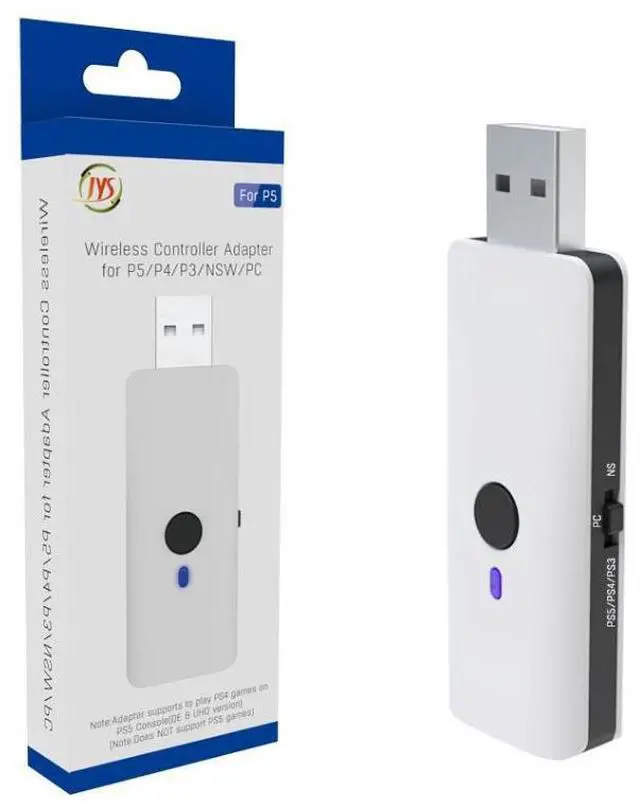
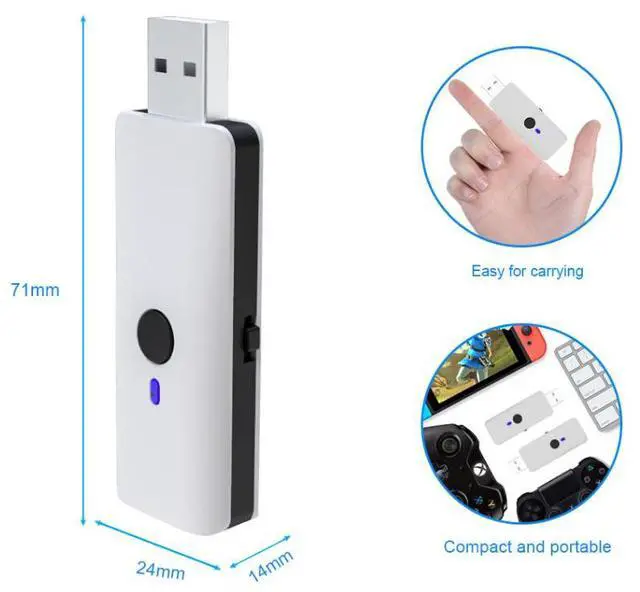
    PS5 Controller Adapter - Compatible with P5/PS4/switch/PC and PS3 consoles

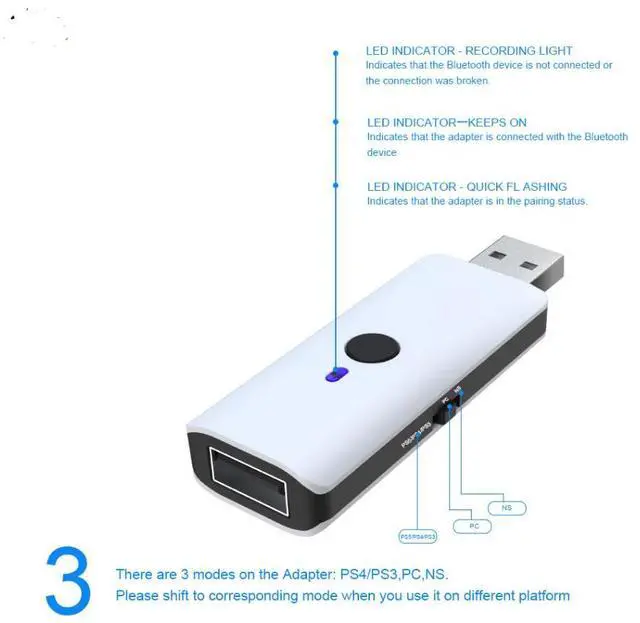
    • Connection Explanation
    • Light signal status
    • LED slowflashing indicates thathe Bluetooth device is notconnected, or the connection has been disconnected.
    • "The LED is constantly on,indicating that the converter has been connected to the Bluetooth device (as long as one device connectssuccessfully,the LED willremain constantlyon)' The LED flashes rapidly, indicating that the converter has entered the pairing state
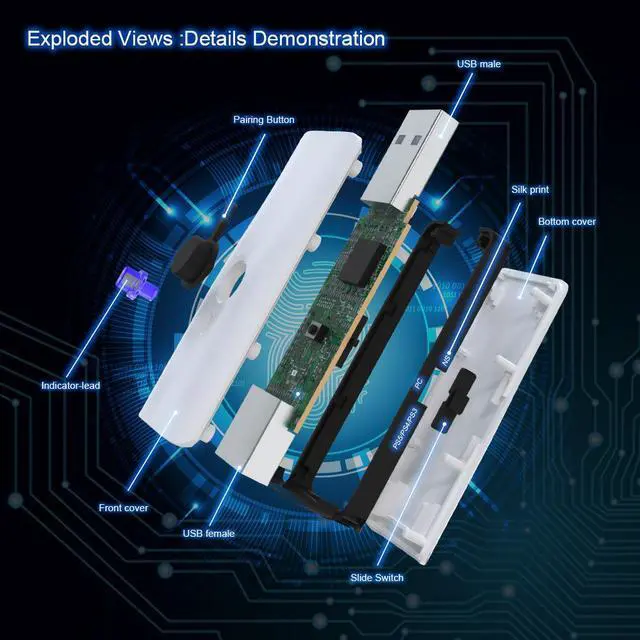
    • 2. Button FunctionsThere is a pairing button on the converter.
    • When Bluetoothis notconnected (LED flashes slowly),press onceto enter pairing mode (LED flashes rapidly),aftersuccessfulBluetooth connection (LEDremains on constantly),press onceto disconnectBluetooth connection (if multiple devices are connected,disconnectone atatime)
    • 3. Wired connectionJust connect the handle to the USB interface of the converter via the USB cable.Supported devices: Wired devices (Ps3, Ps4,Ps5, Xbox360, Xboxone original and most third-party authorizedcontrollers, Xinput controller) Bluetooth devices (PS3 original, PS4 original, PS5 original, Xboxone S, WiU original,Switch Pro Controller, Switch Joy-Con controller)
    +
    +
    Overview
    Specs
    Reviews

    Connection Explanation

    Light signal status

    LED slowflashing indicates thathe Bluetooth device is notconnected, or the connection has been disconnected.

    "The LED is constantly on,indicating that the converter has been connected to the Bluetooth device (as long as one device connectssuccessfully,the LED willremain constantlyon)' The LED flashes rapidly, indicating that the converter has entered the pairing state

    2. Button FunctionsThere is a pairing button on the converter.

    When Bluetoothis notconnected (LED flashes slowly),press onceto enter pairing mode (LED flashes rapidly),aftersuccessfulBluetooth connection (LEDremains on constantly),press onceto disconnectBluetooth connection (if multiple devices are connected,disconnectone atatime)

    3. Wired connectionJust connect the handle to the USB interface of the converter via the USB cable.Supported devices: Wired devices (Ps3, Ps4,Ps5, Xbox360, Xboxone original and most third-party authorizedcontrollers, Xinput controller) Bluetooth devices (PS3 original, PS4 original, PS5 original, Xboxone S, WiU original,Switch Pro Controller, Switch Joy-Con controller)

    Warranty & Returns

    Warranty, Returns, And Additional Information

    Warranty

    • Please contact the Seller directly for warranty information. Warranty information may also be found on the Manufacturer's website.
    • CONTACT

    Return Policies

    Manufacturer Contact Info

    LOADING...