
Your Browsing History
- Free 15-day Returns
$179.98
Ships from Hong Kong.
Sold by YunYunKeJiShiZhuangDian
Shipped by YunYunKeJiShiZhuangDian

Meet Your Seller

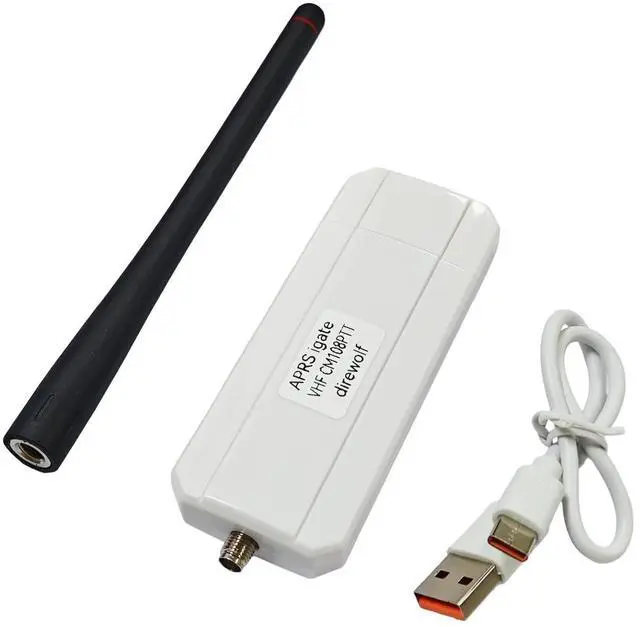
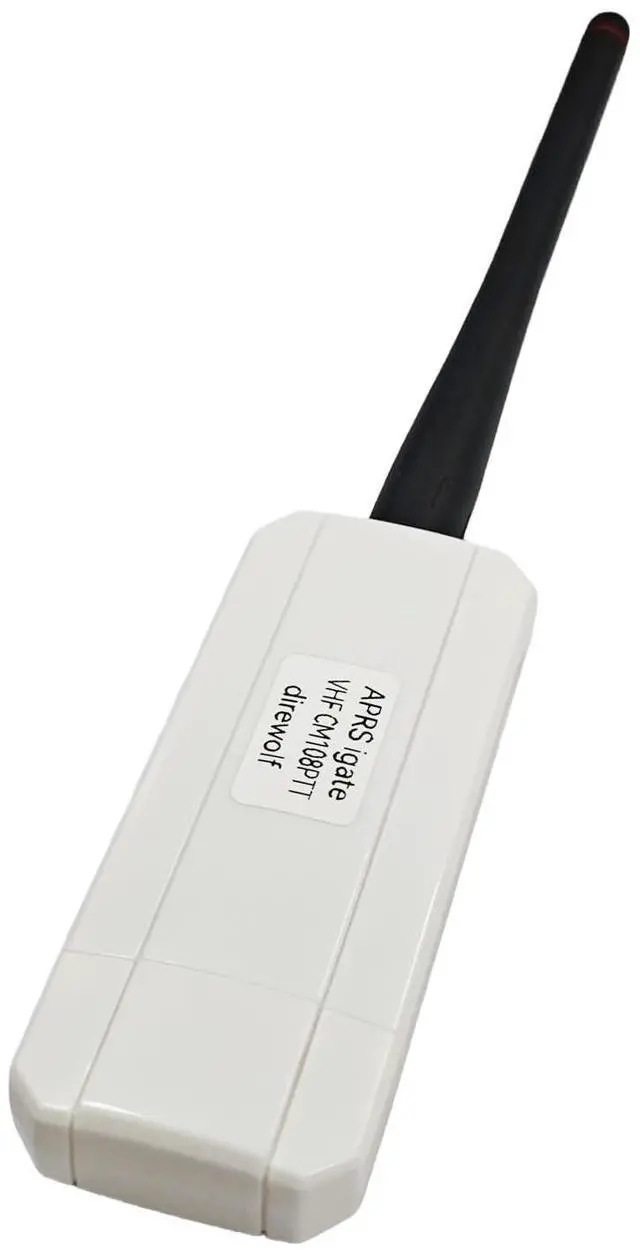
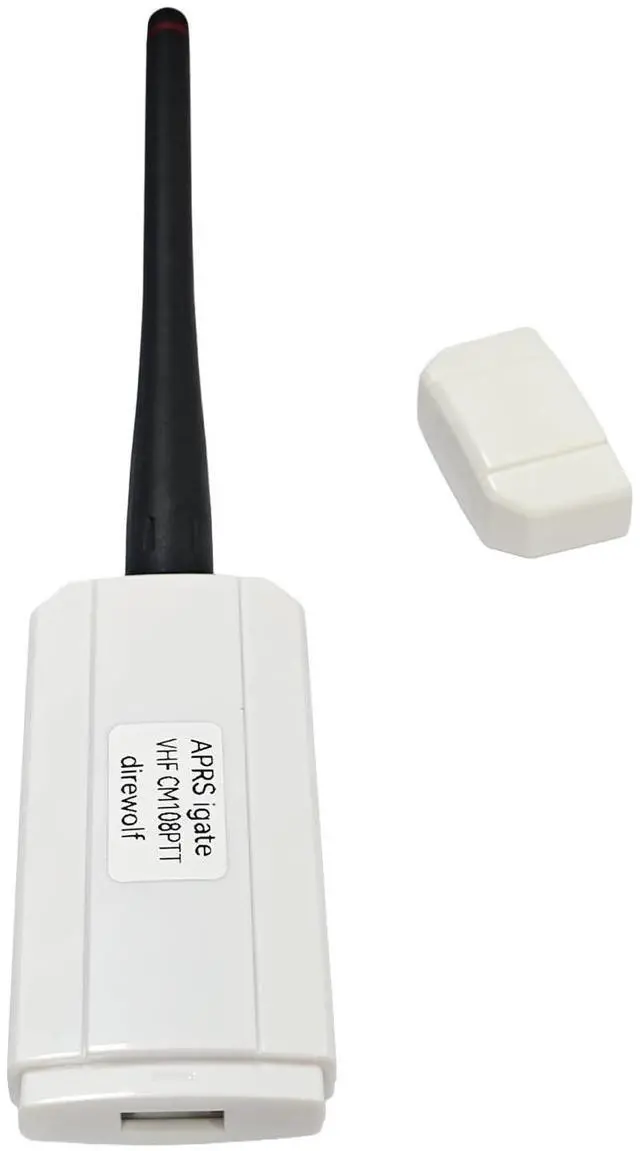
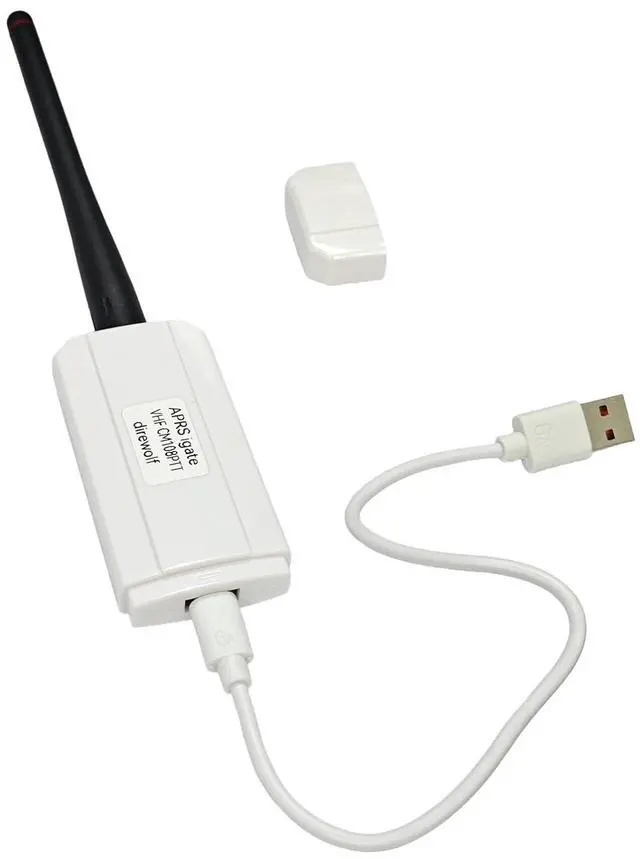


AURSINC VHF APRS RF Node for Direwolf, USB CM108 Sound Work for Direwolf & PPT Function, USB CP210x Com for SR110v Module (136-174Mhz 1W), Compatible for RPi 2/3/4/5
- Multi-mode Coordinated Operation: Running digipeater, APRS IGate, and APRStt gateway on windows & linux
- Hardware Interfaces: USB CM108 sound work for direwolf & PPT function; USB CP210x com for SR110v module (136-174Mhz 1W)
- Type-C different side have different function: The USB-C plug that comes with this device can be oriented two different ways: one way for running Direwolf/Allstar, and the other for programming the SR110V radio module. (CM108 sound mode for USB_Audio_FFT.html or direwolf pls set direwolf.conf)
- Hardware Interface Status Indicator: Only Green LED on is COM Mode for walkie_talkie_at_tool.html. Both Green LED and Yellow is for USB CM108 sound mode
- Software: [github .com/jumbo5566/cm108direwolfWinLinuxVHFigate], [github .com/wb2osz/direwolf/releases/download/1.7/direwolf-1.7.0-9807304_x86_64.zip]
- Compatibility: Compatible with Rpi 2/3/4/5, it can communicate directly with the Rpi via the included Type C to USB cable. Please note that the USB connector shou
+
+
Overview
Specs
Reviews
AURSINC VHF APRS RF Node for direwolfRunning digipeater, APRS IGate, and APR
Stt gateway on windows & linux.
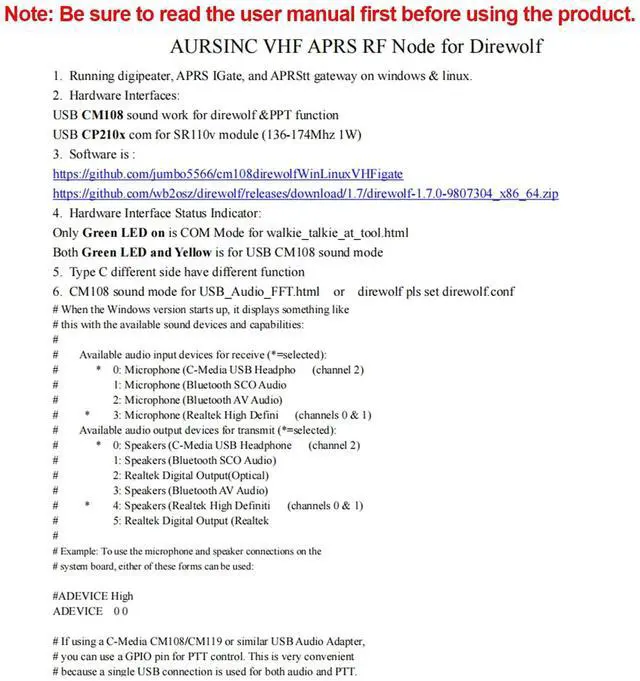
Hardware Interfaces: USB CM108 sound work for direwolf &PPT functionUSB CP210x com for
SR110v module (136-174Mhz 1W)Software is: github. com/jumbo5566/cm108direwolfWinLinuxVHFigategithub. com/wb2osz/direwolf/releases/download/ 1.7 /direwolf- 1.7. 0-9807304_x86_64.
zipHardware Interface Status Indicator: Only Green LED on is COM Mode for walkie_talkie_at_tool. htmlBoth Green LED and Yellow is for USB CM108 sound modeTypec different side have different functionCM108 sound mode for USB_Audio_FFT. html or direwolf pls set direwolf. confThe USB-C plug that comes with this device can be oriented two different ways: one way for running Direwolf/Allstar, and the other for programming the SR110V radio module. With the embossed text on the USB-C plug facing away from the "APRS igate" label, this device presents itself to the operating system as a CM108 sound card with a GPIO PTT port. This is how you use it with Direwolf/Allstar. Oriented the other way, it presents a serial device. This is for programming the radio module. Using the open-source "SRFRS" tool, you can change the RX/TX frequencies, bandwidth (wide/narrow), and CTCSS tones. That way, you can listen to the International Space Station's (ISS) APRS digipeater on 145.825 MHz# When the Windows version starts up, it displays something like# this with the available sound devices and capabilities: ## Available audio input devices for receive (*=selected): #
* 0: Microphone (C-Media USB Headpho (channel 2) # 1: Microphone (Bluetooth
SCO Audio# 2: Microphone (Bluetooth
AV Audio) # * 3: Microphone (Realtek High Defini (channels 0 & 1)# Available audio output devices for transmit (*=selected): #
* 0: Speakers (C-Media USB Headphone (channel 2) # 1: Speakers (Bluetooth
SCO Audio) # 2: Realtek Digital Output (Optical) # 3: Speakers (Bluetooth
AV Audio) # * 4: Speakers (Realtek High Definiti (channels 0
& 1)# 5: Realtek Digital
Output (Realtek## Example: To use the microphone and speaker connections on the# system board, either of these forms can be used: #ADEVICE HighADEVICE 0 0# If using a C-Media CM108/CM119 or similar USB Audio Adapter, # you can use a GPIO pin for PTT control. This is very convenient# because a single USB connection is used for both audio and PTT.
Learn more: themodernham. com/easy-aprs-igate-and-digipeater-setup-with-direwolf/
Stt gateway on windows & linux.
Hardware Interfaces: USB CM108 sound work for direwolf &PPT functionUSB CP210x com for
SR110v module (136-174Mhz 1W)Software is: github. com/jumbo5566/cm108direwolfWinLinuxVHFigategithub. com/wb2osz/direwolf/releases/download/ 1.7 /direwolf- 1.7. 0-9807304_x86_64.
zipHardware Interface Status Indicator: Only Green LED on is COM Mode for walkie_talkie_at_tool. htmlBoth Green LED and Yellow is for USB CM108 sound modeTypec different side have different functionCM108 sound mode for USB_Audio_FFT. html or direwolf pls set direwolf. confThe USB-C plug that comes with this device can be oriented two different ways: one way for running Direwolf/Allstar, and the other for programming the SR110V radio module. With the embossed text on the USB-C plug facing away from the "APRS igate" label, this device presents itself to the operating system as a CM108 sound card with a GPIO PTT port. This is how you use it with Direwolf/Allstar. Oriented the other way, it presents a serial device. This is for programming the radio module. Using the open-source "SRFRS" tool, you can change the RX/TX frequencies, bandwidth (wide/narrow), and CTCSS tones. That way, you can listen to the International Space Station's (ISS) APRS digipeater on 145.825 MHz# When the Windows version starts up, it displays something like# this with the available sound devices and capabilities: ## Available audio input devices for receive (*=selected): #
* 0: Microphone (C-Media USB Headpho (channel 2) # 1: Microphone (Bluetooth
SCO Audio# 2: Microphone (Bluetooth
AV Audio) # * 3: Microphone (Realtek High Defini (channels 0 & 1)# Available audio output devices for transmit (*=selected): #
* 0: Speakers (C-Media USB Headphone (channel 2) # 1: Speakers (Bluetooth
SCO Audio) # 2: Realtek Digital Output (Optical) # 3: Speakers (Bluetooth
AV Audio) # * 4: Speakers (Realtek High Definiti (channels 0
& 1)# 5: Realtek Digital
Output (Realtek## Example: To use the microphone and speaker connections on the# system board, either of these forms can be used: #ADEVICE HighADEVICE 0 0# If using a C-Media CM108/CM119 or similar USB Audio Adapter, # you can use a GPIO pin for PTT control. This is very convenient# because a single USB connection is used for both audio and PTT.
Learn more: themodernham. com/easy-aprs-igate-and-digipeater-setup-with-direwolf/
Warranty & Returns
Warranty, Returns, And Additional Information
Warranty
- Please contact the Seller directly for warranty information. Warranty information may also be found on the Manufacturer's website.
- CONTACT
Return Policies
- Return for refund within: 15 days
- Return for replacement within: 30 days
- This item is covered by YunYunKeJiShiZhuangDian Return Policy
Manufacturer Contact Info
- For a directory of all our manufacturers, please click below.
- Manufacturers Directory
LOADING...