
Your Browsing History
Best Sellers
- $58.98
- + FREE SHIPPING

Meet Your Seller

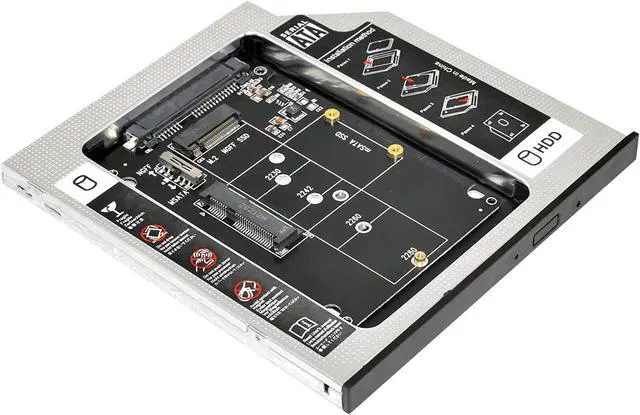
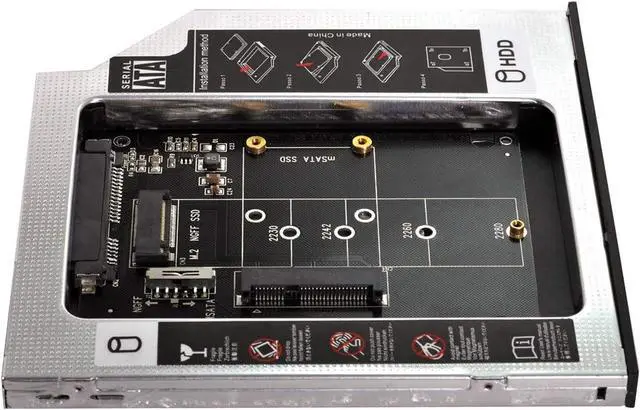
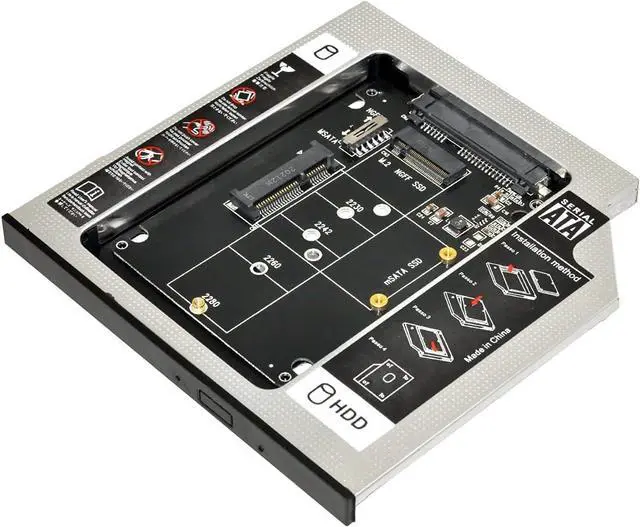
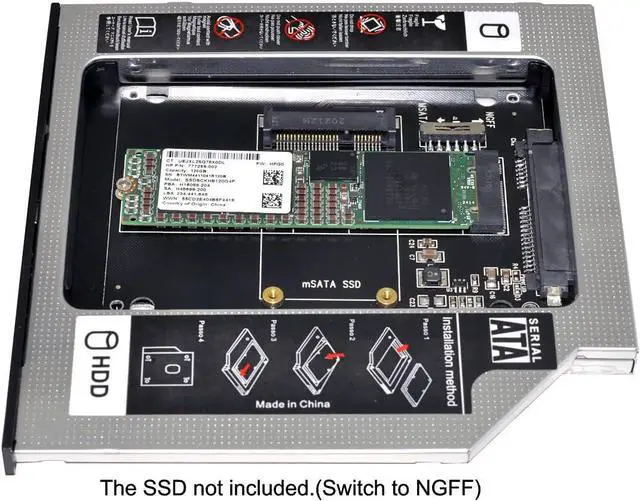


MSATA NGFF B/M-Key SSD to Slimline SATA 13Pin Caddy Case for 9.5mm Universal Laptop CD/DVD-ROM Optical Bay
Limited time offer, ends 09/19 By NovaStar Tech
- MSATA NGFF B/M-key SSD to Slimline SATA 13Pin Caddy Case for 9.5mm Universal Laptop CD / DVD-ROM Optical Bay
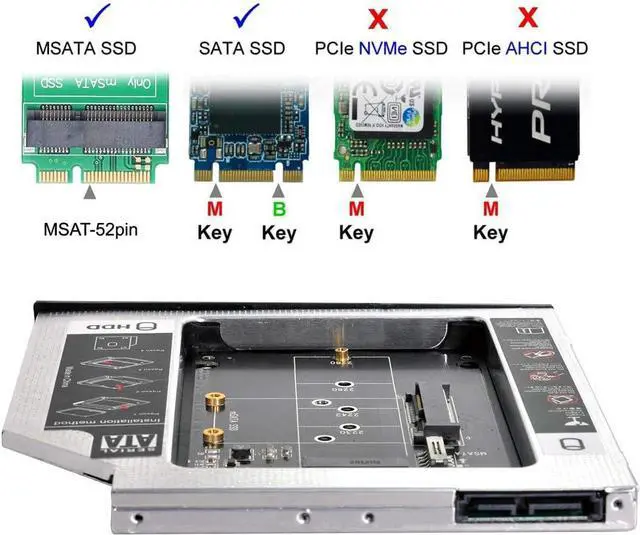
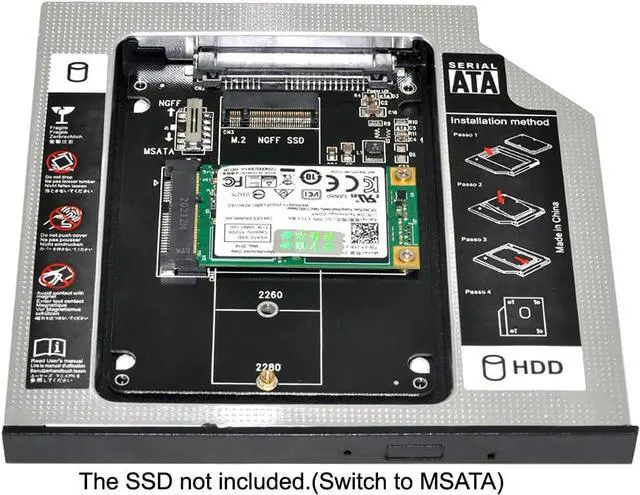
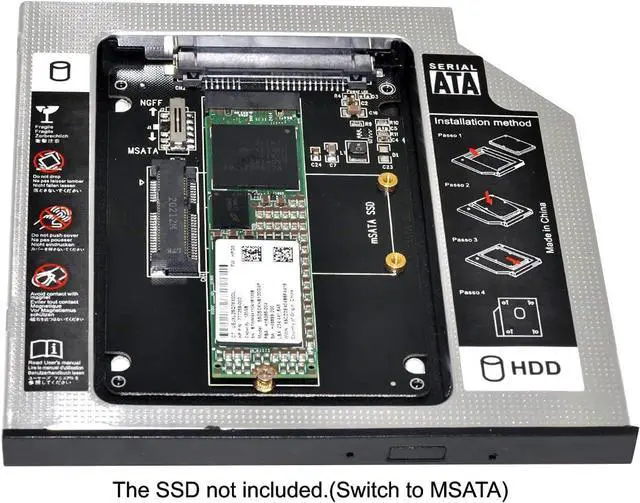
- The 2nd Hard Disk Drive Caddy / Adapter to bring you new maximum data storage flexibility, with the compact portable design. Which can work with MSATA or NGFF B/M-key SSD (Solid State Drive) as well.
- he MSATA and NGFF SSD cannot work at same time. You need use the switch to convert it. The adapter only work for B-key or B/M-key socket NGFF SSD, cannot work for M-key socket. With the second HDD in your Laptop, You can speed to backup important applications and critical data ( Simply remove your CD-ROM drive and put the Caddy (with the added hard drive) in its place.
- Fully integrated into Laptop, no cables / PSU / software driver needed. Dual boot, Support installation of 2nd Operating System on the 2nd HDD and boot selection.
- Unpack the New drive, lift the adapter retaining latch, the screw to the hard disk; Insert the drive into the Adapter at an angle; Slide the drive into the connector until it locks into place; Lower the adapter retaining latch until it snaps closed
+
+
Overview
Specs
Reviews
- MSATA NGFF B/M-key SSD to Slimline SATA 13Pin Caddy Case for 9.5mm Universal Laptop CD / DVD-ROM Optical Bay
- The 2nd Hard Disk Drive Caddy / Adapter to bring you new maximum data storage flexibility, with the compact portable design. Which can work with MSATA or NGFF B/M-key SSD (Solid State Drive) as well.
- he MSATA and NGFF SSD cannot work at same time. You need use the switch to convert it. The adapter only work for B-key or B/M-key socket NGFF SSD, cannot work for M-key socket. With the second HDD in your Laptop, You can speed to backup important applications and critical data ( Simply remove your CD-ROM drive and put the Caddy (with the added hard drive) in its place.
- Fully integrated into Laptop, no cables / PSU / software driver needed. Dual boot, Support installation of 2nd Operating System on the 2nd HDD and boot selection.
- Unpack the New drive, lift the adapter retaining latch, the screw to the hard disk; Insert the drive into the Adapter at an angle; Slide the drive into the connector until it locks into place; Lower the adapter retaining latch until it snaps closed
Warranty & Returns
Warranty, Returns, And Additional Information
Warranty
- Please contact the Seller directly for warranty information. Warranty information may also be found on the Manufacturer's website.
- CONTACT
Return Policies
- Return for refund within: 30 days
- Return for replacement within: 90 days
- This item is covered by NovaStar Tech Return Policy
Manufacturer Contact Info
- For a directory of all our manufacturers, please click below.
- Manufacturers Directory
LOADING...
LOADING...