


- Free 15-day Returns
$85.79
Ships from China.

Meet Your Seller


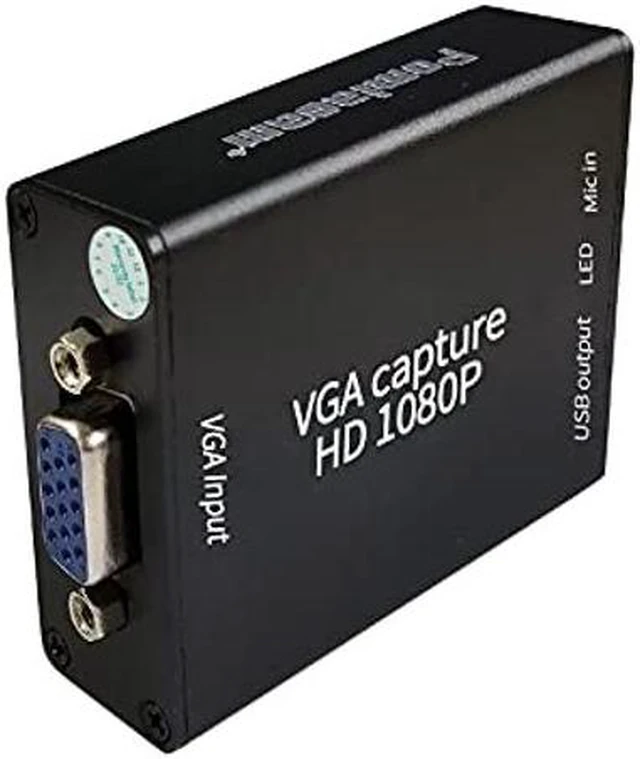
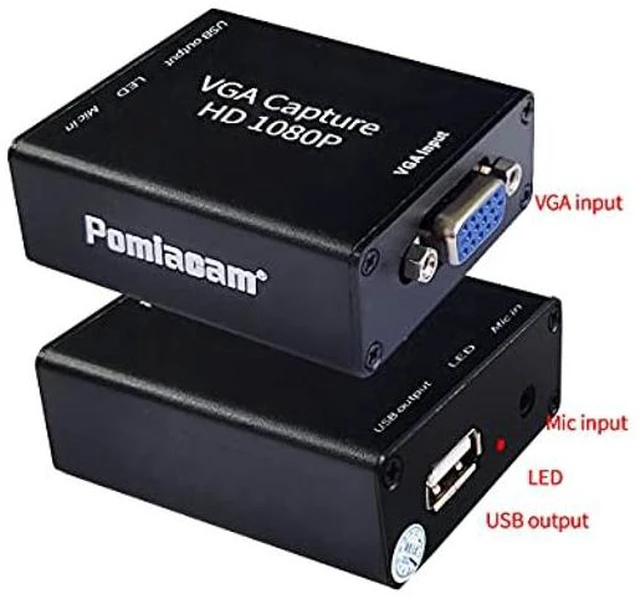


Video Coverter VGA Capture Card,VGA to USB2.0 Converter,Audio and Video Capture Device,Plug-and-Play,USB Drive-Free HD 1080P Video Capture Tool for Windows,Linux and Android
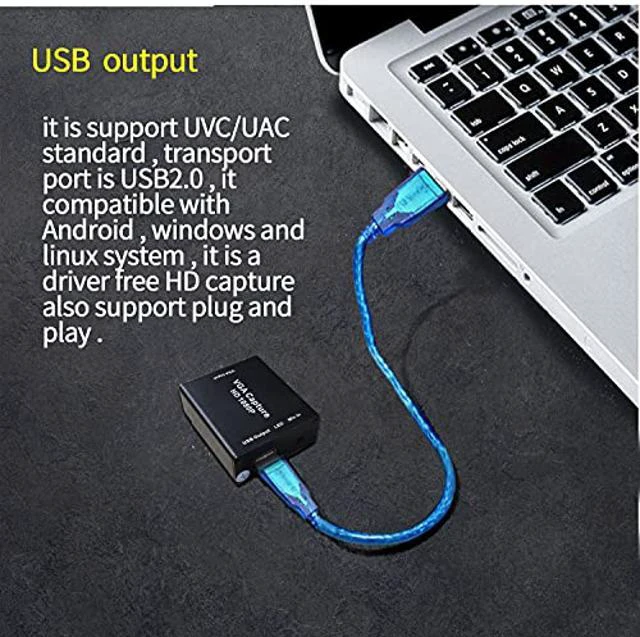
- 1. This is a VGA to USB video capture tool. This VGA converter is an audio and video capture device that supports VGA signal input and USB2.0 interface output to the computer. It is a cost-effective audio and video capture card that complies with UVC/UAC specifications.
- 2. This VGA card is suitable for equipment video collection, corporate video conferencing, teaching PTT, churches, etc. Plug this VGA capture card into your laptop or PC and use it as a monitor for your device/game console. You can also use free (Windows) software for video recording. Or connect from projector to computer
- 3. This VGA to USB capture card supports a variety of video capture software. This is a plug-and-play, USB-disk-free high-definition video capture tool. It is available for Windows, Linux and Android systems. Wide range of use
- 4. This VGA converter does not need to install a driver, plug and play. The VGA capture card supports independent audio input without power supply. The VGA cap
+
+
Overview
Specs
Reviews
The introduction of VGA capture card
VGA capture card used in medical equipment video capture, corporate video conferencing Education field, computer VGA signal acquisition, etc.
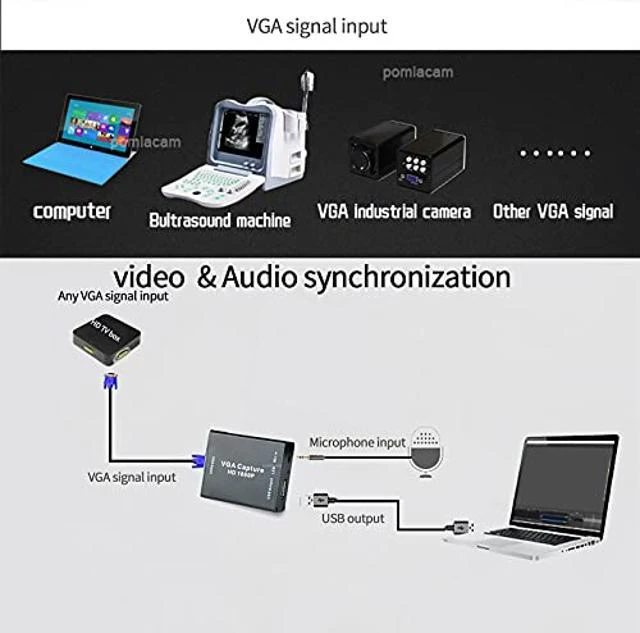
VGA Capture converts VGA signals such as computers, embedded systems, medical equipment, scientific or laboratory equipment into USB signals, and completes the collection and recording of VGA signal video through computers, notebooks and other equipment, and supports microphone synchronous audio input.
The specification of VGA capture card
Input port: VGA
Output port: USB 2.0
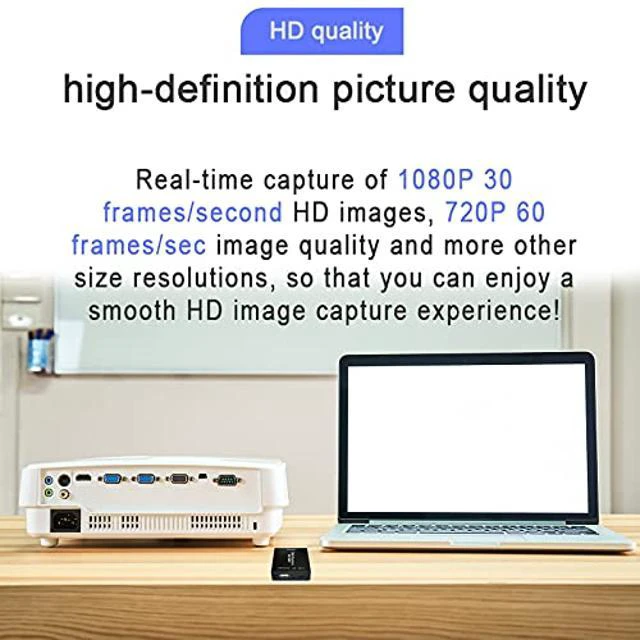
Video output resolution: 1920*1080, 1600*1200, 1360*768, 1280*1024, 1280*960, 1280*720, 1024*768, 800*600, 720*480, 720*576, 640*480
Frame rate: 5~60frames adjustable
Audio and video capture: Standard UVC/UAC
Drive: No need to install the driver, plug and play
Operating temperature: -20~65
Working humidity: 5%-90%
Resolution: 64MM*51MM*21MM
Weight: 60g
How to use
1. Connect the VGA signal source to the VGA input interface of the capture card
2. The USB output of the capture card is connected to the USB port of the computer through the USB cable (drive-free)
3. For audio input, connect the audio signal to Mic in
4. Open the acquisition software on the acquisition computer, select the device AFN_Cap video and activate it. At this time, the red LED light flashes, indicating that the signal acquisition is successful.
VGA capture card used in medical equipment video capture, corporate video conferencing Education field, computer VGA signal acquisition, etc.
VGA Capture converts VGA signals such as computers, embedded systems, medical equipment, scientific or laboratory equipment into USB signals, and completes the collection and recording of VGA signal video through computers, notebooks and other equipment, and supports microphone synchronous audio input.
The specification of VGA capture card
Input port: VGA
Output port: USB 2.0
Video output resolution: 1920*1080, 1600*1200, 1360*768, 1280*1024, 1280*960, 1280*720, 1024*768, 800*600, 720*480, 720*576, 640*480
Frame rate: 5~60frames adjustable
Audio and video capture: Standard UVC/UAC
Drive: No need to install the driver, plug and play
Operating temperature: -20~65
Working humidity: 5%-90%
Resolution: 64MM*51MM*21MM
Weight: 60g
How to use
1. Connect the VGA signal source to the VGA input interface of the capture card
2. The USB output of the capture card is connected to the USB port of the computer through the USB cable (drive-free)
3. For audio input, connect the audio signal to Mic in
4. Open the acquisition software on the acquisition computer, select the device AFN_Cap video and activate it. At this time, the red LED light flashes, indicating that the signal acquisition is successful.
Warranty & Returns
Warranty, Returns, And Additional Information
Warranty
- Please contact the Seller directly for warranty information. Warranty information may also be found on the Manufacturer's website.
- CONTACT
Return Policies
- Return for refund within: 15 days
- Return for replacement within: 30 days
- This item is covered by TechMax Depot Return Policy
Manufacturer Contact Info
- For a directory of all our manufacturers, please click below.
- Manufacturers Directory
LOADING...