
Your Browsing History
- Free 30-day Returns
$102.59
Ships from China.

Meet Your Seller



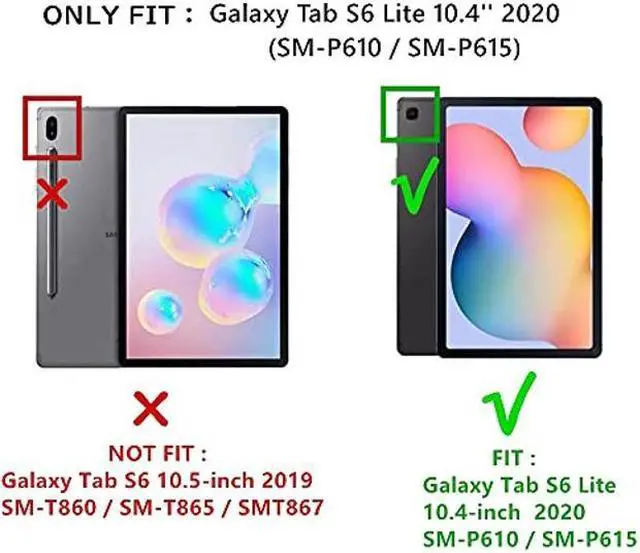
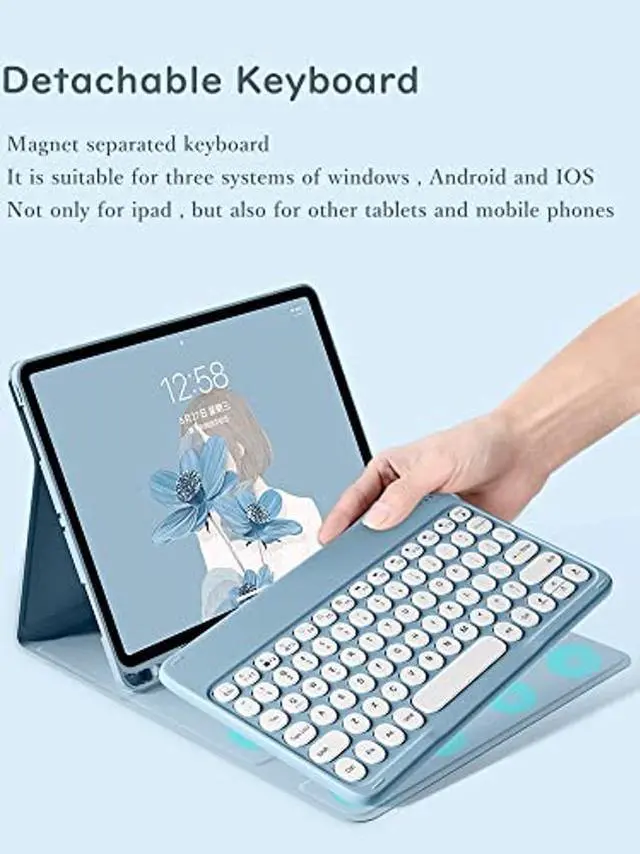
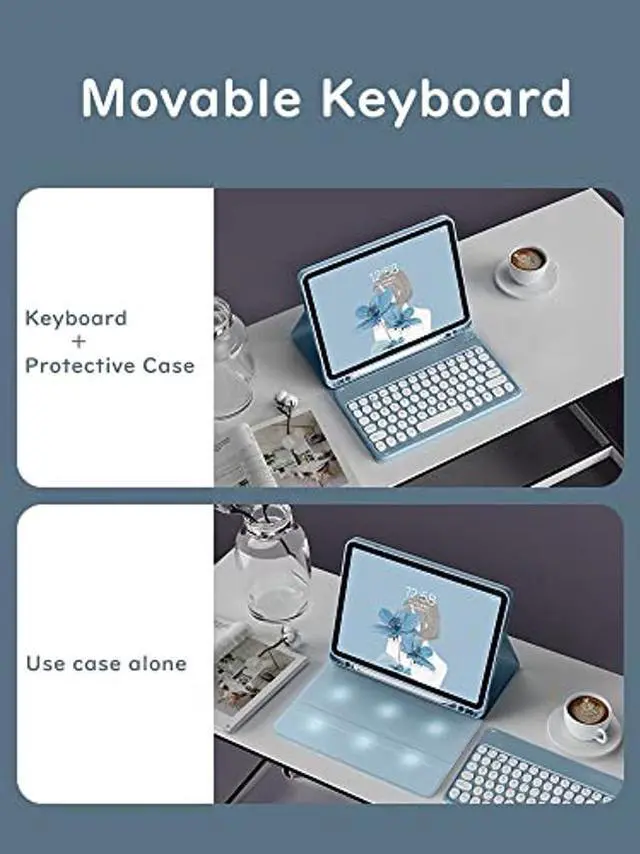


HENGHUI Keyboard Case for Galaxy Tab S6 Lite 10.4'' 2022 2020 Model SM-P610/P613/P615/P619 Cute Round Key Color Keyboard Wireless Detachable BT Keyboard Cover with S Pen Holder (Black)
- Compatibility :This keyboard case is compatible with Galaxy Tab S6 Lite 10.4 inch 2022/2020 Release Tablet Model SM-P610/P613/P615/P619
- Round key cap + Magnetically detachable color keyboard :The latest design in 2021, Stylish and cute color keyboard with round keys, The magnetic separate keyboard is suitable for 3 systems of WindowsAndroidiOS, Not only can be used with Galaxy Tablet , It can also be used with other tablet computers and mobile phones.
- Convenient Shortcut Keys : The keyboard is equipped with multi-function shortcut keys,You can take a screenshot, lock your screen, or adjust volume in one click. By combining FN with other keys, your Tablet will be as convenient as a laptop .
- Soft TPU back cover :The soft TPU back cover adopts non-slip design, Easy to install, Can support the tablet at multiple angles .
- Built-in Pencil Holder :The protective case comes with pencil holder ,It is convenient to keep your Pen together, don't worry about losin
+
+
Overview
Specs
Reviews
How to connect this keyboard to
Galaxy tablet:
1: turn on the power button on the right side of the keyboard.
(The power indicator will go out after flashing. This is to save power, not fault)
2: Press the "FN" key in the lower left corner of the keyboard, do not release it, and then press the "C" key.
(Note: You need to press FN+C at the same time)
At this time, you can see the Bluetooth indicator flashing,
This turns on the Bluetooth of the keyboard.
3: From the tablet's home screen, tap Settings. Tap on Bluetooth.
Make sure Bluetooth is set to On, then let it search for devices.
Tap on a Bluetooth keyboard, when it appears, to pair.
4: if an authentication (PIN) code appears on the iPad screen,
Enter the number with the keyboard and press"Enter" key.
5: When the connection is complete, the Bluetooth indicator will go out,
6: This is a 3-system keyboard,
If you are using this keyboard on your Galaxy tablet,
Please press "FN" key first, don't release it, then press "Q" key,
This is a system for the Galaxy tablet
Galaxy tablet:
1: turn on the power button on the right side of the keyboard.
(The power indicator will go out after flashing. This is to save power, not fault)
2: Press the "FN" key in the lower left corner of the keyboard, do not release it, and then press the "C" key.
(Note: You need to press FN+C at the same time)
At this time, you can see the Bluetooth indicator flashing,
This turns on the Bluetooth of the keyboard.
3: From the tablet's home screen, tap Settings. Tap on Bluetooth.
Make sure Bluetooth is set to On, then let it search for devices.
Tap on a Bluetooth keyboard, when it appears, to pair.
4: if an authentication (PIN) code appears on the iPad screen,
Enter the number with the keyboard and press"Enter" key.
5: When the connection is complete, the Bluetooth indicator will go out,
6: This is a 3-system keyboard,
If you are using this keyboard on your Galaxy tablet,
Please press "FN" key first, don't release it, then press "Q" key,
This is a system for the Galaxy tablet
Warranty & Returns
Warranty, Returns, And Additional Information
Warranty
- Please contact the Seller directly for warranty information. Warranty information may also be found on the Manufacturer's website.
- CONTACT
Return Policies
- Return for refund within: 30 days
- Return for replacement within: 30 days
- This item is covered by LMSshop Return Policy
Manufacturer Contact Info
- For a directory of all our manufacturers, please click below.
- Manufacturers Directory
LOADING...