
Your Browsing History
- Free 30-day Returns
$48.57
Ships from China.

Meet Your Seller

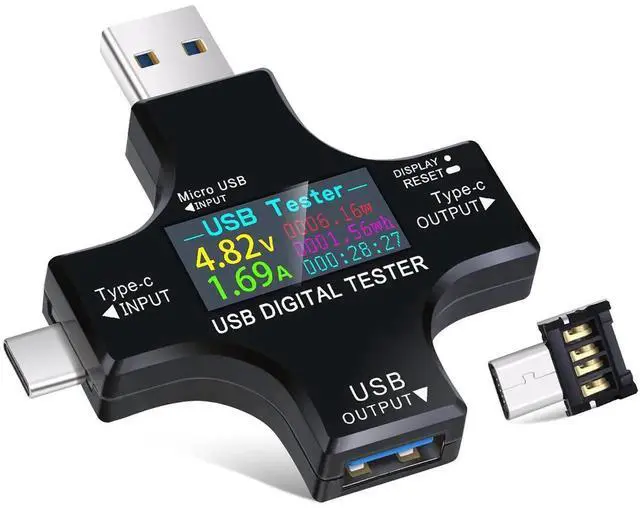
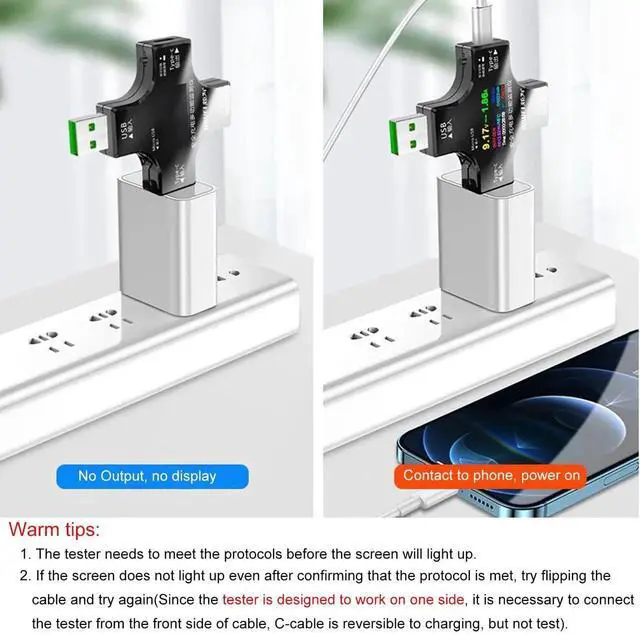


2 in 1 Type C USB Tester Color Screen LCD Digital Multimeter, USB C Voltage Current Voltmeter Amp Volt Ammeter Detector USB Cable Charger Indicator DC3.6-30V/0-5.1A
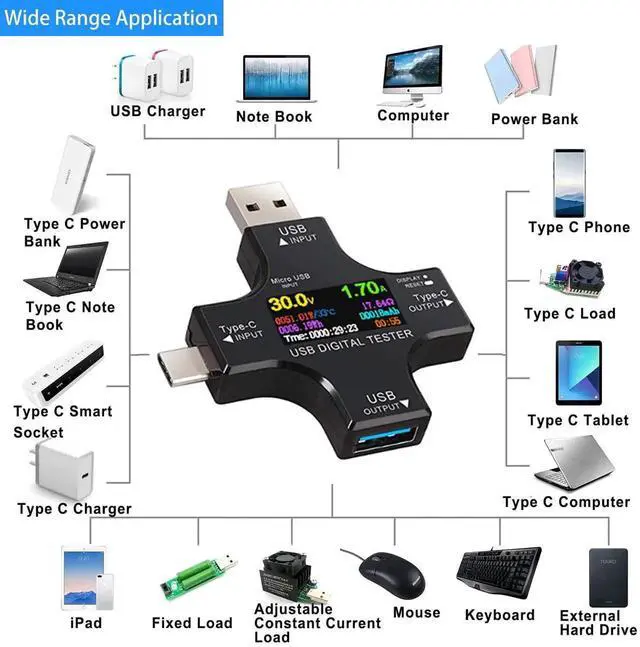
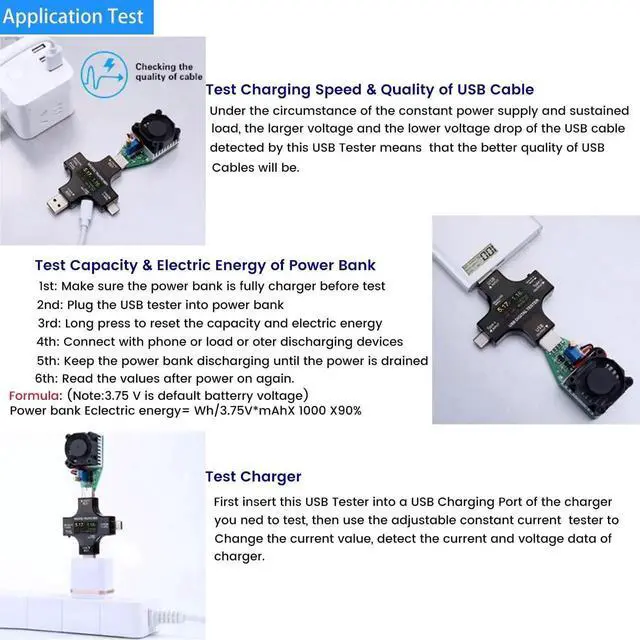
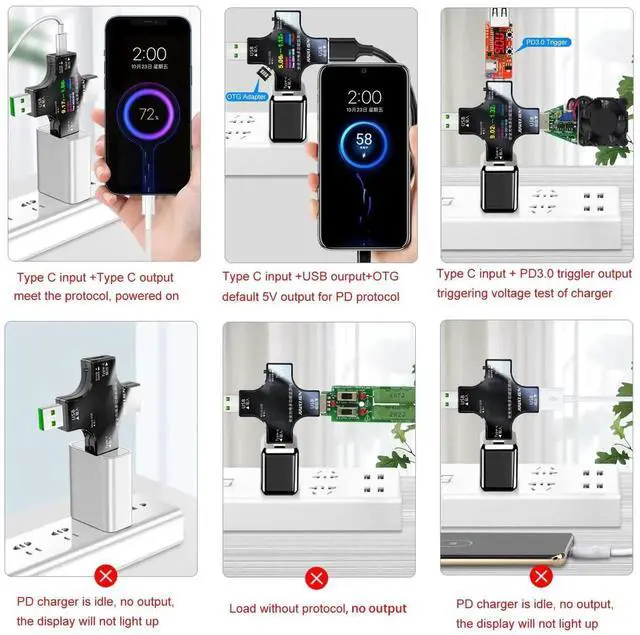
- UPGRADED MULTIFUNCTIONAL USB C POWER METER: Detects the charging status and process of your USB-enabled or type c-enabled devices. Supports QC3.0, QC2.0 and BC1.2. A Must Gadget checks the charging performance (charging speed and quality) of the output wall/car/solar panel chargers and USB charging cables. It can be also used to find the highest current of the Wireless Charger, and test capacity and electric energy of power bank.
- PROFESSIONAL SAFETY GUARD: Featured with over-voltage protection, over-current protection, under-voltage protection, low energy protection and alarm system. This upgraded USB Type C tester can detect safety and maximally protect the appliances from damaging. It will cut off output automatically and alarm by sound, while it will save data when power off suddenly.
+
+
Overview
Specs
Reviews
Product Features
Voltage measurement range: 3.60 - 30.0 V(0.01 V)
Current measurement range:0A-5.1A(0.01 A)
Capacity accumulation range:0-99999mAh(0.001 Ah)
electricity accumulation range:0-99999mWh(0.01 Wh)
Product Details:
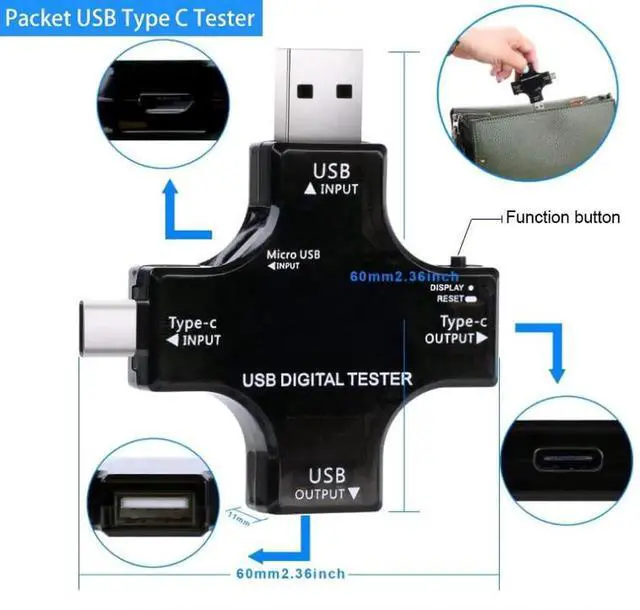
Product dimensions:60 x 60 x 11mm / 2.36 * 2.36 * 0.43inch
Operation Instruction
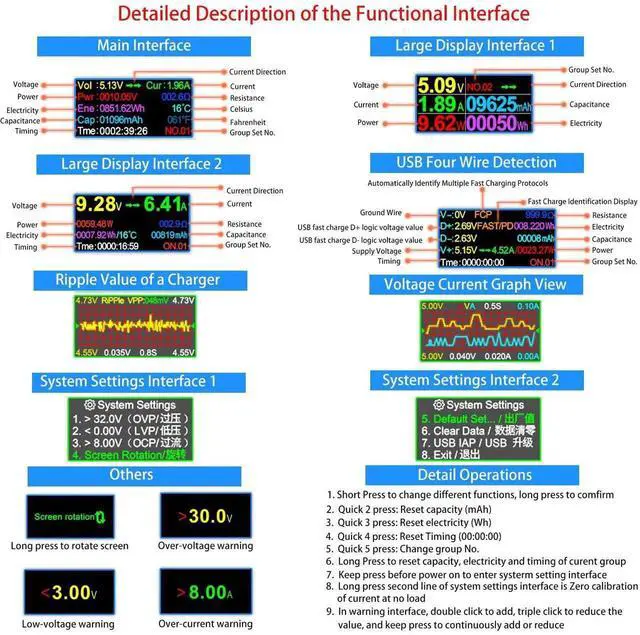
1. Press the Power Button Once: Switch the display interface
2. Press the Power Button Twice: Clear the data of capacity
3. Press the Power Button 3 Times: Clear the data of the quantity of electricity
4. Press the Power Button Four Times: Clear the data of time
5. If electric current exists when its with no load, please press the button Seven times quickly to clear the data of electric current(But please do not press the button Seven times continually during process of testing. )
6. Over Load Voltage Protection Function: The Threshold Voltage Default Parameter is 35.0V. To adjust the Overload Voltage, please switch to the voltage >35.0 interface; double press on the button to increase 1v while Three click on button to decrease 1V. If the detected voltage is higher than the setting voltage, the test will make a beeping alarm sounds.
7. Low Voltage Protection Function: Switch to the voltage <0.00V interface, the default voltage threshold is 0.00V. To adjust the low voltage, double click on the button to increase 1v while Three clicks on button to decrease 1V. If the detected voltage is lower than the setting voltage, the test will make a beeping alarm sounds.
Warranty & Returns
Warranty, Returns, And Additional Information
Warranty
- Please contact the Seller directly for warranty information. Warranty information may also be found on the Manufacturer's website.
- CONTACT
Return Policies
- Return for refund within: 30 days
- Return for replacement within: 90 days
- This item is covered by NexusPoint Return Policy
Manufacturer Contact Info
- For a directory of all our manufacturers, please click below.
- Manufacturers Directory
LOADING...