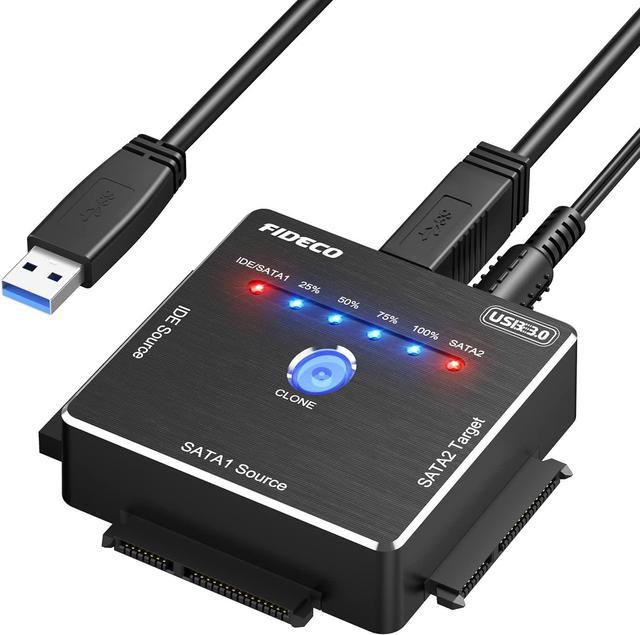
Robust Aluminum Design:
FIDECO hard drive adapter is constructed with quality and exquisite aluminum. The whole unit looks stylish and the aluminum can help offer efficient heat dissipation during daily use.
Wide Compatibility:
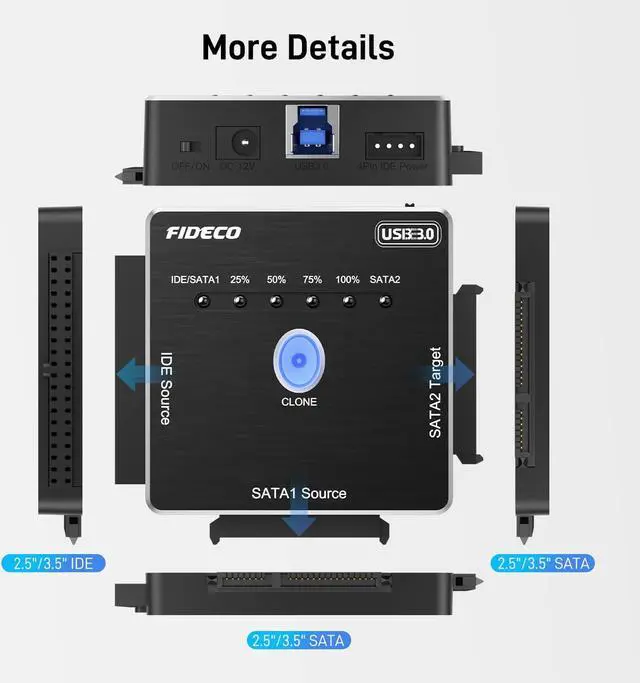
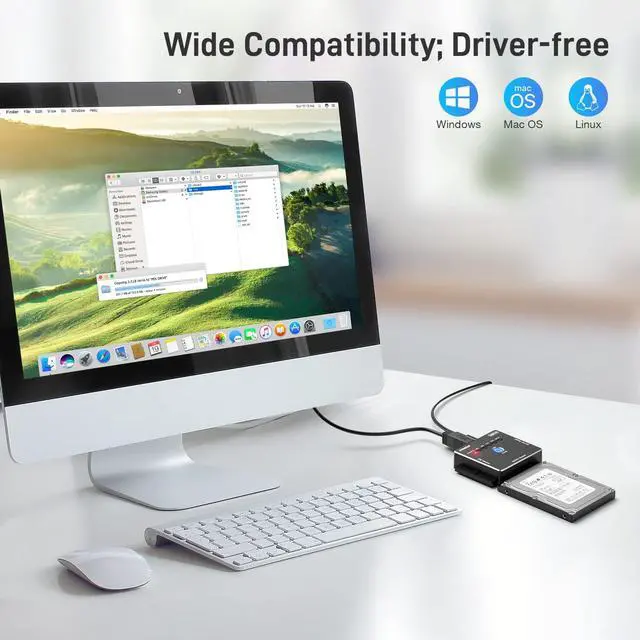
FIDECO hard drive converter is widely compatible with 2.5/3.5 SATA/IDE HDD/SSD.
It can support Windows, Mac OS, and Linux. Just plug and play! No driver is needed!
USB 3.0 Fast Data Transfer:
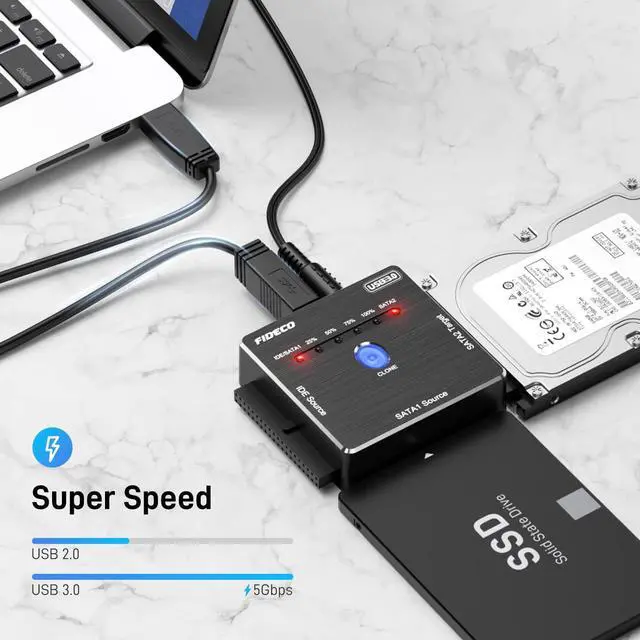
Thanks to USB 3.0 port, the maximum data transfer speed can reach up to 5Gbps. Transfer large files within seconds! It can be also backward compatible with USB 2.0/1.1.
Please note that the real data transfer speed is affected by the performance of your computer and HDD.
Easy Set-up:
Insert your SATA or IDE hard drive.
Connect the power adapter and the USB cable respectively. Note: For 3.5" IDE HDD, you need to connect the 4pin power cable.
Turn on the device by pressing the power switch.
Data Transfer:
Two hard drives can be connected simultaneously for data transfer:
IDE Source+SATA2 Target
SATA1 Source+SATA2 Target
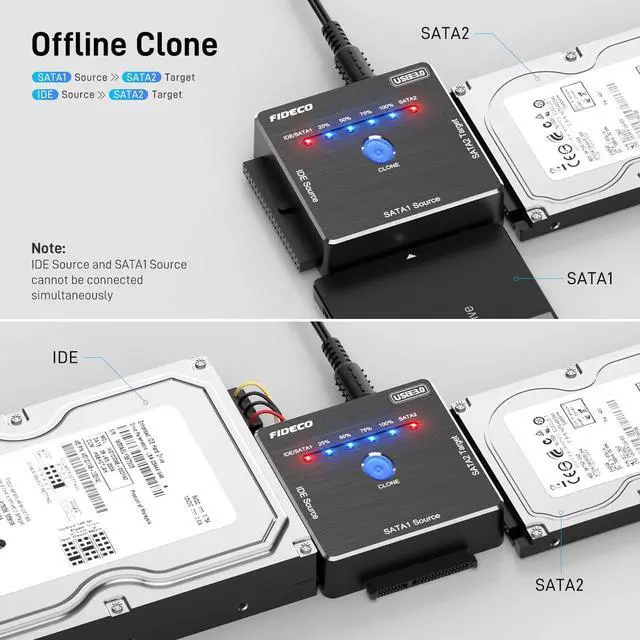
Please note that IDE Source and SATA1 Source cannot be connected simultaneously.
Offline Clone:
For offline clone, you can only choose the following 2 ways:
IDE SourceSATA2 Target
SATA1 SourceSATA2 Target
HDD Capacity Requirement: SATA2 Target IDE/SATA1 Source
Offline Clone:
Please back up all the data from your source HDD before offline clone.
Please confirm there are no bad sectors from both HDDs, or the clone may fail.
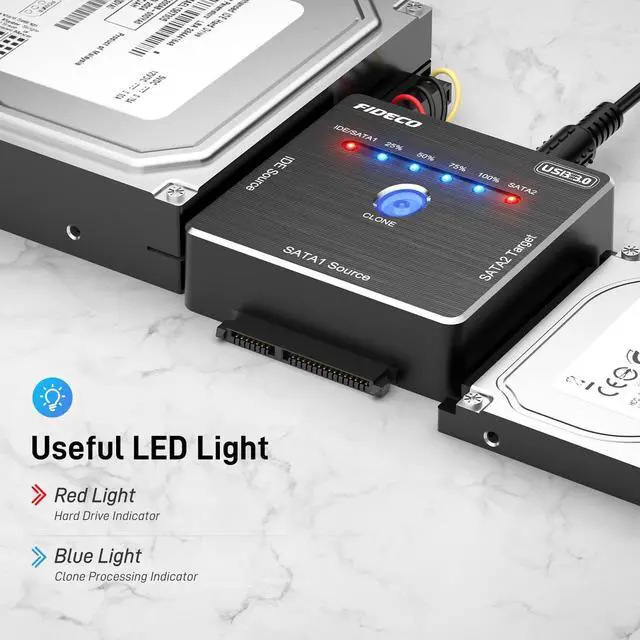
When clone is finished successfully, all 4 blue lights (25%, 50%, 75%, 100%) will be on. If all 4 blue lights flash simultaneously, it means the clone failed.
For offline clone, there is no computer needed! Please do not connect the hard drive adapter to your computer until the clone is finished.
Warm Note:
For new HDD, please go to "Disk Management" to initialize it first, and then your hard drive can be recognized.Please back up all your data before formatting your HDD.
For Mac OS, the format needs to be set to exFat, and then your HDD can be recognized.
Package Contents:
1* SATA/IDE Adapter
1* Power Adapter
1* USB 3.0 Cable
1* 4pin Power Cable
1* IDE Interface Converter
1* User Manual