


• $51.96
  • Free 30-day Returns
Ships from China.
Price alert
Shop it at NeweggBusiness.

Meet Your Seller

BUCIER External Power Button for Desktop, PC Power Switch, Push Button, Manual Operation, Black

  • About this item
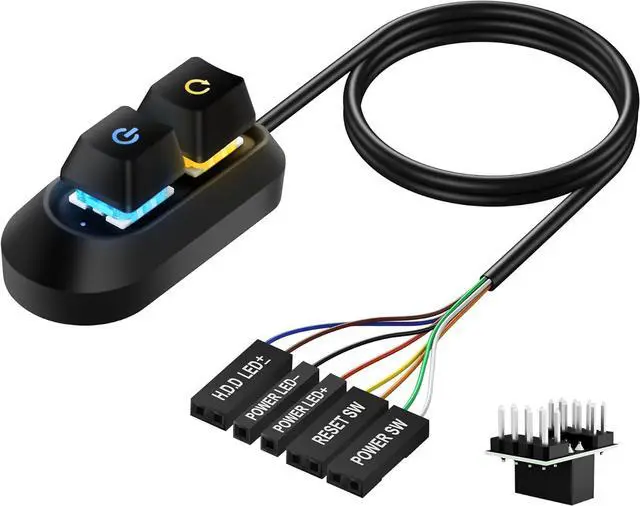
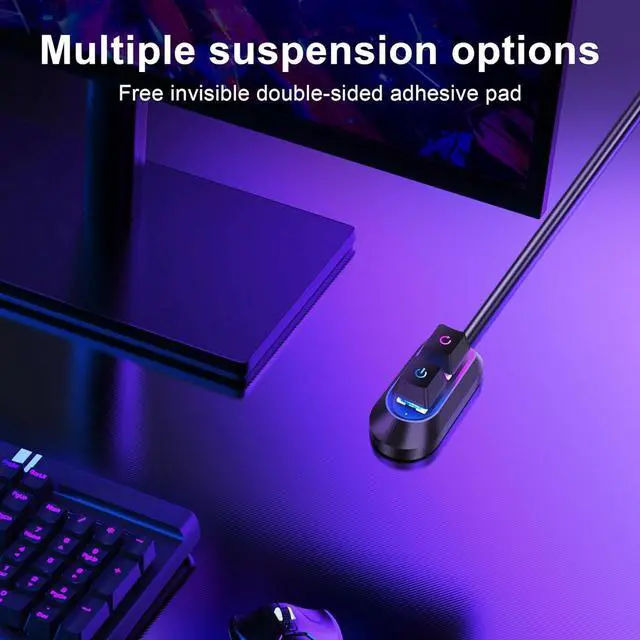
  • Desktop External Extension Switch:Adopt mechanical keyboard design, use 2m long cable for on/off and restart buttons, add or extend the power on and restart buttons to a place you find more convenient. Improve work efficiency
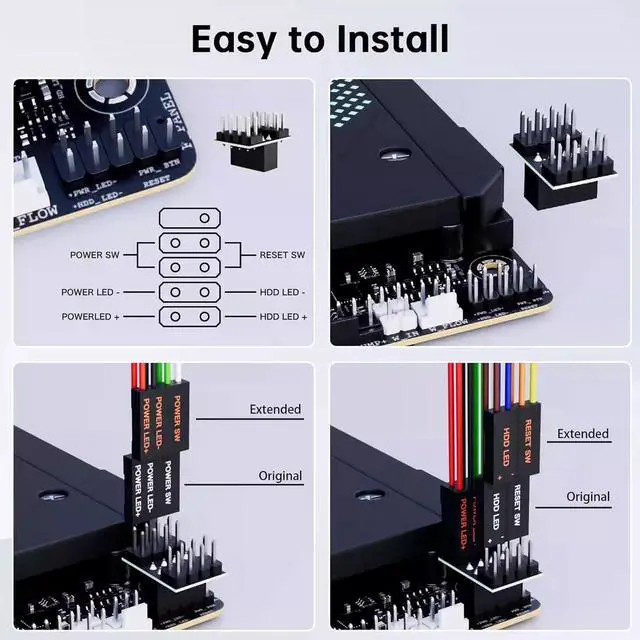
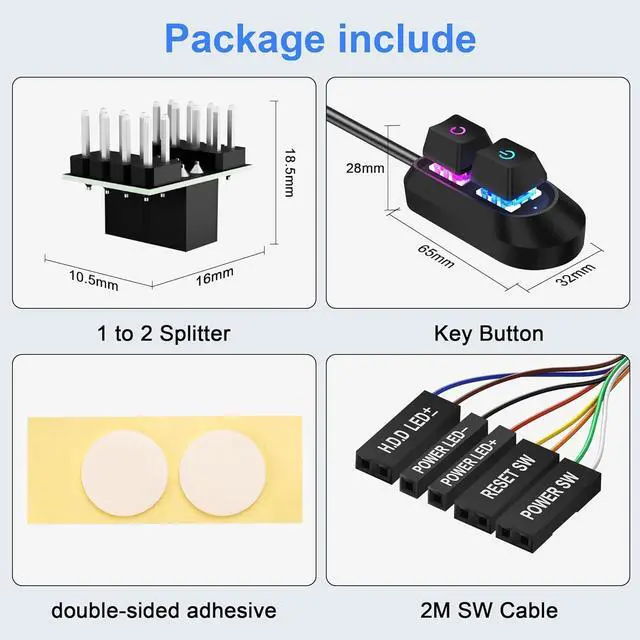
  • One-Part to Two Splitter, Dual Switch Free Switching - Specially attached one-part-two splitter allows you to freely use the external switch while keeping the original switch. Whether it is a restart, shutdown or standby, one key to do it, the operation is more flexible and convenient. Dual switch design to meet the use of different scenarios.
  • Easy to install: Simply connect the POWER LED+, POWER LED-, POWER SW, H.D.D LED±, RESET SW connectors to the motherboard and stick the double-sided adhesive to the desired place to control your PC remotely!
+
+
Overview
Specs
Reviews
1
  • Seven Color RGB Light Design Built-in seven-color RGB lighting system allows you to switch lighting modes, making your computer desk an instant visual focus. Whether you play or work late at night, it creates a unique atmosphere and enhances your experience.
  • Widely Used The charming shape and exquisite craftsmanship are loved by people, you can give it as a thank you to your family and friends who need a computer, this computer power button is suitable for internet cafes, families, hotels, KTVs, schools, businesses and other computer switch cables.
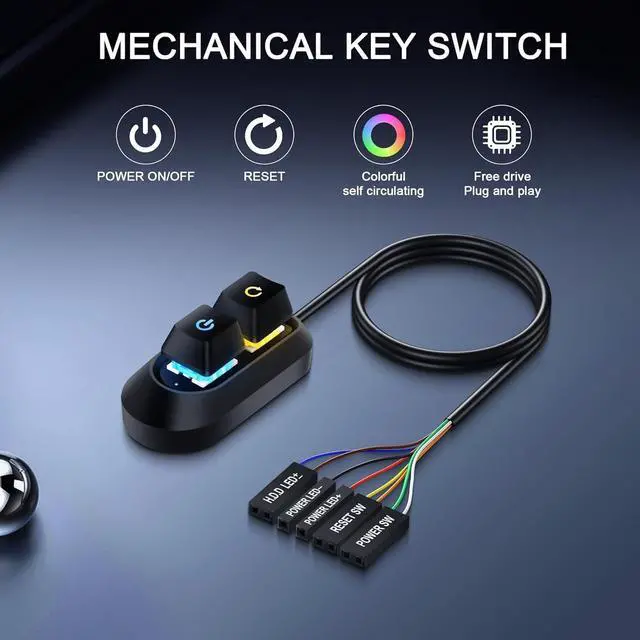
  • External Desktop PC Power Switch Adopt mechanical keyboard design, use 2M long cable for power on/off and reboot buttons, add or extend the power on and reboot buttons to a place you find more convenient. Improve Work Efficiency
2

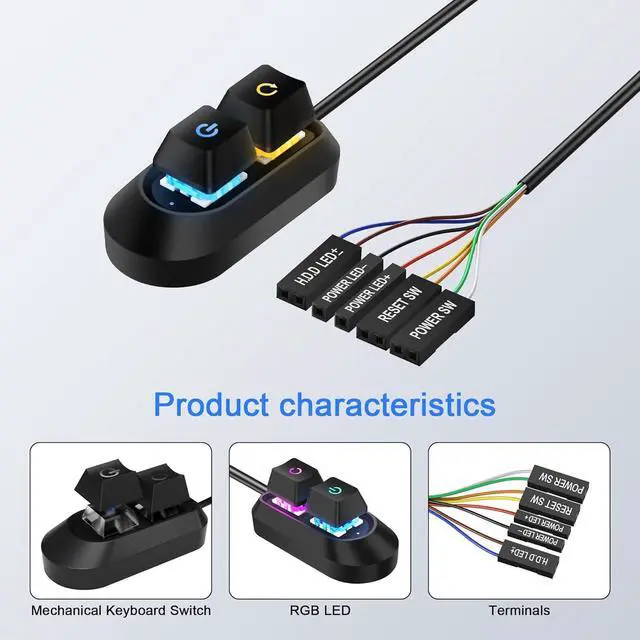
Our desktop power switch restart button has a built-in RGB seven-color lighting system, which supports multiple light mode switching. The cap adopts a light-transmitting design to be more cool. The rubber material has good durability and feel. Others caps are opaque and PVC plastic. Material

3

Precision mechanical cap structure design

4

The cap is light-transmitting, RGB seven-color lighting system, supports multiple lighting mode switching

5

All-purpose PC external switch: one-click start and restart, integrated POWER & HDD LED indication

6

Use a one-to-two line splitter and double switches to choose freely

7

e have a series of PC power expansion switch buttons that you can choose according to your preferences to meet all your daily needs. Your orders and inquiries are welcome

1
1
About this item
Desktop External Extension Switch: Adopt mechanical keyboard design, use 2m long cable for on/off and restart buttons, add or extend the power on and restart buttons to a place you find more convenient. Improve work efficiency
One-Part to Two Splitter, Dual Switch Free Switching - Specially attached one-part-two splitter allows you to freely use the external switch while keeping the original switch. Whether it is a restart, shutdown or standby, one key to do it, the operation is more flexible and convenient. Dual switch design to meet the use of different scenarios.
Easy to install: Simply connect the POWER LED+, POWER LED-, POWER SW, H. D. D LED±, RESET SW connectors to the motherboard and stick the double-sided adhesive to the desired place to control your PC remotely!
Seven Color RGB Light DesignBuilt-in seven-color RGB lighting system allows you to switch lighting modes, making your computer desk an instant visual focus. Whether you play or work late at night, it creates a unique atmosphere and enhances your experience.
Widely Used The charming shape and exquisite craftsmanship are loved by people, you can give it as a thank you to your family and friends who need a computer, this computer power button is suitable for internet cafes, families, hotels, KTVs, schools, businesses and other computer switch cables.

Warranty & Returns

Warranty, Returns, And Additional Information

Warranty

  • Please contact the Seller directly for warranty information. Warranty information may also be found on the Manufacturer's website.
  • CONTACT

Return Policies

Manufacturer Contact Info

LOADING...