


- Free 15-day Returns
$87.78
Ships from China.


Meet Your Seller

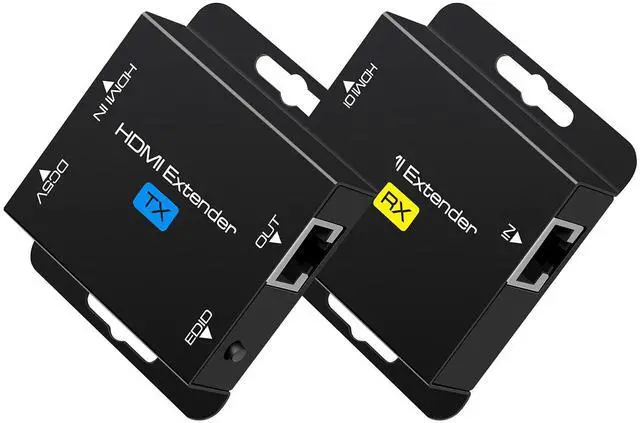


BUCIER HDMI Extender Over Single Cat6 Ethernet up to 200Ft Repeater Balun Transmitter Receiver Power on Cat Support Full 1080p 3D HDCP EDID Copy from Displays
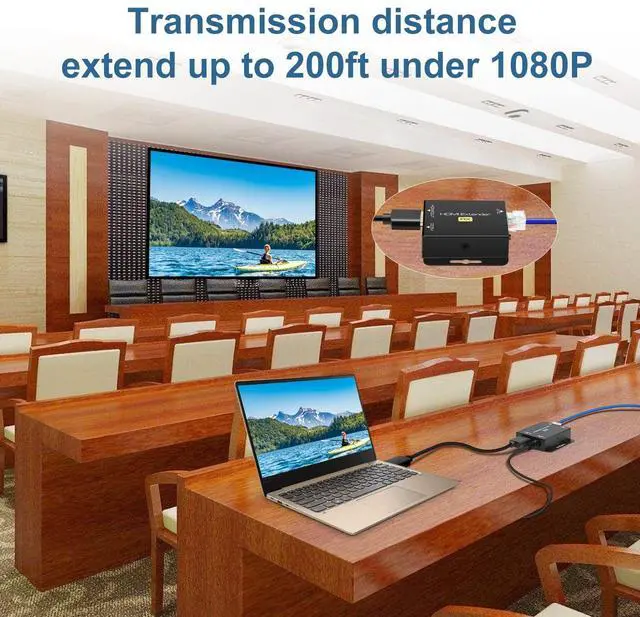
- [HDMI extender over cat5e/6]The HDMI extender can simultaneously transmit high resolution video and audio through an oxygen-frees copper CAT6 cable, up to 200 feet, no delay, audio and video synchronization,outdoor or indoor, Good choice for projects and video conferences
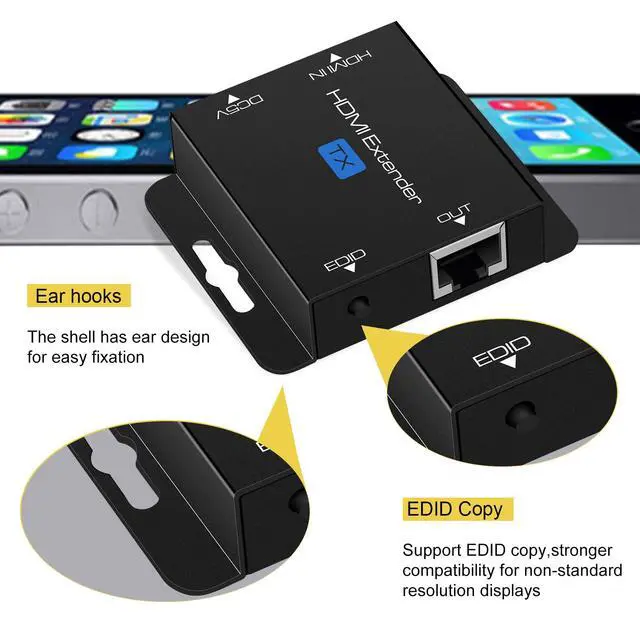
- [EDID management]The 200ft HDMI Extender support EDID management,can copy the EDID content of the monitor and store it on the sender side to enhance compatibility and perfection
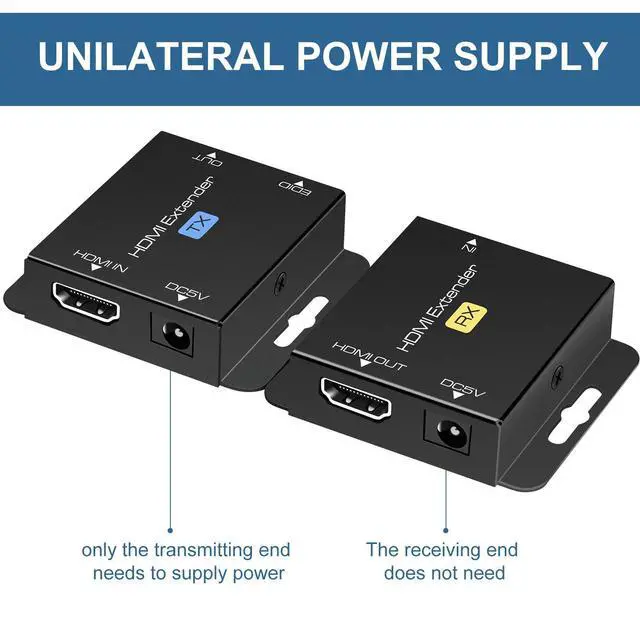
- [POC technology]Plug and play, the HDMI over ethernet no need to install drivers and software,One power supply for normal work,just need to use the power adapter on TX , and Rx can work through the cat6 transmission power supply. Low to 5V voltage transmission, safe and reliable. Note: only one power supply is required
+
+
Overview
Specs
Reviews
The HDMI extender can use a CAT6 cable to transmit the HDMI signal to a display no more than 200ft.
Notes:
The HDMI extender must use oxygen frees copper CAT5e/6/7
The extender transmits 1920x1200@60Hz HDMI signal, the longest distance can only reach 175ft.
EDID copy:
Copying the EDID work to the HDMI extender will transmit the best video and audio signals. It is recommended that you try this.
Steps:
1. Connect the TX and the monitor with an HDMI cable.
2. Connect the power and press the EDID button.
3. The indicator will flash 3 times.
4. After 3 seconds, the work is completed and will be permanently remembered, unless the TX is EDID again set work.
(Sender is connected to the power supply, press and hold the EDID button for 3 seconds,
the signal indicator lights up, and then turns off, which means to restore the factory settings)
Instructions:
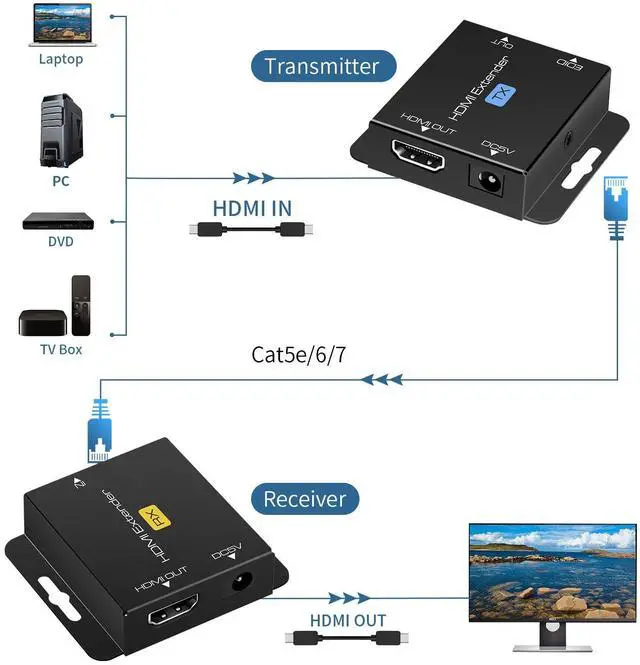
1.Connect one HDMI cable(AWG 26) up to 16ft between source device and TX Extender
2.Connect one HDMI cable(AWG 26) up to 16ft between display device and RX Extender
3.Connect single Cat6 cables up to 200ft instead of HDMI cable between TX and RX Extender
4.Connect 5V power supply,Using POC technology, only need to use the power supply at TX ,
and Rx can work through the network cable transmission power supply. Low to 5V voltage transmission, safe and reliable.
Specification:
Support resolution:3D/1080p/1080i/720p/576p/576i/480p/480i/Up to 1920x1200@60Hz
Support audio format: DTS-HD/DTS/DSD
Max transmission bandwidth: 1.65Gbps
Input/Output HDMI cable distance: 16ft(5m) AWG26 HDMI standard cable
Power adapter format: Input:AC (50HZ, 60HZ) 100V-240V Output:DC5V
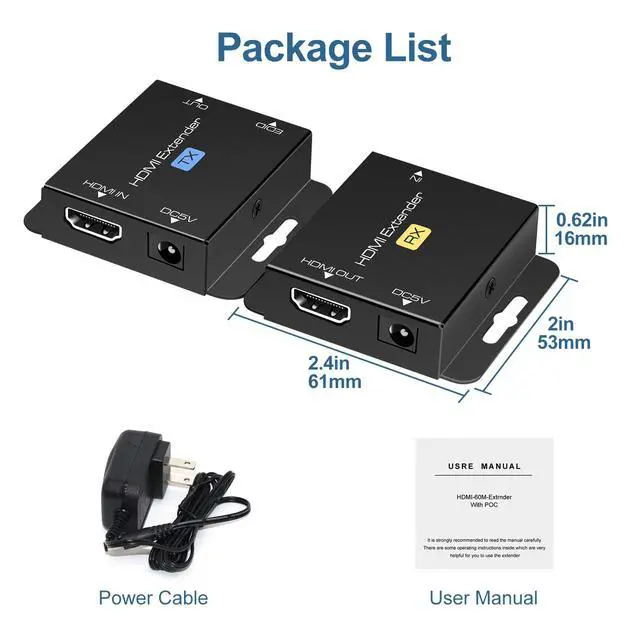
Packing list:
1. HDMI TX x 1
2. HDMI RX x 1
3. 5V DC power supply x 1
4. User's Manual
Additional Features
- [HDMI Lossless Transmission]the HDMI over ethernet has built-in automatic adjustment system and ESD protection system , the picture is smooth, clear and stable.Ensure crystal clear & distortion-Frees & no latency, we recommend to use oxygen frees copper Cat 6 cable; Support audio format: DTS-HD/DTS/DSD.Support video format:1080p/1080i/720p/576i/480p
- [HDMI extender Strong compatibility]No quality loss,easy installation. the HDMI extender can be widely used in PCs, DVD players, PS3, PS4, HD Box, Satellite Box, Android Box, etc. so the HDMI over cat5e is an ideal choice for digital signage, churches, classrooms,conference rooms, conference room projectors,games,video production, etc
Warranty & Returns
Warranty, Returns, And Additional Information
Warranty
- Please contact the Seller directly for warranty information. Warranty information may also be found on the Manufacturer's website.
- CONTACT
Return Policies
- Return for refund within: 15 days
- Return for replacement within: 30 days
- This item is covered by Electronics store Return Policy
Manufacturer Contact Info
- For a directory of all our manufacturers, please click below.
- Manufacturers Directory
LOADING...