
Your Browsing History
- Free 30-day Returns
$120.99
Ships from United States.
Sold by Ali Wangwang E-commerce Limited
Shipped by Ali Wangwang E-commerce Limited

Meet Your Seller

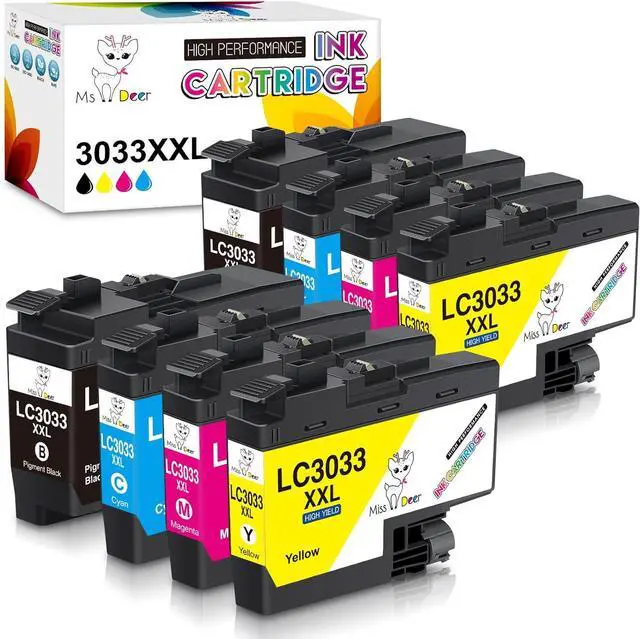



Miss Deer LC3033 Ink Cartridges High-Yield Replacement for Brother LC3033 XXL LC3035 3033 3035,Work for Brother MFC-J995DW MFC-J805DW MFC-J815DW XL for LC3033 bk/c/m/y Ink cartridges,2 Sets
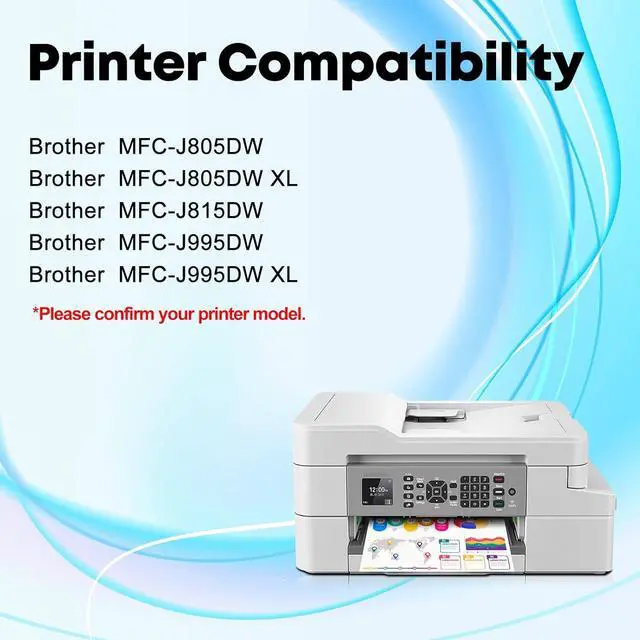
- 100% Compatible With: Brother MFC-J995DW / MFC-J995DW XL / MFC-J815DW/ MFC-J805DW / MFC-J805DW XL INKvestment Tank Wireless Color Inkjet All-in-One Printer.
- What you get: 8 packs lc3033 bk/c/m/y ink cartridges brother replacement ink for Brother LC3033 LC3033XXL ink cartridges (2 Black, 2 Cyan, 2 Magenta, 2 Yellow)
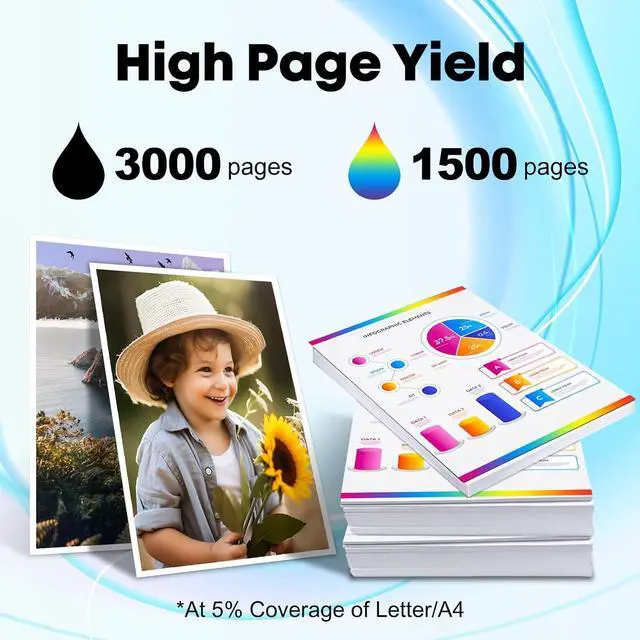
- High Page Yield: Up to 3,000 Pages per LC3033xxl black ink cartridge and 1,500 Pages per LC3033xxl c/m/y color ink cartridge (at 5% coverage of A4/Letter Paper).
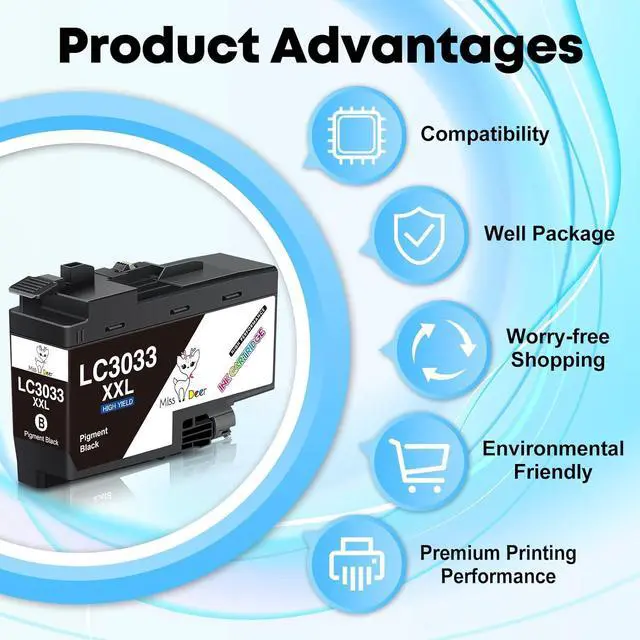
- Advantages: Latest Chip Version Quickly Identified Brilliant Printing Environment Friendly Material Attentive service
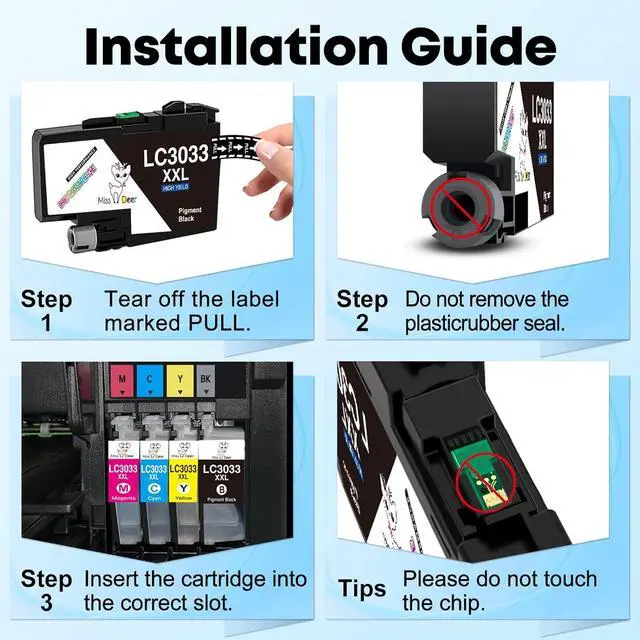
- Warm Tips: 1. Remove the yellow "PULL" label before installing the cartridge. 2. Ignore the printer ink level "?" reminder, it will not affect the use of the cartridge.
+
+
Overview
Specs
Reviews
Miss Deer LC3033XXL Compatible Ink Cartridges for Brother LC3033XXL LC3033 XXL with Latest Chips (Non-OEM)
Advantages:
Strict Quality Control
Brilliant Printing
First-class Chips
Package Included:
2 x LC3033BK XXL Black Pigment Ink Cartridge
2 x LC3033C XXL Cyan Ink Cartridge
2 x LC3033M XXL Magenta Ink Cartridge
2 x LC3033Y XXL Yellow Ink Cartridge
High Page Yield:
Up to 3,000 pages for black cartridge, 1,500 pages for each color cartridge. (5% coverage of A4/Letter Paper)
Compatible Printers:
Brother MFC-J995DW
Brother MFC-J995DW XL
Brother MFC-J815DW
Brother MFC-J805DW
Brother MFC-J805DW XL
Installation & Tips:
1. Tear off the yellow sealing tape marked "PULL", and then insert it into corresponding slot until it clicks into place.
2. Please do NOT touch the ink chip to avoid the unrecognized issue during installation.
3. If the printer shows "?" after installed the new catridge, please ignore it and go on printing. It means that the printer has recognized the ink tank.
4. For the best printout color, it is better to clean the printhead and nozzle check 1-2 times at the first time.
Advantages:
Strict Quality Control
Brilliant Printing
First-class Chips
Package Included:
2 x LC3033BK XXL Black Pigment Ink Cartridge
2 x LC3033C XXL Cyan Ink Cartridge
2 x LC3033M XXL Magenta Ink Cartridge
2 x LC3033Y XXL Yellow Ink Cartridge
High Page Yield:
Up to 3,000 pages for black cartridge, 1,500 pages for each color cartridge. (5% coverage of A4/Letter Paper)
Compatible Printers:
Brother MFC-J995DW
Brother MFC-J995DW XL
Brother MFC-J815DW
Brother MFC-J805DW
Brother MFC-J805DW XL
Installation & Tips:
1. Tear off the yellow sealing tape marked "PULL", and then insert it into corresponding slot until it clicks into place.
2. Please do NOT touch the ink chip to avoid the unrecognized issue during installation.
3. If the printer shows "?" after installed the new catridge, please ignore it and go on printing. It means that the printer has recognized the ink tank.
4. For the best printout color, it is better to clean the printhead and nozzle check 1-2 times at the first time.
Warranty & Returns
Warranty, Returns, And Additional Information
Warranty
- Please contact the Seller directly for warranty information. Warranty information may also be found on the Manufacturer's website.
- CONTACT
Return Policies
- Return for refund within: 30 days
- Return for replacement within: 90 days
- This item is covered by Ali Wangwang E-commerce Limited Return Policy
Manufacturer Contact Info
- For a directory of all our manufacturers, please click below.
- Manufacturers Directory
LOADING...