
Your Browsing History
- Free 30-day Returns
$232.99
Ships from United States.
Sold by Ali Wangwang E-commerce Limited
Shipped by Ali Wangwang E-commerce Limited

Meet Your Seller








58A Toner Cartridge Compatible Replacement with Chip for HP 58A 58X CF258A CF258X Toner to use with HP Laserjet Pro MFP M428dw M428fdn M428fdw M404dw M404dn M404n Printers,Black-3000pages
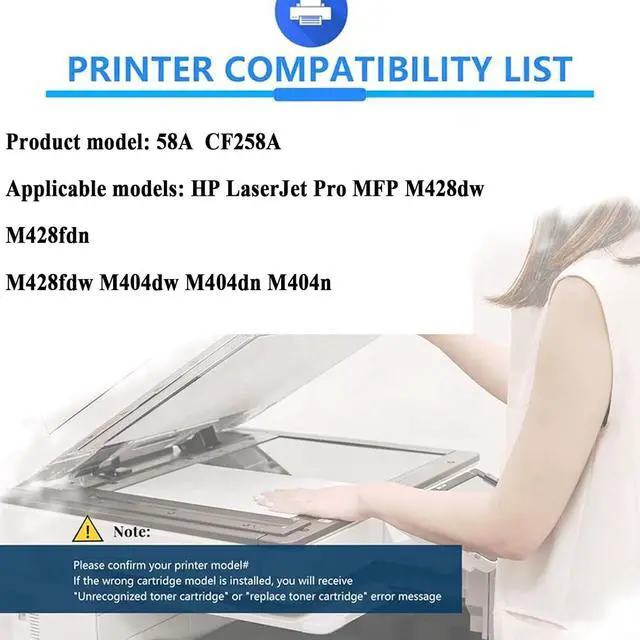
- Compatibles Printers Modelos: for HP 58A 58X CF258A CF258X Toner Cartridges Compatible for HP LaserJet Pro MFP M428dw M428fdn M428fdw M404dw M404dn M404n Printers
- High Page YieldBlack: Small capacity 3000 pages, Large capacity 9800 pages , at 5% coverage, A4 paper
- With or without chip:With chip
- Premium Printouts: Crisp graphics, and equivalent to photo quality printouts. Effectively help prints stay true to image.
- Applicable ScenariosIt is suitable for various occasions, such as schools, hospitals, offices, bank and other environments. It is an important helper in work and life.
+
+
Overview
Specs
Reviews
------------Welcome to my shop------------
Product Description
Toner Cartridge: Compatible for HP 58A 58X CF258A CF258X Toner Cartridge
Product Model: Suitable for HP LaserJet Pro MFP M428dw M428fdn M428fdw M404dw M404dn M404n Printers
Installation steps:
1. Shake the toner cartridge horizontally
Shake the toner cartridge horizontally 2-3 times before use to make the toner even.
2. Pull out the seal
Pull out the seal of the toner cartridge horizontally.
3. Put it in the printer
Put it in the printer and use it.
Installation Precautions:
Open the printer cover when the printer is powered on, and replace the ink cartridge when the ink cartridge returns to the ink cartridge replacement position. Pay attention to the color correspondence during installation, make sure the ink cartridge is installed in place, then close the cover and press the OK button.
Note: If it says it is not original, please click OK or continue using it.
Warm Tips: Due to different models in different regions, please confirm whether our ink cartridge is suitable for your printer model before placing an order.
Product Description
Toner Cartridge: Compatible for HP 58A 58X CF258A CF258X Toner Cartridge
Product Model: Suitable for HP LaserJet Pro MFP M428dw M428fdn M428fdw M404dw M404dn M404n Printers
Installation steps:
1. Shake the toner cartridge horizontally
Shake the toner cartridge horizontally 2-3 times before use to make the toner even.
2. Pull out the seal
Pull out the seal of the toner cartridge horizontally.
3. Put it in the printer
Put it in the printer and use it.
Installation Precautions:
Open the printer cover when the printer is powered on, and replace the ink cartridge when the ink cartridge returns to the ink cartridge replacement position. Pay attention to the color correspondence during installation, make sure the ink cartridge is installed in place, then close the cover and press the OK button.
Note: If it says it is not original, please click OK or continue using it.
Warm Tips: Due to different models in different regions, please confirm whether our ink cartridge is suitable for your printer model before placing an order.
Warranty & Returns
Warranty, Returns, And Additional Information
Warranty
- Please contact the Seller directly for warranty information. Warranty information may also be found on the Manufacturer's website.
- CONTACT
Return Policies
- Return for refund within: 30 days
- Return for replacement within: 90 days
- This item is covered by Ali Wangwang E-commerce Limited Return Policy
Manufacturer Contact Info
- For a directory of all our manufacturers, please click below.
- Manufacturers Directory
LOADING...