• $87.99
  • Free 30-day Returns
Ships from China.
Price alert
Shop it at NeweggBusiness.

Meet Your Seller

Miss Deer 281 Ink Cartridges Compatible Replacement for Canon CLI-281XXL 281 XXL for Canon PIXMA TS9120 TR7520 TR8520 TS8120 TS8220 TS8320 TS6100 TS6120 (1C+1M+1Y) 3 Pack

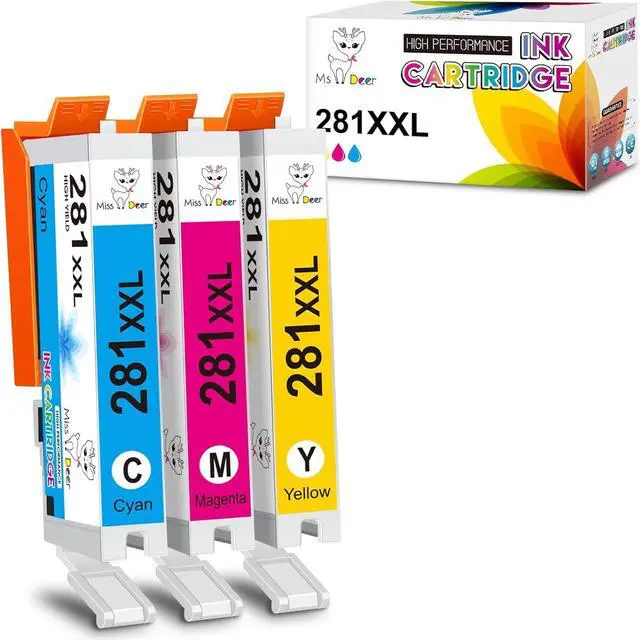
  • What you get: 3 Pack compatible 281 ink cartridges for Canon 281 ink cartridges (1 x CLI 281XXL Cyan, 1 x CLI 281XXL Magenta, 1 x CLI 281XXL Yellow,)
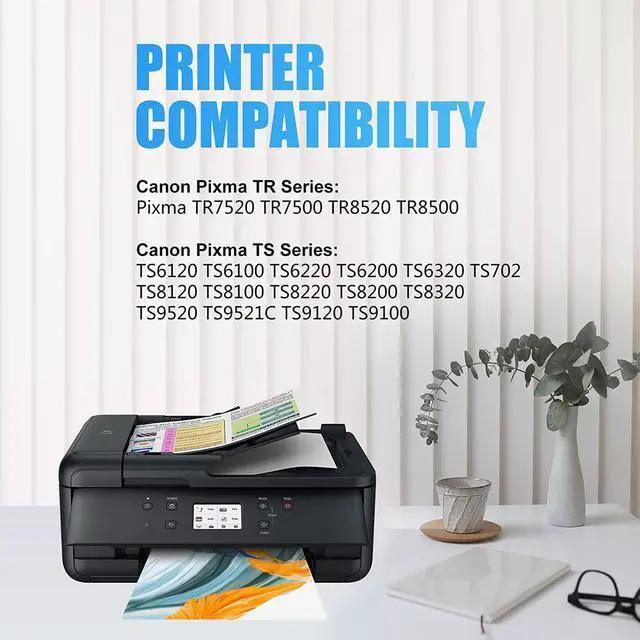
  • 100% Compatible Printers: Canon Pixma TR7520, Pixma TR7500, Pixma TR8520, Pixma TS6120, Pixma, Pixma TS6220, Pixma TS8120, Pixma TS8220, Pixma TS9120, Pixma TS9520, Pixma TS9521C, Pixma TR8500, Pixma TR7500, Pixma TS6100, Pixma TS6200, Pixma TS6320, Pixma TS8320, Pixma TS702 Inkjet Printer
  • Page Yield: Up to 830 pages per CLI-281XL Cyan, 830 pages per CLI-281XL Magenta , 830 pages per CLI-281XL Yellow (at 5% coverage of A4 paper)
  • Advantages: Latest Chip Version Quickly Identified Brilliant Printing Environment Friendly Material Attentive service
  • Miss Deer upgraded pgi 280xxl 281xxl combo ink cartridges have passed strict control before leaving the factory and obtained ISO9001 and MSDS Certificate Approved.
+
+
Overview
Specs
Reviews
Miss Deer CLI-281 XXL Ink Cartridges Replacement for Canon CLI-281XXL CLI 281 XXL (NON-OEM)
Package Included:
1 x Cyan 281XXL, 1 x Magenta 281XXL, 1 x Yellow 281XXL (Total 3 Pack, without Photo Blue)
Extra High Yield:
Approx. 830 pages per 281XXL Cyan, Magenta, Yellow
(at 5% coverage of A4/Letter paper, ISO/IEC 24712 testing standards)
Compatible Printers:
Canon Pixma TR Series:
Pixma TR7520, TR7500, TR8520, TR8500
Canon Pixma TS Series:
Pixma TS6120 / TS6100, TS6220 / TS6200, TS6320, TS702
Pixma TS8120 / TS8100, TS8220 / TS8200, TS8320
Pixma TS9120, TS9100, TS9520, TS9521C
Features:
MS Deer Ink Cartridges are manufactured in the professional facility with ISO9001, ISO14001, RoHS, REACH, STMC certified.
Advanced chips calculate the ink level accuratelly and 100% recognized by compatible printers.
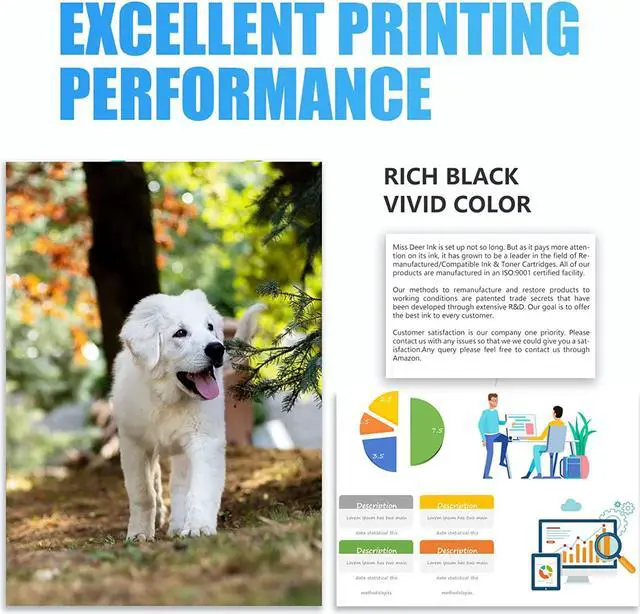
Special formulated ink shows vivid & sharp printouts.
Easy to Install:
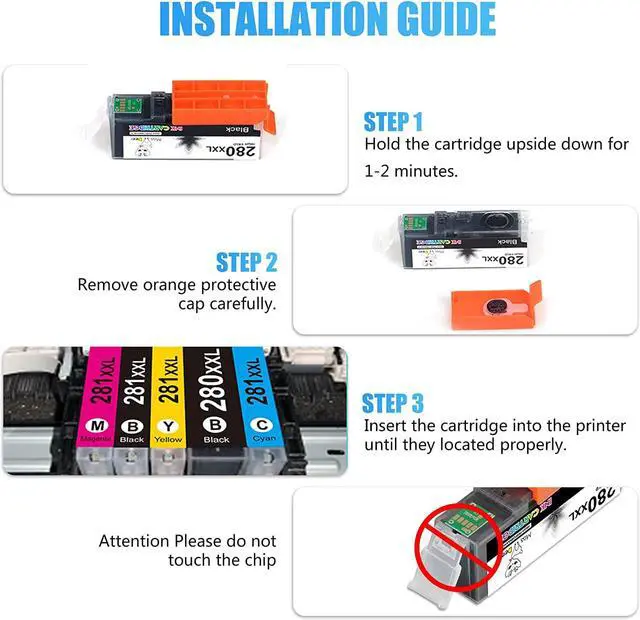
Step-1 Hold the cartridge upside down and remove the orange protective cap carefully.
Step-2 Insert into correct color slot in the printer.
Tips:
1. Please confirm the cartridge colors for your printer. This is 5 color cartridges without photo blue.
2. Pls replace ink cartridges ONLY when the ink cartridges marked with 'X' or "!" above their ink level.
3. After the cartridges installed, please clean the printer head and nozzle check 1-2 times for more sharp and vivid color.

Warranty & Returns

Warranty, Returns, And Additional Information

Warranty

  • Please contact the Seller directly for warranty information. Warranty information may also be found on the Manufacturer's website.
  • CONTACT

Return Policies

  • Return for refund within: 30 days
  • Return for replacement within: 90 days
  • This item is covered by Nature Return Policy

Manufacturer Contact Info

LOADING...