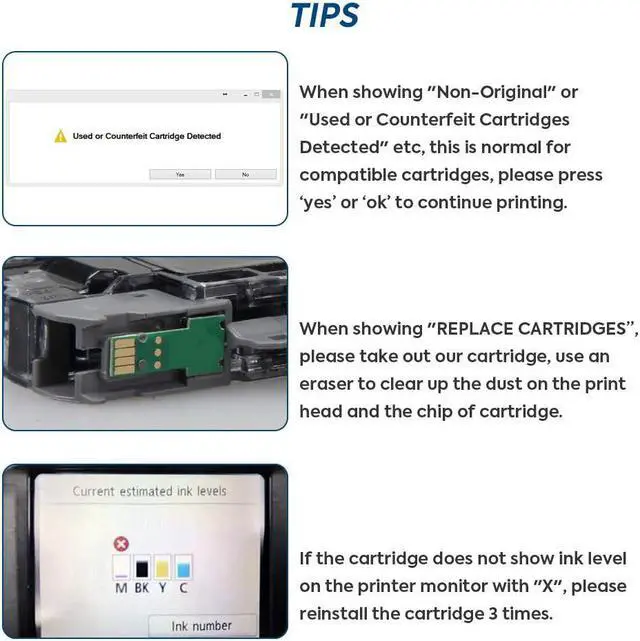
When showing "NON-ORIGINAL",please press "Continue" or "OK" then printer would print normally.
When showing "REPLACE CARTRIDGES",please take out our cartridge, power off the printer and unplug the socket for 10-15 mins. Then use an eraser to clear up the dust on the chip of cartridge.
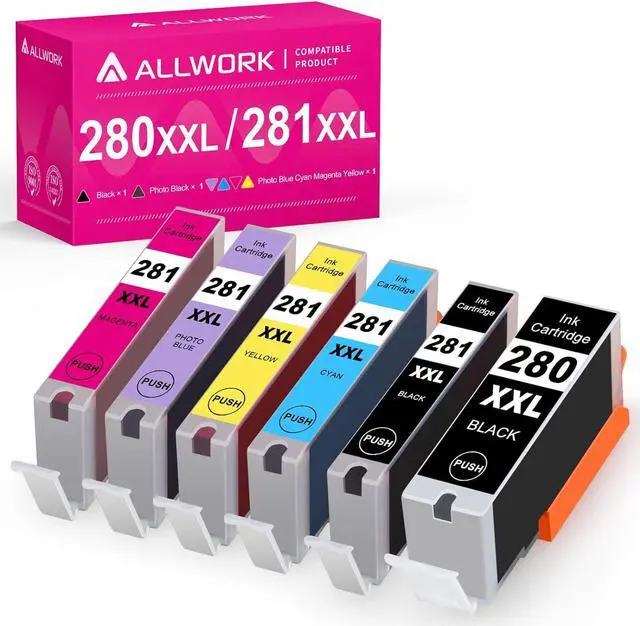
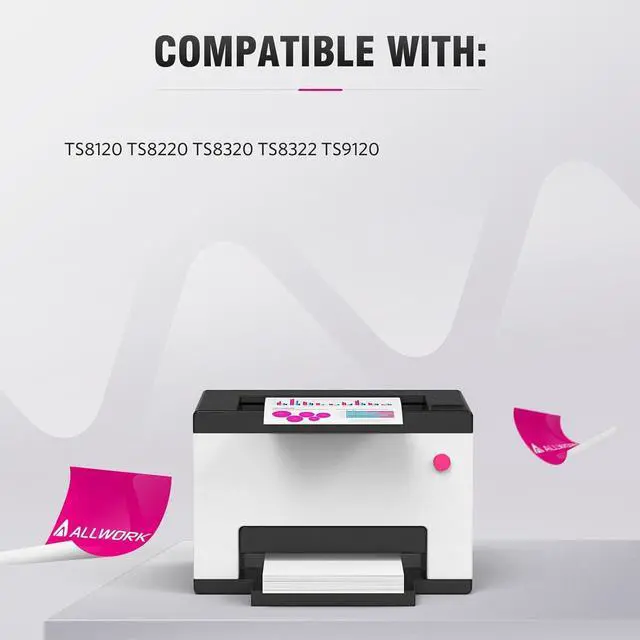
Allwork PGI 280XXL CLI 281XXL ink cartridge with the latest updated chips, provide same performance as OEM, and compatible with Canon Pixma TS8120 TS9120 TS8220 TS8320 TS9100 TS8100 TS8200 TS8300 Inkjet Printer
Reliability: Each ink cartridge was methodically tested prior to shipment to ensure they are in good quality, conforms to specifications of environmental protection standard.
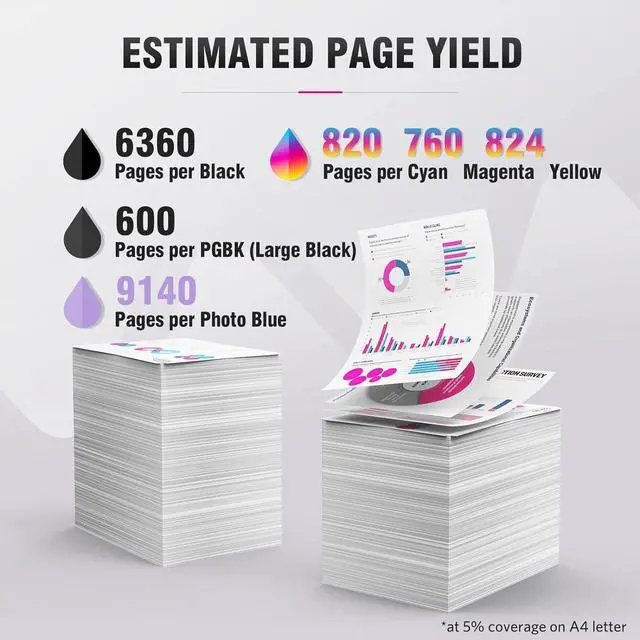
High Performance: High-quality printing with every documents, color photos and print more pages comparing to similar products.
Convenience: Allwork ink cartridges easy to install or replace, with a high quality chip that allows you to monitor and track your ink levels.
Good Quality Materials: Excellent ink quality will not clog the Print head, print clear and bright picture smoothly.
Shake the cartridge slightly.(Side to side)
.
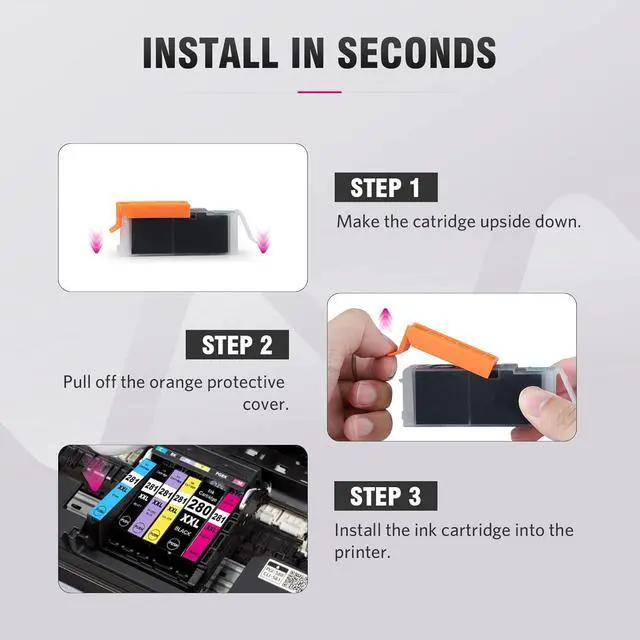
Remove the sealing tape.
Insert the ink cartridge into your printer head and push down until it clicks.
1. Do not touch or remove the chips.
2. Do not squeeze the side of the cartridge as it may cause ink to leak out
This combo includes PGBK, Black, Cyan, Magenta, Yellow, Photo Blue color which helps you get the vivid color paperwork.
It has the protective shells to protect the cartidge before staring using it.
Adopt the new technology to ensure the ink cartridges can be recognized by your printer.
This ink cartridge undergos an inspection process, which can ensure the quality.
Allwork Compatible Ink Replacement for Canon PGI 280XXL CLI 281XXL 6PK(KKCMY+Photo Blue) Easy installation STEP 1: STEP 2 STEP 3 Tips Quality Product