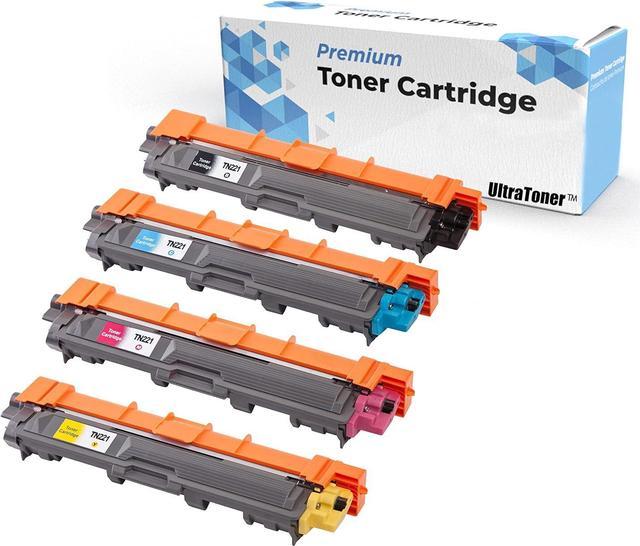
UltraToner provides premium compatible toner cartridges. Excellent performance as same as OEM product, but more cost-effective. All the products are manufactured with highest standard to ensure compatibility and reliability.
Thank you for choosing us.
Superior Quality
Easy Installation
Perfect Compatibility
Crisp Printouts
Cost Saving
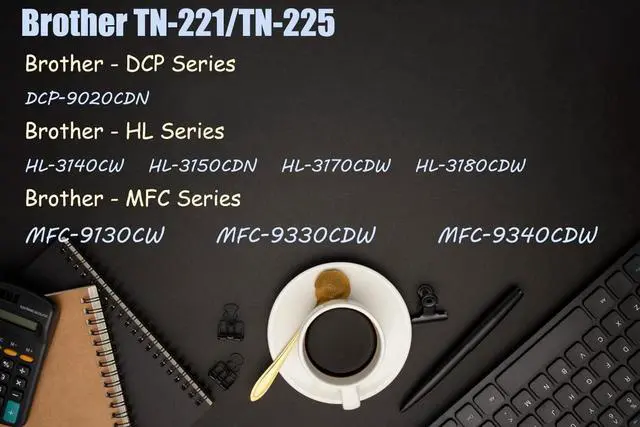
Brother - DCP Series
DCP-9020CDN
Brother - HL Series
HL-3140CW / HL-3150CDN / HL-3170CDW / HL-3180CDW
Brother - MFC Series
MFC-9130CW / MFC-9330CDW / MFC-9340CDW
Expected lifetime yield of BK : 2,500 Pages, C/M/Y : 2,200 Pages @ 5% coverage SAME AS OEM standard.
Why I just replaced the toner cartridge and the LCD continues to display the message "Replace Toner"or the toner status bar still show the toner level"Toner Low"or the Toner LED is still on or flashing?
Reason: Some Brother laserjet printers do not have the ability to accurately measure the level of toner remaining in the cartridge. Instead, they rely on a built-in toner counter to determine when the cartridge needs be replaced. The possible reason is that the printer failed to reset the counting gear on the toner cartridge. You need to manually reset the toner cartridge in order to make it work as a full new toner.
How do I reset the counter on my printer:The steps required to reset the toner counter vary depending on what series of printer you have. Please follow the instructions in the box for your printer series. Or you could find video "How to reset TN-221 OR TN-225 printer" online!
Thank you!
This is a Brother TN-221 / TN-225 Toner Cartridge looks like.
This is a Brother DR-221 Drum Unit looks like.
Push down the green lock lever and take the toner cartridge out of the drum unit.
Put the toner cartridge back into the drum unit until you hear it lock into place. If you put the cartridge in correctly, the green lock lever on the drum unit will lift automatically.
Toner Cartridge
Drum Unit
Green Button
Work Together
Brother TN221/TN225 Compatible Color Toner Cartridge Compatible Printer List: Error Message "Replace Toner"?"Toner Low"? No worries! Toner Cartridge Drum Unit Push the Green Button for taking out the toner. A toner works with a Drum