


- Free 30-day Returns
$98.20
Ships from China.

Meet Your Seller

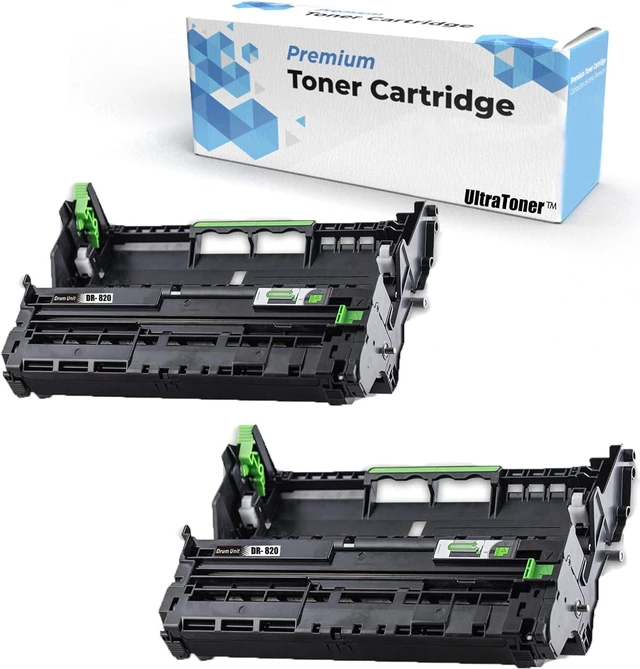



2PK Ultra Toner® Compatible Replacement for Brother DR-820 Drum Unit dr820 Brother TN850 TN820 TN880 HL-L6200DW HL-L6300DW MFC-L5700DW MFC-L5850DW HL-L5200DW MFC-L5900DW MFC-L6700DW MFC-L6800DW MFC-L
- BRAND NEW Compatible with Brother DR-820 Drum Unit. (This is NOT Toner Cartridge)
- HIGH PERFORMANCE Expected lifetime High yield of 30,000 pages @ 5% coverage SAME AS OEM standard.
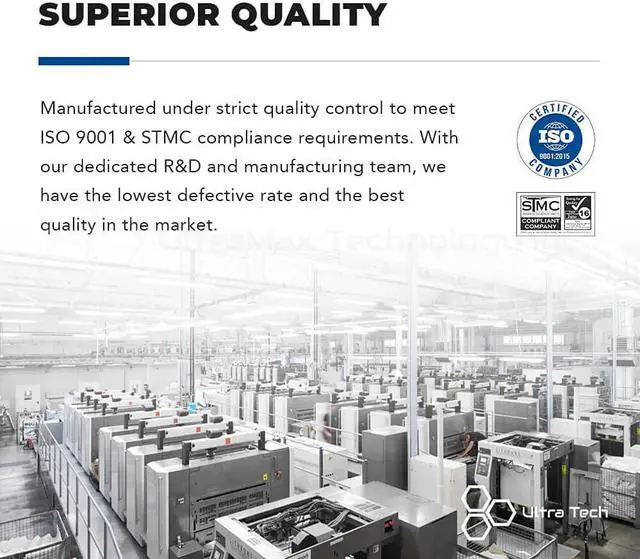
- RELIABLE QUALITY Certified with ISO-9001/14001 & STMC.
- EASY TO INSTALL Clear user instructions on each package.
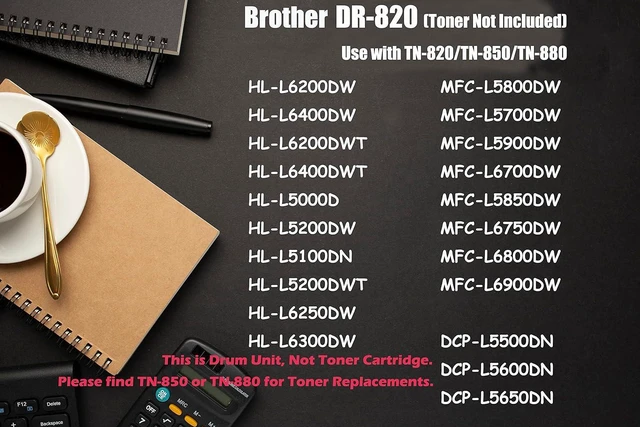
- PERFECT COMPATIBILITY Compatible printer: Brother MFC-L5700DW / MFC-L5800DW / MFC-L5850DW / MFC-L5900DW / MFC-L6700DW / MFC-L6750DW / MFC-L6800DW / MFC-L6900DW / HL-L5000D / HL-L5100DN / HL-L5200DW / HL-L5200DWT / HL-L6200DW / HL-L6200DWT / HL-L6250DW / HL-L6300DW / HL-L6400DW / HL-L6400DWT / DCP-L5500DN / DCP-L5600DN / DCP-L5650DN.
- CUSTOMER SATISFACTION If you have product-replated questions, please send us message under Your Account - Your Orders - Contact Seller. We are happy to assist you!
+
+
Overview
Specs
Reviews
UltraToner provides premium compatible toner cartridges. Excellent performance as same as OEM product, but more cost-effective. All the products are manufactured with highest standard to ensure compatibility and reliability.
Thank you for choosing us.
Superior Quality
Easy Installation
Perfect Compatibility
Crisp Printouts
Cost Saving
Brother - DCP Series
DCP-L5500DN / DCP-L5600DN / DCP-L5650DN
Brother - HL Series
HL-L5000D / HL-L5100DN / HL-L5200DW / HL-L5200DWT / HL-L6200DW / HL-L6200DWT / HL-L6250DW / HL-L6300DW / HL-L6400DW / HL-L6400DWT
Brother - MFC Series
MFC-6800DW / MFC-L5700DW / MFC-L5800DW / MFC-L5850DW / MFC-L5900DW / MFC-L6700DW / MFC-L6750DW / MFC-L6900DW
Expected lifetime high page yield of 3,0000 pages @ 5% coverage SAME AS OEM standard.
The Brother machine will display a 'Replace Drum' message when the machine has printed approximately 15,000 pages (after the use of 5 or 7 toner cartridges). The drums should be replaced as a set in order to maintain print quality. But why I just replaced the new drum unit and the LCD continues to display the message " Replace Drum " or the Toner LED is still on or flashing?
Reason: Some Brother laserjet printers rely on a built-in page counter to determine when the drum needs be replaced. The possible reason is that the printer failed to reset the counting gear on the drum. You need to manually reset the drum unit in order to make it work as a full new drum.
How do I reset the counter on my printer:The steps required to reset the toner counter vary depending on what series of printer you have. Please follow the instructions in the box for your printer series. Or you could find video "How to reset DR-820" online!
Thank you!
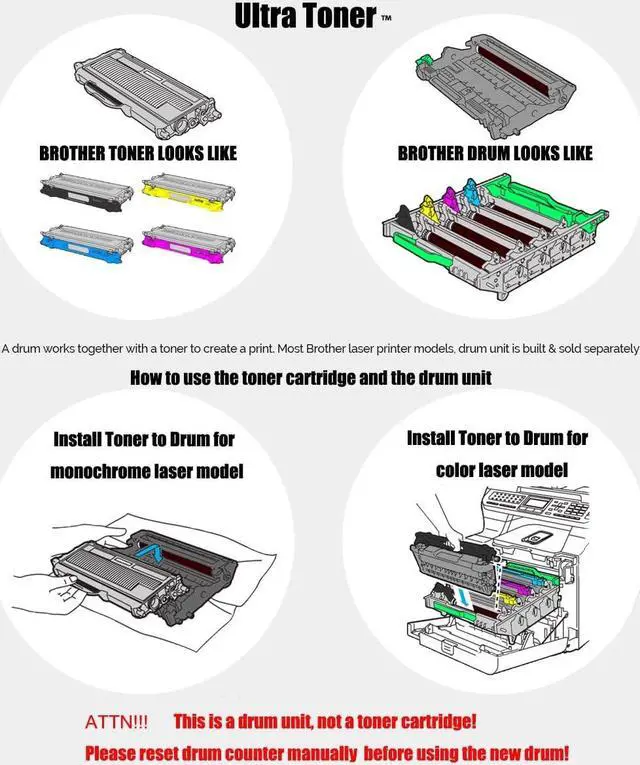
This is a Brother TN-850 / TN-880 Toner Cartridge looks like.
This is a Brother DR-820 Drum Unit looks like.
Push down the green lock lever and take the toner cartridge out of the drum unit.
Put the toner cartridge back into the drum unit until you hear it lock into place. If you put the cartridge in correctly, the green lock lever on the drum unit will lift automatically.
Toner Cartridge
Drum Unit
Green Button
Work Together
Brother DR-820 Compatible Drum Unit Work with TN820/TN850/TN880 (This is Drum Unit, NOT Toner cartridge) Compatible Printer List: Error Message "Replace Toner" or "Replace Drum"?No worries! Toner Cartridge Drum Unit Push the Green Button for taking out the toner. A toner works with a Drum
Warranty & Returns
Warranty, Returns, And Additional Information
Warranty
- Please contact the Seller directly for warranty information. Warranty information may also be found on the Manufacturer's website.
- CONTACT
Return Policies
- Return for refund within: 30 days
- Return for replacement within: 90 days
- This item is covered by connect7 Return Policy
Manufacturer Contact Info
- For a directory of all our manufacturers, please click below.
- Manufacturers Directory
LOADING...