


- Free 30-day Returns
$54.95
Ships from China.

Meet Your Seller

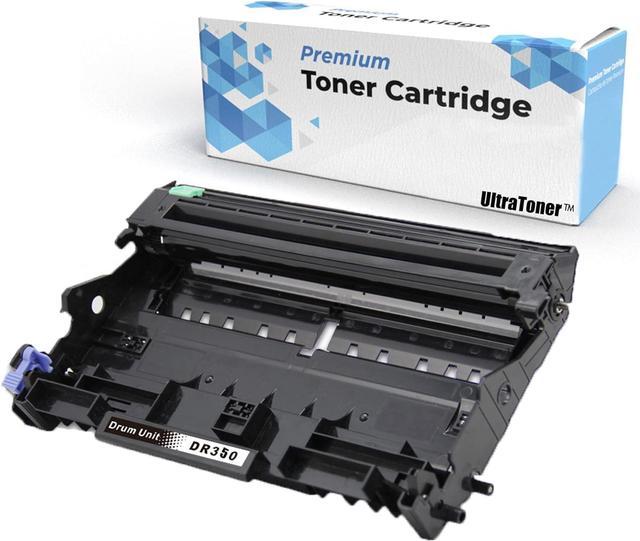



1 PK Ultra Toner® Compatible Replacement for Brother DR-350 Drum Unit DR 350 dr350 for TN-350/ tn350 (This is Drum Unit, NOT toner cartridge) Toner Cartridges work for Brother Printer DCP-7010 DCP-70
- BRAND NEW Compatible with Brother DR-350 Drum Unit.
- HIGH PERFORMANCE Expected lifetime standard yield of 12,000 pages @ 5% coverage SAME AS OEM standard.
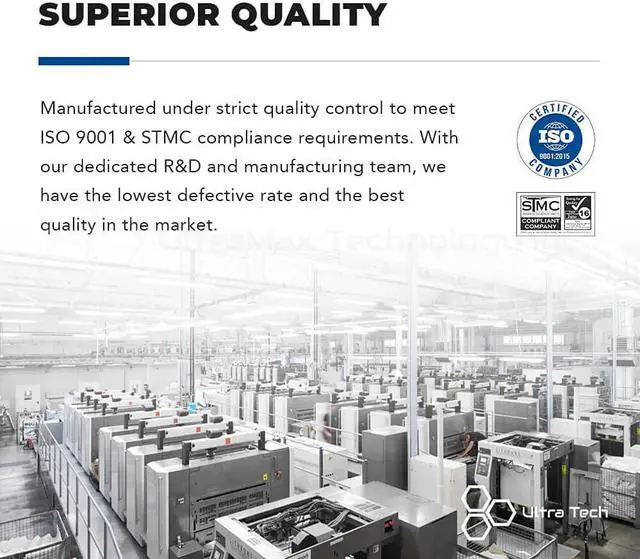
- RELIABLE QUALITY Certified with ISO-9001/14001 & STMC.
- EASY TO INSTALL Clear user instructions on each package.
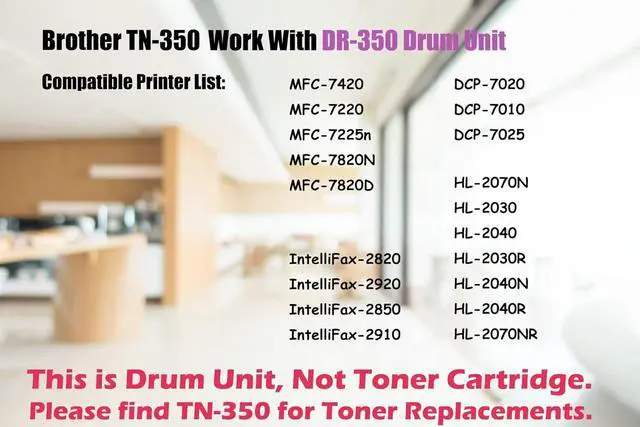
- PERFECT COMPATIBILITY Compatible printer: Brother DCP-7020 / Brother DCP-7010 / Brother DCP-7025 / Brother HL-2070N / Brother HL-2030 / Brother HL-2040 / Brother HL-2030R / Brother HL-2040N / Brother HL-2040R / Brother HL-2070NR / Brother IntelliFax-2820 / Brother IntelliFax-2920 / Brother IntelliFax-2850 / Brother IntelliFax-2910 / Brother MFC-7420 / Brother MFC-7220 / Brother MFC-7225n / Brother MFC-7820D / Brother MFC-7820N
- CUSTOMER SATISFACTION If you have product-replated questions, please send us message under Your Account - Your Orders - Contact Seller. We are happy to assist you!
+
+
Overview
Specs
Reviews
UltraToner provides premium compatible toner cartridges. Excellent performance as same as OEM product, but more cost-effective. All the products are manufactured with highest standard to ensure compatibility and reliability.
Thank you for choosing us.
Superior Quality
Easy Installation
Perfect Compatibility
Crisp Printouts
Cost Saving
Brother - DCP Series
DCP-7010 / DCP-7020 / DCP-7025
Brother - HL Series
HL-2030 / HL-2030R / HL-2040 / HL-2040N / HL-2040R / HL-2070N / HL-2070NR
Brother - MFC Series
MFC-7220 / MFC-7225n / MFC-7420 / MFC-7820D / MFC-7820N
Brother - IntelliFax Series
IntelliFax-2820 / IntelliFax-2850 / IntelliFax-2910 / IntelliFax-2920
Expected lifetime yield of 2,500 pages @ 5% coverage SAME AS OEM standard.
Why I just replaced the toner cartridge and the LCD continues to display the message "Toner Low" / "Replace Toner" / "Toner Ended" or the Toner LED is still on or flashing?
Reason: Some Brother laserjet printers do not have the ability to accurately measure the level of toner remaining in the cartridge. Instead, they rely on a built-in toner counter to determine when the cartridge needs be replaced. The possible reason is that the printer failed to reset the counting gear on the toner cartridge. You need to manually reset the toner cartridge in order to make it work as a full new toner.
How do I reset the counter on my printer:The steps required to reset the toner counter vary depending on what series of printer you have. Please follow the instructions in the box for your printer series. Or you could find video "How to reset TN-350" online!
Thank you!
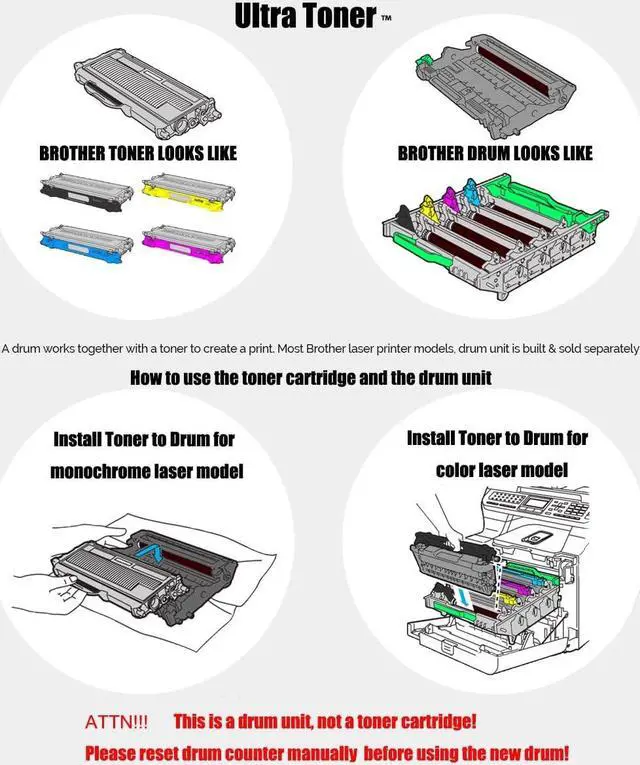
This is a Brother TN-350 Toner Cartridge looks like.
This is a Brother DR-350 Drum Unit looks like.
Push down the green lock lever and take the toner cartridge out of the drum unit.
Put the toner cartridge back into the drum unit until you hear it lock into place. If you put the cartridge in correctly, the green lock lever on the drum unit will lift automatically.
Toner Cartridge
Drum Unit
Green Button
Work Together
Brother DR-350 Compatible Drum Unit (This is Drum Unit, NOT toner cartridge) Compatible Printer List: Error Message "Replace Toner"?No worries! Toner Cartridge Drum Unit Push the Green Button for taking out the toner. A toner works with a Drum
Warranty & Returns
Warranty, Returns, And Additional Information
Warranty
- Please contact the Seller directly for warranty information. Warranty information may also be found on the Manufacturer's website.
- CONTACT
Return Policies
- Return for refund within: 30 days
- Return for replacement within: 90 days
- This item is covered by connect7 Return Policy
Manufacturer Contact Info
- For a directory of all our manufacturers, please click below.
- Manufacturers Directory
LOADING...