shippingWe‘re shipping as usual! The Canada Post strike only affects certain remote deliveries and PO Boxes. Details
shipping Holiday Shipping Details & Extended Holiday Returns
  • $63.50
  • Free 30-day Returns
Ships from China.
Price alert
Shop it at NeweggBusiness.

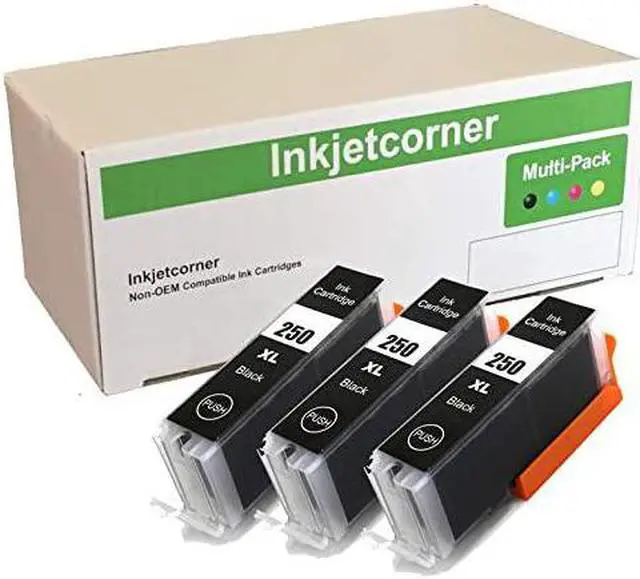
Inkjetcorner Compatible Ink Cartridge Replacement for PGI-250BK PGI 250XL PGBK for use with MX922 MG7520 MG5620 MG5520 MG7120 MG6320 MG6620 (Big Black, 3-Pack)

  • 3 x Compatible Black Ink Cartridges
  • Premium Compatible Ink Cartridges
  • Chip is installed on the cartridge. Will Accurately Display Ink Levels
  • Ready to use
+
+
Overview
Specs
Reviews
Inkjetcorner inkjet cartridges for your printers are built to meet the same original specifications and performance standards as the OEM cartridges.

Compatible with the following printers: IP7220, MG5420, MG5422, MG5520, MG5620, MG6320, MG6620, MX722, MX922

How to install / Replace new ink cartridge:
Step 1: Pull off tape (if any) the yellow/clear sealing tape on top of the cartridge. If there are no tape on the top, proceed to Step 2
Step 2: Turn cartridge upside down and remove the orange cap/bracket off the cartridge
Step 3: Insert the cartridge into the corresponding slot and push down on the cartridge until you hear a click sound
Step 4: This Step is optional. Run a Printhead clean on the cartridge. this will flush out residue leftover from previous use

Warranty & Returns

Warranty, Returns, And Additional Information

Warranty

  • Please contact the Seller directly for warranty information. Warranty information may also be found on the Manufacturer's website.
  • CONTACT

Return Policies

Manufacturer Contact Info

LOADING...
LOADING...