
Your Browsing History
- Free 15-day Returns
$110.69
Ships from Hong Kong.

Meet Your Seller

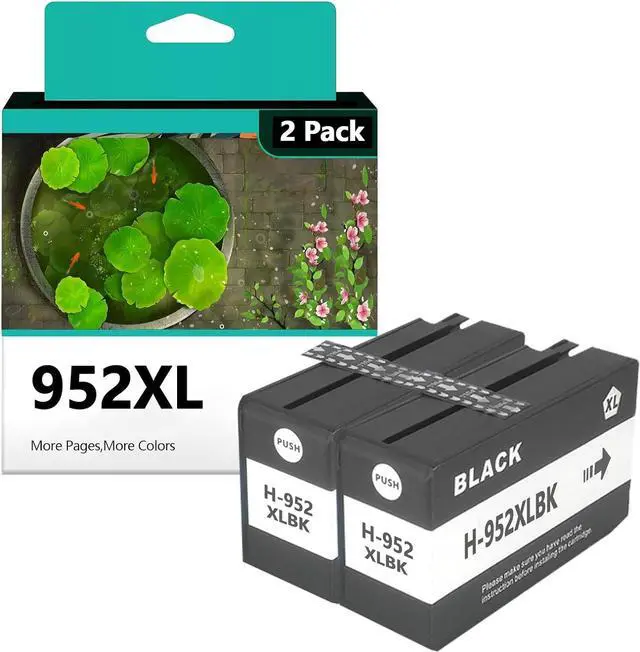






952XL Ink Cartridges Replacement 952 952XL Ink Cartridge Compatible OfficeJet Pro 7720, 7740, 8210, 8710, 8720, 8730, 8740 Series Printers 2 Black
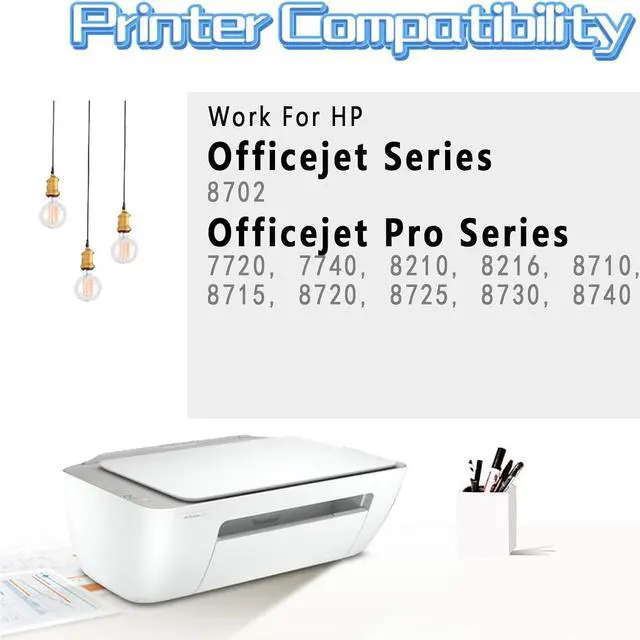
- Compatible with: Compatible for HP OfficeJet 8702; OfficeJet Pro 7720, 7740, 8210, 8216, 8710, 8715, 8720, 8725, 8730, 8740
- Higher Yield Work:With its larger ink capacity,Up to 2000 pages for hp ink black, 1600 pages for hp ink color
- With Upgraded Chips: Our ink cartridges are equipped with the latest upgraded chips to ensure high compatibility
- Environmental Protection:82% of our ink cartridges are manufactured with recycled plastic
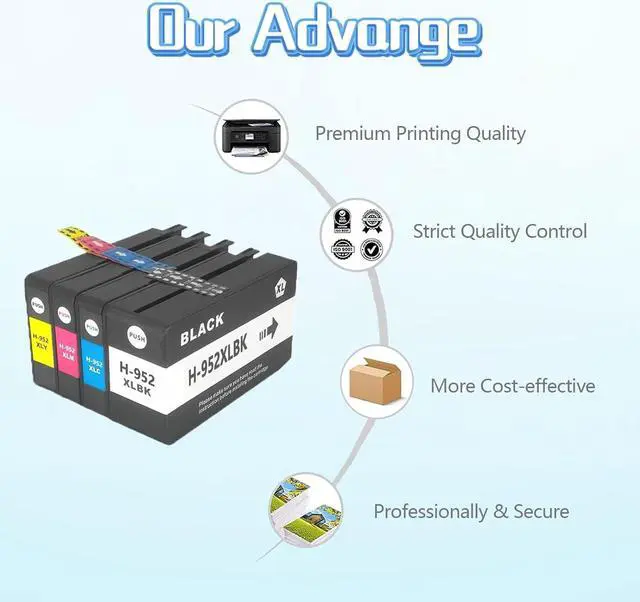
- Superior Print Quality:This ink cartridge for hp printers print stably by tested, provide outstanding results with clear fonts and realistic images, ensure delivery of sharp text and vivid bright color
+
+
Overview
Specs
Reviews
Compatible with:
For HP OfficeJet 8702;
For HP OfficeJet Pro 7720, 7740, 8210, 8216, 8710, 8715, 8720, 8725, 8730, 8740;
Product Name:
952XL Ink Cartridges Replacement Compatible For HP Ink
Ink volume:
Each black ink cartridge can yield up to 2000 pages, while each color cartridge yields up to 1600 pages. This provides exceptional value for money and reduces the frequency of cartridge replacements.
Superior Print Quality:
This ink cartridge for hp printers print stably by tested, provide outstanding results with clear fonts and realistic images, ensure delivery of sharp text and vivid bright color. Each sheet unveils awe-insp.
Installation Guide:
1.Open the ink cartridge compartment door and ensure that the ink holder moves to the center position,install the cartridge into the corresponding slot
2.Open the inner and outerpackaging of the ink cartridge and remove the ink cartridge
3.Remove the ink cartridge and remove the transparent tape from the cartridge
4.lnsert the color ink cartridge into the printer's color compartment, black lnsert the ink cartridge into the ink compartment
5.Push the ink cartridge into the ink holder until it clicks into place
6.After placing the ink cartridge, close the ink cartridge compartment door
Sale Serivice
If you have any questions, please contact us directly. We are committed to providing high quality customer service to ensure a positive shopping experience for our customers.
Note:
·Do not touch the chip or the ink port
For HP OfficeJet 8702;
For HP OfficeJet Pro 7720, 7740, 8210, 8216, 8710, 8715, 8720, 8725, 8730, 8740;
Product Name:
952XL Ink Cartridges Replacement Compatible For HP Ink
Ink volume:
Each black ink cartridge can yield up to 2000 pages, while each color cartridge yields up to 1600 pages. This provides exceptional value for money and reduces the frequency of cartridge replacements.
Superior Print Quality:
This ink cartridge for hp printers print stably by tested, provide outstanding results with clear fonts and realistic images, ensure delivery of sharp text and vivid bright color. Each sheet unveils awe-insp.
Installation Guide:
1.Open the ink cartridge compartment door and ensure that the ink holder moves to the center position,install the cartridge into the corresponding slot
2.Open the inner and outerpackaging of the ink cartridge and remove the ink cartridge
3.Remove the ink cartridge and remove the transparent tape from the cartridge
4.lnsert the color ink cartridge into the printer's color compartment, black lnsert the ink cartridge into the ink compartment
5.Push the ink cartridge into the ink holder until it clicks into place
6.After placing the ink cartridge, close the ink cartridge compartment door
Sale Serivice
If you have any questions, please contact us directly. We are committed to providing high quality customer service to ensure a positive shopping experience for our customers.
Note:
·Do not touch the chip or the ink port
Warranty & Returns
Warranty, Returns, And Additional Information
Warranty
- Please contact the Seller directly for warranty information. Warranty information may also be found on the Manufacturer's website.
- CONTACT
Return Policies
- Return for refund within: 15 days
- Return for replacement within: 30 days
- This item is covered by haoyuzeshang Return Policy
Manufacturer Contact Info
- For a directory of all our manufacturers, please click below.
- Manufacturers Directory
LOADING...
LOADING...