shippingWe‘re shipping as usual! The Canada Post strike only affects certain remote deliveries and PO Boxes. Details
shipping Holiday Shipping Details & Extended Holiday Returns
  • $77.54
  • Free 15-day Returns
Ships from Hong Kong.
Price alert
Sold by ZhangMiaoLing

Shipped by ZhangMiaoLing

Shop it at NeweggBusiness.

Meet Your Seller

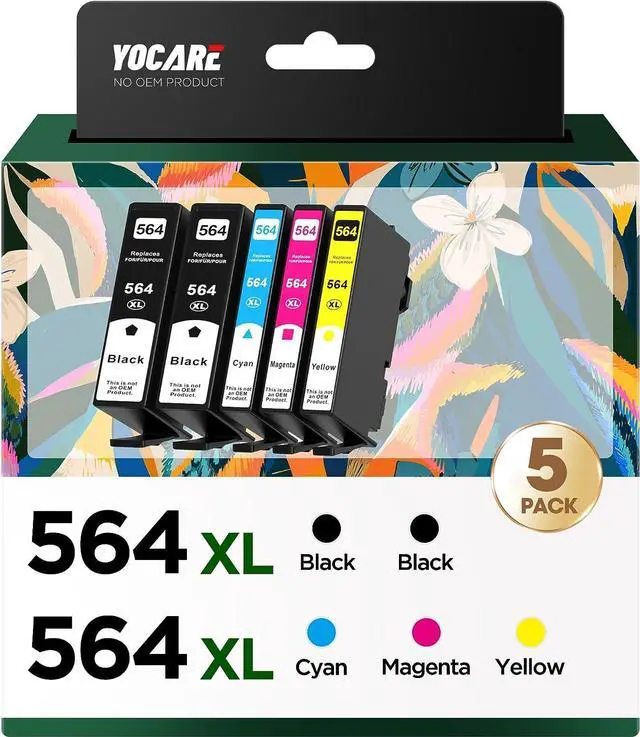
Yocare 564XL High-Yield Ink Cartridges (5-Pack), Replacement 564 Combo Pack, Compatible Photosmart 5520 6520 7510 7520 DeskJet 3520 Premium C309A C410A Printer (2BK/C/M/Y)

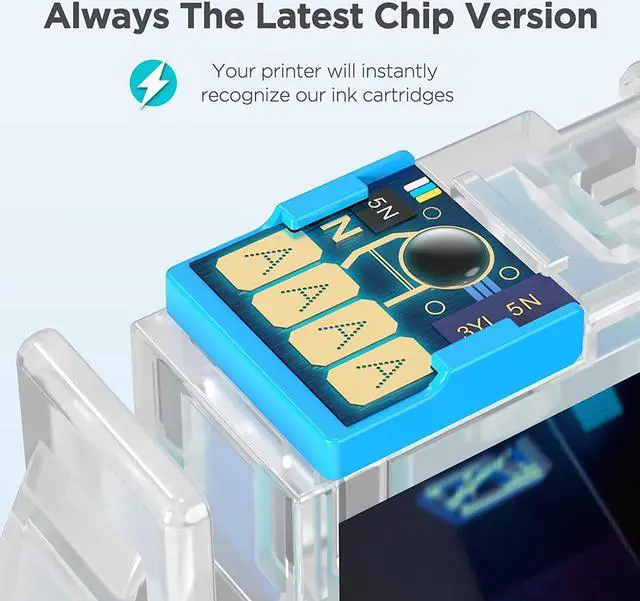
  • Latest Upgraded Chip, 100% compatibility! Super Larger Capacity. Two-year-warranty. 100% Satisfaction Guarantee and free exchange for defective cartridge! Count on this 564xl ink cartridge for HP. Not OEM.
  • Sold as 5/Pack - Includes 2 black, 1 cyan, 1 magenta, 1 yellow
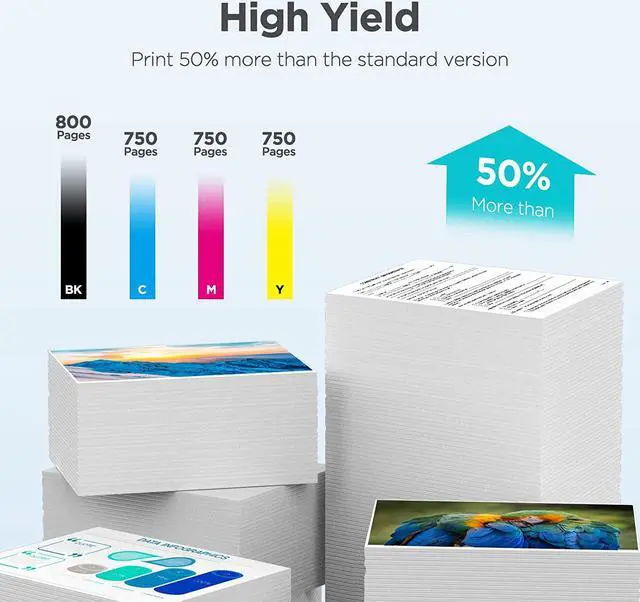
  • Cartridge yield (approx.): 800 pages per 564XL black, 750 pages per 564XL color
  • Up to 2x more prints. Get more ink compared to HP 564 standard size cartridges. All our ink models will accurately read ink levels.
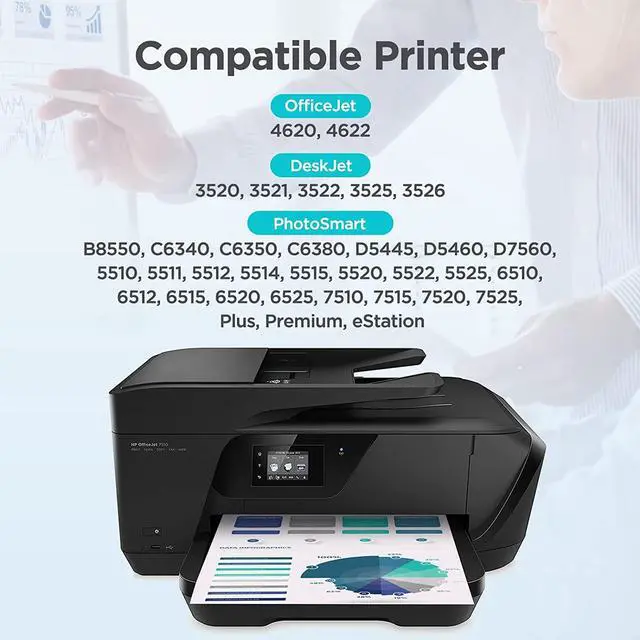
  • Works With: DeskJet 3520, 3521, 3522, 3525, 3526; OfficeJet 4620, 4622; PhotoSmart B8550, C6340, C6350, C6380, D5445, D5460, D7560, 5510, 5511, 5512, 5514, 5515, 5520, 5522, 5525, 6510, 6512, 6515, 6520, 6525, 7510, 7515, 7520, 7525, Plus, Premium, eStation
  • Stable Compatibility: Each 564xl ink cartridge is recycled from the OEM HP 564xl ink cartridge and undergoes a rigorous process of cleaning, restoration and refilling. Equipped with latest intelligent chips, all cartridges have gone through stri
+
+
Overview
Specs
Reviews
Yocare Compatible Ink Cartridges Replacement for HP 564XL Ink Cartridges, 4 Color (2 Black, 1 Cyan, 1 Magenta, 1 Yellow) Why Choose Yocare? Strict Quality Control: Precise specifications ensure proper installation. Brilliant Printing: Premium Ink delivers crisp text and graphics. High Page Yield: Up to 800 pages per black cartridge & 750 pages per color cartridge Latest Chips: High compatible with the latest printer firmware. Clear display: Display the remaining ink level, let you know clearly to replace it before the ink is used up. Package Content: BK x 2 Cyan x 1 Magenta x 1 Yellow x 1 User Manual x 1 User Manual: If your printer shows an alert likes ''Non-Genuine'', press ''Proceed'' / ''Continue'' / ''accept'' or ''OK'', then continue. If you receive an error ''unidentifiable cartridge'' or ''ink is lost or damaged'', remove the affected cartridge and gently wipe the chip with a lint-free or eraser to remove any dust or adhesions that may be present. Then place the cleaned cartridge back into the appropriate cartridge slot. If the problem persists, turn off the printer and unplug it for 30 seconds, then try again. If there is a printer unrecognized problem, you need to check that whether the nozzle is clogged or the printer has been cleaned. If you find that there is the error ''out of ink / empty / insufficient ink'', remove and reinstall the indicated cartridge until it is firmly inserted into the slot. If all cartridges are installed correctly, press ''ok'' or ''continue'' to clear the message, and then print.

Warranty & Returns

Warranty, Returns, And Additional Information

Warranty

  • Please contact the Seller directly for warranty information. Warranty information may also be found on the Manufacturer's website.
  • CONTACT

Return Policies

Manufacturer Contact Info

LOADING...