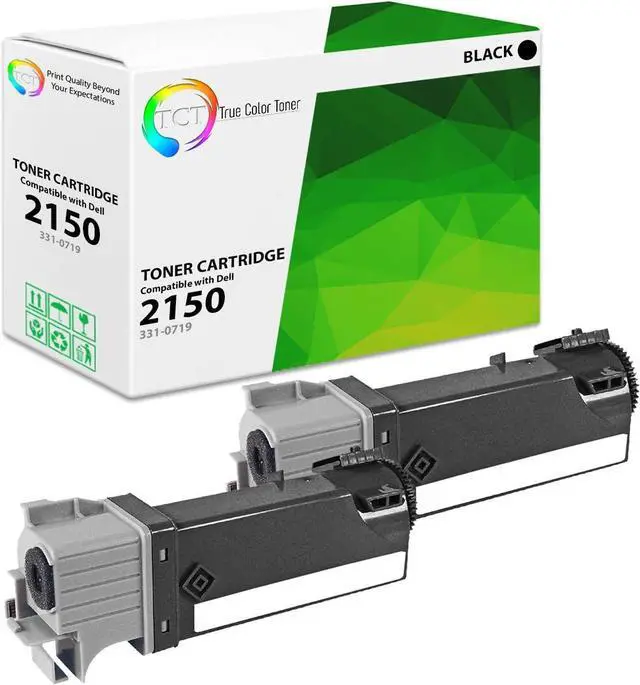
TCT premium toner cartridge let you print high quality documents and images with great savings. We have a large selection of compatible replacement ink and toner cartridges for various printer models. You can choose from different pack sizes to get the best value for your money. TCT cartridges are easy to use and work flawlessly with your printer.
TCT carries premium cartridge replacements perfect for your home and business printing needs. You get the same excellent print results without spending more.
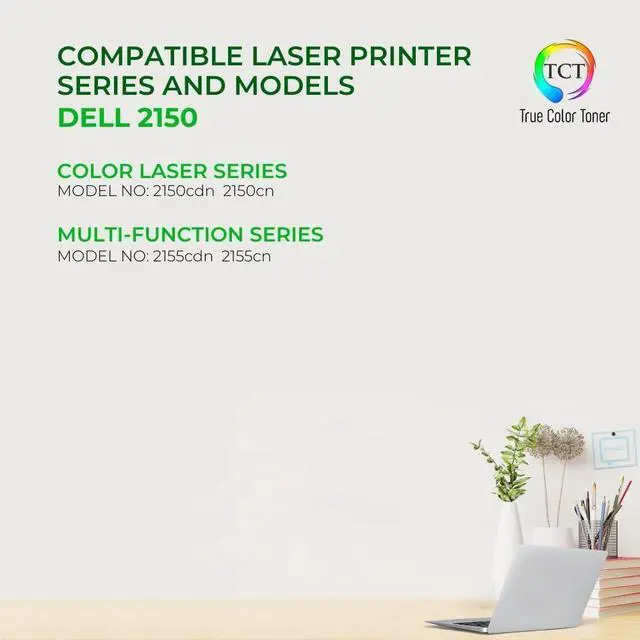
The TCT 2150 is compatible with the following printer models: Dell 2150 2150CDN 2150CN 2155 2155CDN 2155CN
Our premium grade ink produces high quality prints every time. Whether in high or low printer density, expect to get vibrant, crisp, and sharp texts and graphics.
Make sure the printer is turned on. Check the alert light near the power button to know which cartridge needs replacing. Wait for the printer to be in idle mode before proceeding.
Lower the output tray to access the ink cartridge carriage. Press down the ink cartridge to release the lock. Pull out the ink cartridge.
Take the new ink cartridge replacement and remove the protective tape. Insert the cartridge in a slightly upward angle into its corresponding slot. Insert until the lock is secured.
Close the access door and run test print.
Step 4
Print bold and long-lasting signs and labels.
Create stand out brochures and pamphlets.
Re-live captured moments with stunning printed photos.
Enjoy playtime with printable arts and crafts.
TCT Print Quality Beyond Your Expectations! The TCT Advantage Printer Compatibility Higher Density Level on How to Properly Install Your Ink Cartridge on How to Properly Install Your Ink Cartridge on How to Properly Install Your Ink Cartridge on How to Properly Install Your Ink Cartridge Use TCT's Premium Brand of cartridges to print all of your projects! Sharp Signs and Labels Eye-Catching Brochures Professional-Looking Photos Finest Printable Arts & Crafts