


Best Sellers
 Hot Seller
- $299.22
- + $32.89 Shipping


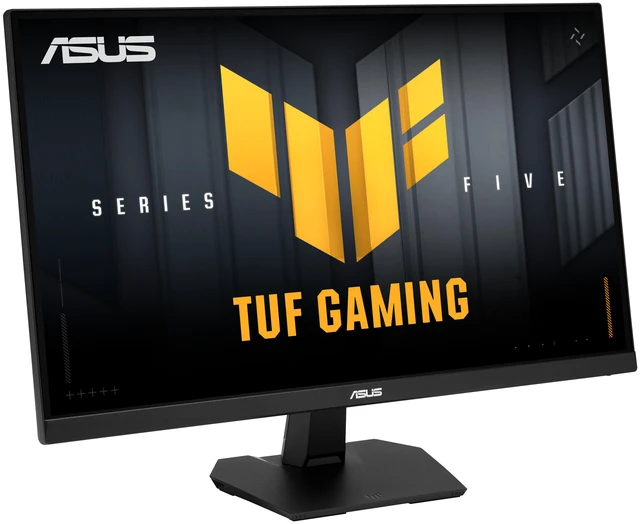

ASUS 27" 220Hz (OC) Fast IPS Gaming Monitor FreeSync Premium & G-Sync Compatible DCI-P3 95% TUF Gaming VG27AQ5F
- 27"
- Fast IPS
- 220Hz (OC)
- FreeSync Premium & G-Sync Compatible
- 1,300:1
- 1.073 Billion
- Tilt
- 1 x DisplayPort 1.4 / 2 x HDMI 2.1
- DisplayPort cable L-shaped Screwdriver Power cord Quick start guide Warranty Card
+
+
Overview
Specs
Reviews
Warranty & Returns
Warranty, Returns, And Additional Information
Warranty
- Limited Warranty period (parts): 3 years
- Limited Warranty period (labor): 3 years
- Read full details
Return Policies
- Return for refund until: January 31, 2027
- Return for replacement until: January 31, 2027
- This item is covered by Newegg.ca's Extended Holiday Return Policy.
- Read full return policy for details.
We want to ensure your holiday shopping this year is hassle-free. That’s why we’re automatically extending our return policies on almost every product! For purchases placed between November 1st, 2026 and December 31, 2026 you will have until January 31, 2027 to return your product.
Manufacturer Contact Info
- Manufacturer Product Page
- Manufacturer Website
- Support Phone: 1-888-678-3688
- Support Website
- View other products from ASUS
LOADING...
LOADING...
The ASUS TUF Gaming VG27AQ5F is a 27-inch 1440p Fast IPS gaming monitor with a 220Hz overclocked refresh rate, 0.30ms response time, and FreeSync Premium and G-SYNC compatibility, suited to competitive PC gamers seeking fast, smooth gameplay.
Recommended For
- PC players of competitive shooters and other fast-paced games who want a 27-inch 1440p display with a high refresh rate, variable refresh rate, and motion-blur reduction features.
- PC gamers with a graphics card that can drive high frame rates at 1440p who want to use the monitor’s up-to-220Hz refresh rate and adaptive sync.
- Players who switch between compatible PC and console sources and want a flat 27-inch QHD screen with DisplayPort and two HDMI inputs.
- Gamers who also value a wide color gamut for more colorful game visuals, rather than choosing a monitor solely for productivity features.
Real-World Use Scenarios
- When playing fast-paced PC games such as shooters, a compatible PC that can deliver high frame rates can make motion and target tracking feel smoother; variable refresh rate can help reduce screen tearing when frame rates fluctuate.
- For QHD single-player and action games, the 27-inch screen provides detailed 1440p gameplay, while the fast-refresh panel can keep camera movement looking smoother when the gaming PC can supply enough frames.
- When switching between compatible gaming consoles and a PC, the HDMI and DisplayPort inputs let users connect multiple sources; the experience depends on each device’s supported resolution and refresh rate.
- For everyday desk use between gaming sessions—such as browsing, documents, or video calls—the 1440p screen offers more workspace than a 1080p display of the same size; the stand supports tilt adjustment, but not height adjustment.
- For streaming video and casual photo viewing, the IPS panel and wide color gamut can make colorful content look vivid, but HDR10 support alone does not establish that the monitor will deliver a strong HDR experience.
Spec Summary
| Attribute | Value |
|---|---|
| Best For | 1440p gaming with a high refresh rate, plus home, business, entertainment, and photo/video editing use |
| Panel And Resolution | 27-inch flat Fast IPS display with 2560 × 1440 resolution, 16:9 aspect ratio, anti-glare finish, and 178° horizontal and vertical viewing angles |
| Refresh Rate And Response | 220Hz overclocked refresh rate with a 0.30ms response time |
| Color And HDR | 95% DCI-P3 color gamut, 1.073 billion display colors, 300 cd/m² brightness, 1,300:1 contrast ratio, HDR10, and 0.233mm pixel density |
| Gaming And Viewing Features | FreeSync Premium, G-SYNC Compatible, and VESA AdaptiveSync support, with Shadow Boost, GameFast Input, blue-light filtering, and flicker-free features |
| Ports And Connectivity | 1 × DisplayPort 1.4, 2 × HDMI 2.1, and a 3.5mm headphone jack |
| Audio Setup | Built-in stereo speakers rated at 2 × 2W |
| Stand And Mounting | Tilt-adjustable stand; compatible with 100 × 100mm VESA mounting and includes a Kensington lock |
| Power And Energy | 100–240 VAC, 50/60Hz; power consumption under 21W, under 0.5W in power-saving mode, and under 0.3W when off |
| Dimensions And Weight | With stand: 24.22 × 17.75 × 6.69 inches and 10.8 lb; without stand: 24.22 × 14.52 × 2.34 inches and 8.82 lb |
| Model Identifiers | ASUS TUF Gaming VG27AQ5F, black |
Reference Q&A
Q: ASUS VG27AQ5F or ASUS VG27AQ3A for 1440p gaming?
A: Choose the VG27AQ5F if you want the higher listed refresh rate and brighter, wider-color specifications: it is rated at up to 220Hz, 300 cd/m², and 95% DCI-P3, compared with the VG27AQ3A’s 180Hz, 250 cd/m², and 130% sRGB. Both are 27-inch QHD Fast IPS monitors with adaptive sync. The VG27AQ3A is the lower-refresh-rate alternative if its price is more important to you.
Q: Should I get the ASUS VG27AQ5F or the LG 27GR83Q-B?
A: Both are 27-inch 1440p IPS gaming monitors with adaptive sync and HDMI 2.1. The LG 27GR83Q-B lists a higher maximum refresh rate at 240Hz and a stand with height, tilt, and pivot adjustment; the ASUS VG27AQ5F lists up to 220Hz and tilt adjustment. Choose the LG if you prioritize the higher listed refresh rate or stand flexibility; choose the ASUS if its price or feature mix better suits your setup. Neither specification sheet alone establishes which has better real-world motion performance.
Q: Is the ASUS VG27AQ5F a worthwhile step up from a 165Hz 1440p monitor?
A: The VG27AQ5F is a clear specification upgrade if you want a higher refresh-rate ceiling: it supports up to 220Hz, compared with 165Hz on the original ASUS TUF VG27AQ, while keeping a 27-inch QHD IPS format. The difference is most relevant if your PC can regularly deliver frame rates above 165 fps in the games you play. If it cannot, the higher maximum refresh rate may matter less than price or other monitor features.
Q: Is this monitor suitable for high-refresh-rate PC gaming?
A: Yes. It has a 2560 × 1440 Fast IPS panel with a refresh rate of up to 220Hz (overclocked) and supports FreeSync Premium and G-Sync Compatible adaptive sync. Reaching the maximum refresh rate depends on the connected computer, graphics card, connection, and settings.
Q: Can I mount this monitor on a monitor arm?
A: Yes. The monitor supports 100 × 100mm VESA mounting, so it can be attached to a compatible monitor arm or wall mount.
Q: Does this monitor have built-in speakers?
A: Yes. It has two built-in 2W speakers. For more powerful or fuller audio, use separate speakers or headphones; the monitor also has a 3.5mm headphone jack.
Q: Can I adjust the screen height or swivel it using the included stand?
A: No. The included stand supports tilt adjustment only; it does not provide height, swivel, or pivot adjustment. A compatible VESA arm can provide additional positioning options.
Q: Is the VG27AQ5F a fit for 1440p high-refresh FPS gaming?
A: On specifications, yes: it combines 2560 × 1440 resolution, a Fast IPS panel, up to 220Hz overclocked refresh, and FreeSync Premium and G-Sync compatibility. A Reddit discussion lists it among options for a 27-inch, high-refresh, G-Sync-compatible gaming setup, but does not provide a hands-on performance test.
Q: Is it worth comparing with other 1440p gaming monitors in a similar price range?
A: Yes. Reddit users considered it alongside several other 27-inch, 1440p high-refresh monitors. Compare current prices, refresh rates, ports, and stand adjustment; the discussion does not establish a tested winner or a reliable price comparison.
Q: Does it suit AAA gaming if vivid color and G-Sync compatibility matter more than refresh rate above 144Hz?
A: Its listed 95% DCI-P3 color gamut and G-Sync compatibility match those stated priorities, while its 220Hz maximum refresh exceeds 144Hz. The specifications alone do not establish color accuracy or how vivid the image looks in person, so they cannot settle a preference-based comparison.