


Best Sellers
 Hot Seller
- $918.22
- + $49.57 Shipping
Hot Seller- $999.55
- + FREE SHIPPING


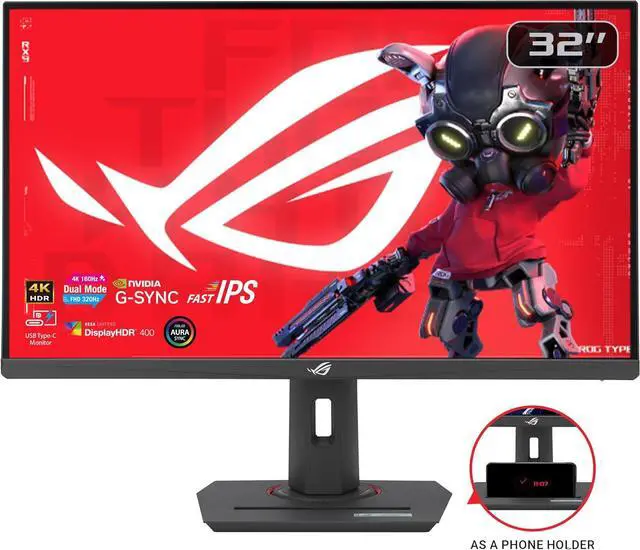
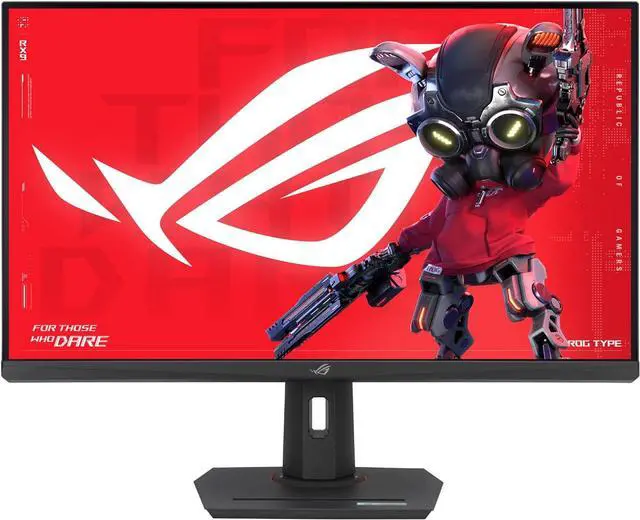
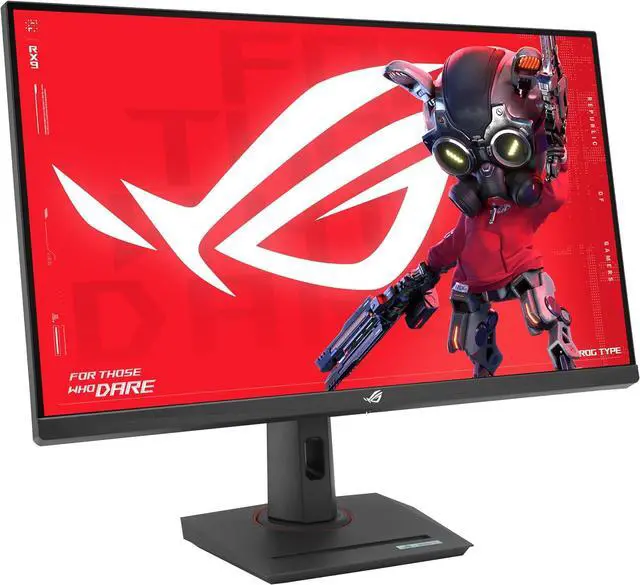
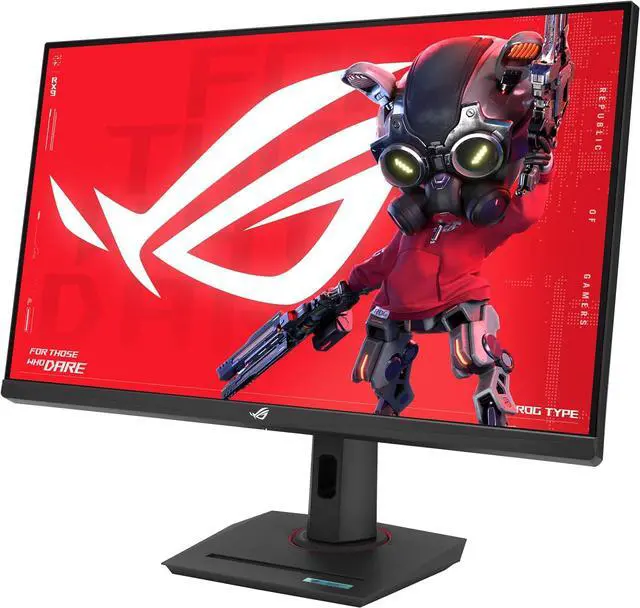
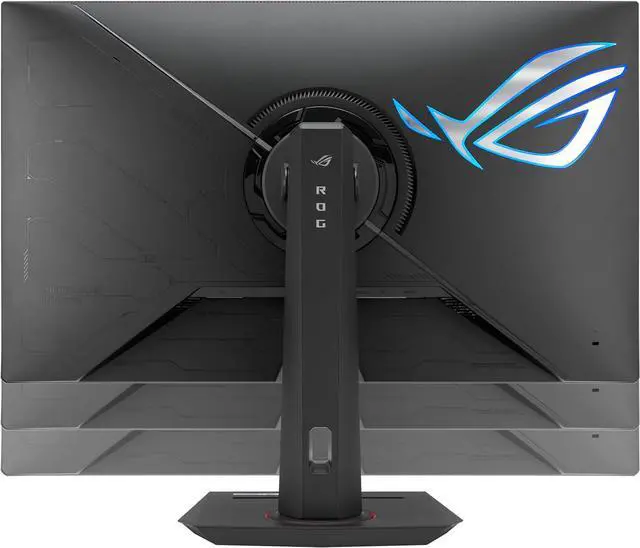
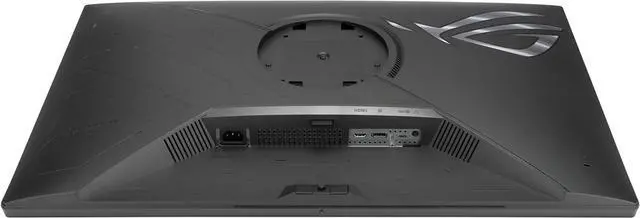
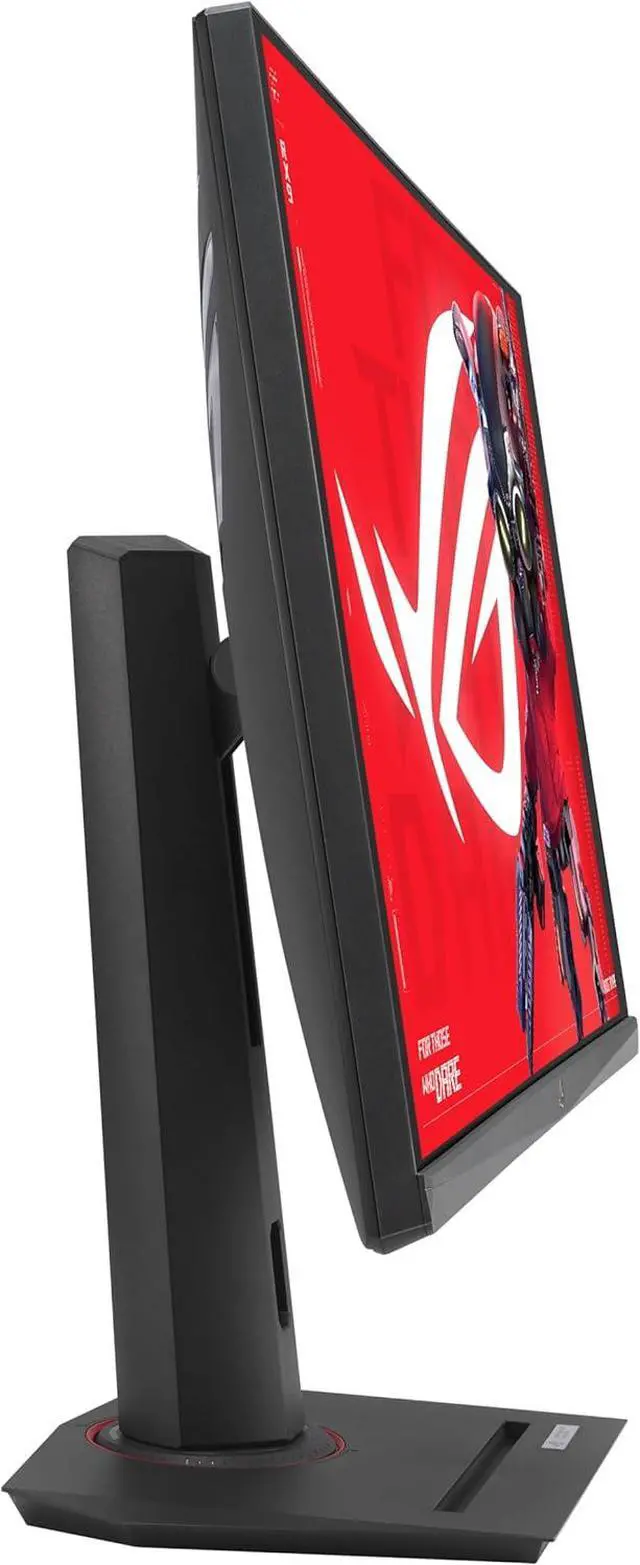
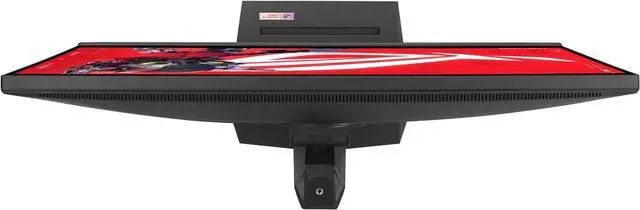


ASUS ROG Strix 32 inch Dual mode UHD 4K 160Hz Full HD 320Hz IPS G-SYNC Compatible HDR400 ELMB, USB-C Gaming Computer Monitor with Height Adjustable, Swivel & Tilt Stand XG32UCG
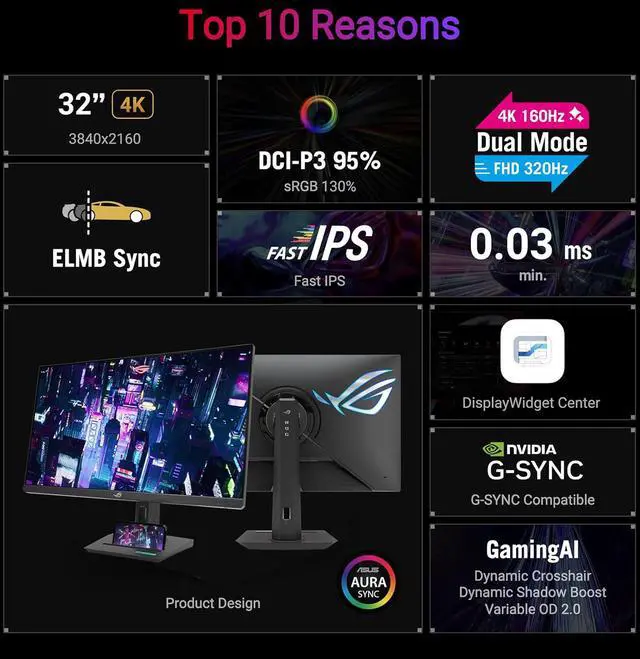
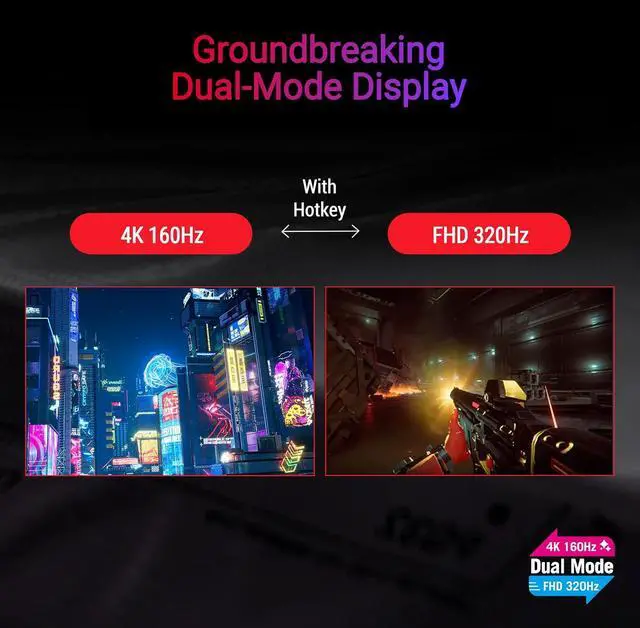
- 32-inch 4K (3840 x 2160) gaming monitor with versatile dual mode (4K @ 160 Hz or FHD @ 320 Hz)
- ASUS Fast IPS technology enables a 0.3ms response time (minimum) for sharp gaming visuals with high frame rates
- ASUS Extreme Low Motion Blur Sync (ELMB SYNC) technology enables ELMB together with variable refresh rate, eliminating ghosting and tearing for sharp gaming visuals with high frame rates
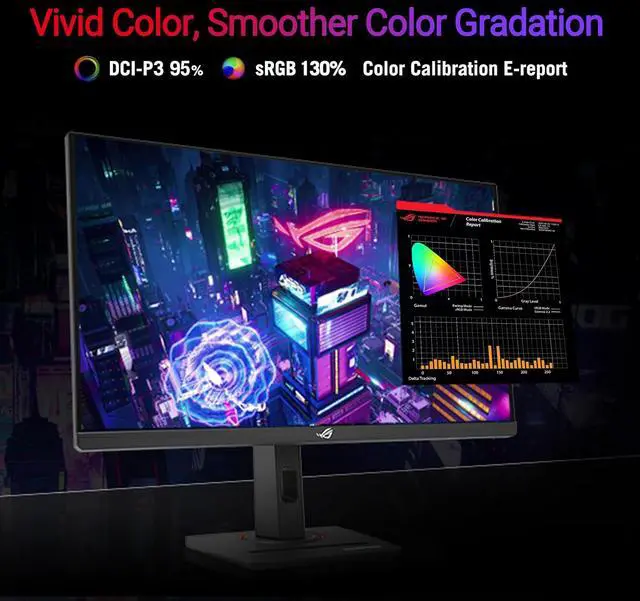
- 95% DCI-P3 color gamut with ASUS advanced gray-scale tracking technology ensures smoother color gradation delivered and uniformity
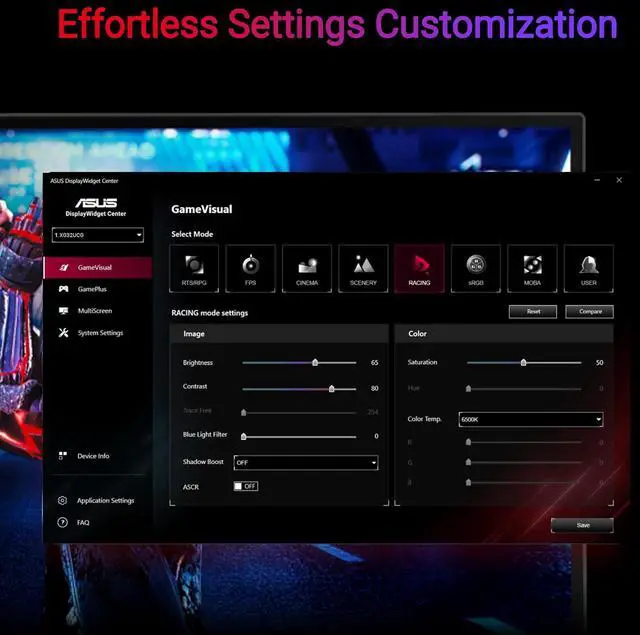
- DisplayWidget Center enables easy monitor settings adjustments with a mouse
- USB Type-C with DP Alt mode, meaning that you can connect your device with clutter-free set-up
- ROG Gaming A.I technology with AI-powered features to enhance users' gaming experience.
- Free 3-month Adobe Creative Cloud Subscription: Receive complimentary access with the purchase of this product (offer valid until 08/31/2025)
+
+
Overview
Specs
Reviews (1)
Utility RedefinedElevate your gaming experience with the ROG Strix XG32UCG, meticulously crafted for utility and performance. Immerse yourself with Frame Rate Boost, allowing the monitor to easily switch via hotkey to a 1080p 320Hz mode for esports ready performance and lightning-fast 1ms response time. Conquer challenges effortlessly with AI-powered features, and enhance your connectivity options with the inclusion of a versatile Type-C connection, ensuring you stay ahead while enjoying the convenience of modern connectivity.Visual Brilliance Beyond CompareImmerse yourself in stunning visual precision with the ROG Strix XG32UCG. Its Fast IPS technology, coupled with a vivid 4K resolution and Display HDR400 support, ensures an unparalleled gaming and multimedia experience, bringing every detail to life with vibrant colors and remarkable clarity.Groundbreaking Dual-Mode DisplayThe ROG Strix XG32UCG gaming monitor breaks the mold with amazing dual-mode feature. This 31.5-inch gaming display allows you to switch between stunning 4K @ 160 Hz all the way up to a mind-blowing FHD @ 320 Hz visuals with just a tap of a hotkey.Tear-Free, Ghost-Free GamingEnjoy a tear-free gaming experience with G-SYNC & FreeSync compatibility. This ensures smooth, synchronized visuals by enabling variable refresh rate (VRR). Additionally, ELMB-SYNC technology eliminates ghosting and tearing for sharp visuals and high frame rates while gaming. Integrated ASUS Variable Overdrive technology dynamically adjusts the monitor's overdrive setting as frame rates fluctuate, ensuring optimal results for any game.Vivid Colors, Factory Checked
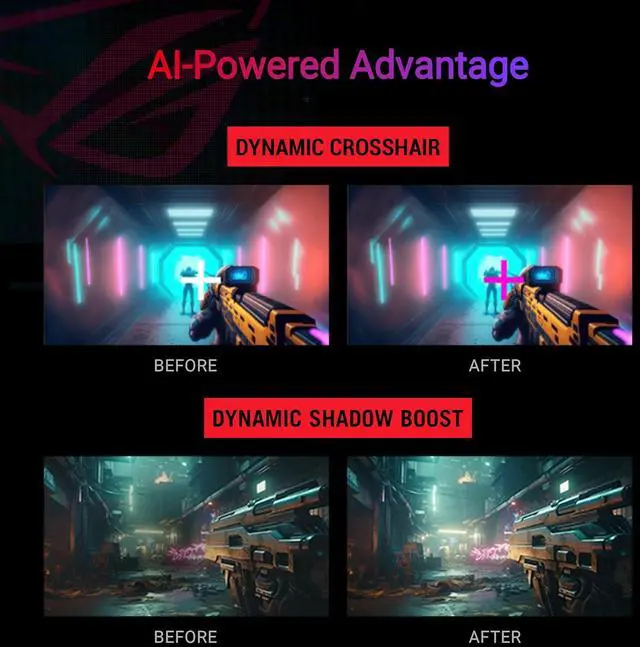
Immerse yourself in a wider range of vibrant colors with a cinema-standard DCI-P3 95% and sRGB 130% color gamut. Each monitor undergoes rigorous factory checks to ensure color accuracy, guaranteeing a lifelike and immersive visual experience.Versatile ConnectivityConnect your devices with ease thanks to the extensive connectivity options, including a Type-C port supports DP Alt mode for video out and power delivery, DisplayPort 1.4 for high-resolution and high-refresh-rate connections, and HDMI port for connecting consoles and other multimedia devices.AI-Powered AdvantageWith AI-powered GamePlus technology, the monitor analyzes the scene on-screen in real-time and adjusts the GamePlus crosshair to enhance targeting accuracy. Additionally, Dynamic Shadow Boost brightens dark areas without overexposing bright areas, providing a clear advantage in low-light environments.Compact Design, Ergonomic ComfortThis monitor boasts a compact footprint, saving valuable desk space. It also features a convenient phone holder on the stand, allowing you to easily keep your phone within reach and charge it simultaneously via the Type-C port. The ergonomically-designed stand provides tilt, swivel, and height adjustment, ensuring you find the perfect viewing position for all-day comfort. Additionally, VESA compatibility lets you mount the monitor to the wall for even greater flexibility.Effortless Settings CustomizationEasily adjust your monitor settings through the intuitive DisplayWidget Center app, eliminating the need for physical buttons. Customize your settings for different games and applications with ease.Sustaining an Incredible FutureEco-friendly PackagingASUS is committed to environmental responsibility. This monitor is shipped in packaging made from 100% recycled cardboard, minimizing waste and promoting sustainable practices.
Immerse yourself in a wider range of vibrant colors with a cinema-standard DCI-P3 95% and sRGB 130% color gamut. Each monitor undergoes rigorous factory checks to ensure color accuracy, guaranteeing a lifelike and immersive visual experience.Versatile ConnectivityConnect your devices with ease thanks to the extensive connectivity options, including a Type-C port supports DP Alt mode for video out and power delivery, DisplayPort 1.4 for high-resolution and high-refresh-rate connections, and HDMI port for connecting consoles and other multimedia devices.AI-Powered AdvantageWith AI-powered GamePlus technology, the monitor analyzes the scene on-screen in real-time and adjusts the GamePlus crosshair to enhance targeting accuracy. Additionally, Dynamic Shadow Boost brightens dark areas without overexposing bright areas, providing a clear advantage in low-light environments.Compact Design, Ergonomic ComfortThis monitor boasts a compact footprint, saving valuable desk space. It also features a convenient phone holder on the stand, allowing you to easily keep your phone within reach and charge it simultaneously via the Type-C port. The ergonomically-designed stand provides tilt, swivel, and height adjustment, ensuring you find the perfect viewing position for all-day comfort. Additionally, VESA compatibility lets you mount the monitor to the wall for even greater flexibility.Effortless Settings CustomizationEasily adjust your monitor settings through the intuitive DisplayWidget Center app, eliminating the need for physical buttons. Customize your settings for different games and applications with ease.Sustaining an Incredible FutureEco-friendly PackagingASUS is committed to environmental responsibility. This monitor is shipped in packaging made from 100% recycled cardboard, minimizing waste and promoting sustainable practices.
Warranty & Returns
Warranty, Returns, And Additional Information
Warranty
- Limited Warranty period (parts): 3 years
- Limited Warranty period (labor): 3 years
- Read full details
Return Policies
- Return for refund until: January 31, 2027
- Return for replacement until: January 31, 2027
- This item is covered by Newegg.ca's Extended Holiday Return Policy.
- Read full return policy for details.
We want to ensure your holiday shopping this year is hassle-free. That’s why we’re automatically extending our return policies on almost every product! For purchases placed between November 1st, 2026 and December 31, 2026 you will have until January 31, 2027 to return your product.
Manufacturer Contact Info
- Manufacturer Product Page
- Manufacturer Website
- Support Phone: 1-888-678-3688
- Support Website
- View other products from ASUS
LOADING...
LOADING...
The ASUS ROG Strix XG32UCG is a 31.5-inch 4K Fast IPS gaming monitor with dual modes—4K at 160Hz or Full HD at 320Hz—suited to gamers who want detailed visuals for varied play and a high-refresh option for fast-paced competitive games.
Recommended For
- PC gamers who alternate between visually detailed single-player games and high-frame-rate shooters: use 4K at up to 160Hz for the former and switch to Full HD at up to 320Hz for the latter.
- Players who want a large 4K screen for detailed games and everyday desktop work, with fast refresh, variable refresh rate, and an IPS panel’s wide viewing angles.
- SDR photo or design users who want a 32-inch 4K workspace and an accurate sRGB mode, and do not need strong HDR performance for their editing workflow.
- Desk-based users who switch between a gaming PC and a USB-C video source, such as a laptop, and want a direct display connection rather than a full docking setup.
Real-World Use Scenarios
- When someone switches between visually rich single-player games and competitive shooters, they can use 4K mode for sharper scenery and Full HD mode for a higher refresh-rate ceiling; the result is one monitor suited to both styles, though the competitive mode is less sharp.
- For esports games such as Valorant or other fast shooters, a player can select Full HD mode to prioritize motion smoothness; reaching the monitor’s 320Hz ceiling depends on the PC producing enough frames.
- For cinematic or detail-heavy games, 4K mode gives a player a sharper image on the large screen, while its high-refresh option keeps motion fluid when the gaming PC can deliver the frame rate.
- For everyday desktop work alongside gaming, the 4K mode provides sharp text and extra screen space for documents and multiple windows; one owner reports choosing the monitor primarily for its 4K image rather than its dual mode.
- At a desk shared with a USB-C laptop, a user can send video to the monitor over one USB-C connection for a tidier setup; the monitor provides only 15W USB-C power, so the laptop may still need its own charger.
Spec Summary
| Attribute | Value |
|---|---|
| Best For | Gaming, photo/video editing, and business use with desktop or laptop computers |
| Panel And Resolution | 31.5-inch flat Fast IPS LCD/LED panel with 3840 × 2160 4K resolution, 16:9 aspect ratio, and matte anti-glare finish |
| Refresh Rate And Response | Dual mode: 4K at 160Hz or Full HD at 320Hz; 1ms GTG and 0.3ms minimum response time, with Adaptive-Sync, G-SYNC compatibility, and ELMB Sync |
| Color And Picture Quality | 350 cd/m² brightness, 1,000:1 contrast ratio, 1.07 billion colors, HDR10, and 130% sRGB / 95% DCI-P3 gamut |
| Ports And Connectivity | DisplayPort 1.4, HDMI 2.1, USB-C with DisplayPort Alt Mode, and an earphone jack |
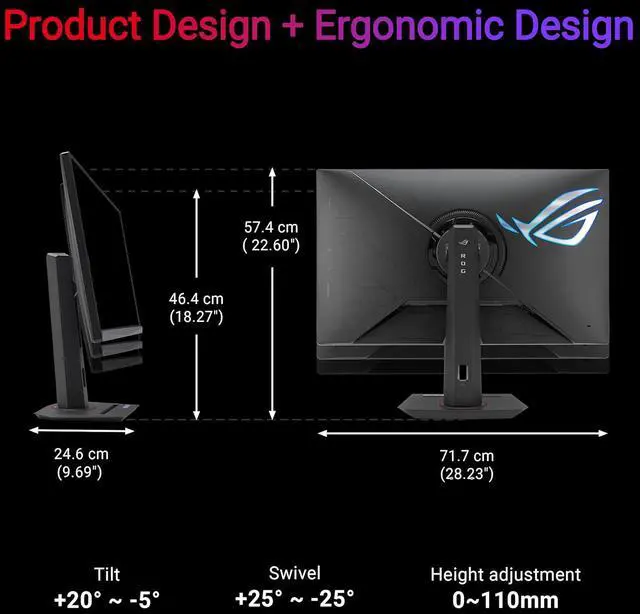
| Stand And Mounting | Tilt from -5° to +20°, swivel ±25°, 0–110mm height adjustment, and 100 × 100mm VESA mounting compatibility |
| Display Features | GamePlus, GameVisual, Low Blue Light, Shadow Boost, Trace Free, Display Widget, Aspect Control, and HDCP 2.3 support |
| Power | 100–240 VAC, 50/60Hz; power-on consumption under 30W, standby under 0.5W, and power-off consumption under 0.3W |
| Dimensions And Weight | With stand: 22.60 × 28.23 × 9.69 inches and 21.83 lb; without stand: 16.93 × 28.23 × 3.23 inches and 14.55 lb |
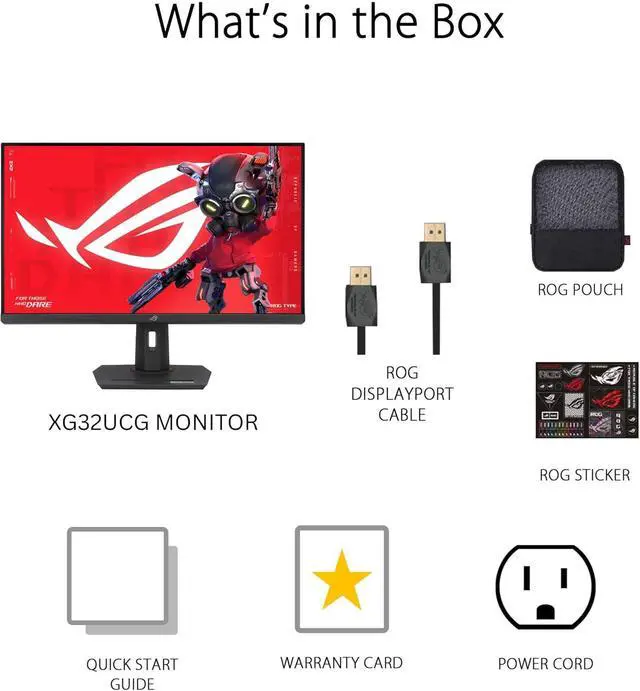
| In The Box | DisplayPort cable, power adapter and cord, quick-start guide, ROG pouch, ROG sticker, and warranty card |
| Model Identifiers | ASUS XG32UCG |
Reference Q&A
Q: ASUS ROG Strix XG32UCG vs XG32UQ: which should I choose?
A: Choose the XG32UCG if you want one monitor that switches between 4K at 160Hz and Full HD at 320Hz, plus USB-C video input. Choose the XG32UQ if your priorities are its DisplayHDR 600 rating, two HDMI 2.1 inputs, and USB hub. Both are 32-inch-class 4K Fast IPS gaming monitors with refresh rates up to 160Hz.
Q: Should I use the XG32UCG at 4K 160Hz or Full HD 320Hz?
A: Use 4K at up to 160Hz when you want higher image detail and a fast refresh rate; switch to Full HD at up to 320Hz when you want the monitor’s highest refresh rate for fast-paced gaming. The XG32UCG offers both modes on its 31.5-inch Fast IPS display.
Q: ASUS XG32UCG vs XG27UCG: is the 32-inch model worth choosing?
A: Choose the XG32UCG for a larger 31.5-inch viewing area; choose the XG27UCG for a 27-inch screen. Both offer 4K at up to 160Hz or Full HD at up to 320Hz, so the main distinction is screen size.
Q: XG32UCG vs ROG Strix OLED XG32UCWG: which fits my gaming setup?
A: Choose the XG32UCG for a Fast IPS panel with 4K at up to 160Hz and Full HD at up to 320Hz. Choose the XG32UCWG if you prefer a 4K OLED panel, with modes up to 165Hz at 4K and 330Hz at Full HD. Both are 31.5-inch-class dual-mode monitors.
Q: Can I use this monitor for both 4K gaming and high-refresh competitive games?
A: Yes. Its dual mode switches between 4K at up to 160Hz and Full HD at up to 320Hz. The higher refresh rate comes with lower resolution, so choose the mode that best fits the game you’re playing.
Q: Is this monitor suitable for office work as well as gaming?
A: Yes. The 31.5-inch 4K IPS display provides space and resolution for everyday desk work, and the stand adjusts for height, tilt, and swivel. The product information does not list a built-in webcam or speakers, so plan on separate meeting camera and audio equipment if needed.
Q: Can I connect a laptop to the monitor with USB-C?
A: Yes, if the laptop’s USB-C port supports DisplayPort Alt Mode for video. The supplied specifications do not state a USB-C power-delivery wattage, so don’t assume the monitor can replace your laptop charger.
Q: Will Full HD mode look as sharp as 4K on the 32-inch screen?
A: No. Full HD uses fewer pixels than 4K, so the image will be less detailed, especially for text and fine edges. That mode is the trade-off for reaching up to 320Hz; use 4K mode when sharpness is the priority.
Q: Is the XG32UCG suitable for both desk work and gaming?
A: It can serve both uses: a YouTube reviewer says they bought it for desk work, and its listed features include a 31.5-inch 4K display with refresh rates up to 160Hz. It is a large, flat desktop monitor, not a portable display.
Q: Is the dual-mode feature a useful reason to choose this monitor?
A: It may be useful if you want to switch between 4K at 160Hz and Full HD at 320Hz. A Reddit discussion mentions the 4K/160Hz and Full HD toggle, but does not establish that the higher refresh mode benefits every game or user.
Q: Should I choose it over the Dell G3223Q?
A: The Reddit discussion raises this specific comparison but does not establish a clear winner. The XG32UCG’s distinguishing listed feature is its dual mode: 4K at 160Hz or Full HD at 320Hz. Compare the price and features you value most before deciding.