
Your Browsing History
- Free 15-day Returns
$41.96
Ships from China.


Meet Your Seller

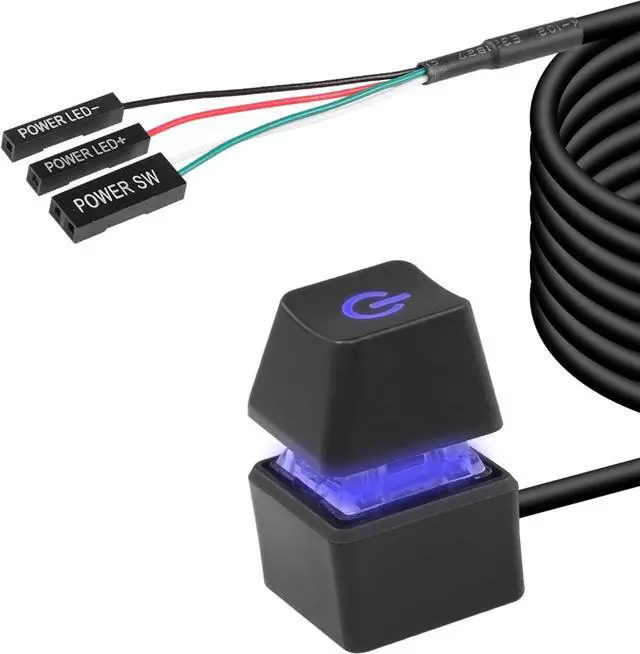
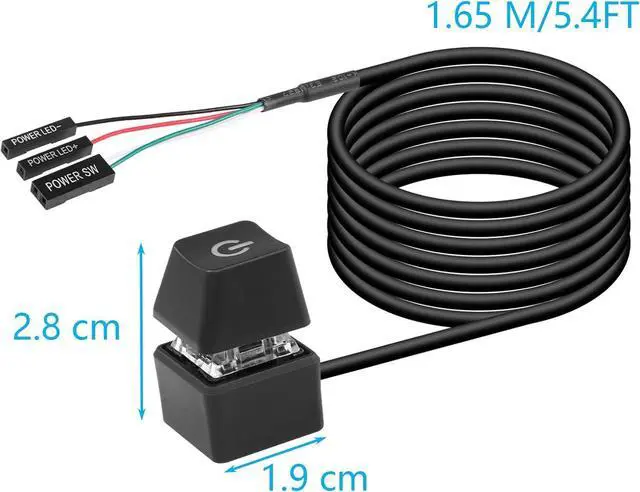


BUCIER Desktop Switch Desktop Computer Power Switch External Remote Start Computer Motherboard Power Switch Button Extension Cord with LED Light
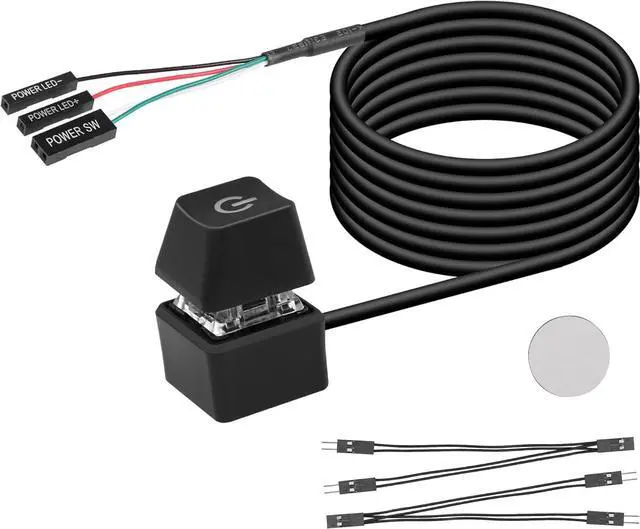
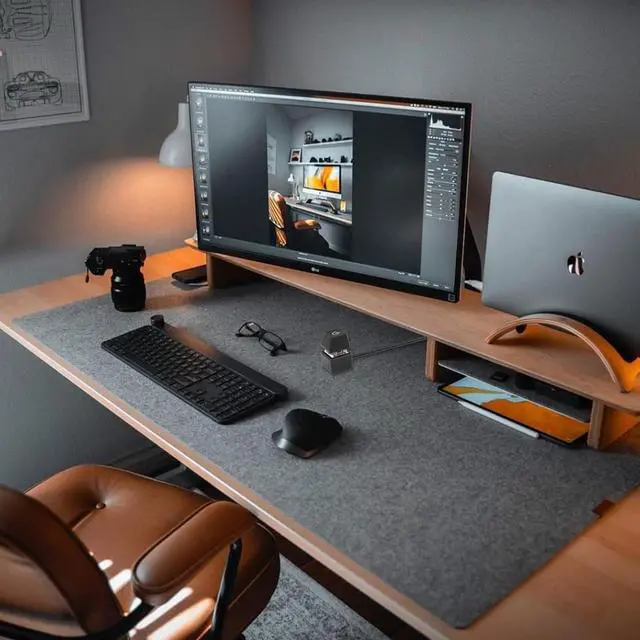
- Desktop External Switch: Use a power switch with a long cable to add or extend the power button to where you find it more convenient.
- Choose one of the remote computer power switch and the host switch: if you want to use the original computer power button and the external power button at the same time. You only need to plug in the two one-point and two-point splitters we presented to you, you can keep the original switch key function, and you can use the external power key to start the power.
- Easy to Install: Just connect the POWER LED+, POWER LED-, POWER SW connectors to the motherboard, then stick the adhesive board to the correct position or use magnets.
- Design: Blue LED lighting effect, mechanical button feel, give you a different switching experience.
+
+
Overview
Specs
Reviews
Product Description
Desktop Computer Host Portable Power Switch
Specification:
4-Pin Connector: +HDD-/+Power Switch- Male.
Cable length: 1.6M / 5.2FT
Material: copper + plastic + ABS shell.
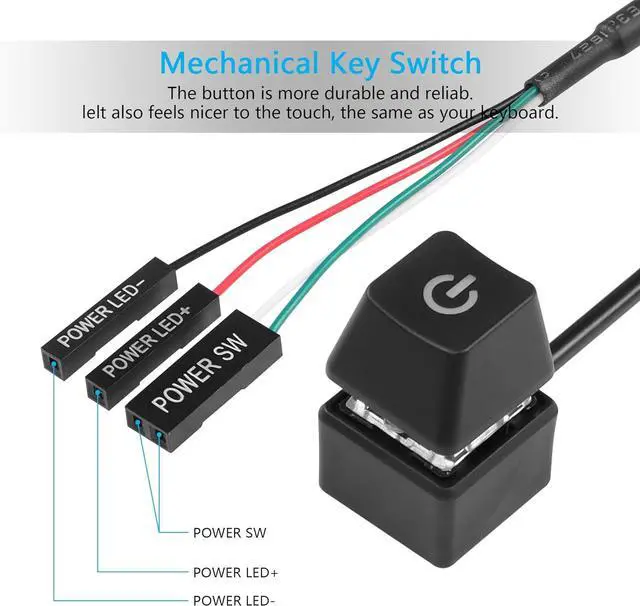
Connection terminals: POWER SW, POWER LED+, POWER LED-
feature:
1. Make power computers easier.
2. Good replacement for damaged computer host switch.
3. self-adhesive stickers
4. Easy to install.
1)Find the hole corresponding to the power supply from the back of the case, and insert the two free 1-2 splitter terminal wires into the case. (If you no longer use the original power-on button and only use an external extended power-on button, you dont need to use a splitter terminal line)
2) Replace the jumpers one by one, don't put led+ and led- in reverse.
3) After checking that all terminals are connected correctly, confirm that the start button and indicator lights are functioning normally.
4) Both the original power-on button and the external power-on button must be able to work normally.
5) If you do not need LED lighting effects, you can choose not to connect the two POWER LED terminals.
5. In addition to the power switch, you will also receive a self-adhesive sticker for you to place the switch in a convenient location.
6. You can choose to buy other keycaps to replace your switches, making your computer case and keyboard more in line with the theme.
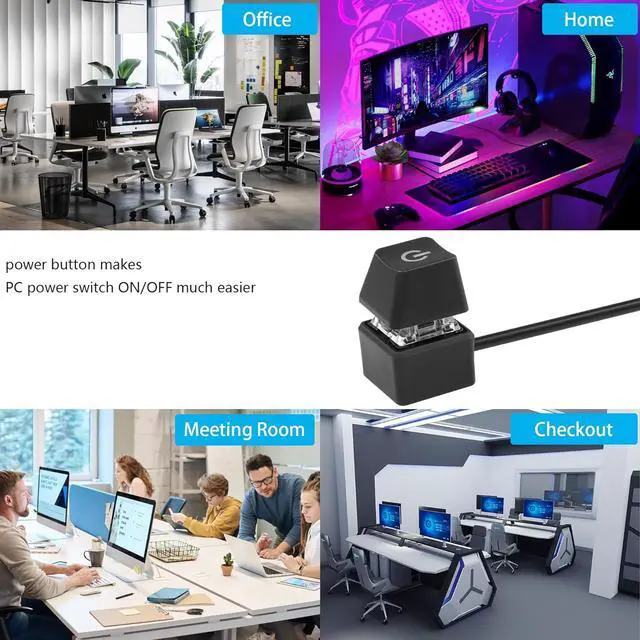
Widely used in homes, offices, hotels, Internet cafes, etc. Move the desktop mechanical switch key switch to a place that is more convenient to operate and use.
7.
Packing list:
1* computer power switch on/off with 1.6M cable;
2* power switch splitter cable;
1* Self-adhesive sticker
Desktop Computer Host Portable Power Switch
Specification:
4-Pin Connector: +HDD-/+Power Switch- Male.
Cable length: 1.6M / 5.2FT
Material: copper + plastic + ABS shell.
Connection terminals: POWER SW, POWER LED+, POWER LED-
feature:
1. Make power computers easier.
2. Good replacement for damaged computer host switch.
3. self-adhesive stickers
4. Easy to install.
1)Find the hole corresponding to the power supply from the back of the case, and insert the two free 1-2 splitter terminal wires into the case. (If you no longer use the original power-on button and only use an external extended power-on button, you dont need to use a splitter terminal line)
2) Replace the jumpers one by one, don't put led+ and led- in reverse.
3) After checking that all terminals are connected correctly, confirm that the start button and indicator lights are functioning normally.
4) Both the original power-on button and the external power-on button must be able to work normally.
5) If you do not need LED lighting effects, you can choose not to connect the two POWER LED terminals.
5. In addition to the power switch, you will also receive a self-adhesive sticker for you to place the switch in a convenient location.
6. You can choose to buy other keycaps to replace your switches, making your computer case and keyboard more in line with the theme.
Widely used in homes, offices, hotels, Internet cafes, etc. Move the desktop mechanical switch key switch to a place that is more convenient to operate and use.
7.
Packing list:
1* computer power switch on/off with 1.6M cable;
2* power switch splitter cable;
1* Self-adhesive sticker
Warranty & Returns
Warranty, Returns, And Additional Information
Warranty
- Please contact the Seller directly for warranty information. Warranty information may also be found on the Manufacturer's website.
- CONTACT
Return Policies
- Return for refund within: 15 days
- Return for replacement within: 30 days
- This item is covered by Electronics store Return Policy
Manufacturer Contact Info
- For a directory of all our manufacturers, please click below.
- Manufacturers Directory
LOADING...