
Your Browsing History
- Free 15-day Returns
$499.00
Ships from China.


Meet Your Seller

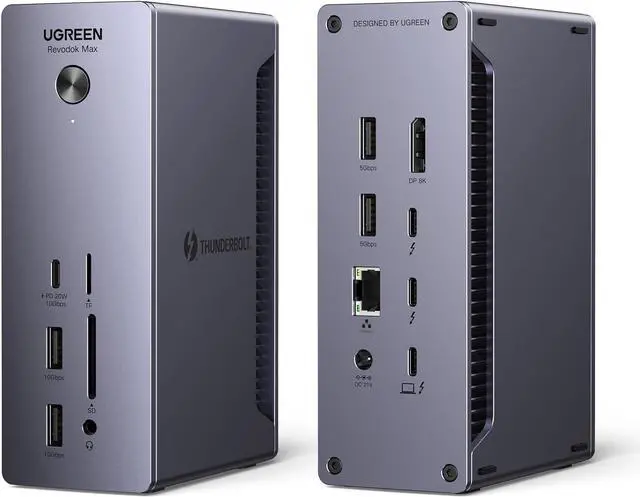
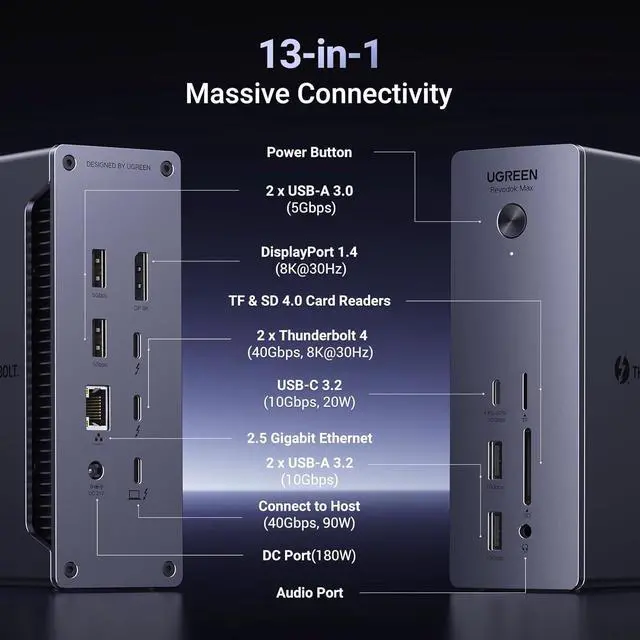


Revodok Max 213 Thunderbolt 4 Dock, 13-in-1 40Gbps Docking Station with Dual 4K@60Hz or Single 8K Display, 90W Charging for Laptop, 2.5GbE, SD/TF 4.0 for MacBook Windows PC Laptops and More
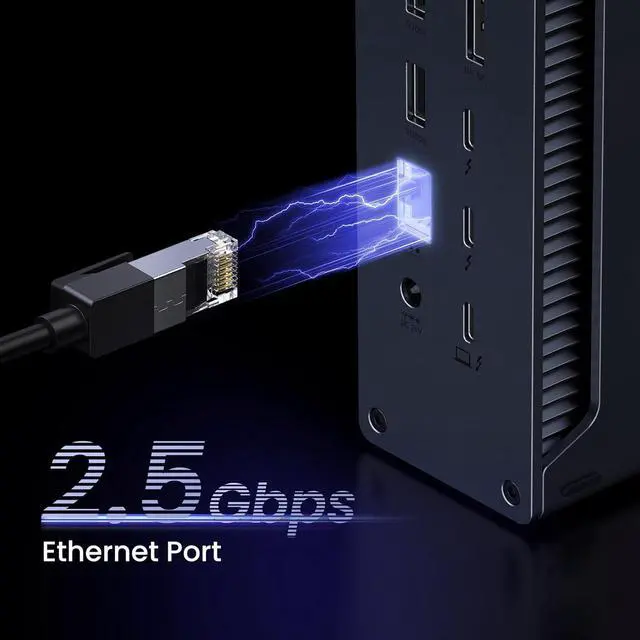
- 13-in-1 Massive Expansion: The 13-in-1 Thunderbolt 4 Dock is equipped with 2 Thunderbolt 4(40Gbps, 15W), a DisplayPort 1.4, a 2.5GbE ethernet, SD & TF 4.0, a USB C 3.2(10Gbps, 20W), two USB A 3.2(10Gbps), two USB A 3.0, a 3.5mm audio, and a 180W DC power ports, which can meet all your high-performance expansion needs.
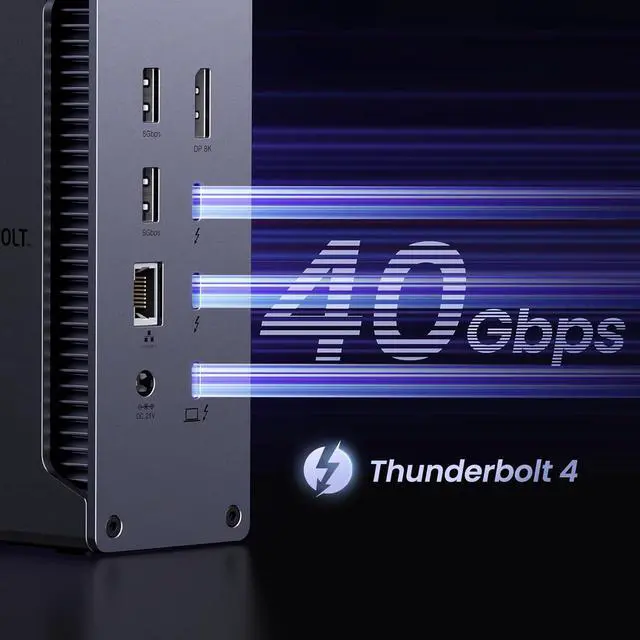
- Powerful Thunderbolt 4: With one upstream and two downstream Thunderbolt 4 ports, you can transfer data at speeds up to 40Gbps and display in resolutions up to 8K. Experience high-performance work like never before.
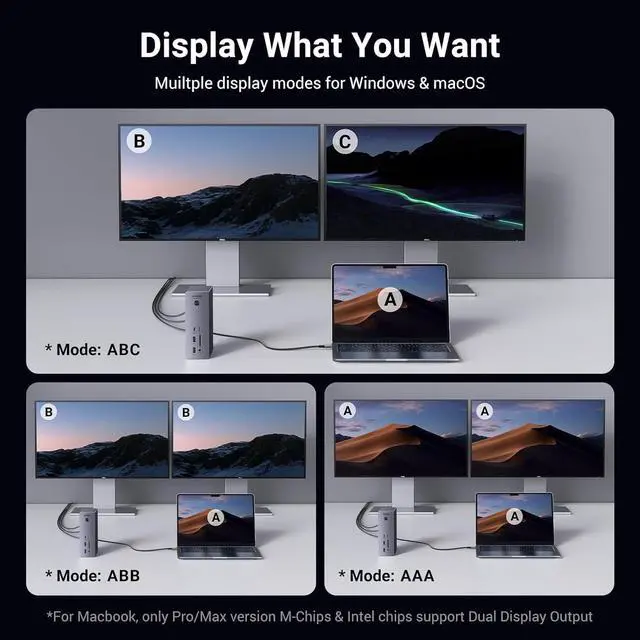
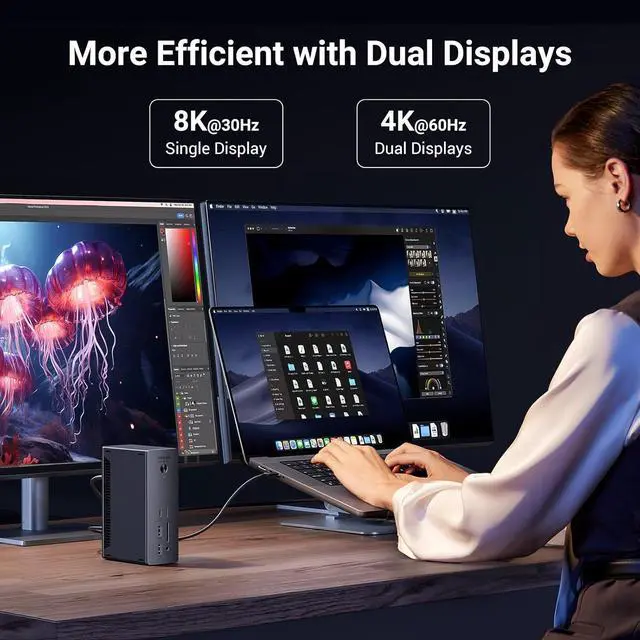
- Dual 4K@60Hz or Single 8K Display: For Windows users, you can connect a single monitor up to 8K@30Hz or dual monitors up to 4K@60Hz . For M1/M2/M3 Pro & M1/M2/M3 Max &l chip macOS users, you can connect a single monitor up to 4K@60Hz or dual monitors up to 4K@60Hz. Original M1/M2/M3 macOS users can only connect a single monitor up to 4K@60Hz. (Make sure the product is connected to the Thunderbolt 4/3 or USB 4 port, and your computer supports DP 1.4 output
+
+
Overview
Specs
Reviews
90W
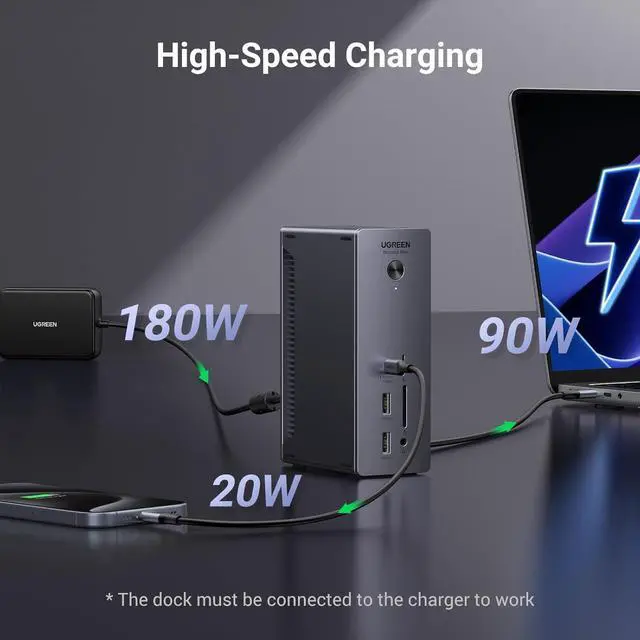
High-speed Charging: With the included 180W GaN charger, this Thunderbolt 4 dock can charge your laptop up to 90W while working. No need to connect another charger. (The dock must be connected to the charger to work)
Widely Compatible: The Thunderbolt 4 Dock is compatible with most Thunderbolt 4, Thunderbolt 3, USB 4, or USB-C computers or tablets, including Macbooks(macOS 11.4 & above), Windows laptops(Windows 10 & above), iPads, or other tablets with USB-C ports. (Full-function USB-C laptops and tablets only support single display. Not compatible with Mac mini 2018
Single 8K@30Hz or Dual 4K@60Hz Displays
Single Monitor:
Windows users can connect a single monitor up to 8K@30Hz, and macOS users can connect a single monitor up to 4K@60Hz.
Dual Monitors:
1. Macs with M1 Pro, M2 Pro, M3 Pro, M1 Max, M2 Max, M3 Max or Intel-based chips can connect dual monitors up to 4K@60Hz.
2. Macs with original M1, M2, M3 chips can only connect single monitor up to 4K@60Hz.
3. Windows PC with Thunderbolt 3, Thunderbolt 4, and USB 4 ports can connect dual monitors up to 4K@60Hz.
4. Windows PC with original full-function USB-C ports can only connect single monitor.
Pay Attention:
1. Please make sure your device's DisplayPort (DP) version is DP 1.4. If your device is DP 1.2 version, it may not achieve the resolution and refresh rate advertised by the product.
you can ask your device manufacturer or seller to find out your device's DP version or refer to the following information:
Windows Laptops: Normally, Laptops with an Intel generation 11 CPU or later, or with an NVIDIA GPU are DP 1.4. Laptops with an Intel generation 10 CPU or earlier are DP 1.2.
Macs: Normally, Macbook Pro (2018 and later), Macbook Air (2019 and later), and iMac (2017 and later) are DP 1.4. Macbook Pro (2017 and earlier), Macbook Air (2018 and earlier), and iMac (2016 and earlier) are DP 1.2.
2. Please make sure your display device and connection cable support the corresponding resolution and refresh rate.
Notes:
1. The dock requires macOS 11.4 or above, Windows 10 or above to work.
2. USB-C & USB-A ports are for data only. Users who wish to connect monitors must connect them to the Thunderbolt 4/DisplayPort ports.
3. The dock must connect the included 180W GaN charger for the dock to work.
4. It's suggested to use up to 2 HDD or 3 SSD simultaneously. Due to the overload protection mechanism, Using too many storage devices simultaneously may cause product work unstable.
5. When the Mac enters into sleep mode for more than two hours, you need to double-click instead of single-clicking any keys on the keyboard to wake it up.
High-speed Charging: With the included 180W GaN charger, this Thunderbolt 4 dock can charge your laptop up to 90W while working. No need to connect another charger. (The dock must be connected to the charger to work)
Widely Compatible: The Thunderbolt 4 Dock is compatible with most Thunderbolt 4, Thunderbolt 3, USB 4, or USB-C computers or tablets, including Macbooks(macOS 11.4 & above), Windows laptops(Windows 10 & above), iPads, or other tablets with USB-C ports. (Full-function USB-C laptops and tablets only support single display. Not compatible with Mac mini 2018
Single 8K@30Hz or Dual 4K@60Hz Displays
Single Monitor:
Windows users can connect a single monitor up to 8K@30Hz, and macOS users can connect a single monitor up to 4K@60Hz.
Dual Monitors:
1. Macs with M1 Pro, M2 Pro, M3 Pro, M1 Max, M2 Max, M3 Max or Intel-based chips can connect dual monitors up to 4K@60Hz.
2. Macs with original M1, M2, M3 chips can only connect single monitor up to 4K@60Hz.
3. Windows PC with Thunderbolt 3, Thunderbolt 4, and USB 4 ports can connect dual monitors up to 4K@60Hz.
4. Windows PC with original full-function USB-C ports can only connect single monitor.
Pay Attention:
1. Please make sure your device's DisplayPort (DP) version is DP 1.4. If your device is DP 1.2 version, it may not achieve the resolution and refresh rate advertised by the product.
you can ask your device manufacturer or seller to find out your device's DP version or refer to the following information:
Windows Laptops: Normally, Laptops with an Intel generation 11 CPU or later, or with an NVIDIA GPU are DP 1.4. Laptops with an Intel generation 10 CPU or earlier are DP 1.2.
Macs: Normally, Macbook Pro (2018 and later), Macbook Air (2019 and later), and iMac (2017 and later) are DP 1.4. Macbook Pro (2017 and earlier), Macbook Air (2018 and earlier), and iMac (2016 and earlier) are DP 1.2.
2. Please make sure your display device and connection cable support the corresponding resolution and refresh rate.
Notes:
1. The dock requires macOS 11.4 or above, Windows 10 or above to work.
2. USB-C & USB-A ports are for data only. Users who wish to connect monitors must connect them to the Thunderbolt 4/DisplayPort ports.
3. The dock must connect the included 180W GaN charger for the dock to work.
4. It's suggested to use up to 2 HDD or 3 SSD simultaneously. Due to the overload protection mechanism, Using too many storage devices simultaneously may cause product work unstable.
5. When the Mac enters into sleep mode for more than two hours, you need to double-click instead of single-clicking any keys on the keyboard to wake it up.
Warranty & Returns
Warranty, Returns, And Additional Information
Warranty
- Please contact the Seller directly for warranty information. Warranty information may also be found on the Manufacturer's website.
- CONTACT
Return Policies
- Return for refund within: 15 days
- Return for replacement within: 30 days
- This item is covered by Superior Quality Return Policy
Manufacturer Contact Info
- For a directory of all our manufacturers, please click below.
- Manufacturers Directory
LOADING...