OWC USB-C Travel Dock E, 6 Port, Bus-Powered, USB Type-C 100W Pass Through, one 4K Display, (2) USB 3.2 Type-A, HDMI, SD Card, Gigabit Ethernet, Compatible with Thunderbolt Devices
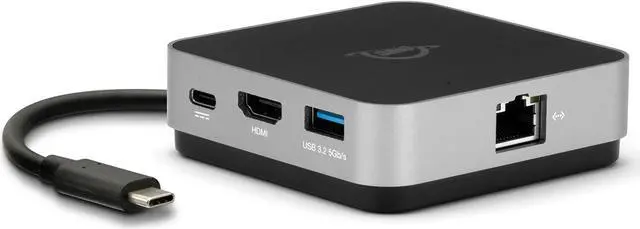
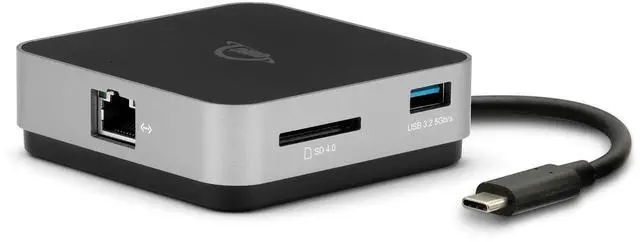
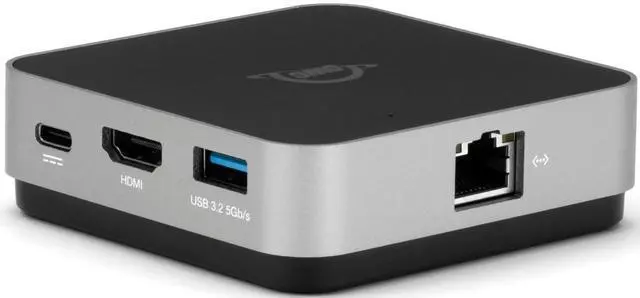
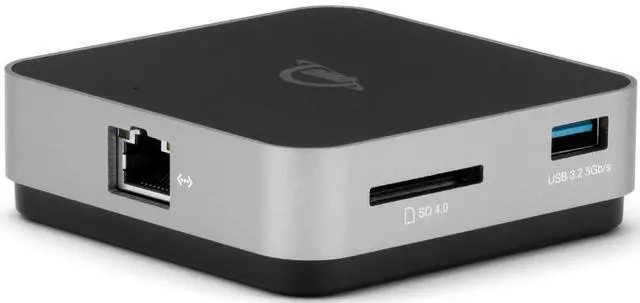
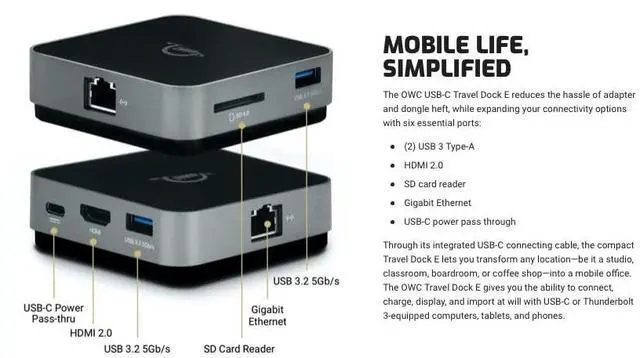
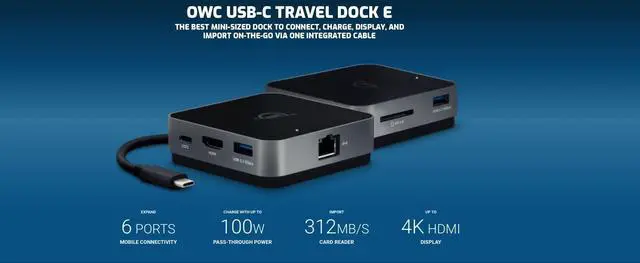
6 ports of connectivity: (2) USB 3.2 Type-A, (1) HDMI 2.0, (1) SD card reader, (1) Gigabit Ethernet, (1) USB-C power pass through
Powerful options: bus powered or use existing USB-C power adapter
Charge while working: Up to 100W pass-through power for a notebook or other devices
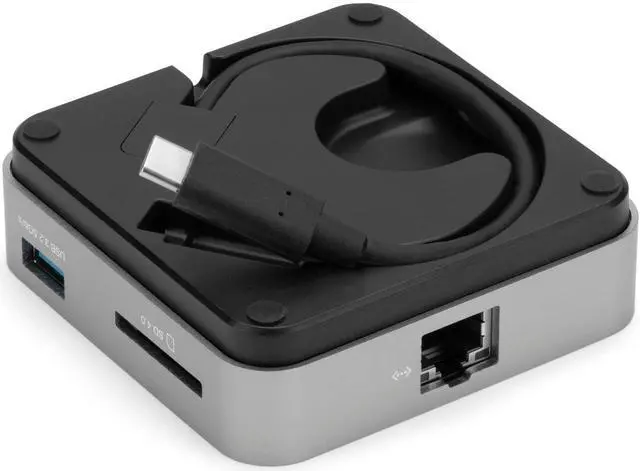
Neat and tidy: Built-in cable storage
Works with all: Adds ports to Macs, PCs, tablets, or phones with a built-in USB-C or Thunderbolt 3 port
Innergize Enabled: custom OWC software for complete health, performance, and field upgrade management when using OWC Atlas Memory Cards with OWC Atlas Card Readers and card reader-equipped products
2 Year OWC Limited Warranty
+
+
Overview
Specs
Reviews
Power Delivery Notes:
1. USB 3 port supports bus-powered drives with .9A (900mA) or less power requirements as well as drives connected to a power adapter.
2. USB 3 port provides 0.9A (900mA) of power. This will charge devices?requiring 1.0A at slightly slower rate than factory power adapter. Larger devices like tablets requiring 2.1A or higher will not charge.?There is no power supplied to USB 3 port while host computer is turned off or in “sleep” mode.
3. When connected to a power adapter, the dock will draw up to 8W power from the adapter instead of bus-powering from the host computer. Depending on the adapter connected, the dock can pass up to 92W to the host computer. Any power not used by the dock and its ports is passed to the host for battery charging, if applicable.
Capture
Create
Collaborate
When the gadget pros at Ars Technica called the OWC USB-C Travel Dock the Best Hub for iPad and the Best Travel Hub overall, we thought our work was done. Their and other tech users - wish for an Ethernet port was our command to make the best even better. All the high-speed data performance, pass-through power, and versatility no other mini-sized hub can matchnow with the reliability of Gigabit Ethernet connectivity. Welcome to the 6-port USB-C Travel Hub E.
The OWC USB-C Travel Dock E reduces adapter and dongle heft and hassle while expanding your connectivity options with six essential ports: USB 3 Type-A, HDMI 2.0, SD card reader, Gigabit Ethernet, and USB-C power pass through. Through its integrated USB-C connecting cable, the diminutive Travel Dock E lets you transform a studio, classroom, boardroom, or coffee shop into your mobile office with the ability to connect, charge, display, and import at will with USB-C or Thunderbolt 3 equipped computers, tablets, and phones.
Nothing can quash productivity faster than slow, low-quality Wi-Fi. With its Gigabit Ethernet port with industry standard RJ-45 connector, you can plug in the Travel Dock E anywhere for a speedy server connection, uninterrupted downloads and reliable file transfers.
Unlike other mini-docks that sacrifice some usability to remain portable, OWC USB-C Travel Dock E packs a heavyweight punch akin to a desktop dock. Similar to the size and weight of a hockey puck, this compact dock can be used via bus power when you dont have access to a power outlet. Or, connect a USB-C power adapter to the Travel Dock Es USB-C power delivery port to charge your device with up to 100W of power.
OWC Dock Ejector software safely disconnects drives connected to the OWC USB-C Travel Dock E in a single click. Designed by OWC hardware and software engineers, Dock Ejector ensures all data is written before disconnection, saving time and protecting against data loss. Use it to move quickly between workstations and get the most out of your OWC USB-C Travel Dock E. Download Dock Ejector
OWC Innergize is the first stage of the Capture to Completion ecosystem of OWC products designed to seamlessly propel professional photographers, videographers, and content creators to the highest level of workflow performance and reliability. This OWC custom-designed app is a complete health, performance, and field upgrade management tool when using OWC Atlas memory cards with OWC Atlas readers and reader-equipped products.
Health: Over time and use cycles, flash memory does wear out. Innergize verifies and reports the percentage of use life remaining. Now you can work with full confidence your OWC Atlas memory card will deliver the reliability you can trust.
Sanitize: Writes, deletes, and formatting all take their toll on memory cards. Innergize cleans and restores the flash memory performance of your OWC Atlas memory card so you can get the best results on every use.
Field Upgrade: When new cameras or firmware updates to existing cameras are introduced, they may not work properly with flash memory cards. Innergize gives OWC Atlas memory card users the ability to quickly upgrade their firmware in the field for full compatibility, additional performance enhancements, and bug fixes for optimal reliability.
Innergize is free to use with OWC Atlas memory cards, card readers, and card reader-equipped products. Download for OWC Innergize for Mac or OWC Innergize for Windows.
Device Ports
(2) USB 3.2 Gen 1 Type-A Ports up to 600MB/s
(1) USB Type-C Charge Port
(1) HDMI Port
(1) Gigabit Ethernet (GbE) RJ-45 Port
Display Support
Up to one 4K display @ 60Hz
Learn more about the Detailed Specifications
Details
Color
Black/Gray
Ports Spec
1 x HDMI
Features
Function
Notebook
Additional Information
First Listed on Newegg
January 21, 2026
There are no reviews yet.
Do you own this product?
Warranty & Returns
Warranty, Returns, And Additional Information
Warranty
Please contact the Seller directly for warranty information. Warranty information may also be found on the Manufacturer's website.
The OWC USB-C Travel Dock E is a six-port dock for people using a USB-C or Thunderbolt 3 laptop, tablet, or phone who want to connect USB-A accessories, an SD card, Gigabit Ethernet, and one 4K display, with up to 100W USB-C power pass-through when using a power adapter.
Recommended For
Laptop users who travel between workspaces and want one compact hub for an external display, USB-A accessories, SD cards, wired Ethernet, and pass-through charging.
Photographers who need to import SD-card images and review or edit them on a USB-C laptop or tablet while away from their usual desk.
People who often work where Wi-Fi is unavailable or unreliable and want to connect a laptop to wired Gigabit Ethernet without carrying a larger desktop dock.
Mobile Mac, PC, or tablet users who need one external 4K display and a few everyday peripherals, rather than a multi-monitor workstation.
Real-World Use Scenarios
At a hotel or shared workspace, a laptop user can connect the dock to wired Ethernet and use a single cable to add network access and USB accessories, avoiding the need to carry separate adapters.
When presenting in a meeting room or classroom, a user can connect a compatible laptop or tablet to an HDMI display or projector; the dock supports one external display, up to 4K.
A photographer working away from a desk can insert an SD card to import photos, while connecting a USB drive or other accessory through the dock instead of packing separate readers and adapters.
At a temporary desk, a user can connect a monitor, USB-A peripherals, and a charger through the dock, then unplug its integrated cable to pack up without leaving a collection of adapters behind.
For mobile work without an outlet, the dock can run from the computer’s USB-C connection to provide access to its ports; where an outlet is available, a USB-C charger can provide pass-through charging while the user works.