


- Free 15-day Returns
$37.05
Ships from China.

Meet Your Seller

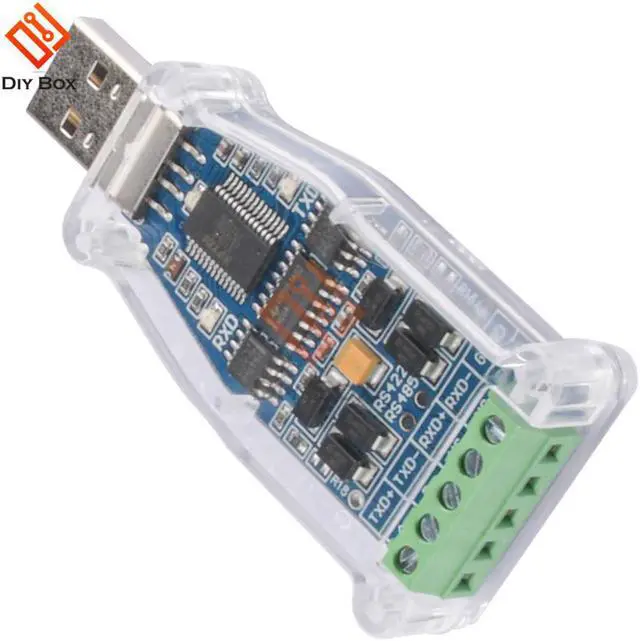
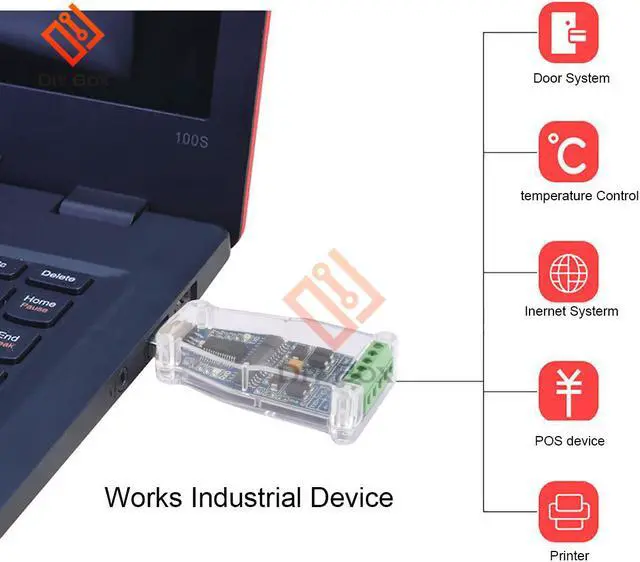
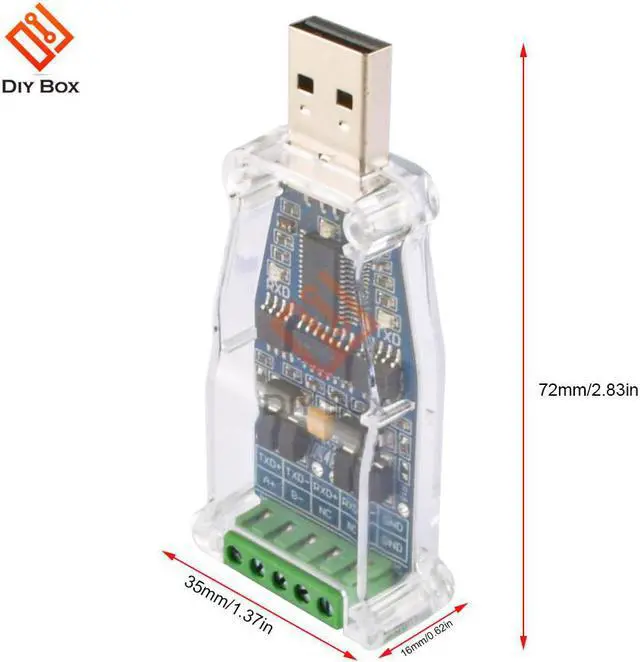
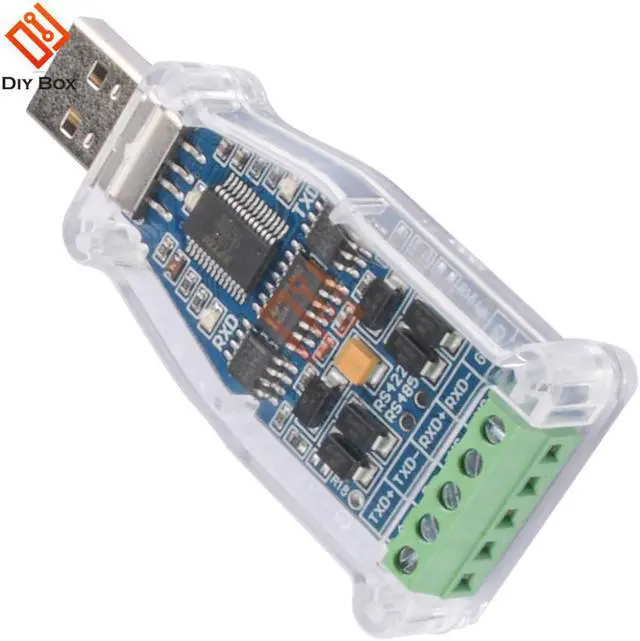


USB to RS485 RS422 Serial Adapter FTDI Chip 6Pin Terminal Block Converter Support WinXP Win 7 Win8 Win10 Mac Android
- USB to RS485 RS422 Serial Adapter FTDI Chip 6Pin Terminal Block Converter Support WinXP Win 7 Win8 Win10 Mac Android
+
+
Overview
Specs
Reviews
Origin:CN(Origin)
Model Number:USB2.0 to RS485 RS422 multi-function serial port conversion module
Product selling point:
USB to RS485 RS422 serial port module terminal DATA+ DATA- VCC GND TXD RXD
Imported British FTDI imported chip, there is a chip ID to verify the authenticity
RS485 RS422 signal output
Signal output: Data+, Data-, GND, VCC, TXD, RXD
When working, with LED light display
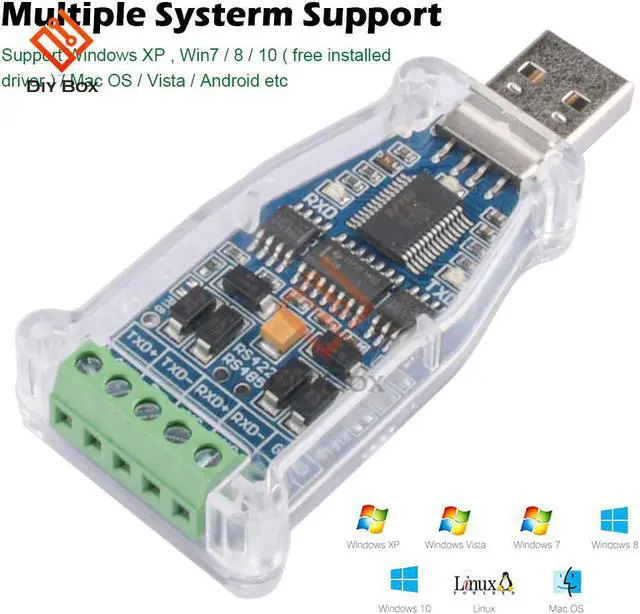
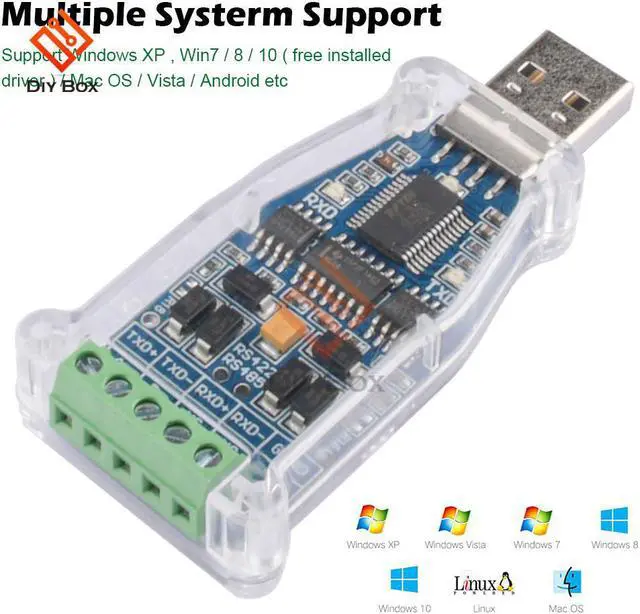
Multi-system support: WIN XP/7/8/10/ANDROID/MAC OS/LINUX/VISTA, etc.
WIN 7, WIN 8, WIN 10 automatically install the driver under the network connection:
Driver Download: https://www.ftdichip.com/Drivers/VCP.htm
Installation Guide: //www.ftdichip.com/Support/Documents/InstallGuides.htm
Drivers are available which allow FTDI devices to work with the following operating systems:
Windows 8.1 Windows 8.1 x64 Windows 8 Windows 8 x64
Windows Server2012
Windows Server 2008 R2
Windows 7 Windows 7 x64
Windows Server 2008 Windows Server 2008 x64
Windows Vista Windows Vista x64
Windows Server 2003 Windows Server 2003 x64
Windows XP Windows XP x64 Windows ME
Windows 98
Linux Mac OS X Mac OS 9 Mac OS 8
Windows CE.NET (Version 4.2 and greater)
Android Windows RT
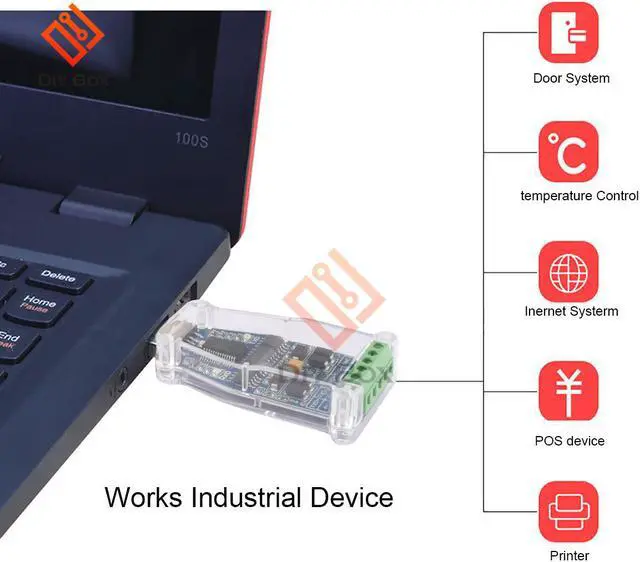
British FTDI FT232RL control chip, suitable for satellite upgrade, MCU serial communication, Arduino program download, STC program download, PLC industrial control, etc. This chip is the most stable industrial chip on the market, and is widely used in industrial machine tools, equipment testing, medical services, electronic maintenance, electronic development, automotive electronics, aviation, etc. It is compatible with WIN XP, WIN 7, WIN 8, WIN10, VISTA, Andorid, MAC OS, LINUX and other platforms.
Frequently Asked Questions
Q1: How to use the product?
A1: Insert the USB interface into the USB of the computer, and connect the other port to the device/RJ45 interface to the device. After the computer driver is installed successfully, start debugging.
Q2: Do I need to install the driver?
A2: For systems below WIN 7, please go to the FTDI official website to download the driver suitable for your operating system. WIN 7, WIN 8, WIN 10 will automatically install the driver under the network connection.
Q3: Can the serial port be modified?
A3: If there is a port error, please change it under USB-SERIAL-PORT in the device manager, and select the port in use when changing.
Q4: What should I do if the product cannot be used normally?
A4:
1. Replug the USB port, or change another USB port;
2. Check whether the driver is installed successfully, or automatically find the driver;
3. Restart the computer and insert the USB twice.
If it still doesn't work, please try another computer
Package list:
Serial port conversion module X1
Model Number:USB2.0 to RS485 RS422 multi-function serial port conversion module
Product selling point:
USB to RS485 RS422 serial port module terminal DATA+ DATA- VCC GND TXD RXD
Imported British FTDI imported chip, there is a chip ID to verify the authenticity
RS485 RS422 signal output
Signal output: Data+, Data-, GND, VCC, TXD, RXD
When working, with LED light display
Multi-system support: WIN XP/7/8/10/ANDROID/MAC OS/LINUX/VISTA, etc.
WIN 7, WIN 8, WIN 10 automatically install the driver under the network connection:
Driver Download: https://www.ftdichip.com/Drivers/VCP.htm
Installation Guide: //www.ftdichip.com/Support/Documents/InstallGuides.htm
Drivers are available which allow FTDI devices to work with the following operating systems:
Windows 8.1 Windows 8.1 x64 Windows 8 Windows 8 x64
Windows Server2012
Windows Server 2008 R2
Windows 7 Windows 7 x64
Windows Server 2008 Windows Server 2008 x64
Windows Vista Windows Vista x64
Windows Server 2003 Windows Server 2003 x64
Windows XP Windows XP x64 Windows ME
Windows 98
Linux Mac OS X Mac OS 9 Mac OS 8
Windows CE.NET (Version 4.2 and greater)
Android Windows RT
British FTDI FT232RL control chip, suitable for satellite upgrade, MCU serial communication, Arduino program download, STC program download, PLC industrial control, etc. This chip is the most stable industrial chip on the market, and is widely used in industrial machine tools, equipment testing, medical services, electronic maintenance, electronic development, automotive electronics, aviation, etc. It is compatible with WIN XP, WIN 7, WIN 8, WIN10, VISTA, Andorid, MAC OS, LINUX and other platforms.
Frequently Asked Questions
Q1: How to use the product?
A1: Insert the USB interface into the USB of the computer, and connect the other port to the device/RJ45 interface to the device. After the computer driver is installed successfully, start debugging.
Q2: Do I need to install the driver?
A2: For systems below WIN 7, please go to the FTDI official website to download the driver suitable for your operating system. WIN 7, WIN 8, WIN 10 will automatically install the driver under the network connection.
Q3: Can the serial port be modified?
A3: If there is a port error, please change it under USB-SERIAL-PORT in the device manager, and select the port in use when changing.
Q4: What should I do if the product cannot be used normally?
A4:
1. Replug the USB port, or change another USB port;
2. Check whether the driver is installed successfully, or automatically find the driver;
3. Restart the computer and insert the USB twice.
If it still doesn't work, please try another computer
Package list:
Serial port conversion module X1
Warranty & Returns
Warranty, Returns, And Additional Information
Warranty
- Please contact the Seller directly for warranty information. Warranty information may also be found on the Manufacturer's website.
- CONTACT
Return Policies
- Return for refund within: 15 days
- Return for replacement within: 30 days
- This item is covered by Shengkedianzi Return Policy
Manufacturer Contact Info
- For a directory of all our manufacturers, please click below.
- Manufacturers Directory
LOADING...