


- Free 15-day Returns
$29.24
Ships from China.

Meet Your Seller

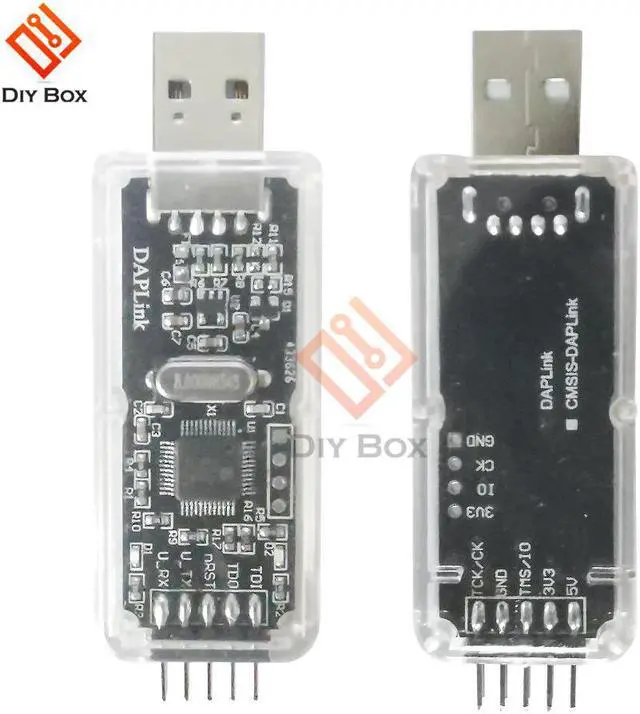
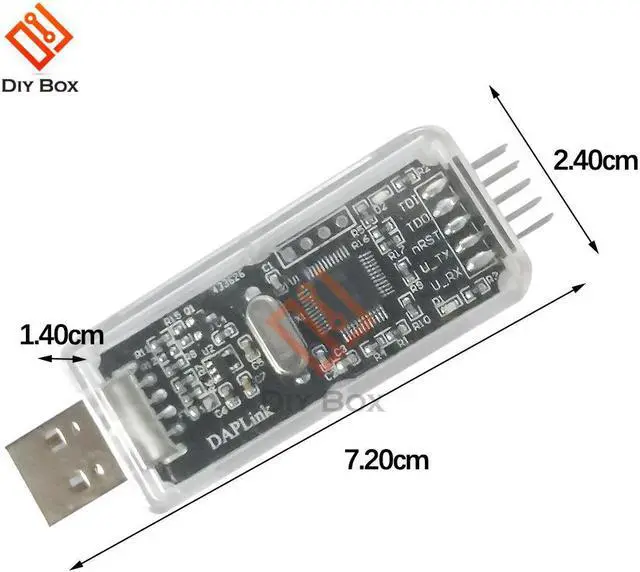
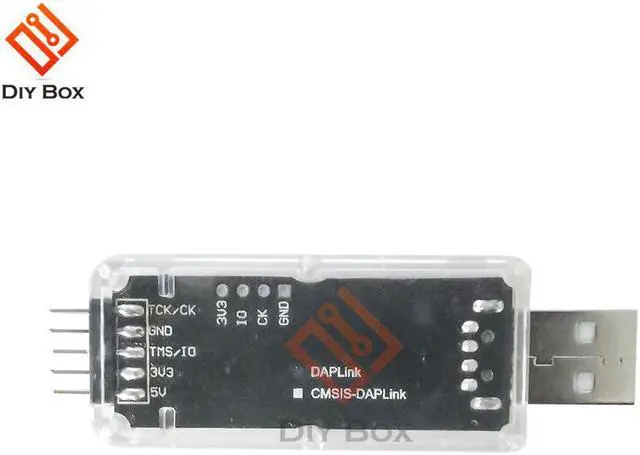
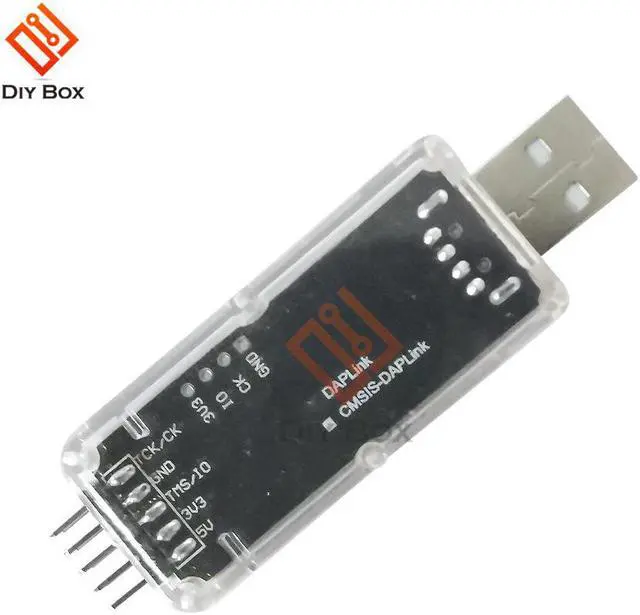
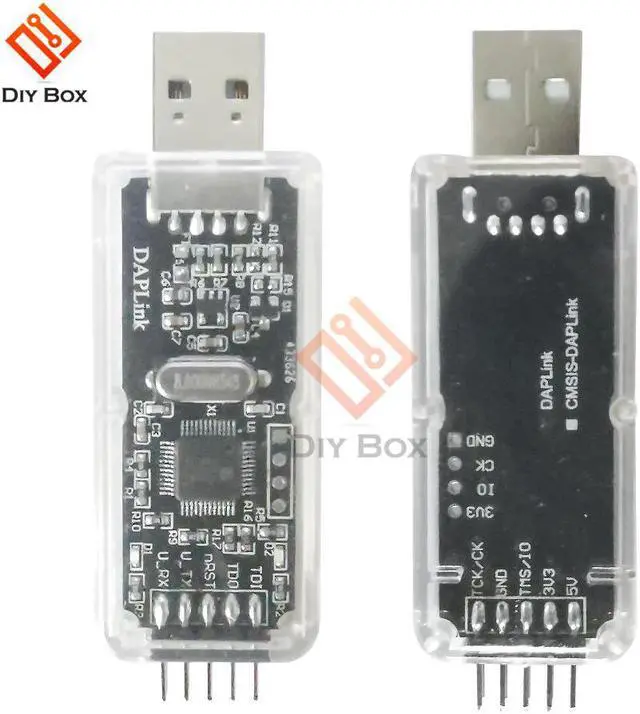
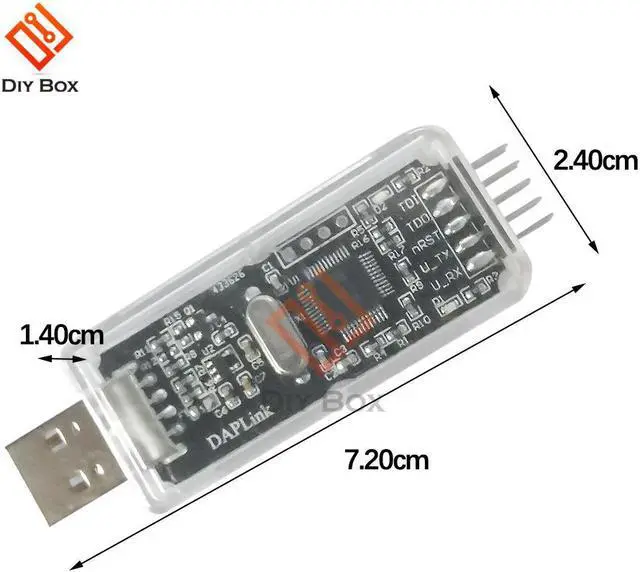
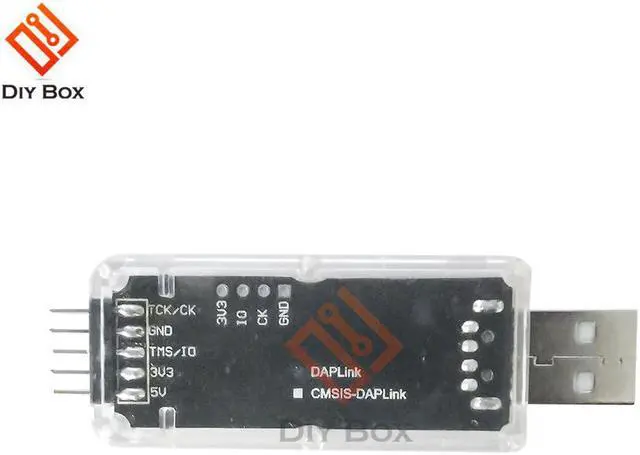


CMSIS DAP/DAPLink Simulator STM32 Debugger Downloader U Disk Drag And Drop Super JLINK/STLINK
- CMSIS DAP/DAPLink Simulator STM32 Debugger Downloader U Disk Drag And Drop Super JLINK/STLINK
+
+
Overview
Specs
Reviews
Origin:CN(Origin)
Certification:NONE
Model Number:CMSIS DAP/DAPLink simulator STM32 debugger downloader With U Disk
Product introduction:
CMSIS-DAP/DAPLink simulator is a simulator launched by Muse Lab with open source hardware and software. Compared with the popular jlink/st-link on the market, it has fast burning speed, no firmware loss, no copyright risk, rich functions, small and exquisite appearance, and low price, which can better meet the daily development, debugging and download needs of electronic engineers
Product name: CMSIS-DAP/DAPLink simulator with U disk
Debug interface: JTAG, SWD, virtual serial port
Development environment: Keil/MDK, IAR, OpenOCD
Target chip: All chips based on Cortex-M core, such as STM32, NRF51/52, etc.
Operating system: Windows, Linux, Mac
Input voltage: 5V (USB power supply)
Output voltage: 5V/3.3V (can directly supply power to the target board)
1. User manual: https://github.com/wuxx/nanoDAP/blob/master/doc/README.md
2. Hardware and software information: https://github.com/wuxx/nanoDAP
3. Win7 serial port driver: https://github.com/wuxx/nanoDAP/tree/master/driver/windows7_serial_driver
4. The default IO voltage is 3.3V. For some target chips with non-3.3V IO voltage, it is recommended to purchase additional DAP IO level adapter boards for use. You can click here or search for IO level adapter boards in the store.
5. Provide one-click programming tool script, green software is of installation, you only need to double-click the script to complete the erasing, writing, read protection, etc. of the target chip, and you can also modify the script to complete your customization needs. More convenient and powerful
Script tool: https://github.com/wuxx/openocd-toolbox
DAPLink supports U disk firmware upgrade
DAPLink implements a bootloader with U disk function, which can easily complete firmware upgrades
Firmware upgrade method:
Use the Dupont cable to short-circuit nRST and GND, plug DAP into the PC, and a USB flash drive named MAINTAIN will appear
At this time, disconnect nRST and GND, and drag the firmware to the U disk of MAINTAIN to automatically complete the firmware upgrade
Package Included:
Emulator x1
Certification:NONE
Model Number:CMSIS DAP/DAPLink simulator STM32 debugger downloader With U Disk
Product introduction:
CMSIS-DAP/DAPLink simulator is a simulator launched by Muse Lab with open source hardware and software. Compared with the popular jlink/st-link on the market, it has fast burning speed, no firmware loss, no copyright risk, rich functions, small and exquisite appearance, and low price, which can better meet the daily development, debugging and download needs of electronic engineers
Product name: CMSIS-DAP/DAPLink simulator with U disk
Debug interface: JTAG, SWD, virtual serial port
Development environment: Keil/MDK, IAR, OpenOCD
Target chip: All chips based on Cortex-M core, such as STM32, NRF51/52, etc.
Operating system: Windows, Linux, Mac
Input voltage: 5V (USB power supply)
Output voltage: 5V/3.3V (can directly supply power to the target board)
1. User manual: https://github.com/wuxx/nanoDAP/blob/master/doc/README.md
2. Hardware and software information: https://github.com/wuxx/nanoDAP
3. Win7 serial port driver: https://github.com/wuxx/nanoDAP/tree/master/driver/windows7_serial_driver
4. The default IO voltage is 3.3V. For some target chips with non-3.3V IO voltage, it is recommended to purchase additional DAP IO level adapter boards for use. You can click here or search for IO level adapter boards in the store.
5. Provide one-click programming tool script, green software is of installation, you only need to double-click the script to complete the erasing, writing, read protection, etc. of the target chip, and you can also modify the script to complete your customization needs. More convenient and powerful
Script tool: https://github.com/wuxx/openocd-toolbox
DAPLink supports U disk firmware upgrade
DAPLink implements a bootloader with U disk function, which can easily complete firmware upgrades
Firmware upgrade method:
Use the Dupont cable to short-circuit nRST and GND, plug DAP into the PC, and a USB flash drive named MAINTAIN will appear
At this time, disconnect nRST and GND, and drag the firmware to the U disk of MAINTAIN to automatically complete the firmware upgrade
Package Included:
Emulator x1
Warranty & Returns
Warranty, Returns, And Additional Information
Warranty
- Please contact the Seller directly for warranty information. Warranty information may also be found on the Manufacturer's website.
- CONTACT
Return Policies
- Return for refund within: 15 days
- Return for replacement within: 30 days
- This item is covered by Shengkedianzi Return Policy
Manufacturer Contact Info
- For a directory of all our manufacturers, please click below.
- Manufacturers Directory
LOADING...