


- Free 15-day Returns
$22.49
Ships from China.

Meet Your Seller

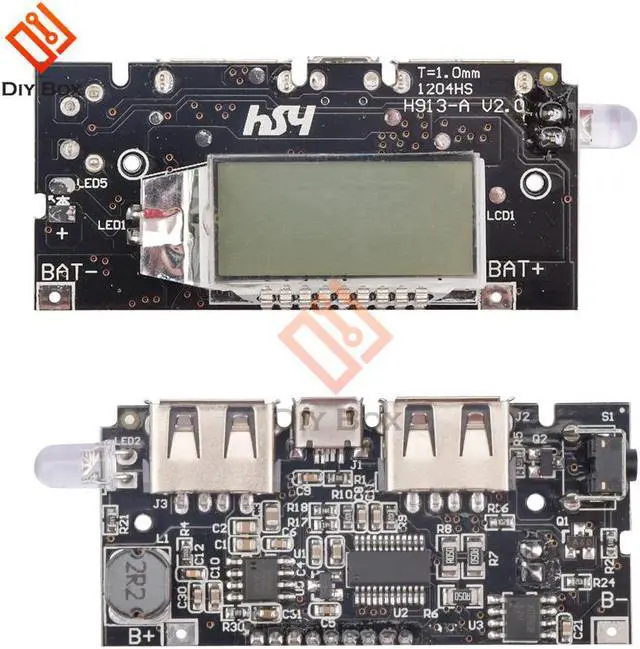
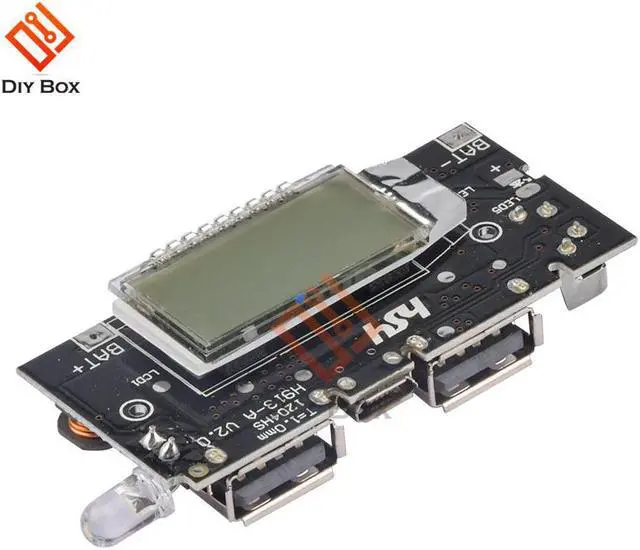
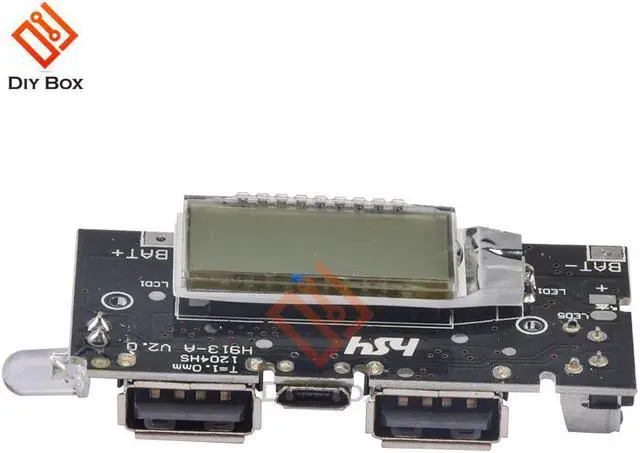
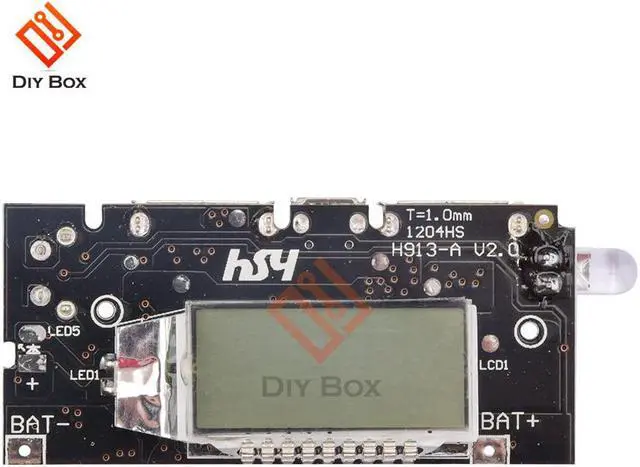
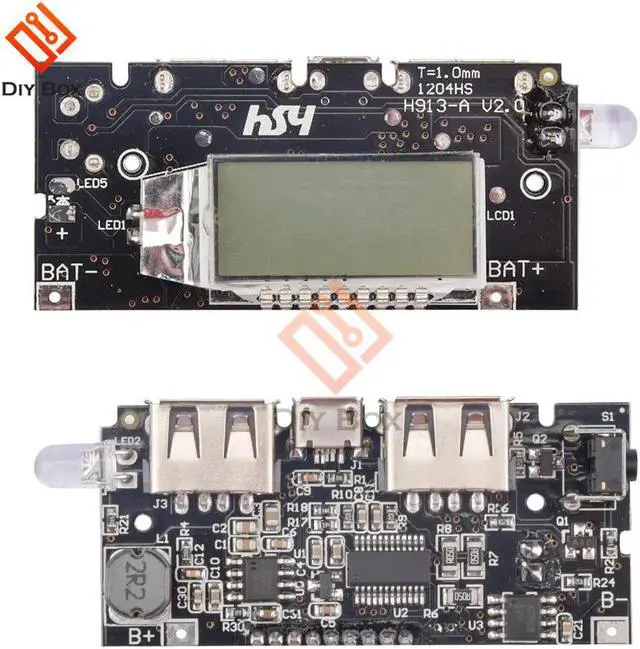
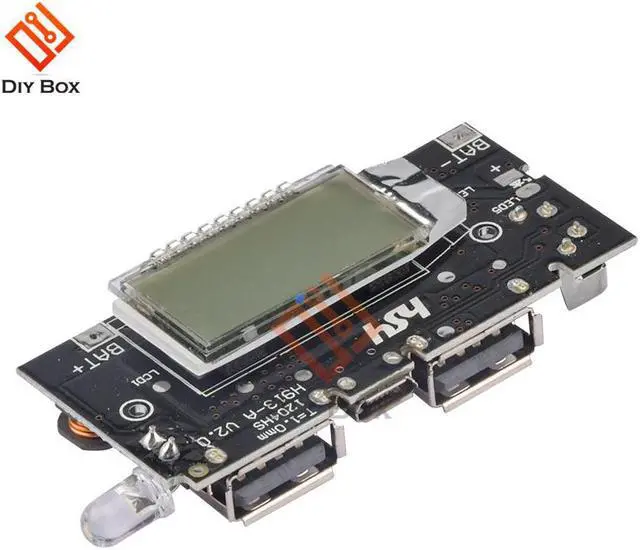
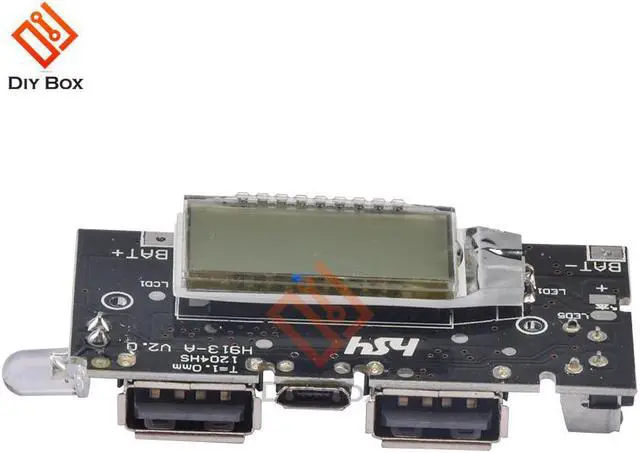


Dual USB Mobile Power Bank Accessories 18650 Charger PCB Power Module 5V 1A 2.1A LED Digital LCD Module Board
- Dual USB Mobile Power Bank Accessories 18650 Charger PCB Power Module 5V 1A 2.1A LED Digital LCD Module Board
+
+
Overview
Specs
Reviews
Accessory Type:Accessories
Origin:CN(Origin)
Certification:NONE
Model Number:Power Bank Accessories 18650 Charger
model:18650 Lithium Charging Board
function:Double Dual USB Mobile Power Bank Charger Module
PCB size: 65 * 22 mm (approx.)
Power input: 5V 1A
USB output: 5V 1A / 5V 2.1A
LCD digital display panel using the steps described:
1. This product is only suitable for 3.7V 18650 flat.
2. Both sides of the board marked with + and - two batteries joints, pay attention: do not the positive and negative reversed, otherwise it will burn out the power supply board.
3. Connect the , the first to be charged for mobile power
· Displayed on the LCD panel IN charging for mobile power.
· LCD display on the is not necessarily correct, you can choose to have 100% of the charge, you can also use normal mobile power consumption in inaccurate display.
4. To the mobile power charging, take down the charging cable, mobile power for some time will automatically turn off the display and enters a dormant state.
5. Automatic sleep mode, double-click the button, lights will be lit, and then double-click will turn off lights. (And then double-click will function with SOS will start SOS, and then double-click will turn off lights)
6. Automatic sleep mode, click the button, the LCD backlight will light up blue lights and displays the percentage of charge current.
7. Automatic sleep mode, to charge the phone, you need a good phone with a data cable and even mobile power, click the button, move the power to charge the phone before.
8. After phone is fully charged, the power will move itself into hibernation.
Power switch:
Click, power on; long press the power shutdown; double-click to open the LED; and then double-click to open the SOS; and then double-click, turn off the lights.
DIY use method:
1, the production of the pack (distinguish positive and negative)
Note: Multiple soldered together, be sure to add insulation sheet in the positive, without insulation sheet is likely to cause a short circuit.
2, use the correct enough genuine , soldering circuit boards.
Note: Red wire B +, black wire B-.
3, the activation circuit / charge test
5V usb charger or a computer with access to the circuit board to charge a good two or three seconds to activate, rechargeable batteries single digit displays, is 100 percent full.
Note: The board must take good activation to normal use.
4, Discharge Test
Connect the phone, starts charging the phone. Plug and play. Display power.
Note: The mobile power is not universal, may be incompatible with some models, this is not a quality problem, a perfectionist, please carefully shot.
Origin:CN(Origin)
Certification:NONE
Model Number:Power Bank Accessories 18650 Charger
model:18650 Lithium Charging Board
function:Double Dual USB Mobile Power Bank Charger Module
PCB size: 65 * 22 mm (approx.)
Power input: 5V 1A
USB output: 5V 1A / 5V 2.1A
LCD digital display panel using the steps described:
1. This product is only suitable for 3.7V 18650 flat.
2. Both sides of the board marked with + and - two batteries joints, pay attention: do not the positive and negative reversed, otherwise it will burn out the power supply board.
3. Connect the , the first to be charged for mobile power
· Displayed on the LCD panel IN charging for mobile power.
· LCD display on the is not necessarily correct, you can choose to have 100% of the charge, you can also use normal mobile power consumption in inaccurate display.
4. To the mobile power charging, take down the charging cable, mobile power for some time will automatically turn off the display and enters a dormant state.
5. Automatic sleep mode, double-click the button, lights will be lit, and then double-click will turn off lights. (And then double-click will function with SOS will start SOS, and then double-click will turn off lights)
6. Automatic sleep mode, click the button, the LCD backlight will light up blue lights and displays the percentage of charge current.
7. Automatic sleep mode, to charge the phone, you need a good phone with a data cable and even mobile power, click the button, move the power to charge the phone before.
8. After phone is fully charged, the power will move itself into hibernation.
Power switch:
Click, power on; long press the power shutdown; double-click to open the LED; and then double-click to open the SOS; and then double-click, turn off the lights.
DIY use method:
1, the production of the pack (distinguish positive and negative)
Note: Multiple soldered together, be sure to add insulation sheet in the positive, without insulation sheet is likely to cause a short circuit.
2, use the correct enough genuine , soldering circuit boards.
Note: Red wire B +, black wire B-.
3, the activation circuit / charge test
5V usb charger or a computer with access to the circuit board to charge a good two or three seconds to activate, rechargeable batteries single digit displays, is 100 percent full.
Note: The board must take good activation to normal use.
4, Discharge Test
Connect the phone, starts charging the phone. Plug and play. Display power.
Note: The mobile power is not universal, may be incompatible with some models, this is not a quality problem, a perfectionist, please carefully shot.
Warranty & Returns
Warranty, Returns, And Additional Information
Warranty
- Please contact the Seller directly for warranty information. Warranty information may also be found on the Manufacturer's website.
- CONTACT
Return Policies
- Return for refund within: 15 days
- Return for replacement within: 30 days
- This item is covered by Shengkedianzi Return Policy
Manufacturer Contact Info
- For a directory of all our manufacturers, please click below.
- Manufacturers Directory
LOADING...