


Ships from China.


Meet Your Seller

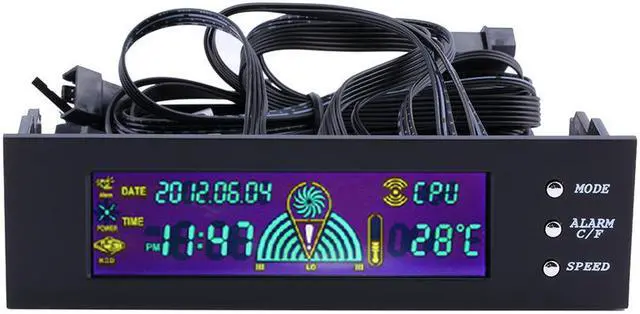
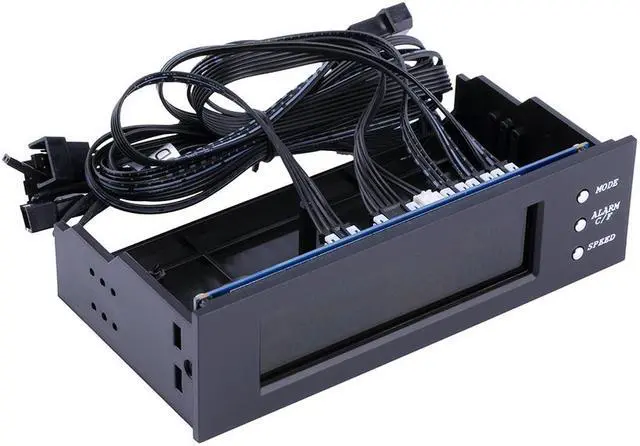
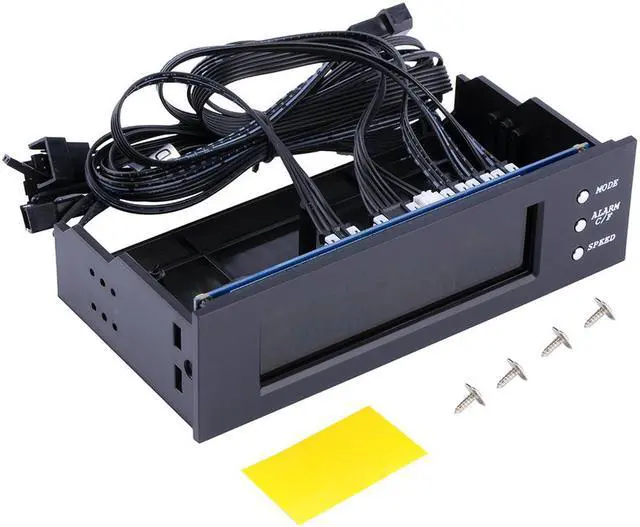
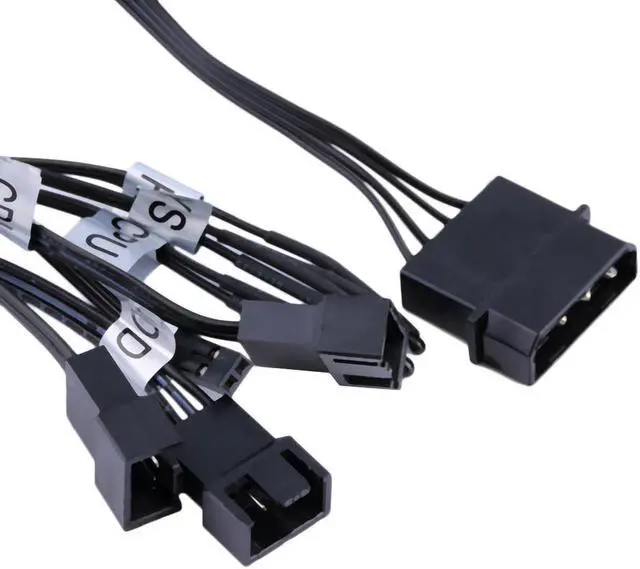
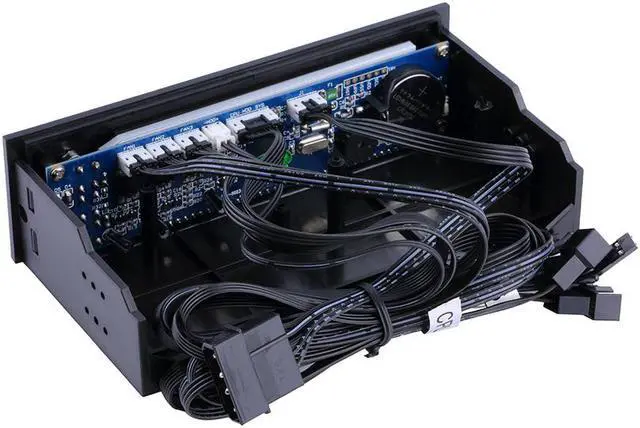


5.25 inch PC Fan Speed Controller Temperature Display LCD Front Panel
Limited time offer, ends 10/30 By EN Labs Marketplace
- Light LCD displayer, makes it easily to read. Date and time display is included
- 3 channels, can control 3 fans.
- Adjustable alarm from 5 to 90 Deg.C
- Temperature Measurement
- Color: Black
+
+
Overview
Specs
Reviews (8)
Features:
5.25 inch fits perfectly in pc drive bay.
Light LCD displayer, makes it easily to read. Date and time display is included
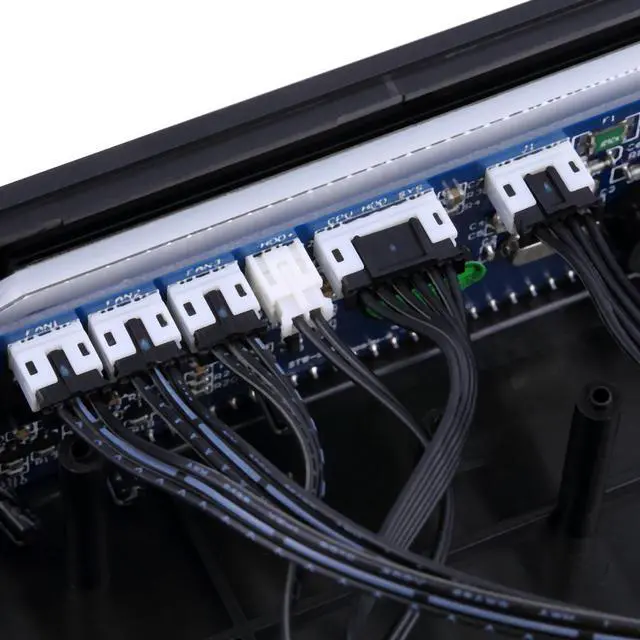
Three available temperature probes, enable you to sense your preferences. CPU/HD/SYS
3 channels, can control 3 fans.
Adjustable alarm from 5 to 90 Deg. C
Fan speed controller
Temperature Measurement
In the initial state of module, press MODE, it can change the display of 3 kinds of temperature: CPU? HDD? SYS? CPU? ……, the
scope: 0-99 Deg. C, accuracy: ±2 Deg. C
Turn On and Off the Alarm
In the initial state of module, press ALARM C/F, it can turn on or off the alarm.
Change Temperature Display Mode
In the initial state of module, long press (press and hold) ALARM C/F for about 3 seconds, it can change? /? temperature display mode.
Fan control
a. In the initial state, pressing SPEED button once can set the fan at low speed mode. Pressing SPEED button twice will change to medium speed mode. Pressing SPEED button three times will change to high speed mode.
b. The module also can control fan speed according to the temperature information received from the SENSOR. At higher temperature, the speed of fan will be quicker.
Over-temperature alarm
The default temperature of CPU,
HDD,
SYS: CPU, 70?; HDD, 50 Deg. C; SYS, 60 Deg. C. Users can set these temperature according to your needs( 5-90 Deg. C). You can turn the buzzer by pressing any keystoke.
Time display
It can display time in 24-hour clock. It also has display calendar.
Introductions of keypad
1). Time adjustment
a. set year: long press MODE about 3 seconds? year character twinkles? press ALARM C/F set year.
b. set month: long press MODE about 3 seconds? then press MODE once? month character twinkles? press ALARM C/F set month.
c. set date: long press MODE about 3 seconds? then press MODE twice? date character twinkles? press ALARM C/F set date.
d. set hour: long press MODE about 3 seconds? then press MODE three times? hour character twinkles? press ALARM C/F set hour.
e. set minute: long press MODE about 3 seconds? then press MODE four times? minute character twinkles? press ALARM C/F set minute.
2). Alarm adjustment
a. set hour: long press MODE about 3 seconds? then press MODE five times? hour character twinkles? press ALARM C/F set hour.
b. set minute: long press MODE about 3 seconds? then press MODE six times? minute character twinkles? press ALARM C/F set minute.
3). Alarm temperature adjustment
a. CPU: long press MODE about 3 seconds? then press MODE seven times? CPU temp character twinkles? press ALARM C/F set CPU temp.
b. HDD: long press MODE about 3 seconds? then press MODE eight times? HDD temp character twinkles? press ALARM C/F set HDD temp.
c. SYS: long press MODE about 3 seconds? then press MODE nine times? SYS temp character twinkles? press ALARM C/F set SYS temp.
Specifications:
Color: Black
Size: approx. 149mm x 76mm x 42mm
Net Weight: 163g
Package Includes:
1 x 5.25 '' PC Fan Speed Controller Temperature T
5.25 inch fits perfectly in pc drive bay.
Light LCD displayer, makes it easily to read. Date and time display is included
Three available temperature probes, enable you to sense your preferences. CPU/HD/SYS
3 channels, can control 3 fans.
Adjustable alarm from 5 to 90 Deg. C
Fan speed controller
Temperature Measurement
In the initial state of module, press MODE, it can change the display of 3 kinds of temperature: CPU? HDD? SYS? CPU? ……, the
scope: 0-99 Deg. C, accuracy: ±2 Deg. C
Turn On and Off the Alarm
In the initial state of module, press ALARM C/F, it can turn on or off the alarm.
Change Temperature Display Mode
In the initial state of module, long press (press and hold) ALARM C/F for about 3 seconds, it can change? /? temperature display mode.
Fan control
a. In the initial state, pressing SPEED button once can set the fan at low speed mode. Pressing SPEED button twice will change to medium speed mode. Pressing SPEED button three times will change to high speed mode.
b. The module also can control fan speed according to the temperature information received from the SENSOR. At higher temperature, the speed of fan will be quicker.
Over-temperature alarm
The default temperature of CPU,
HDD,
SYS: CPU, 70?; HDD, 50 Deg. C; SYS, 60 Deg. C. Users can set these temperature according to your needs( 5-90 Deg. C). You can turn the buzzer by pressing any keystoke.
Time display
It can display time in 24-hour clock. It also has display calendar.
Introductions of keypad
1). Time adjustment
a. set year: long press MODE about 3 seconds? year character twinkles? press ALARM C/F set year.
b. set month: long press MODE about 3 seconds? then press MODE once? month character twinkles? press ALARM C/F set month.
c. set date: long press MODE about 3 seconds? then press MODE twice? date character twinkles? press ALARM C/F set date.
d. set hour: long press MODE about 3 seconds? then press MODE three times? hour character twinkles? press ALARM C/F set hour.
e. set minute: long press MODE about 3 seconds? then press MODE four times? minute character twinkles? press ALARM C/F set minute.
2). Alarm adjustment
a. set hour: long press MODE about 3 seconds? then press MODE five times? hour character twinkles? press ALARM C/F set hour.
b. set minute: long press MODE about 3 seconds? then press MODE six times? minute character twinkles? press ALARM C/F set minute.
3). Alarm temperature adjustment
a. CPU: long press MODE about 3 seconds? then press MODE seven times? CPU temp character twinkles? press ALARM C/F set CPU temp.
b. HDD: long press MODE about 3 seconds? then press MODE eight times? HDD temp character twinkles? press ALARM C/F set HDD temp.
c. SYS: long press MODE about 3 seconds? then press MODE nine times? SYS temp character twinkles? press ALARM C/F set SYS temp.
Specifications:
Color: Black
Size: approx. 149mm x 76mm x 42mm
Net Weight: 163g
Package Includes:
1 x 5.25 '' PC Fan Speed Controller Temperature T
Warranty & Returns
Warranty, Returns, And Additional Information
Warranty
- Please contact the Seller directly for warranty information. Warranty information may also be found on the Manufacturer's website.
- CONTACT
Return Policies
- Return for refund within: 30 days
- Return for replacement within: 30 days
- This item is covered by EN Labs Marketplace Return Policy
Manufacturer Contact Info
- For a directory of all our manufacturers, please click below.
- Manufacturers Directory
LOADING...