
Your Browsing History

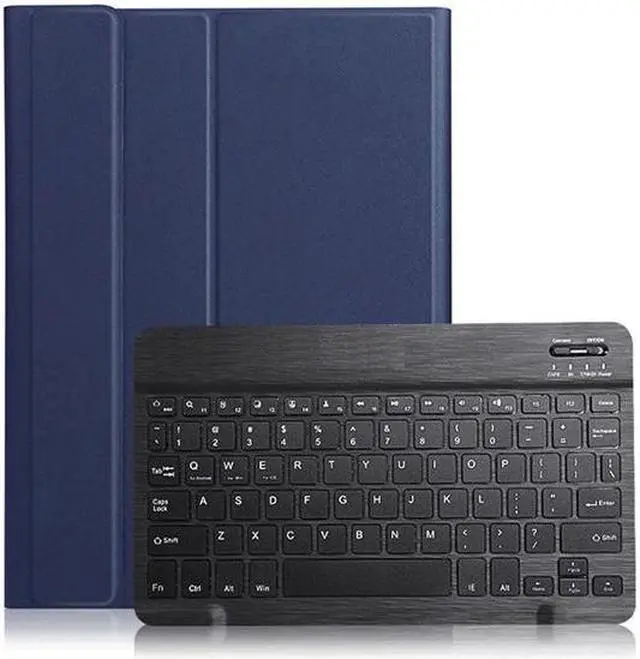


Highlights:
COMPATIBLE MODEL: Samsung Galaxy Tab A 8"- inch (Mdoel Number SM-P205 SM-P200) With S Pen 2019 Tablet. Please kindly check you tablet model before purchase.
BACKLIT KEYBOARD: 7 Colors back light options, 3 level Brightness. You can change the backlights on the keys to different colors. Typing in the dark or dim light is so much easier. Removable Bluetooth keyboard delivers wireless operation, Tactile keyboard with high-performance optimized keys
AUTO SLEEP/WAKE: It automatically wakes or puts the iPad to sleep when it is opened or closed. With Built-in pencil holder for Apple Pencil or stylus.
ULTRA THIN DESIGN: A slim and lightweight keyboard case. Premium PU leather exterior and soft interior offer great protect your tablet from damages, dusts, fingerprints, scratches and bump.
Compatible Models:
Samsung Galaxy Tab A 8" P205 P200 With S Pen 2019 Tablet.
Specifications:
Material: ABS (the keyboard) +PU Leather (the case)
Working distance: 10m
Charging time: 2-3 hours
Standby time: 100 days
Working time: 100 hours
Charging current: 200mA
Chip: Broadcom chip Bluetooth version 3.0
Support system: IOS / Android, /Windows system
Net weight: 0.4 kg
Package Includes
1 x Keyboard Case
1 x Micro USB Charging Cable
1 x English Instructional Manual
How to get the keyboard sync with iPad:
1. Please fully charge the keyboard and open it, the light comes on and then goes off.
2. Hold on Connect to open keyboard's bluetooth.
3. Go to your iPad settings, click on bluetooth and look for the keyboard.
4. Click on the keyboard and it will connect.