
Your Browsing History

Meet Your Seller

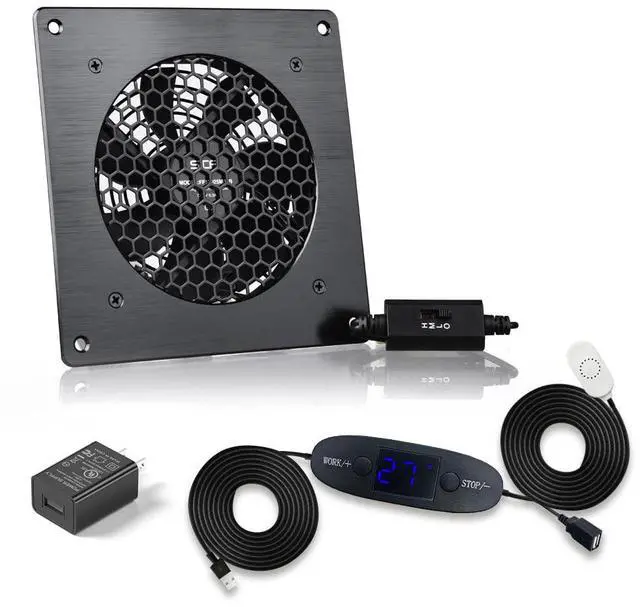
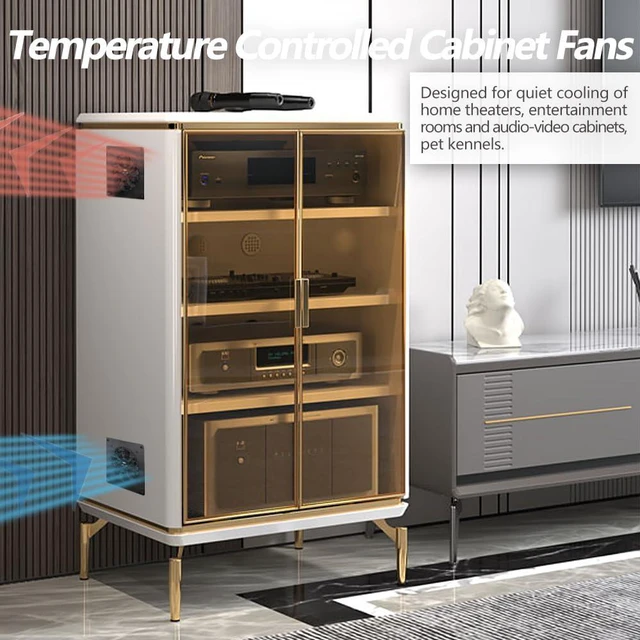


120mm USB Quiet Cabinets Cooling Fan System 6" with 0-60 Adjustable Thermostat Control, for Home Theater AV Cabinets,Plant House, pet Kennel
- Convenient USB Fan: The USB plug can be powered by a USB adapter or popular audio-visual electronic equipment and the USB port on the back of the game console to power the fan.
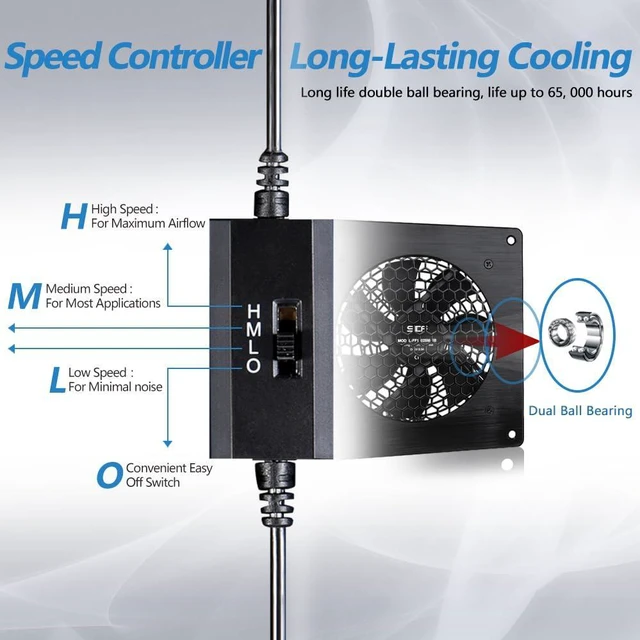
- Three-speed: The computer fan has a multi-speed controller that can set the fan speed to the best noise and airflow level. 3 gears, low (L), mid (M) and high (H), low-gear noise is only 19.3dB.
- High-end: Includes CNC machined aluminum frame with modern brushed black finish.
- High Quality: The double ball bearing features 65,000 hours long life with normal use, 7 blades generate strong airflow to keep the cabinet cool.
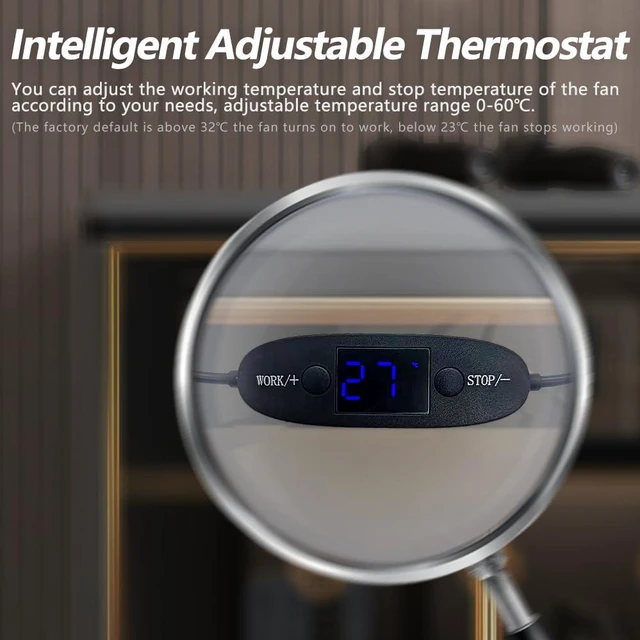
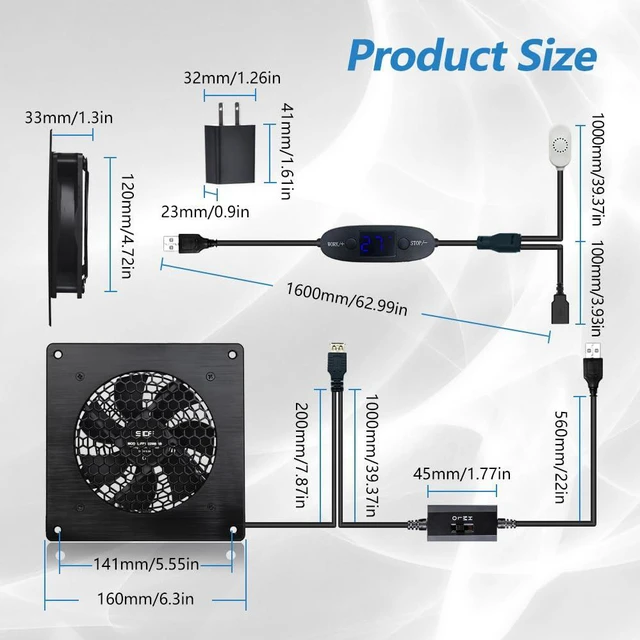
- SMART TEMPERATURE CONTROL SYSTEM: The smart temperature control line can easily set the fan's working temperature and stop temperature according to your needs, making energy saving smarter.
+
+
Overview
Specs
Reviews
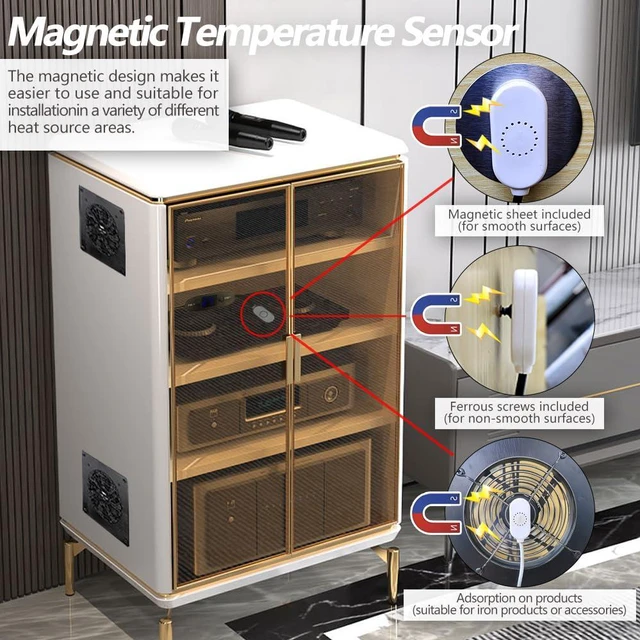
Thermostat switch (Adjustable temperature range 0-60) default setting: WORK temperature value is 32, STOP temperature value is 23:When the temperature sensed by the temperature sensor (position on above graph) rises to reach 32 and above, the thermostat will turn on and the fan will work; When the temperature drops below 23, the thermostat will turn off and the fan will stop. Notice: 23 - 32 (STOP temperature - WORK temperature) is the buffer temperature range, when the temperature is goes down from 32 to 23 , the buffer temperature range thermostat switch is on, the fan is in the working mode. When the temperature is goes up from 23 to 32 , the buffer temperature range thermostat is off, the fan will be in stop mode. (The buffer temperature range is set to prevent the fan from turning on/off too frequently due to temperature fluctuations of the environment, thus affecting fan life.) WORK Temperature Adjustment: The default setting is 32, hold (WORK/+Button) for 3 seconds, the display temperature flashes, which means it is ready for WORK temperature adjustment, press (WORK/+Button) to increase the temperature, press (STOP/-Button) to decrease the temperature, after setting, stop for 3 seconds without pressing on any buttons, the system will automatically save the set temperature and exits the setting interface, and goes back to the interface of the current temperature display interface. STOP Temperature Adjustment: The default setting is 23, hold the (STOP/-Button) for 3 seconds, the display temperature flashes, which means it is ready for the STOP temperature adjustment, press (WORK/+Button) to increase the temperature, press (STOP/-Button) to reduce the temperature, after setting up, wait for 3 seconds without pressing on any buttons, the system will automatically save the set temperature and exits the setting interface, and returns to the current temperature display interface. Notice: WORK temperature value has to be greater than the value of the STOP temperature value, (such as WORK set 32, set the highest value of STOP temperature value can be set is 31, when the STOP setting value is 23 degrees, the lowest value of the WORK temperature can be set is 24.)
Warranty & Returns
Warranty, Returns, And Additional Information
Warranty
- Please contact the Seller directly for warranty information. Warranty information may also be found on the Manufacturer's website.
- CONTACT
Return Policies
- Return for refund within: 30 days
- Return for replacement within: 30 days
- This item is covered by PrimeVolt’Shop Return Policy
Manufacturer Contact Info
- For a directory of all our manufacturers, please click below.
- Manufacturers Directory
LOADING...