
Your Browsing History

Meet Your Seller

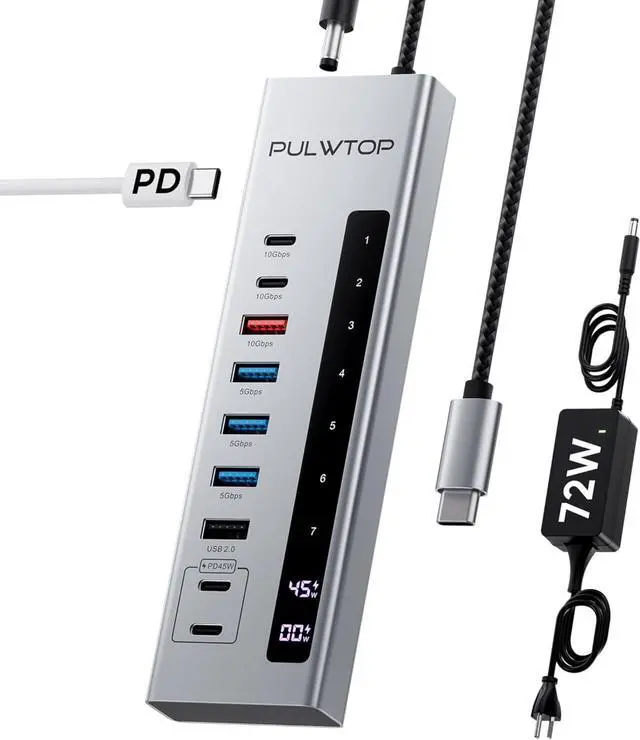


Powered USB C Hub, PULWTOP 10-in-1 Gen 2 Data Hub for Laptop, MacBook, iPad
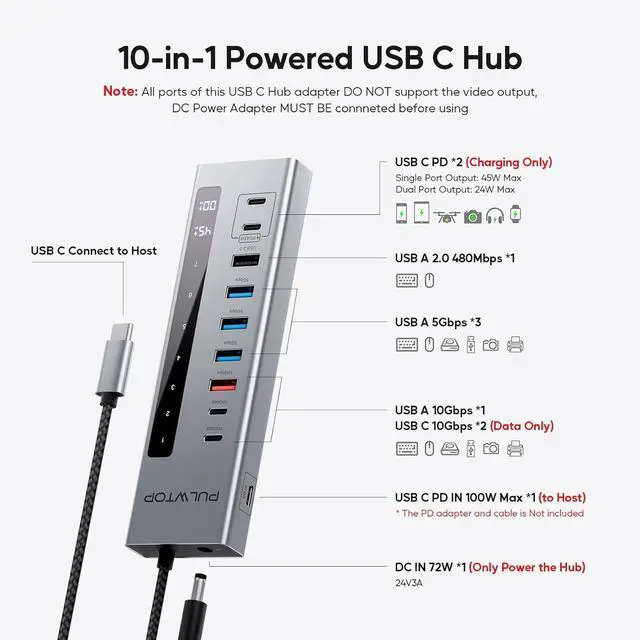
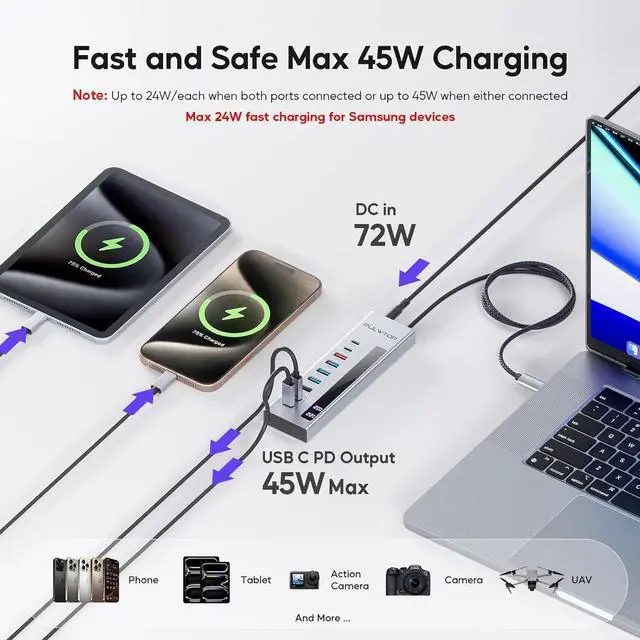
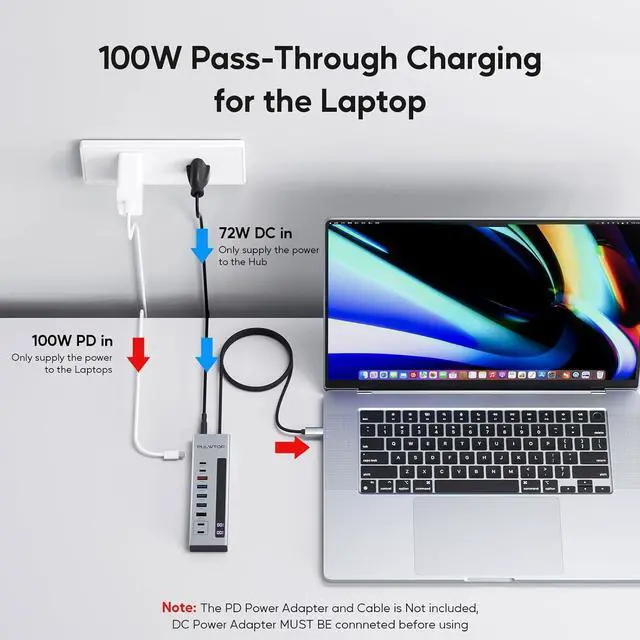
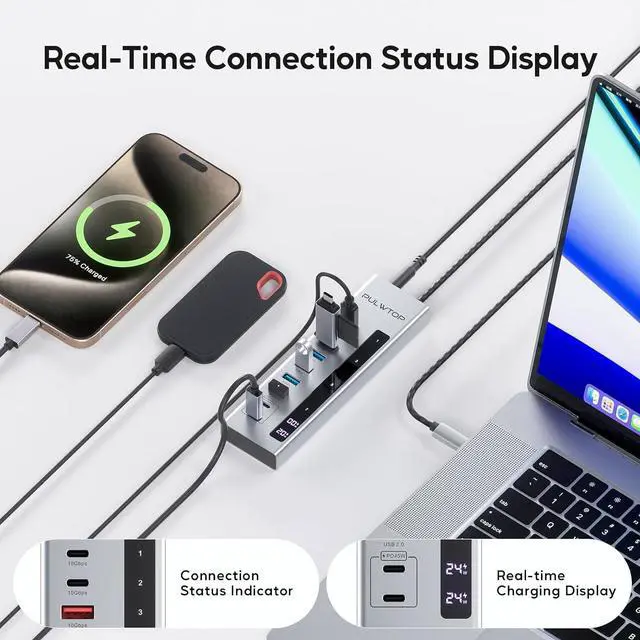
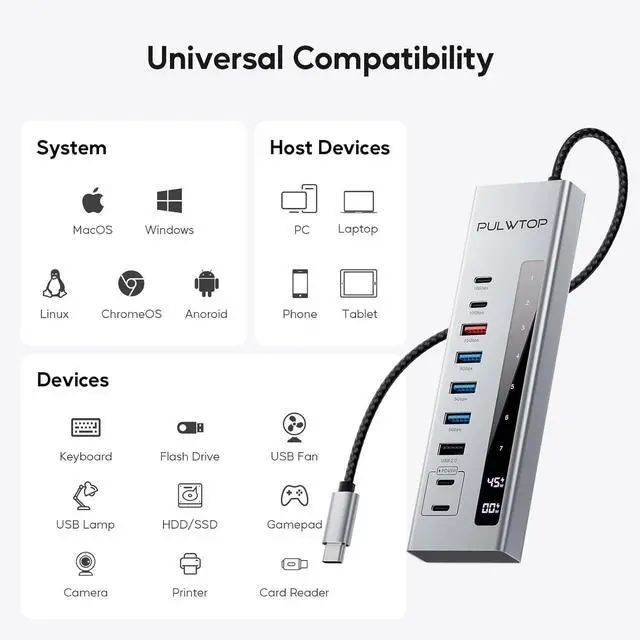
- 10-in-1 USB C hub power The USB-C hub is equipped with 1 x 72 W DC input, 2 x USB-C 3.2 Gen2 10Gbps data ports, 1 x USB-A 3.2 Gen2 10Gbps data port, 3 x USB-A 3.2 Gen1 5Gbps data ports, 1 x USB 2.0 for mouse and keyboard, 1x 100W USB C PD input for power supply to the host and 2 x USB-C PD charging ports (2 x 24W/1 x 45W) and thus meets the diverse requirements for connecting multiple devices, data transfer and charging. NOTE: The power supply must be connected to this USB-C hub to ensure proper operation and ensure the stability of data transmission
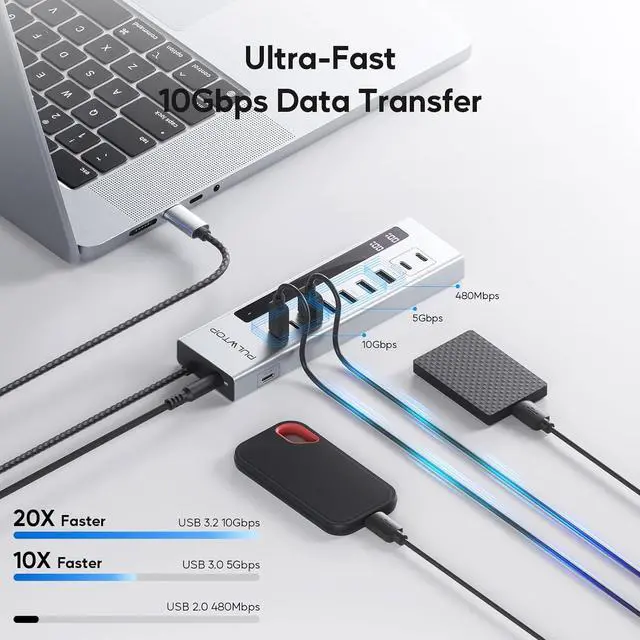
- FAST DATA TRANSFER - With the PULWTOP USB C 3.2 hub, you can expand your laptops/tablets with 7 additional external USB-C/A data ports for keyboard, mouse, printers, hard drives and other USB-A/C devices. Easily sync data with lightning-fast speeds of up to 10Gbps for USB-C and 5Gbps for USB-A, fast enough to transfer files, audio and HD video in seconds. Note: All data ports of this USB-C hub adapter DO NOT support video output and
+
+
Overview
Specs
Reviews
Specification
Input:
1 x USB-C male (to connect the host, support up to 10Gbps bandwidth).
1 x 65 W USB-C PD-in port (20 V @ 3 A; 65 W max).
Output:
3 x USB-C 3.2 Gen2 data port (up to 10 Gbps).
4 x USB-A 3.2 Gen1 data port (up to 5Gbps).
2 x USB-C PD charging port (support up to 20W/each when both connected or up to 45W output when either connected)
1 x non-detachable braided cable length: 60 cm USB-C cable.
1 x detachable TPE cable length: 120 cm USB-C to USB-C cable.
Material: aluminium.
Item weight: 188g/6.63oz
Package weight: 420g/14.82oz
Item size: 155 x 47 x 17 mm/6.10 x 1.85 x 0.67 inches.
Package Size: 220 x 120 x 50mm/8.66 x 4.72 x 1.97 inches
9-in-1 Powered USB Hub 3.2 with 7 USB-A/C 3.2 Data Ports and 2 PD Charging USB-C Ports and Power On/Off Button, 75W DC Power Adapter
Mainly designed for extensive data transfer capabilities and simultaneous device charging, ensuring you never run out of connectivity options.
Features:
1. The USB 3.2 ports offer transfer speeds of up to 5Gbps/10Gbps, fast enough to transfer files, audio, and HD video in seconds.
2. Designed with 4 × 5Gbps USB-A ports, catering to a diverse range of connection needs to your host devices such as USB C hard disk, flash drives, mouse, keyboard, etc
3. The USB C hub with 2 UBC-C PD charging ports includes a 65W USB-C fast charging power adapter, which supports up to 45W power for your iPad, iPhone, and other devices.
4. The powered USB hub is compatible with most host devices that equipped with the type-c port.
5. USB C Adapter is compact and lightweight, you can put it in your backpack, pocket, computer bag, etc.
6. Unlike other USB-C port splitter, this powered usb hub with usb c is capable of charging devices such as your tablets/phone/headphones up to 45W, while most hub only support data transfer.
NOTEs for using the Powered USB 3.0 Hub Properly
1. This hub will not power the host device even connected with the PD-in power adapter.
2. All of the ports DO NOT support video output/screen monitoring.
3. All charging ports don't support data transfer, while all data ports don't support charging.
4. The 2 charging ports support up to 20W/each when both connected or up to 45W output when either connected, NOT support 45W fast charging for Samsung devices.
5. Backward compatible with USB 3.0 /USB 2.0 / 1.1, but current transmission speed is limited by the connected devices and cables.
6. Due to the limitation of input bandwidth (10Gbps), the transfer speed cannot reach the maximum value of each port when all data ports are used simultaneously. For the best transfer experience, it is recommended to use only 1 or 2 external drives at a time.
Warranty & Returns
Warranty, Returns, And Additional Information
Warranty
- Please contact the Seller directly for warranty information. Warranty information may also be found on the Manufacturer's website.
- CONTACT
Return Policies
- Return for refund within: 30 days
- Return for replacement within: 90 days
- This item is covered by PartsPro Store Return Policy
Manufacturer Contact Info
- For a directory of all our manufacturers, please click below.
- Manufacturers Directory
LOADING...