



Meet Your Seller

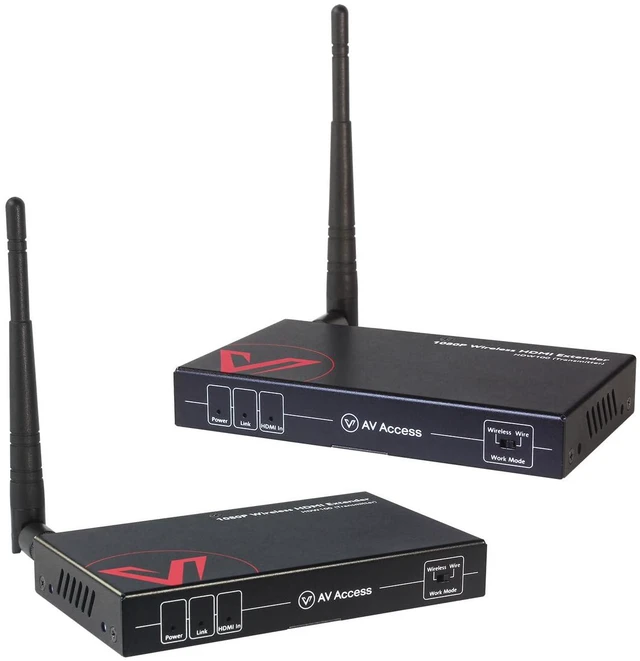
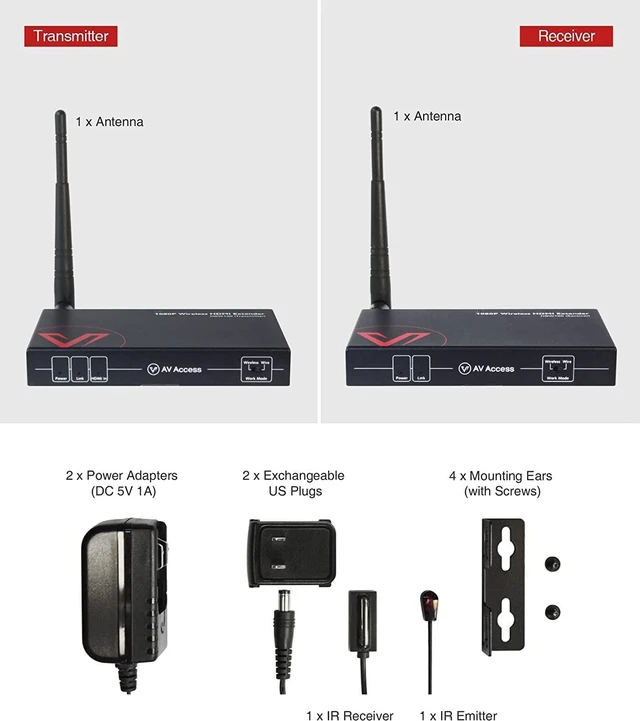


Wireless HDMI Extender with Loop Out Support 1080P@60Hz up to 200m/656ft
- 1080P Wireless TransmissionWireless HDMI Transmitter and Receiver Input/output resolution supports up to 1080p@60Hz, the image is clear and stable very smooth for sports programs, colorful and high sound quality without noise. : suppot PCM stereo only.
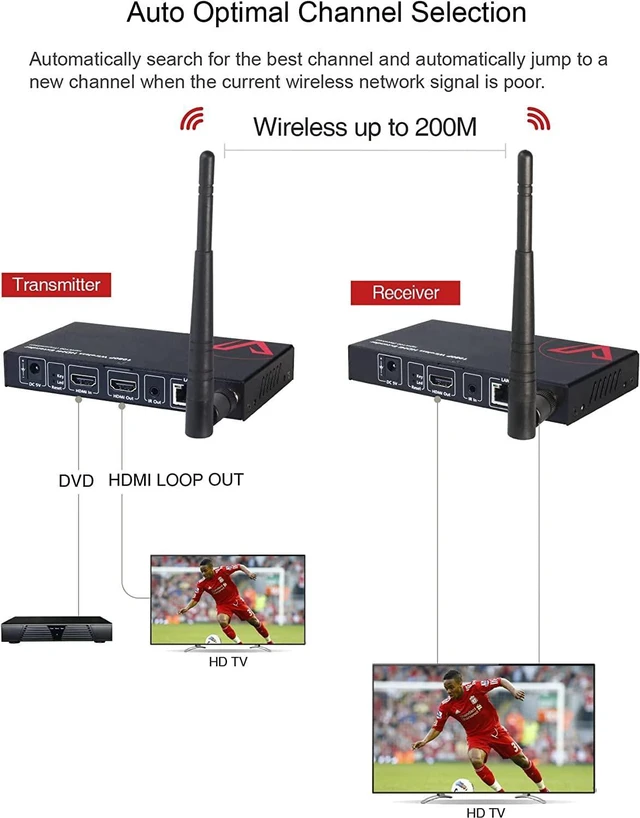
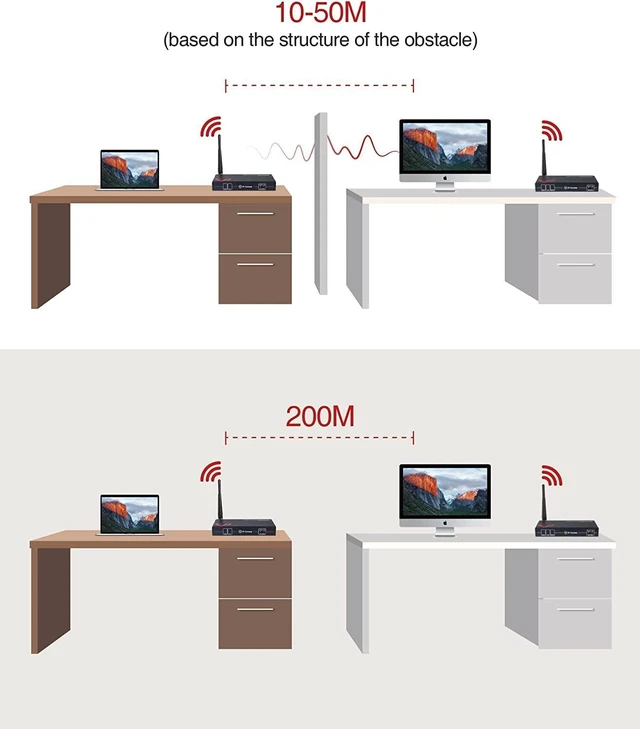
- Up to 200m Transmission RangeExtends 1080P full HD HDMI signal wirelessly up to 200m/656ft in an open field without interference. Transmits 10m-50m (32ft-165ft) through an interior drywall or other obstructions, stable and reliable.
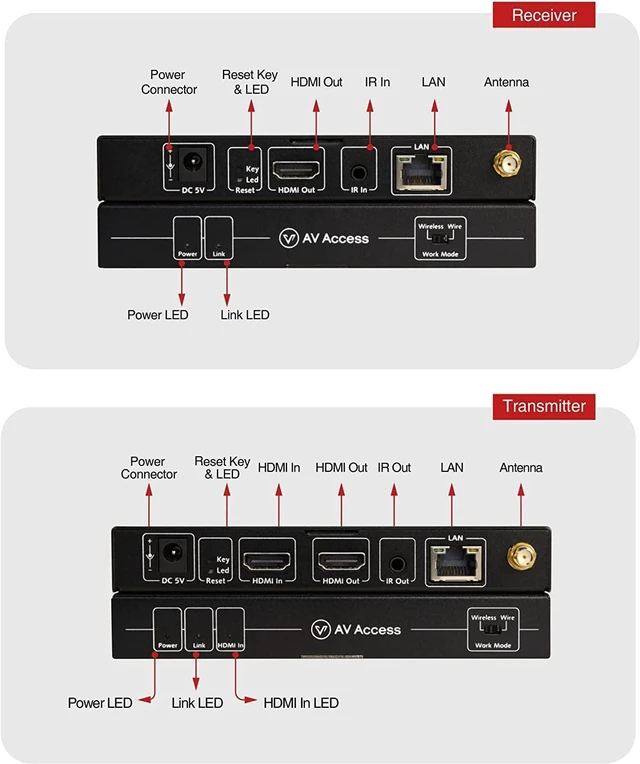
- Wired Mode OptionThe RX and TX can connected with ethernet cable, extends 1080P full HD HDMI signal up to 120m/394ft.
- Auto Optimal Channel SelectionWith auto matching feature, the HDW100 will automatically search for the best channel and automatically jump to a new channel when the current wireless network signal is poor.
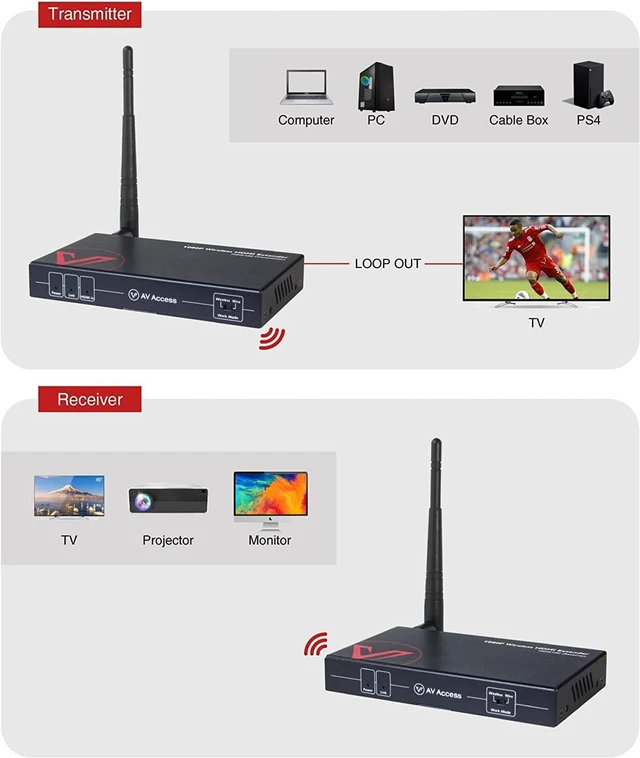
- Less Latency, Local Loop-outDelay time between wireless transmitter and receiver is less than 100ms(compared to market standard of 300ms). A HDMI loop-out for local displa
+
+
Overview
Specs
Reviews
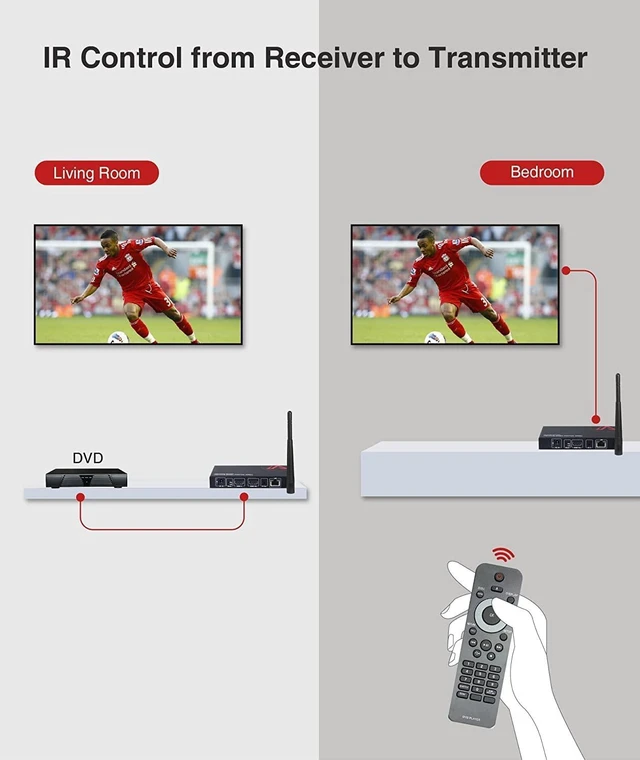
1Stable and Reliable2200m/656ft3Local Output & IR Control4Plug & Play5 Auto Pairing Notes: 1. this wireless HDMI Extender is not recommended for real-time applications, such as PC gaming and high-speed sports program. The HDMI local output has zero latency and can be connected to a local display. 2. This product is a transmitter and receiver kit.
Where can I use this wireless HDMI extender?
The wireless HDMI extender is ideal for both home and business applications where it is not convenient to install long Cat cables, like sports bar, restaurant, home theater, meeting room, etc.
What are the advantages of a wireless HDMI extender?
A wireless HDMI extender is easy to set up and flexible to place. You dont have to run long Cat cables through walls or drill holes to connect the transmitter to the receiver. It is quite useful in your home theater applications.
How far can HDW100 transmit signals?
HDW100 extends a 1080p full HD HDMI signal wirelessly up to 200 m (656 ft) in an open field without interference. You can use it at home or the office.
Can I use it in wired mode and wierless mode? And how can I change wireless mode to wired mode?
Exactly! One of the main features of the HDW100 is that you can use it in both wired and wireless modes. If you want to use it in wired mode, simply dial the dialing code of the transmitter and receiver of the HDW100 from wireless to wired mode.
Are there any precautions I should take when using it?
Firstly, we recommend that you keep its antenna upright. Secondly, we recommend you use only one pair of transmitters and receivers in the same space to avoid the hassle of signal interference.
AV Access, the Leading Brand in the Online Market of Pro AV Industry HDW100:Ideal for Your Home! HDW100:Ideal for Your Team! HDW100:Ideal for the Party! Supported by our professional R&D team Up to 200m Transmission Range Local Output & IR Control Auto Pairing, Plug & Play,Easy to Install Auto Optimal Channel Selection HDMI Extender with Loop Out NOTES Transmission Range Guide of Antenna Placement Where can I use this wireless HDMI extender?
What are the advantages of a wireless HDMI extender?
How far can HDW100 transmit signals?
Can I use it in wired mode and wierless mode? And how can I change wireless mode to wired mode?
Are there any precautions I should take when using it?
Where can I use this wireless HDMI extender?
The wireless HDMI extender is ideal for both home and business applications where it is not convenient to install long Cat cables, like sports bar, restaurant, home theater, meeting room, etc.
What are the advantages of a wireless HDMI extender?
A wireless HDMI extender is easy to set up and flexible to place. You dont have to run long Cat cables through walls or drill holes to connect the transmitter to the receiver. It is quite useful in your home theater applications.
How far can HDW100 transmit signals?
HDW100 extends a 1080p full HD HDMI signal wirelessly up to 200 m (656 ft) in an open field without interference. You can use it at home or the office.
Can I use it in wired mode and wierless mode? And how can I change wireless mode to wired mode?
Exactly! One of the main features of the HDW100 is that you can use it in both wired and wireless modes. If you want to use it in wired mode, simply dial the dialing code of the transmitter and receiver of the HDW100 from wireless to wired mode.
Are there any precautions I should take when using it?
Firstly, we recommend that you keep its antenna upright. Secondly, we recommend you use only one pair of transmitters and receivers in the same space to avoid the hassle of signal interference.
AV Access, the Leading Brand in the Online Market of Pro AV Industry HDW100:Ideal for Your Home! HDW100:Ideal for Your Team! HDW100:Ideal for the Party! Supported by our professional R&D team Up to 200m Transmission Range Local Output & IR Control Auto Pairing, Plug & Play,Easy to Install Auto Optimal Channel Selection HDMI Extender with Loop Out NOTES Transmission Range Guide of Antenna Placement Where can I use this wireless HDMI extender?
What are the advantages of a wireless HDMI extender?
How far can HDW100 transmit signals?
Can I use it in wired mode and wierless mode? And how can I change wireless mode to wired mode?
Are there any precautions I should take when using it?
Warranty & Returns
Warranty, Returns, And Additional Information
Warranty
- Please contact the Seller directly for warranty information. Warranty information may also be found on the Manufacturer's website.
- CONTACT
Return Policies
- Return for refund within: 30 days
- Return for replacement within: 90 days
- This item is covered by PartsPro Store Return Policy
Manufacturer Contact Info
- For a directory of all our manufacturers, please click below.
- Manufacturers Directory
LOADING...