



Meet Your Seller

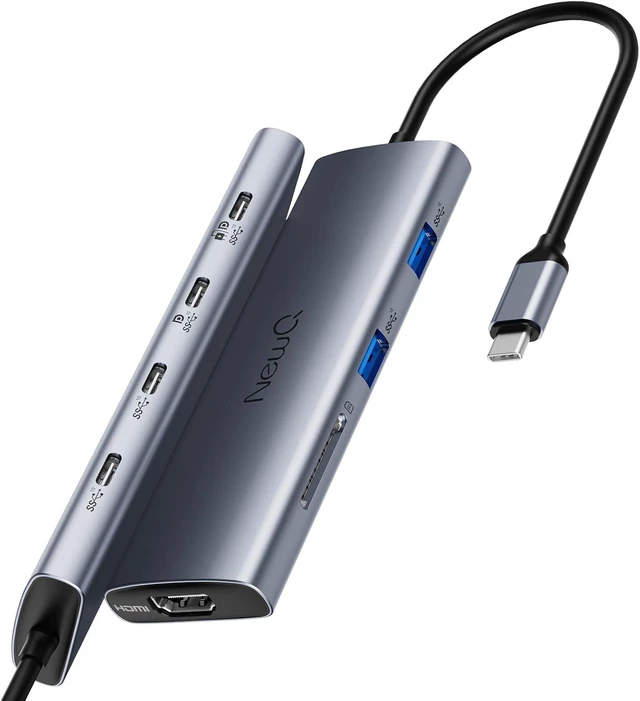
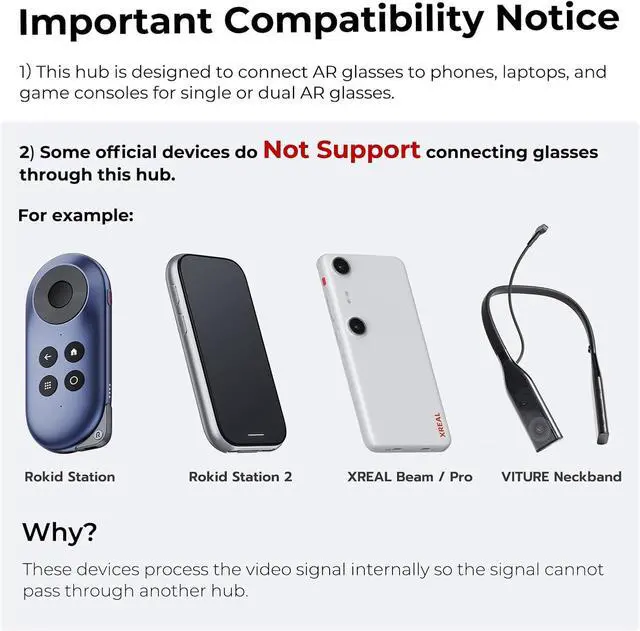
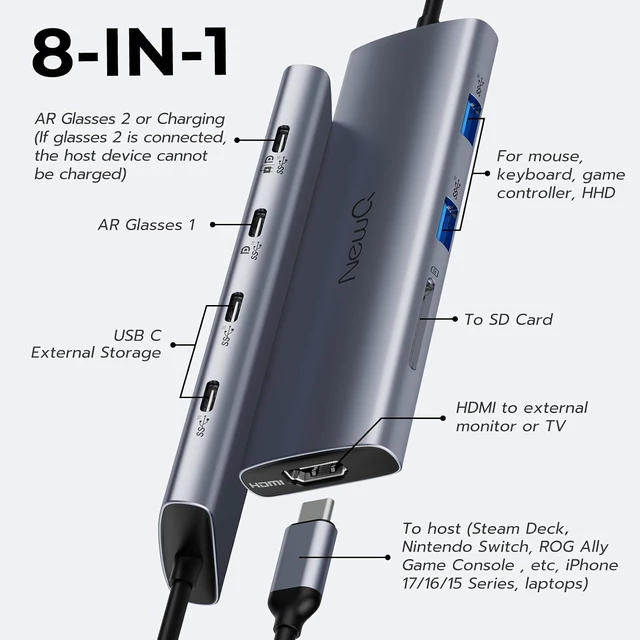


NewQ 8-in-1 USB C Video Hub for USB-C PD Monitor & Portable Screen & HDMI
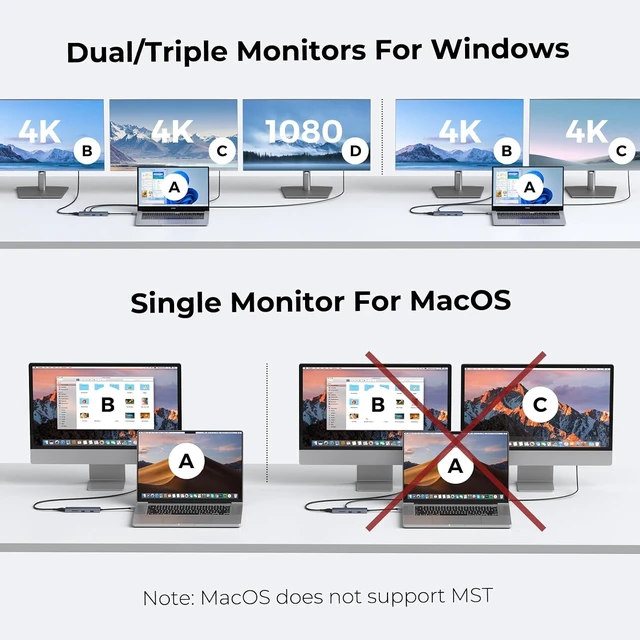
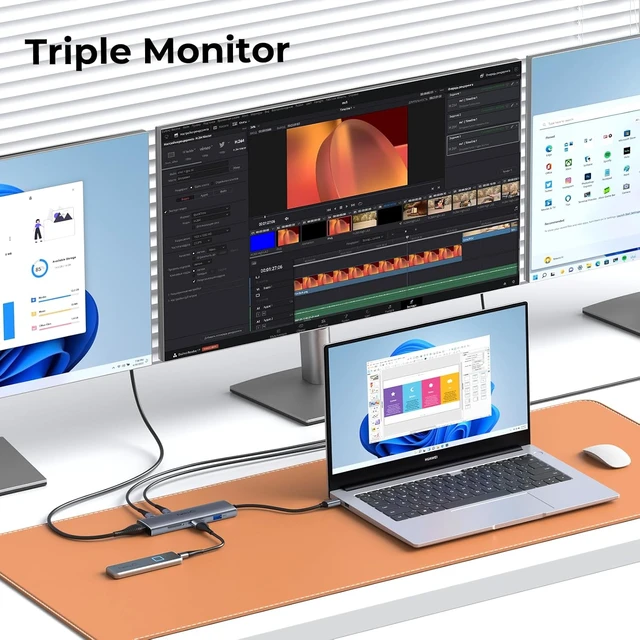
- Triple / Dual Display Support The usb c hub with usb c video out supports dual 4K@30Hz and triple display(2* 4K@30Hz + 1*1080P), Ideal for DP1.4 laptops to extend to dual 4K@30-60Hz displays (Note: MacBook supports only one extended monitor)
- Portable Monitor Game-Changer Eliminate dongle chaos for portable screens: Use USB-C cable to simultaneously transmit 4K video perfect for dual portable monitor rigs
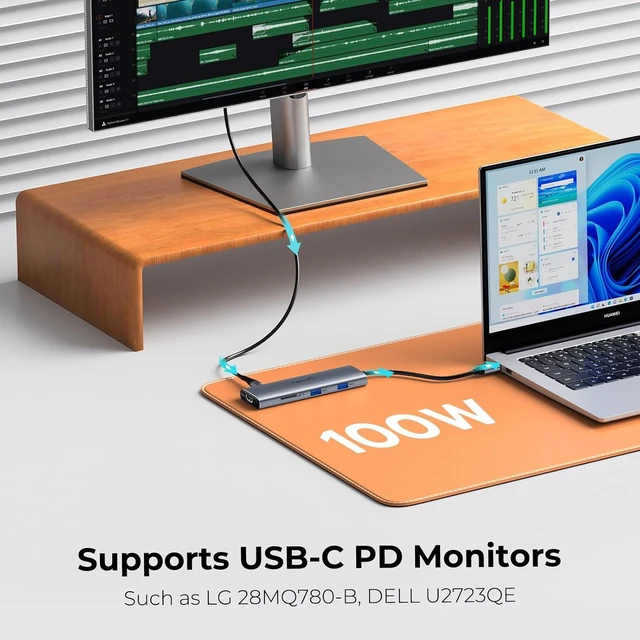
- Native USB-C PD Monitor Optimization Directly power and drive premium USB-C PD monitors (e.g., Dell Ultrasharp U2720Q, BenQ PD3220U) via the full-function USB-C port (4K@60Hz + 100W PD) no separate power cable needed. Mix with HDMI displays for hybrid setups (USB-C + HDMI)
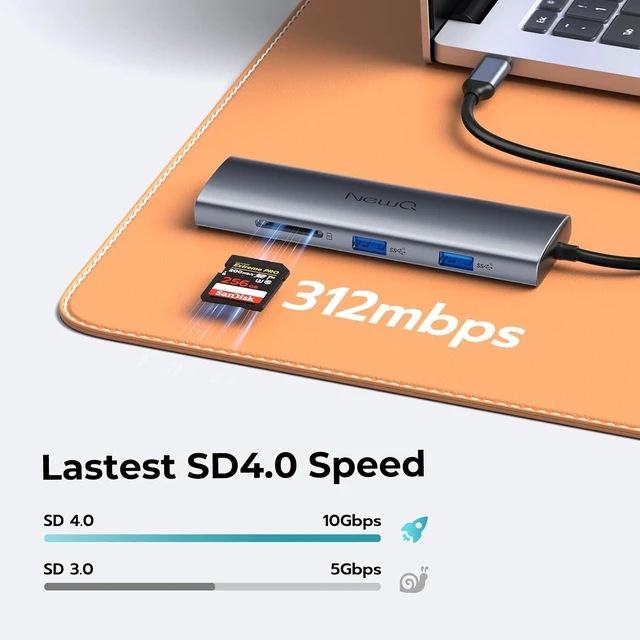
- High Speed SD 4.0 We provide the latest SD 4.0 interface, which can reach 300Mbps transfer speed. It's about 3 times faster than SD3.0 (104mbps), allowing you to back up your camera SD card and transfer various files faster. Make sure your SD card itself supports high-speed transfer
- Thermal Confidenc
+
+
Overview
Specs
Reviews
1Portable Monitors 2HDMI + USB C Monitor 3Type-C PD Monitor
Can I use dual external monitors with a MacBook?
No, MacOS currently limits M-series chips to one external display via hubs. This is a system-level restriction, not a hub limitation.
Can I connect three monitors?
yes, this hub supports triple displays max (2x USB-C + 1x HDMI) for windows or chromebooks laptops, but ensure that your laptop's USB-C support video output and charging.
Will this work with USB-C monitors without PD?
Absolutely! The USB-C video port outputs 4K@60Hz even to non-PD monitors like LG 27UN880-B.
Why does the hub get warm during use?
It is normal under heavy loads due to high-speed data processing. Our patented thermal design ensures safe operation.
NEWQ USB hub Multiple Choice Display Combination Key Specifications Triple Display Supported 6 * 10Gbps High Speed SD4.0 Tech Packing List Can I use dual external monitors with a MacBook?
Can I connect three monitors?
Will this work with USB-C monitors without PD?
Why does the hub get warm during use?
Can I use dual external monitors with a MacBook?
No, MacOS currently limits M-series chips to one external display via hubs. This is a system-level restriction, not a hub limitation.
Can I connect three monitors?
yes, this hub supports triple displays max (2x USB-C + 1x HDMI) for windows or chromebooks laptops, but ensure that your laptop's USB-C support video output and charging.
Will this work with USB-C monitors without PD?
Absolutely! The USB-C video port outputs 4K@60Hz even to non-PD monitors like LG 27UN880-B.
Why does the hub get warm during use?
It is normal under heavy loads due to high-speed data processing. Our patented thermal design ensures safe operation.
NEWQ USB hub Multiple Choice Display Combination Key Specifications Triple Display Supported 6 * 10Gbps High Speed SD4.0 Tech Packing List Can I use dual external monitors with a MacBook?
Can I connect three monitors?
Will this work with USB-C monitors without PD?
Why does the hub get warm during use?
Warranty & Returns
Warranty, Returns, And Additional Information
Warranty
- Please contact the Seller directly for warranty information. Warranty information may also be found on the Manufacturer's website.
- CONTACT
Return Policies
- Return for refund within: 30 days
- Return for replacement within: 90 days
- This item is covered by PartsPro Store Return Policy
Manufacturer Contact Info
- For a directory of all our manufacturers, please click below.
- Manufacturers Directory
LOADING...