


- Free 30-day Returns
$34.18
Ships from China.

Meet Your Seller






OTG Adapter Cable for Doo S90C S90 S95 S68 Pro S80 Lite N100 Type C USB OTG Converter Game Controller Connector
Limited time offer, ends 10/18 By BRIGHTOR
- Good Quality
+
+
Overview
Specs
Reviews
OTG Cable
for Doo( Plug)
_______
About USB OTG
How to Check if Your Device Supports USB OTG?
USB On-The-Go (OTG) is a standardized specification that allows a device to read from a USB device without requiring a PC. The device basically acts as a USB host , enabling it to power and control other USB peripherals such as keyboards/mice, game controllers, and much more. But how do you find out whether your Android phone supports USB OTG?
Method 1: Look at the box it came in, or the manufacturers website. Youll see USB OTG listed in the specifications.
Method 2: Install USB OTG Checker, a simple app to check whether your phone supports USB OTG or not.
What You Need to Use USB OTG?
1. Connect Flash Drives and External Hard Drives;
2. Play With Video Game Controllers;
3. Control Android With Keyboard and Mouse;
4. Print Directly From a Printer;
5. Control Your Camera;
_______
Compatible with:
We can not guarantee that the list is 100% correct.
Please double check: port & OTG supported.
Doo N100
Doo BL9000
Doo S80
Doo S80 Lite
Doo S68 Pro
Doo S90
Doo S90C
Doo S90 Pro
Doo S95
Doo S95 Pro
_______
Features:
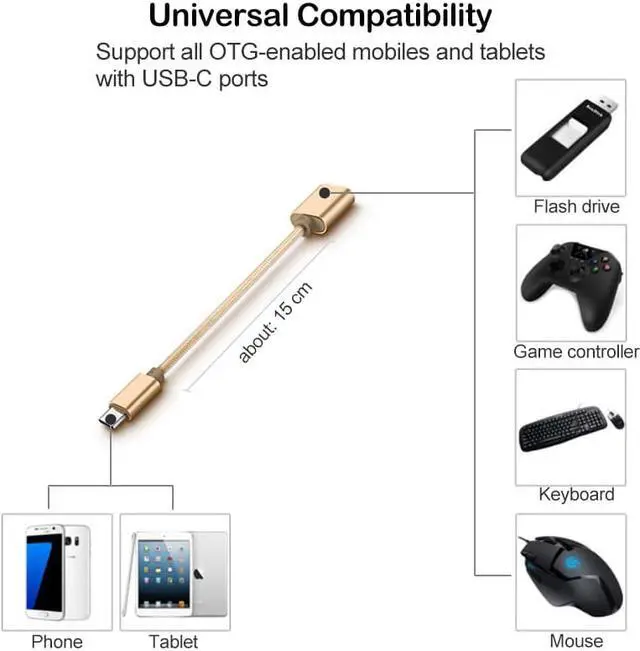
High Compatility: Compatible with all USB flash drives, smart phones/tablet PC with OTG function and Type-C port.
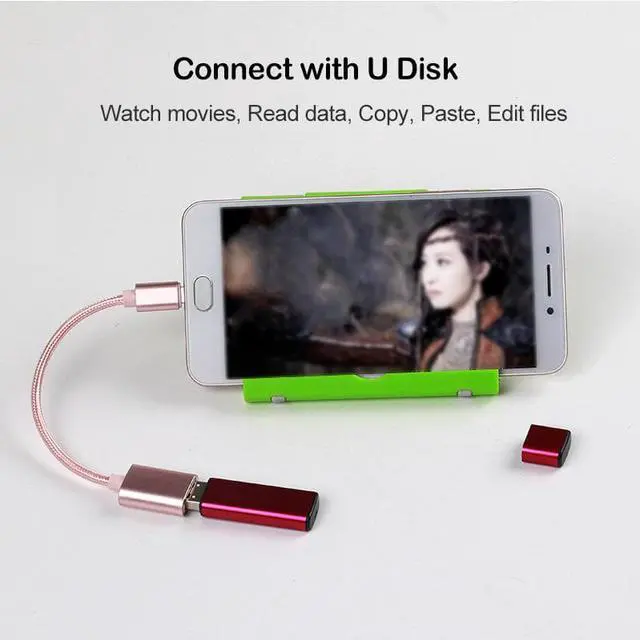
Support Flash Drive: Plug in your USB flash drive to make it OTG enabled, allowing your phone to read and write .
Connect Mouse or Keyboard: Support you to play games or write messages by connecting mouse and keyboard to your phone.
_______
Specifications:
Warranty & Returns
Warranty, Returns, And Additional Information
Warranty
- Please contact the Seller directly for warranty information. Warranty information may also be found on the Manufacturer's website.
- CONTACT
Return Policies
- Return for refund within: 30 days
- Return for replacement within: 90 days
- This item is covered by BRIGHTOR Return Policy
Manufacturer Contact Info
- For a directory of all our manufacturers, please click below.
- Manufacturers Directory
LOADING...